

Leantime Review



What is Leantime?
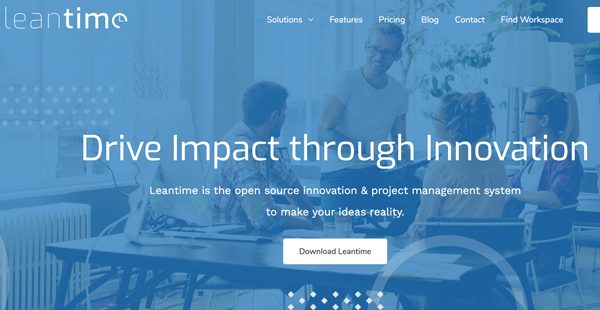
Leantime is an open-source tool for project management that grants users the ability to proactively assign, monitor, and execute tasks with speed and accuracy. Since the software carries open-source infrastructure, companies can freely modify the code to further suit their needs. This goes in line with the wide range of users that it accommodates, from small business owners and startups to product managers and freelancers.
Countless ideas are generated daily and Leantime has the capacity to store, consolidate, and communicate them in an orderly manner. The software has boards within which you can input ideas, research, key metrics, risks, and tasks, and discuss them with your team members, speeding up every stage of the project life cycle.
Leantime recognizes the rigors of verifying information, which is why it features a research tool that aids you in validating data. This cuts down the time typically devoted to research and ensures that the ideas you’re communicating are backed up by facts.
With Leantime, you can map out entire projects, from inception to completion, through a built-in platform for tracking milestones and plotting out goal dates, which is linked to an interactive calendar. You can monitor the progress of all active projects, check for possible conflicts and time constraints, and see if the team has the capacity to take on more projects. This affords you the ability to provide your clients with accurate project forecasts.
Accompanying the milestone tracker is a Project Dashboard that drills down into the components of each project using Gantt charts and timetables. Through it, managers can further monitor projects and the tasks of each team member. High priority tasks are duly highlighted, as well as their respective deadlines.
Furthermore, Leantime is equipped with a timesheet tool and a table for monitoring tasks to ensure that every output is being accomplished according to schedule. You can track the time of each assigned task and account for non-work-related periods, such as breaks and meals.
Show MoreOverview of Leantime Benefits
Quick and accurate ideation
Feasible ideas tend to get stuck on a whiteboard with no concrete action plan to lift them off the ground. Leantime addresses this concern by devoting tools for ideation and research—the Idea Manager and Research Manager, respectively.
In using the Idea Manager, you can note down all your ideas as well as your teams’ and discuss the most viable ones available. The resulting collaboration leads your team to build on already effective ideas until you have a sound plan in your hands. Metrics can also be set using the aforementioned tool to ensure that the team is on point while executing that plan.
Research Manager, on the other hand, allows you to verify, test, and support the ideas generated by the team. This comes in handy when shortlisting your ideas and lending credence to viable ones.
Optimized workflows
Leantime is equipped with a To-Do Manager, a Timesheet Manager, a calendar-back project roadmap, a project dashboard, and a function dedicated to backlogs. All the given functions work hand-in-hand to break down project tasks, assign work to team members, monitor time, outputs, and work, construct timetables, and complete or avoid the occurrence of backlogs.
Working with a lot of tasks is no cakewalk, thus, Leantime allows you to color-code tasks lists to minimize confusion. Moreover, outputs that belong to a project are consolidated into Gantt charts or timetables, so you can be on top of the project’s overall direction.
Reduced costs
Leantime’s free open source version already carries all the functionalities that you would need to nail down and deliver projects on time. In fact, you can immediately streamline your operations once you’ve gotten used to the software’s functionalities. Unless you have a dire need for cloud storage and an additional 100 GB storage space, you can stick it out with the free package to keep the costs to a minimum.
Map out projects with ease
Leantime’s Roadmap function allows you to create visual representations for projects, accounting for milestones, scheduling, and accurate estimations. Alongside this function is the Project Dashboard, which you can use to monitor tasks and create reports. Its algorithm provides insights and information that you can leverage throughout the projects.
Customizable interface
With Leantime’s open-source infrastructure, developers can tweak the interface in accordance with your company’s special needs—be it branding, tightening feature functionality, or operating with an existing workflow. Solutions can be modified to drive growth to your business further.
Easy time tracking
Some project management applications require integration with separate time tracking apps to monitor the productivity and attendance of company staff. Leantime does away with this since it has a built-in time tracker. Employee activities can be monitored as well as the status of each task. You can observe and act upon the productivity level of each team member.
Create a plan of communication
Leantime gives you visibility over every stage of the project life cycle, allowing you to quickly mitigate pain points. You can develop a communication plan that covers the tools for ideation, research, and project monitoring so that your team works in unison toward each milestone.
Reliable scheduling solution
You can maximize the capacity of your team by fitting more projects within the free space indicated by Leantime’s calendar. This exponentially increases your business’ potential for earnings. You would also see if you need to hire more personnel for your team to function optimally as you take in more projects.
Moreover, Leantime’s Project Dashboard helps you avoid taking in projects when your team’s plate is full and allows you to set realistic expectations with your clientele.
Hasten the project life cycle
Maximize time by building a workflow using Leantime’s functions. Since you have a clear view of your team’s progress, you can swiftly act upon problems as you see them. Your team, in turn, can easily slot in information on the tables and boards provided by the software. This can lead to fewer instances of overtime work, leading to reduced salary and utility expenses, among others.
Show MoreOverview of Leantime Features
- Idea Management
- Research Management
- Project Progress Monitoring
- Milestone Tracking
- Time Tracking
- Client Portal
- Gantt Charts
- Kanban Boards
- Calendar
- Task Management
- Slack and Mattermost Integration
- Role Management
- Project Dashboard
- Backlog Management
- Project Reports
Awards & Quality Certificates


Leantime Position In Our Categories
Because businesses have particular business demands, it is only practical that they avoid getting a one-size-fits-all, ”best” business application. At any rate, it would be difficult to come across such a software solution even among branded software products. The clever thing to undertake can be to list the numerous key aspects which merit research such as important features, budget, skill capability of staff, organizational size, etc. Then, you must conduct your research thoroughly. Have a look at these Leantime review articles and explore the other solutions in your list in detail. Such all-encompassing product research ensures you take out unsuitable applications and pay for the one that meets all the benefits your business requires to achieve growth.
Position of Leantime in our main categories:
TOP
500
Leantime is one of the top 500 Project Management Software products
There are trendy and widely used applications in each software category. But are they essentially the best fit for your enterprise’s unique wants? A trendy software application may have thousands of customers, but does it present what you require? For this reason, do not blindly invest in popular systems. Read at least a few Leantime Agile Project Management Software reviews and mull over the aspects that you want in the software such as the cost, main tools, available integrations etc. Then, choose a few apps that fit your needs. Check out the free trials of these products, read online reviews, get clarifications from the seller, and do your research systematically. This profound research is certain to help you select the finest software solution for your organization’s unique needs.
How Much Does Leantime Cost?
Leantime Pricing Plans:
Free Trial
Open Source
Free
Business
$5/user/month
Enterprise
Contact vendor
What are Leantime pricing details?
Leantime Pricing Plans:
Free Trial
Open Source
Free
Business
$5/user/month
Enterprise
Contact vendor
Leantime offers an open-source solution, monthly subscription, and custom enterprise pricing:
Open Source – Free
- Self-hosted
- Progress Reviews
- Idea Manager
- Research Manager
- Project Management
- Kanban
- Gantt Charts
- Business Branding
- File Sharing
- Calendars
- Slack and Mattermost Integrations
Business – $5/user/month
- All Open Source Features
- 100Gb Storage
- Cloud Hosting
- System Maintenance and Backups
- Automatic Updates
- Email Support
- 7-day Free Trial
- 2 months free when paid annually
Enterprise – By quote
- All Business Features
- Installation On Site
- Dedicated Instance
- Premium Support
- Team Training
User Satisfaction
Positive Social Media Mentions
21
Negative Social Media Mentions
0
We realize that when you make a decision to purchase a Agile Project Management Software it’s crucial not only to learn how professionals rank it in their reviews, but also to check if the real people and enterprises that use these solutions are indeed content with the product. Because of that need we’ve devised our behavior-based Customer Satisfaction Algorithm™ that aggregates customer reviews, comments and Leantime reviews across a vast array of social media sites. The data is then presented in a simple to understand format showing how many customers had positive and negative experience with Leantime. With that information available you will be prepared to make an informed business choice that you won’t regret.
Video
Technical details
Devices Supported
- Web-based
Deployment
- Cloud Hosted
- On Premise
Language Support
- English
- German
- Spanish
- Russian
- Dutch
Pricing Model
- Free
- Monthly payment
- Annual Subscription
- Quote-based
Customer Types
- Small Business
- Large Enterprises
- Medium Business
- Freelancers
What Support Does This Vendor Offer?
- phone
- live support
- training
- tickets
What integrations are available for Leantime?
Leantime offers integration with:
- Slack
- Mattermost
- Zulip
For information on the software’s other integrations, visit their official website or contact their support team.

Leantime
is waiting for
your first review.

Write your own review of this product
ADD A REVIEWMore reviews from 0 actual users:


Join a community of 7,369 SaaS experts
Thank you for the time you take to leave a quick review of this software. Our community and review base is constantly developing because of experts like you, who are willing to share their experience and knowledge with others to help them make more informed buying decisions.
Sign in with LinkedIn
Why we require LinkedIn?
- Show the community that you're an actual user.
- We will only show your name and profile image in your review.
- You can still post your review anonymously.
OR
Sign in with company emailSign in with company email
Popular Leantime Alternatives


Top Competitors To Leantime By Price
Product name:
Price:

By quote


Trending Agile Project Management Software Reviews

Leantime Comparisons
Product name:









Page last modified



Did you find this review useful?
Yes
No
Thank you for your feedback
How can we make this page better?
Unsure about this software?
FIND ALTERNATIVES
 Why is FinancesOnline free?