

Mindomo Review



What is Mindomo?
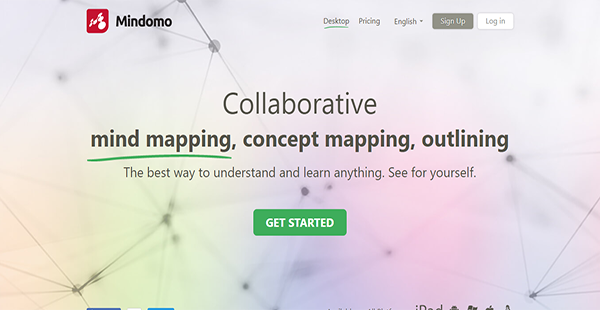
Mindomo is a collaborative mind mapping, concept mapping, and outlining software that enables users to organize information visually. It is a freemium application that facilitates critical thinking by letting you create connections between data.
With Mindomo, teachers can also promote collaboration among their students. That is because the software has a teamwork feature that lets learners put their minds together in building a mind or concept map or even an outline.
Moreover, Mindomo connects with multiple productivity suites and education applications. Among the integrated third-party solutions are Office 365, Canvas, Moodle, and Desire2Learn. This way, students and teachers can access the diagramming tool seamlessly from different platforms.
Show MoreOverview of Mindomo Benefits
Maps Presentation
With Mindomo, students can present their mind or concept maps directly from the application. A single click can activate the presentation mode that lets users show how their thought process or ideas developed through their interactive diagrams.
Mobile Applications
Instead of depending on web browsers and on the desktop application alone to build mind maps, you can rely on Mindomo to go fully mobile with you. The tool has native mobile apps for iPad and Android that you can use online and offline. The interface for the ambulatory version of the solution is as smooth as its full-screen ones.
Full Change Audit
Mindomo assures you that you can trace every change or modification done on a student’s mind map. The application provides you with detailed histories as to when a user created new maps, added new media, and more. With this, you can check your learners’ progress remotely and offer them help when you believe assistance is required.
Web Image Search
Students can make their maps more engaging and visually appealing by adding images to them. They can directly search for web images on Mindomo’s interface and add them to their maps with a single click.
Multimedia Notes
Images are not the only things Mindomo is capable of adding to the maps. The application also supports videos and audio notes to allow students to enhance their presentations with multimedia. With these, they can better explain or augment their ideas.
Mind Map Templates
In case they do not know where to start, your students can tap on mind map templates to help them. These make it easier to familiarize themselves with the concepts and saves them time in the creation process.
Show MoreOverview of Mindomo Features
- Collaborative Mind Map Assignments
- Outlines
- Custom Mind Map Themes
- Hyperlinks & Attachments
- Notes
- Brainstorming & Real-Time Collaboration
- Maps Export
- Revision History
- No-Email Student Accounts
- Web Image Search
- Video & Audio Upload
- Sound Recording
- Maps to Presentations
- In-Topic Text Formatting
- Bookmarking
- Integrations
Mindomo Position In Our Categories
Because businesses have distinct business-related demands, it is practical they abstain from subscribing to an all-in-one, ”best” business program. However, it is difficult to try to stumble on such application even among sought-after software solutions. The sensible thing to undertake would be to list the different critical functions that require inspection including major features, costing, skill levels of staff members, company size, etc. The second step is, you should conduct the research fully. Have a look at some Mindomo evaluations and explore the other software options in your list more closely. Such detailed product investigation can make sure you stay away from ill-fitting software solutions and pay for the system which includes all the features your business requires in sustaining growth.
Position of Mindomo in our main categories:
TOP
20
Mindomo is one of the top 20 Mind Mapping Software products
If you are considering Mindomo it could also be sensible to analyze other subcategories of Mind Mapping Software collected in our base of B2B software reviews.
It is crucial to realize that almost no software in the Mind Mapping Software category is going to be an ideal solution able to match all the needs of all company types, sizes and industries. It may be a good idea to read a few Mindomo Mind Mapping Software reviews first as certain solutions may dominate only in a really narrow set of applications or be prepared with a very specific type of industry in mind. Others can operate with an idea of being easy and intuitive and consequently lack complicated functionalities desired by more experienced users. There are also apps that focus on a wide group of customers and offer a complex feature set, but this frequently comes at a more expensive price of such a solution. Ensure you're aware of your requirements so that you choose a service that has specifically the functionalities you search for.
How Much Does Mindomo Cost?
Mindomo Pricing Plans:
Free Trial
Free
$0
(Work & Personal) Premium
€6/month
(Work & Personal) Professional
€15/month
(Work & Personal) Team
€25/month
(Education) Basic
€3/month
(Education) Teacher
€5/month
(Education) Classroom & School
€9/month
What are Mindomo pricing details?
Mindomo Pricing Plans:
Free Trial
Free
$0
(Work & Personal) Premium
€6/month
(Work & Personal) Professional
€15/month
(Work & Personal) Team
€25/month
(Education) Basic
€3/month
(Education) Teacher
€5/month
(Education) Classroom & School
€9/month
Expert Software Applications, the company behind Mindomo, offers two different subscription plans: Work/Personal which comprises Premium, Professional and Team; and Education, with Basic, Team and School & Classroom. You can also avail of the 30-day money-back guarantee in case you change your mind about Mindomo. Other than that, there is a free version that you can use without cashing out forever.
Free – $0
- 3 Maps
Work & Personal
Premium – €6/month
- 1 User
- Unlimited Mind Maps
- Unlimited Task Maps
- 1 GB Storage
- Backup to Dropbox & Google Drive
- Video & Audio Embed
- Password-Protected Maps
- Desktop Version
- iPad & Android Sync
- 8 Export Formats
- 8 Import Formats
Professional – €15/month
- 1 User & 5 Guests
- Guest Editing
- Unlimited Mind Maps
- Unlimited Task Maps
- 5 GB Storage
- Backup to Dropbox & Google Drive
- Video & Audio Embed
- Password-Protected Maps
- Premium Shared Maps
- Desktop Version
- iPad & Android Sync
- 12 Export Formats
- 8 Import Formats
Team – €25/month
- 5 Users
- Guest Editing
- Unlimited Mind Maps
- Unlimited Task Maps
- 15 GB Storage
- Backup to Dropbox & Google Drive
- Video & Audio Embed
- Password-Protected Maps
- Premium Shared Maps
- Desktop Version
- iPad & Android Sync
- 12 Export Formats
- 8 Import Formats
- Team Interface
- Shared Team Folder
Education
Basic – €3/month
- 1 user
- Unlimited Mind Maps and Outlines
- Edu Templates
- PDF Export
- Desktop Premium
- 8 Export and Import Formats
- Printing
Teacher – €5/month
- 1 teacher plus students
- Everything in the Basic plan
- 15 Mind Map Assignments
- 12 Export Formats
- 75 Students/Assignments
Classroom & School – €9/month
- Everything in the Basic plan
- 2 Teacher Accounts
- 80 Student Accounts
- School Management
- 15 Assignments/Teacher
- 12 Export Formats
- Integrations
User Satisfaction
Positive Social Media Mentions
26
Negative Social Media Mentions
0
We are aware that when you make a decision to get a Mind Mapping Software it’s crucial not only to find out how experts rank it in their reviews, but also to find out if the real users and businesses that use it are indeed content with the product. Because of that need we’ve designer our behavior-based Customer Satisfaction Algorithm™ that aggregates customer reviews, comments and Mindomo reviews across a vast array of social media sites. The data is then displayed in a simple to digest format showing how many users had positive and negative experience with Mindomo. With that information at your disposal you should be ready to make an informed buying decision that you won’t regret.
Video
Technical details
Devices Supported
- Windows
- Linux
- Android
- iPhone/iPad
- Mac
- Web-based
Deployment
- Cloud Hosted
- On Premise
Language Support
- English
- Chinese
- German
- Japanese
- Spanish
- French
- Russian
- Italian
- Dutch
- Portugese
- Swedish
Pricing Model
- Free
- Monthly payment
Customer Types
- Small Business
- Large Enterprises
- Medium Business
- Freelancers
What Support Does This Vendor Offer?
- phone
- live support
- training
- tickets
What integrations are available for Mindomo?
Mindomo integrates with numerous applications such as the following:
- Blackboard
- Clever
- Canvas
- Moodle
- Office365
- Desire2Learn
- Classroom by Google
- itsLearning
- Schoology
Mindomo User Reviews
Mindomo average rating:
5/5
Overall impression
5/5
Customer Support
4/5
Value for Money
5/5
Ease of Use
Write your own review of this product
ADD A REVIEWThe most favorable review

PROS: I love the improvements that they have done with Mindomo. Now, we can add links, media, comments, etc. Plus, it lets us transition from one mode of viewing to another.
CONS: Mindomo answers most of our mind-mapping needs. However, if they were to roll out a new version, I wish they would add a feature that automatically converts maps into text outlines.
The least favorable review
PROS: Mindomo is probably one of the most user-friendly mind-mapping solutions available. I love how it organizes my scattered ideas into a cohesive lecture-plan. I can even annotate sections with links, photos, etc. I can also assign work for my students here.
CONS: I love how I can use this platform to check and grade my students' assignments, but I think this feature still has a lot to improve on. I wish that they would give us more freedom on the look and feel of the output too.
More reviews from 5 actual users:
Sort by:
Latest
- Latest
- Most useful
- Most positive
- Most negative
Great app for developing projects!
Read full review >
4/5
Overall impression
4/5
Customer Support
3/5
Value for Money
4/5
Ease of Use
Published on: 22.09.2021
Company Size: 11-50 Employees
Industry: N/A
PROS: I love the pre-designed templates! Mindomo makes creating mind maps easier but the templates make it more convenient! It makes presentations, planning sessions, and brainstorming a lot more enjoyable and productive.
CONS: I wish there would be more template options in the future. They could also add more features to make it the best app!
Visually-appealing mind maps!
Read full review >
5/5
Overall impression
5/5
Customer Support
4/5
Value for Money
5/5
Ease of Use
Published on: 31.07.2021
Company Size: More than 100 Employees
Industry: Investment Management
PROS: This tool allows users to create a professional-looking mind map. The mind map is customizable that lets you add images, videos, and other graphics to make it more visually appealing. This is useful in upgrading or enhancing your projects.
CONS: Some few things need improvement, but overall this app is I'd say, excellent!
Puts structure to my ideas.
Read full review >
5/5
Overall impression
5/5
Customer Support
5/5
Value for Money
4/5
Ease of Use
Published on: 10.02.2021
Company Size: 1-10 Employees
Industry: Food & Beverages
PROS: This solution ticks all of the boxes in my requirements for a mind mapping tool. It has a simple interface that is easy to learn. Plus, I can easily save my output on Google Drive too.
CONS: Mindomo can only be accessed where there is an internet connection. For someone who is always on the go, this can be a tall order.
One of the best options out there.
Read full review >
5/5
Overall impression
5/5
Customer Support
5/5
Value for Money
4/5
Ease of Use
Published on: 16.01.2021
Company Size: 1-10 Employees
Industry: Hospital & Health Care
PROS: I love the improvements that they have done with Mindomo. Now, we can add links, media, comments, etc. Plus, it lets us transition from one mode of viewing to another.
CONS: Mindomo answers most of our mind-mapping needs. However, if they were to roll out a new version, I wish they would add a feature that automatically converts maps into text outlines.
A great assistant for a lecturer like me.
Read full review >
4/5
Overall impression
4/5
Customer Support
3/5
Value for Money
4/5
Ease of Use
Published on: 04.09.2019
Company Size: More than 100 Employees
Industry: Higher Education
PROS: Mindomo is probably one of the most user-friendly mind-mapping solutions available. I love how it organizes my scattered ideas into a cohesive lecture-plan. I can even annotate sections with links, photos, etc. I can also assign work for my students here.
CONS: I love how I can use this platform to check and grade my students' assignments, but I think this feature still has a lot to improve on. I wish that they would give us more freedom on the look and feel of the output too.


Join a community of 7,369 SaaS experts
Thank you for the time you take to leave a quick review of this software. Our community and review base is constantly developing because of experts like you, who are willing to share their experience and knowledge with others to help them make more informed buying decisions.
Sign in with LinkedIn
Why we require LinkedIn?
- Show the community that you're an actual user.
- We will only show your name and profile image in your review.
- You can still post your review anonymously.
OR
Sign in with company emailSign in with company email
Popular Mindomo Alternatives





Top Competitors To Mindomo By Price
Product name:
Price:


Trending Mind Mapping Software Reviews


Mindomo Comparisons
Product name:







Mindomo user reviews
Great app for developing projects!
Read full review >
4/5
Overall impression
4/5
Customer Support
3/5
Value for Money
4/5
Ease of Use
Published on: 22.09.2021
Company Size: 11-50 Employees
Industry: N/A
Visually-appealing mind maps!
Read full review >
5/5
Overall impression
5/5
Customer Support
4/5
Value for Money
5/5
Ease of Use
Published on: 31.07.2021
Company Size: More than 100 Employees
Industry: Investment Management
Puts structure to my ideas.
Read full review >
5/5
Overall impression
5/5
Customer Support
5/5
Value for Money
4/5
Ease of Use
Published on: 10.02.2021
Company Size: 1-10 Employees
Industry: Food & Beverages
One of the best options out there.
Read full review >
5/5
Overall impression
5/5
Customer Support
5/5
Value for Money
4/5
Ease of Use
Published on: 16.01.2021
Company Size: 1-10 Employees
Industry: Hospital & Health Care
A great assistant for a lecturer like me.
Read full review >
4/5
Overall impression
4/5
Customer Support
3/5
Value for Money
4/5
Ease of Use
Published on: 04.09.2019
Company Size: More than 100 Employees
Industry: Higher Education

Page last modified



Did you find this review useful?
Yes
No
Thank you for your feedback
How can we make this page better?
Unsure about this software?
FIND ALTERNATIVES
 Why is FinancesOnline free?