

Miro Review



What is Miro?
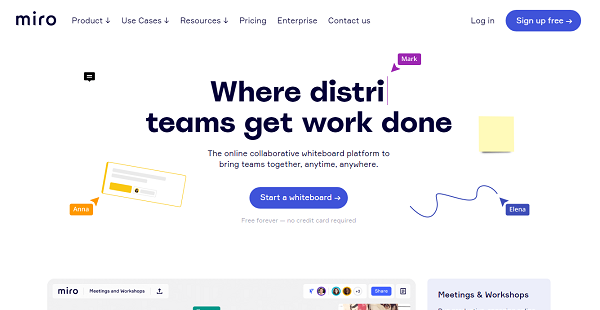
Miro is an online collaboration tool ideal for brainstorming ideas, mapping complex processes, making strategies, engaging remote meetings, and more. This is especially useful for agile and remote teams, product developers, as well as UX researchers and designers.
With Miro, teams have access to a robust set of toolkits for making roadmaps and sprint planning, wireframing, mapping customer journeys, etc. It has a multitude of pre-built templates and smart frameworks that could get teams up to speed with their collaboration tasks. Furthermore, your team will find it easier to unleash their creativity and not constrain their thinking in the box with the platform’s infinite canvas, digital sticky notes, smart drawing, embedded videos, and more.
Miro can integrate with over 70 applications of different types, including wireframes, icons, file storage, documents, design tools, task trackers, CRM, and surveys. This further improves the collaborative design process and helps users optimize other aspects of their product. There are also plugins, API, iframe, and SDKs available for more customized integration.
The platform is available on mobile devices as well for both iOS and Android platforms. This way, you can access and review your boards, make digital sticky notes, capture ideas on the go, share feedback, and more right from your smartphones and tablets.
Miro offers pricing plans for businesses of all sizes, ranging from $8 to $16 per member per month. There is a free plan, too, with basic boards, templates, etc. which is a good way to assess the product. There is also an enterprise-grade package that is available by quote.
Show MoreOverview of Miro Benefits
Miro empowers remote and agile teams in seamlessly working together to brainstorm, workshop, make a decision, and more. Some of its benefits include:
Asynchronous collaboration
Miro takes collaboration to the next level by ensuring that all members, whether the team is distributed, fully remote, or collocated, are always on the same page. With mouseover collaboration, multiple users concurrently working on a single task will know who they’re working with and what each of the members is doing. Collaborators can easily track and engage any team member on their board. There are also different options for asynchronous or real-time teamwork on the whiteboard.
Infinite canvas
Users working on a project together can see and create both the big picture and the tiniest detail, thanks to the infinitely zoomable canvas they can work on. With this, they can plan the projects from any angle, make central information hubs for everyone’s convenience, organize all the ideas, and more.
Robust design toolkit
Teams using Miro have an access to a series of design toolkits that make work effective and easier. There are templates available for different types of projects such as customer journeys, empathy maps, and service design blueprint. If you want to create from scratch or customize a template, you can easily do so with smart drawing mode, digital sticky notes, and mind mapping tools.
A multitude of integration
The platform offers 70+ integrations, including the most popular solutions such as GitHub, Dropbox, Zapier, Zendesk, and Google Drive, which add a lot to the platform’s functionalities. For instance, more icons can be used, thanks to Iconfinder Cisco Network Topology Icons integration. You can also sync your files from Google Drive and Box or store them into them.
Enterprise-grade security
Miro promises stringent security to keep your files, privacy, and work secured and under control. It provides various advanced security measures such as SSL, SSL encryption, domain filtering, and audit log. The platform is also PCI, GDPR, and SOC-2 compliant.
Show MoreOverview of Miro Features
- Pre-built templates
- Smart frameworks
- Infinite canvas
- Mouseover collaboration
- Screen sharing and presentations
- SSL encryption, SSO, audit log
- High-resolution exports
- Remote meetings toolkit
- Unlimited boards
- Anonymous users
- Folder organization and structure
- Widgets (freeform pen, sticky notes, and shapes)
- User administration
Miro Position In Our Categories
Because companies have distinct business-related wants, it is prudent that they avoid adopting a one-size-fits-all, ideal software solution. Nevertheless, it would be hard to try to come across such a software solution even among well-known software systems. The sensible thing to do would be to make a list of the varied significant functions which necessitate examination including critical features, price plans, skill levels of staff members, business size, etc. Next, you must conduct the product research thoroughly. Go over some of these Miro evaluations and look over the other software systems in your shortlist in detail. Such well-rounded product investigation guarantee you stay away from mismatched software solutions and choose the one which provides all the tools your company requires to be successful.
Position of Miro in our main categories:
TOP
10
Miro is one of the top 10 Mind Mapping Software products
If you are considering Miro it could also be a good idea to check out other subcategories of Mind Mapping Software collected in our database of B2B software reviews.
Enterprises have different wants and requirements and no software application can be perfect in such a scenario. It is useless to try to find an ideal out-of-the-box software product that fulfills all your business wants. The wise thing to do would be to customize the solution for your special needs, staff member skill levels, finances, and other factors. For these reasons, do not hasten and subscribe to well-publicized trendy applications. Though these may be widely used, they may not be the ideal fit for your particular needs. Do your groundwork, investigate each short-listed system in detail, read a few Miro Mind Mapping Software reviews, call the vendor for explanations, and finally select the product that offers what you need.
How Much Does Miro Cost?
Miro Pricing Plans:
Free Trial
Free
Free
Team
$10 per member/month
Business
$16 per member/month
Consultant
$15 per member/month
Enterprise
Contact vendor
What are Miro pricing details?
Miro Pricing Plans:
Free Trial
Free
Free
Team
$10 per member/month
Business
$16 per member/month
Consultant
$15 per member/month
Enterprise
Contact vendor
Free
- 3 Editable boards
- Basic attention management
- Selection of premade templates
- Inclusive of access to core integrations
- Support for anonymous board viewers
Team – $10 per member/month ($8 per member/month when billed annually)
- All features of the Free plan
- Unlimited editable boards
- Advanced attention management
- Support for anonymous board editors
- Support for external board viewers and commenters
- Project management options
- Private board sharing option
- High-resolution exports
- Kanban Framework
- Selection of customized templates
- Remote meetings toolkit
- Integrations with Jira, Confluence, and Asana
Business – $16 per member/month
- All features of the Team plan
- Day passes for occasional collaborators
- Support for external editors
Consultant Plan – $15 per member/month ($12 per member/month when billed annually)
- All the features of the Team plan
- Private, secure workspace for every client
- Full-access for occasional users with day passes (additional fee, $3 each)
- No minimum seat requirement
- User permissions and controls
Enterprise – Contact vendor
- All features of the Business plan
- Integrations with Azure DevOps and CA Rally
- Centralized multi-team setup
- Company-wide account management options
- Advanced security (inclusive of domain whitelisting and audit logs)
- Custom user permissions and administration
- Developer platform and API access
- Data governance options
- Personalized onboarding program
- Dedicated customer success manager
- Security review and MSA support
- Premium customer support
User Satisfaction
Positive Social Media Mentions
105
Negative Social Media Mentions
3
We know that when you choose to get a Mind Mapping Software it’s important not only to see how experts evaluate it in their reviews, but also to check whether the real clients and enterprises that bought this software are indeed happy with the product. Because of that need we’ve devised our behavior-based Customer Satisfaction Algorithm™ that collects customer reviews, comments and Miro reviews across a vast range of social media sites. The information is then featured in an easy to digest way showing how many users had positive and negative experience with Miro. With that information at hand you will be prepared to make an informed buying decision that you won’t regret.
Video
Technical details
Devices Supported
- Windows
- Linux
- Android
- iPhone/iPad
- Mac
- Web-based
Deployment
- Cloud Hosted
- On Premise
Language Support
- English
Pricing Model
- Free
- Monthly payment
- Annual Subscription
- Quote-based
Customer Types
- Small Business
- Large Enterprises
- Medium Business
- Freelancers
What Support Does This Vendor Offer?
- phone
- live support
- training
- tickets
What integrations are available for Miro?
- Wireframe Library
- Whereby
- Microsoft Teams
- Voting Plugin
- Countdown Timer
- Google Drive
- Jira Cards
- Planning Poker
- Azure Cards
- User Story Map
- Slack App
- Coda
- Asana Cards
- Airtable
- Github
- Notion
- Box
- Dropbox
- OneDrive
- Targetprocess
- RemoteHQ
- Salesforce
- Trello Power-Up
- Video Chat
- InVision
- Zapier
- CA Agile Central
- Procore Platform
- Trello
- Miro plugin for Sketch
- Microsoft Azure
- Cisco Network Topology Icons
- AWS Architecture
- Adobe Creative Cloud
- Google Image
- Iconfinder
- Unsplash
- Chrome Search Extension for Miro
- Tables and Charts
- Chat
- Confluence Plugin
- Jira Addon
- Microsoft Excel
- Airtable + Zapier
- HubSpot
- Zendesk
- Google Sheets
- Freshdesk
- Google Tasks
- Evernote
- SurveyMonkey
- OneNote
- Google Form
- Typeform
- Gmail
- Google Auth
- Office 365 Auth
- Microsoft Active Directory
- One Login
- Bitium
- Azure Active Directory
- RSA Secure ID
- Okta
- SCIM API
- Chrome Extension
- SAML
- Centrify
- Axure
- UXPin
- Youtube
- Vimeo
- Prezi
- Product Hunt
- SlideShare

Miro
is waiting for
your first review.

Write your own review of this product
ADD A REVIEWMore reviews from 0 actual users:


Join a community of 7,369 SaaS experts
Thank you for the time you take to leave a quick review of this software. Our community and review base is constantly developing because of experts like you, who are willing to share their experience and knowledge with others to help them make more informed buying decisions.
Sign in with LinkedIn
Why we require LinkedIn?
- Show the community that you're an actual user.
- We will only show your name and profile image in your review.
- You can still post your review anonymously.
OR
Sign in with company emailSign in with company email
Popular Miro Alternatives




Top Competitors To Miro By Price
Product name:
Price:




Trending Mind Mapping Software Reviews



Miro Comparisons
Product name:


Page last modified



Did you find this review useful?
Yes
No
Thank you for your feedback
How can we make this page better?
Unsure about this software?
FIND ALTERNATIVES
 Why is FinancesOnline free?