

Nomadesk Review



What is Nomadesk?
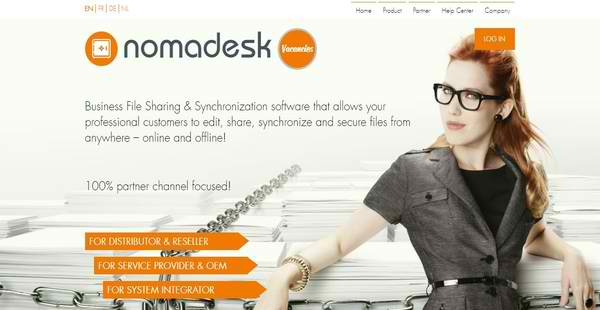
Nomadesk is a market-leading business file sharing and synchronization solution that allows business professionals and their partners and clients to confidently and securely share digital documents and files with each other, edit them from any location, and synchronize them across business users and devices.
This EFSS or enterprise file sync and share solution has the capability to build virtual hard drives where users can store their documents and files. These virtual hard drives are called vaults. After they are done placing their documents and files in those vaults, they can then edit them from any device anywhere. Whatever changes or modifications they made are automatically updated on the other devices they are using.
Moreover, Nomadesk is being marketed to distributors, resellers, original equipment manufacturers or OEMs, managed service providers, and system integrators, enabling them to seamlessly manage their data, documents, and files while having the opportunity to acquire more customers or clients and retain existing ones.
Show MoreOverview of Nomadesk Benefits
Build Revolutionary Virtual Hard Drives Called “Vaults”
Before we understand why Nomadesk is being marketed to distributors, resellers, original equipment manufacturers or OEMs, service providers, and system integrators; let us first take a look at how Nomadesk works as an enterprise file sync and share solution. Nomadesk is equipped with virtual hard drives which can be built on desktop computers. But what is a virtual hard drive, anyway?
A virtual hard drive is a cloud-based or digital storage space where users can store the files and documents they traditionally store in the physical hard drives or hard disks of their computers. Since these files and documents are stored in a cloud-based system, they can access and edit them on any device connected to the Internet. They can use this virtual hard drive to produce backup copies of their files and documents that are stored in their computer’s physical hard drive or to set up a new storage space in case the physical hard drive has already exceeded its storage capacity.
In Nomadesk, these hard drives are referred to as vaults. These vaults permit users to store all their important files and documents. Once they’re done storing their files and documents in the vaults, the solution applies an encryption to them. This is to ensure that they won’t be accessed and used by unauthorized users. In addition, even if users are not connected to the Internet, they will still be able to access those files and documents.
Backup And Mobilize
Nomadesk, moreover, has data center facilities in Europe (Frankfurt, Amsterdam) and USA (Asheville – NC). Because of this, whatever files and documents users have stored in the vaults are automatically backed-up in the data centers. In addition, the vaults can be accessed on mobile devices such as smartphones and tablets. This means users can work on their files and documents wherever they are and at any time.
Business File Sharing And Synchronization Capabilities
As an enterprise file sync and share solution, Nomadesk has the ability to automatically synchronize data, files, and documents across business users and devices. In other words, if users edit documents from their smartphones, the edits or changes will be instantly updated on their desktop computers where they can access the same documents. Likewise, multiple users who are working on the same documents will always access up-to-date information related to those documents, regardless of the types of devices they are using.
When it comes to business file sharing, Nomadesk offers a feature that allows users to invite their colleagues to their own vaults. This facilitates teamwork, as they are able to seamlessly and efficiently work with each other and collaborate on files and documents. Also, Nomadesk has other file sharing features which include the capability to publish content on websites and share file links.
View, Edit, And Collaborate On Microsft Office Documents Online From Any Device
Nomadesk can also be integrated with Microsoft Office applications. As a result, Microsoft Office files and documents can be viewed and edited by multiple users simultaneously and directly within the solution using any device; and they can collaborate on them online easily.
Channel Sales Approach
Now that we know how Nomadesk works and have an overview of its amazing features and capabilities, we can realize the value it can deliver to distributors, resellers, original equipment manufacturers or OEMs, service providers, and system integrators. Nomadesk uses a channel sales approach that helps these types of business users boost their revenues and win the trust of their existing clients. They can incorporate Nomadesk into their services, current infrastructures, and marketing campaigns.
Partner Portal For Distributors And Resellers
For example, for distributors and resellers, Nomadesk provides a partner portal where distributors can onboard resellers which can help them market the solution to their prospects. Resellers then can use this portal to manage the accounts of those who purchased the solution, handle licensing tasks, and provide billing to their customers.
Enables MSPs and OEMs To Add Value To Their Services
Meanwhile, managed service providers and OEMs can implement Nomadesk on their existing infrastructures and data centers, and bundle it with their services. This way, they will be able to sell the EFSS solution in their market, gain more clients, and improve customer retention. This enables them to give added value to their services and help them ensure to their prospects and clients that their data, files, and documents are always safe and secure using Nomadesk.
A Great Enterprise File Sync And Share Solution For System Integrators
There are some companies who need to comply with strict data policies which means they have to stick with their on-premise network and infrastructure, and avoid using a cloud storage solution. Luckily, Nomadesk offers a virtual appliance known as nmd|HyperDrive which can be deployed on corporate data centers and on-premise infrastructures. This virtual appliance permits them to utilize the capabilities of Nomadesk as an EFSS solution without compromising the security of their on-premise infrastructure. Thus, system integrators will benefit a lot from this virtual appliance, as they are able to use their existing on-premise infrastructure while serving their customers, and at the same time, extend the capabilities of Nomadesk.
Show MoreOverview of Nomadesk Features
- Encrypt and Cache Files and Documents on the Vault
- Backup and Mobilize
- Data Center Facilities in Europe and US
- Invite Others to your Vaults
- Online Viewing and Editing of Microsoft Office Files
- Exclusive Channel Sales Strategy
- Targeted to Distributors, Resellers, MSPs, OEMs, and System Integrators
- Partner Portal Access
- Private Label
- On-Premises
- Acquisition of New Customers
- Upselling to Existing Customers
- Increased Retention; Less Churn through “Stickiness” of Storage
- Bundled Cloud Services
Nomadesk Position In Our Categories
Because businesses have their own business-related requirements, it is logical they steer clear of preferring a one-size-fits-all, “perfect” software system. Just the same, it is troublesome to stumble on such application even among popular software products. The better step to undertake should be to narrow down the numerous important aspects which necessitate research including essential features, costing, skill levels of staff, organizational size, etc. Then, you must conduct your research comprehensively. Go over these Nomadesk evaluations and explore the other software solutions in your list in detail. Such detailed product investigation ascertains you circumvent unsuitable software solutions and select the system which delivers all the tools your company requires to realize efficiency.
Position of Nomadesk in our main categories:
TOP
50
Nomadesk is one of the top 50 Virtual Data Room Software products
If you are interested in Nomadesk it may also be sensible to investigate other subcategories of Virtual Data Room Software listed in our base of B2B software reviews.
It is crucial to note that hardly any software in the Virtual Data Room Software category is going to be an ideal solution that can match all the goals of various company types, sizes and industries. It may be a good idea to read a few Nomadesk Virtual Data Room Software reviews first as certain software may excel just in a really narrow set of applications or be prepared with a really specific type of industry in mind. Others may work with an idea of being simple and intuitive and as a result lack complex functions needed by more experienced users. You can also find solutions that support a wide group of customers and provide a complex feature toolbox, but this frequently comes at a higher cost of such a software. Be certain that you're aware of your needs so that you choose a service that offers exactly the features you search for.
How Much Does Nomadesk Cost?
Nomadesk Pricing Plans:
Free Trial
Quote-based Plan
Contact vendor
What are Nomadesk pricing details?
Nomadesk Pricing Plans:
Free Trial
Quote-based Plan
Contact vendor
Nomadesk’s SMB and enterprise pricing plan information is available only upon request. Please contact a sales rep so you can obtain information on where and how to purchase the software.
User Satisfaction
Positive Social Media Mentions
0
Negative Social Media Mentions
0
We realize that when you decide to get a Virtual Data Room Software it’s important not only to see how professionals rank it in their reviews, but also to discover if the actual users and businesses that use this software are actually content with the product. Because of that need we’ve designer our behavior-based Customer Satisfaction Algorithm™ that aggregates customer reviews, comments and Nomadesk reviews across a vast range of social media sites. The data is then featured in a simple to understand form revealing how many users had positive and negative experience with Nomadesk. With that information at your disposal you will be equipped to make an informed purchasing choice that you won’t regret.
Video
Technical details
Devices Supported
- Windows
- Linux
- Mac
- Web-based
Deployment
- Cloud Hosted
- On Premise
- Open API
Language Support
- English
- German
- Japanese
- Spanish
- French
- Italian
- Dutch
- Portugese
- Polish
- Swedish
Pricing Model
- Monthly payment
- Quote-based
Customer Types
- Small Business
- Large Enterprises
- Medium Business
What Support Does This Vendor Offer?
- phone
- live support
- training
- tickets
What integrations are available for Nomadesk?
Nomadesk integrates with Active Directory, Odin APS, Microsoft Outlook, and Microsoft Office 365. In addition, the solution can be integrated with your existing data centers, cloud-based systems, and on-premise infrastructures.

Nomadesk
is waiting for
your first review.

Write your own review of this product
ADD A REVIEWMore reviews from 0 actual users:


Join a community of 7,369 SaaS experts
Thank you for the time you take to leave a quick review of this software. Our community and review base is constantly developing because of experts like you, who are willing to share their experience and knowledge with others to help them make more informed buying decisions.
Sign in with LinkedIn
Why we require LinkedIn?
- Show the community that you're an actual user.
- We will only show your name and profile image in your review.
- You can still post your review anonymously.
OR
Sign in with company emailSign in with company email
Popular Nomadesk Alternatives


Top Competitors To Nomadesk By Price
Product name:
Price:


Trending Virtual Data Room Software Reviews


7.9
100%


8.4
100%
Nomadesk Comparisons
Product name:


Page last modified



Did you find this review useful?
Yes
No
Thank you for your feedback
How can we make this page better?
Unsure about this software?
FIND ALTERNATIVES
 Why is FinancesOnline free?