
- Home
- Office Software
- Office 365

Office 365 Review


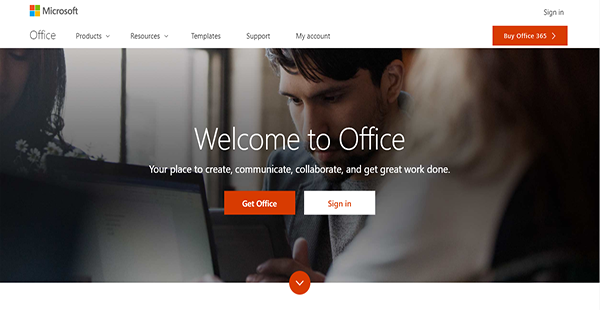

What is Office 365?
Office 365 is a leading full-featured suite of office productivity and collaboration applications. It is designed by Microsoft to make work less tedious and for teamwork to be more streamlined. In line with that, Microsoft assures enterprise Office 365 subscribers that their software is always updated. As such, they have access to the latest tools and features for both the online and desktop versions of apps and services to make certain that their tasks are made seamless.
Moreover, Office 365 is made available on all devices used by members of organizations to make them more productive regardless of where they are or even when they are on the go.
Show MoreOverview of Office 365 Benefits
Cross-Platform Productivity
Users on Windows PCs and Macs, and Android and iOS devices can access Office 365 applications. This lets them become productive no matter what their preferred device is so they can work effortlessly on a familiar platform. Because of this, they are able to complete their tasks on time and ensure the continuous flow of work processes.
Updated Workflow
Office 365 regularly provides business users with updates that offer enhanced and innovative tools. These allow an organization’s members to enhance further their performances on the desktop and online versions of the apps. With these, their security is also tightened, as Microsoft makes certain that their users’ data are safe from unauthorized access.
Cloud Collaboration
With Office 365, company employees can save their work on their computers and in the cloud. This ability lets them collaborate with their teammates as well as with members of other departments for the prompt completion of the chain of responsibilities.
On-Air Meetings
Some versions of Office 365 come with Skype for Business, a polished version of the popular communications app from Microsoft for enterprise use. This makes audio and video calls go smoothly and include everyone who is expected to participate in a project. In addition, the office productivity suite can broadcast a conference to employees and stakeholders for them to simply observe the proceedings.
All-Around Support
With Office 365, subscribers can expect support whenever they need it, especially when they cannot find the answer on Microsoft’s extensive knowledgebase. That is because Microsoft enables business users to get in touch with the support team via chat, email, or phone for assistance with technical issues. On top of that, Microsoft also has a virtual agent that aids subscribers in finding answers to their questions in forums and manuals.
Show MoreOverview of Office 365 Features
- Desktop & Web Apps
- Email Hosting
- File Sharing & Cloud Storage
- Multiple Devices
- Team Communication & Collaboration
- Schedules & Tasks Management
- Audio & Video Conferencing
- Integrations
Office 365 Position In Our Categories
Since companies have special business-related demands, it is only sensible they steer clear of seeking a one-size-fits-all, ideal business program. Having said that, it would be difficult to try to pinpoint such application even among sought-after software solutions. The correct thing to undertake would be to set down the several essential functions that need inspection such as major features, price terms, skill ability of staff members, organizational size, etc. Next, you must double down on your research exhaustively. Read some Office 365 review articles and check out each of the applications in your shortlist in detail. Such well-rounded product investigation ascertain you stay away from mismatched apps and choose the one which meets all the aspects your business requires.
Position of Office 365 in our main categories:
TOP
3
Office 365 is one of the top 3 Office Software products
If you are considering Office 365 it might also be beneficial to examine other subcategories of Office Software collected in our database of SaaS software reviews.
There are popular and widely used systems in each software category. But are they automatically the best fit for your organization’s special needs? A popular software product may have thousands of users, but does it provide what you need? For this reason, do not blindly spend on popular systems. Read at least a few Office 365 Office Software reviews and consider the aspects that you want in the software such as the fees, main tools, available integrations etc. Then, choose a few systems that fit your wants. Check out the free trials of these platforms, read online opinions, get information from the seller, and do your homework thoroughly. This exhaustive groundwork is sure to help you choose the finest software application for your organization’s specific wants.
How Much Does Office 365 Cost?
Office 365 Pricing Plans:
Free Trial
Office 365 Business
$9.90/user/month
Office 365 Business Premium
$15.00/user/month
Office 365 Business Essentials
$6.00/user/month
Office 365 ProPlus
$12.00/user/month/annual billing
Office 365 Enterprise E1
$8.00/user/month/annual billing
Office 365 Enterprise E3
$20.00/user/month/annual billing
Office 365 Enterprise E5
$35.00/user/month/annual billing
What are Office 365 pricing details?
Office 365 Pricing Plans:
Free Trial
Office 365 Business
$9.90/user/month
Office 365 Business Premium
$15.00/user/month
Office 365 Business Essentials
$6.00/user/month
Office 365 ProPlus
$12.00/user/month/annual billing
Office 365 Enterprise E1
$8.00/user/month/annual billing
Office 365 Enterprise E3
$20.00/user/month/annual billing
Office 365 Enterprise E5
$35.00/user/month/annual billing
Office 365 has seven enterprise pricing plans. Prices indicated below are monthly rates as well as annual commitments. Look at the packages to decide which is the best plan for your organization.
Office 365 Business – $9.90/user/month or $8.30/user/month/annual billing
- Outlook
- Word
- Excel
- PowerPoint
- OneNote
- Access (PC Only)
- Up to 5 Phones, Tablets, Computers per User
- Free 1TB OneDrive Storage
- 24/7 Phone & Web Support
Office 365 Business Premium – $15.00/user/month or $12.50/user/month/annual billing
- Outlook
- Word
- Excel
- PowerPoint
- OneNote
- Access (PC Only)
- Exchange
- SharePoint
- OneDrive
- Skype for Business
- Microsoft Teams
- 50GB Mailbox & Custom Email Domain
- Up to 300 Users
- Up to 5 Phones, Tablets, Computers per User
- Free 1TB OneDrive Storage
- Microsoft Connections
- Microsoft Listings
- Outlook Customer Manager
- Microsoft Invoicing
- Microsoft Bookings
- MileIQ
- Business Center
- Microsoft Planner
- Microsoft StaffHub
- 24/7 Phone & Web Support
Office 365 Business Essentials – $6.00/user/month or $5.00/user/month/annual billing
- Exchange
- SharePoint
- OneDrive
- Skype for Business
- Microsoft Teams
- Up to 300 Users
- Up to 250 Video Conference Participants
- Microsoft Planner
- 24/7 Phone & Web Support
Office 365 ProPlus – $12.00/user/month/annual billing
- Outlook
- Word
- Excel
- PowerPoint
- OneNote
- Access (PC Only)
- Publisher (PC Only)
- OneDrive
- Up to 5 Phones, Tablets, Computers per User
- Free 1TB OneDrive Storage
- Unlimited Users
- 24/7 Phone & Web Support
Office 365 Enterprise E1 – $8.00/user/month/annual billing
- Exchange
- OneDrive
- SharePoint
- Skype for Business
- Microsoft Teams
- Yammer
- 50GB Mailbox & Custom Email Domain
- Up to 250 Video Conference Participants
- Skype Meeting Broadcast
- Manual Retention & Deletion Policies
- Manual Classifications
- Delve Search & Discovery
- Microsoft StaffHub
- Microsoft Planner
- Unlimited Users
- Free 1TB OneDrive Storage
- Unlimited Users
- 24/7 Phone & Web Support
Office 365 Enterprise E3 – $20.00/user/month/annual billing
- Outlook
- Word
- Excel
- PowerPoint
- OneNote
- Access (PC Only)
- Publisher (PC Only)
- Exchange
- SharePoint
- OneDrive
- Skype for Business
- Microsoft Teams
- Yammer
- 1000GB Mailbox & Custom Email Domain
- Unlimited Users
- Up to 5 Phones, Tablets, Computers per User
- Unlimited OneDrive Storage
- Up to 250 Video Conference Participants
- Skype Meeting Broadcast
- eDiscovery
- Outlook Customer Manager
- Microsoft Planner
- Microsoft StaffHub
- Manual Retention & Deletion Policies
- Manual Classifications
- 24/7 Phone & Web Support
Office 365 Enterprise E5 – $35.00/user/month/annual billing
- Outlook
- Word
- Excel
- PowerPoint
- OneNote
- Access (PC Only)
- Publisher (PC Only)
- Exchange
- SharePoint
- OneDrive
- Skype for Business
- Microsoft Teams
- Yammer
- MYAnalytics & Power BI Pro
- 1000GB Mailbox & Custom Email Domain
- Unlimited Users
- Up to 5 Phones, Tablets, Computers per User
- Unlimited OneDrive Storage
- Up to 250 Video Conference Participants
- Skype Meeting Broadcast
- Advanced eDiscovery
- Outlook Customer Manager
- Microsoft Planner
- Microsoft StaffHub
- Manual Retention & Deletion Policies
- Manual Classifications
- Exchange Online Advanced Threat Protection
- Customer Lockbox
- Advanced Data Governance
- Office 365 Cloud App Security
- Phone System
- Audio Conferencing
- 24/7 Phone & Web Support
User Satisfaction
Positive Social Media Mentions
208
Negative Social Media Mentions
6
We are aware that when you choose to purchase a Office Software it’s important not only to find out how experts score it in their reviews, but also to check whether the real clients and enterprises that use these solutions are genuinely satisfied with the service. That’s why we’ve created our behavior-based Customer Satisfaction Algorithm™ that aggregates customer reviews, comments and Office 365 reviews across a broad array of social media sites. The data is then displayed in a simple to understand form showing how many clients had positive and negative experience with Office 365. With that information available you will be prepared to make an informed business decision that you won’t regret.
Video
Technical details
Devices Supported
- Windows
- Android
- iPhone/iPad
- Mac
- Web-based
- Windows Mobile
Deployment
- Cloud Hosted
- On Premise
- Open API
Language Support
- English
- Chinese
- German
- Japanese
- Spanish
- French
- Russian
- Italian
- Dutch
- Portugese
- Polish
- Turkish
- Swedish
Pricing Model
- Monthly payment
- Annual Subscription
Customer Types
- Small Business
- Large Enterprises
- Medium Business
- Freelancers
What Support Does This Vendor Offer?
- phone
- live support
- training
- tickets
What integrations are available for Office 365?
Office 365 supports integration with a host of third-party applications and services, such as the following:
- Zapier
- Xero
- Smartsheet
- Zoho Projects
- Workable
- Trello
- Todoist
- Google Contacts
- Google Calendar
- Asana
- Freshdesk
Microsoft also enables you to connect your Office 365 apps with your custom enterprise application as well as with other software on-premises and on the cloud via the API.
Office 365 User Reviews
Office 365 average rating:
5/5
Overall impression
5/5
Customer Support
4/5
Value for Money
4/5
Ease of Use
Write your own review of this product
ADD A REVIEWThe most favorable review

PROS: Office 365 is a dependable software. It has all of the best services in its toolbox. I love how it makes collaboration and file-sharing seem like a breeze. My co-workers could be anywhere halfway around the world, and Office 365 can still let us work with each other seamlessly. It's a communication platform that is second to none.
CONS: Despite the many benefits that this software has given me and my team, I still have a couple of gripes about it. For one, it can be very expensive. An individual user usually has a hard time paying for the annual subscription. Another issue that I have is that the interface is not exactly easy to learn. If you're new to this, then you better prepare for a steep learning curve ahead.
The least favorable review
PROS: I think it's great that I can access my Office 365 database on any of my registered devices. I know that my files on their cloud space are secure too.
CONS: The price. It's ridiculously expensive.
More reviews from 16 actual users:
Sort by:
Latest
- Latest
- Most useful
- Most positive
- Most negative
The best in the industry!
Read full review >
5/5
Overall impression
4/5
Customer Support
4/5
Value for Money
4/5
Ease of Use
Published on: 10.12.2021
Company Size:
Industry: Computer Software
PROS: Office 365 can be used by just about anyone. It's very user-friendly and intuitive. Not to mention, its storage space is quite impressive too. Saving our documents on their database gives me peace of mind because I know that it will be safe there. Office 365 also lets me work on my assignments even when I am off-site. It gives me access to my work files so I can chip away at the workload slowly and steadily.
CONS: I have two grips about this robust tool. First, it is too expensive for a small-time business like mine. The annual costs are too steep. Another issue that I have is that whenever I lost the internet connection, I can't work anymore also. I wish that Office 365 didn't depend so much on the internet.
Their support team is great!
Read full review >
4/5
Overall impression
3/5
Customer Support
4/5
Value for Money
3/5
Ease of Use
Published on: 22.11.2021
Company Size: More than 100 Employees
Industry: N/A
PROS: One of the best thing about this solution is their support team. They are attentive and they always make sure that they solve the issues that I put forward. Just as their program itself is intuitive, so is the tech support too. They anticipate the issues the users might face and make sure that they address them right away. Although I know that they have the phones ringing nonstop the whole day, I love that the team always makes me feel validated and that my tech problems are just as important as anyone else's. As for the program itself, I like the collaboration tools that come with it. One can easily send files through SharePoint and even Microsoft Teams. This is a product that has been designed with the working team in mind. I can't wait what else the developers have in store for us in their next update.
CONS: The only thing that I don't like is that the syncing of files need a solid internet connection for it to be successful.
Great for creating, editing, and file sharing.
Read full review >
5/5
Overall impression
4/5
Customer Support
5/5
Value for Money
5/5
Ease of Use
Published on: 14.10.2021
Company Size:
Industry: Automotive
PROS: I always reach out to Office 365 whenever I need to create and/or edit documents at work. It has a robust set of features that allows me to work on just about any device, and anywhere that is convenient for me. It helps us organize our files, plus it encourages our team members to work together too. It's a brilliant program.
CONS: I stand in solidarity with those who complain that the mobile app for Office 365 is not as robust as the desktop version. Another issue that I don't always have access to the internet wherever I go. Accessing Office 365, then, becomes virtually impossible.
It has all the tools I need.
Read full review >
4/5
Overall impression
4/5
Customer Support
3/5
Value for Money
4/5
Ease of Use
Published on: 14.09.2021
Company Size: More than 100 Employees
Industry: Hospital & Health Care
PROS: This consolidates all of the tools I need for work. It holds my email correspondences, my notes, my calendar, my word processor--everything!
CONS: Outlook's navigation section can be a little difficult to learn.
A great addition to our workflow.
Read full review >
4/5
Overall impression
4/5
Customer Support
4/5
Value for Money
3/5
Ease of Use
Published on: 28.08.2021
Company Size: More than 100 Employees
Industry: Food Production
PROS: Our team has thrived ever since we started using Office365. We're now more efficient and productive thanks to it. It's not difficult to use and it aids us in our day-to-day office tasks.
CONS: There is that issue of intermittent overwriting of data whenever more than one person tries to access the same file at the same time. The updates in the files are not as swift as we would want them to be as well.
I can always depend on this set of tools.
Read full review >
5/5
Overall impression
5/5
Customer Support
4/5
Value for Money
4/5
Ease of Use
Published on: 30.06.2021
Company Size:
Industry: Information Technology and Services
PROS: Office 365 is more than just a content creation platform for documents, excel files, and the like. It is also a robust tool for collaboration within a team setting. It has helped me and my teammates organize our data properly. Whatever we upload up on its database, we can rest assured that it will be secure there. This has been a really useful addition to our business.
CONS: This is packed with so many great features and uses. However, there are some facets of it that I have a hard time understanding. There is also that issue of price. Admittedly, the annual subscription for Office 365 is a little too much.
Lets me create and edit files on-the-go.
Read full review >
5/5
Overall impression
4/5
Customer Support
5/5
Value for Money
5/5
Ease of Use
Published on: 27.06.2021
Company Size: More than 100 Employees
Industry: Broadcast Media
PROS: Office 365 simplifies file sharing and collaboration within a work-unit. One thing that I love about it is that it allows me to create, share, and edit documents even when I am on-the-go. The only thing that I need to successfully do this is a fully-functioning device and a stable internet connection. In the unfortunate event that I lose my devices too, I know that my files are secure and I can still access them on the cloud. Installation and configuration are a breeze to carry out as well.
CONS: The mobile version (especially on Android) of this app seems to have limited functionalities. The price is pricey for a year's subscription too. And an internet connection isn't always assured so this requirement is like a tall order at times.
Gives me access to my files anywhere
Read full review >
5/5
Overall impression
4/5
Customer Support
5/5
Value for Money
4/5
Ease of Use
Published on: 30.04.2021
Company Size: More than 100 Employees
Industry: Public Relations and Communications
PROS: I love the idea that this is an internet-based solution. This lets me access my files anytime and anywhere.
CONS: I have to constantly toggle from one tab to the next just to access all of my work files. It would be nice if the developers would tidy this process up a bit.
Let’s us work remotely.
Read full review >
4/5
Overall impression
3/5
Customer Support
4/5
Value for Money
3/5
Ease of Use
Published on: 02.04.2021
Company Size: More than 100 Employees
Industry: N/A
PROS: This is a user-friendly solution. I love that it encourages teamwork and allows us to work on the same project at the same time. The comments feature is particularly useful for giving feedbacks and kudos to the owner of the file. I highly recommend this to every work team reading this.
CONS: The price for an annual subscription can be a little steep.
Gives us great options!
Read full review >
5/5
Overall impression
5/5
Customer Support
4/5
Value for Money
4/5
Ease of Use
Published on: 06.01.2021
Company Size: More than 100 Employees
Industry: N/A
PROS: I love that Office 365 is available in both desktop and cloud platforms. It is fully equipped with the tools that my team and I need to operate smoothly on a daily basis. The storage space that it provides is reliable too.
CONS: The annual subscription can be expensive.
A perfect fit for my team!
Read full review >
5/5
Overall impression
5/5
Customer Support
4/5
Value for Money
4/5
Ease of Use
Published on: 23.09.2019
Company Size:
Industry: Broadcast Media
PROS: Office 365 lets me work from anywhere I like--this is probably the best thing about it. I can open my files on just about any device, on any operating system too. Plus, it's a great tool for working with a team.
CONS: The files don't always automatically sync in the cloud. The mobile apps of Office 365 aren't as complete in terms of features too.
A great tool for communication.
Read full review >
5/5
Overall impression
5/5
Customer Support
4/5
Value for Money
5/5
Ease of Use
Published on: 22.09.2019
Company Size:
Industry: Computer Software
PROS: Office 365 is a dependable software. It has all of the best services in its toolbox. I love how it makes collaboration and file-sharing seem like a breeze. My co-workers could be anywhere halfway around the world, and Office 365 can still let us work with each other seamlessly. It's a communication platform that is second to none.
CONS: Despite the many benefits that this software has given me and my team, I still have a couple of gripes about it. For one, it can be very expensive. An individual user usually has a hard time paying for the annual subscription. Another issue that I have is that the interface is not exactly easy to learn. If you're new to this, then you better prepare for a steep learning curve ahead.
Lets me collaborate with my team.
Read full review >
4/5
Overall impression
4/5
Customer Support
3/5
Value for Money
3/5
Ease of Use
Published on: 16.09.2019
Company Size: 11-50 Employees
Industry: N/A
PROS: There's virtually zero difference in the desktop versus the cloud version. The only difference is that, in the latter, the working file can be shared so people can pitch in their ideas.
CONS: I love that Office365 makes it possible to collaborate with colleagues...I just wish that they would facilitate in making this process more seamless.
Great collaborative environment!
Read full review >
4/5
Overall impression
4/5
Customer Support
3/5
Value for Money
3/5
Ease of Use
Published on: 09.09.2019
Company Size: 1-10 Employees
Industry: Financial Services
PROS: It's probably not common practice, but my team and I do most of our brainstorming and exchanges on Office 365. It's a conducive environment for exchanging ideas and sharing files. Personally, I use it to respond to the emails or save my response drafts there.
CONS: The shut-down process of the app can be a bit clunky. This results to an equally clunky reboot the next time you open it
It’s a popular tool. Very reliable.
Read full review >
4/5
Overall impression
4/5
Customer Support
4/5
Value for Money
3/5
Ease of Use
Published on: 03.09.2019
Company Size: 1-10 Employees
Industry: N/A
PROS: I think it's great that I can access my Office 365 database on any of my registered devices. I know that my files on their cloud space are secure too.
CONS: The price. It's ridiculously expensive.
Easy for the whole system!
Read full review >
5/5
Overall impression
4/5
Customer Support
4/5
Value for Money
5/5
Ease of Use
Published on: 22.11.2018
Company Size: More than 100 Employees
Industry: Education Management
PROS: Easy integration of different programs and sharing ability between departments.
CONS: They don't give you an option, you MUST always update to the latest software.


Join a community of 7,369 SaaS experts
Thank you for the time you take to leave a quick review of this software. Our community and review base is constantly developing because of experts like you, who are willing to share their experience and knowledge with others to help them make more informed buying decisions.
Sign in with LinkedIn
Why we require LinkedIn?
- Show the community that you're an actual user.
- We will only show your name and profile image in your review.
- You can still post your review anonymously.
OR
Sign in with company emailSign in with company email
Popular Office 365 Alternatives





Top Competitors To Office 365 By Price
Product name:
Price:


Trending Office Software Reviews


Office 365 Comparisons
Product name:




Office 365 user reviews
The best in the industry!
Read full review >
5/5
Overall impression
4/5
Customer Support
4/5
Value for Money
4/5
Ease of Use
Published on: 10.12.2021
Company Size:
Industry: Computer Software
Their support team is great!
Read full review >
4/5
Overall impression
3/5
Customer Support
4/5
Value for Money
3/5
Ease of Use
Published on: 22.11.2021
Company Size: More than 100 Employees
Industry: N/A
Great for creating, editing, and file sharing.
Read full review >
5/5
Overall impression
4/5
Customer Support
5/5
Value for Money
5/5
Ease of Use
Published on: 14.10.2021
Company Size:
Industry: Automotive
It has all the tools I need.
Read full review >
4/5
Overall impression
4/5
Customer Support
3/5
Value for Money
4/5
Ease of Use
Published on: 14.09.2021
Company Size: More than 100 Employees
Industry: Hospital & Health Care
A great addition to our workflow.
Read full review >
4/5
Overall impression
4/5
Customer Support
4/5
Value for Money
3/5
Ease of Use
Published on: 28.08.2021
Company Size: More than 100 Employees
Industry: Food Production

Page last modified



Did you find this review useful?
Yes
No
Thank you for your feedback
How can we make this page better?
Unsure about this software?
FIND ALTERNATIVES
 Why is FinancesOnline free?