

PlanSwift Review



What is PlanSwift?
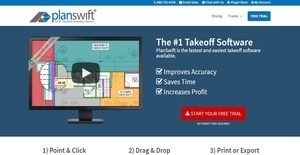
PlanSwift is a takeoff and estimating solution designed for residential and commercial construction projects of all sizes. The takeoff software is used in various construction jobs and trades: concreting, drywalling, electrical, flooring, framing, HVAC, landscape, painting, plumbing, and more.
Versatile and fast, PlanSwift is using an on-screen digitizing system which helps general contractors, subcontractors, and estimators save time and win more bids. It eliminates the use of plan tables, rulers, compasses, and calculators in estimating the quantity and cost of materials, equipment, and labor that users need to complete their projects.
Furthermore, PlanSwift has the capability to calculate accurate measurements for area or square footage, linear, and item counts. Users will also be able to quickly obtain estimates using its point and click, and drag and drop functionalities; as well as to import their estimates to Excel and share them with their team members.
Show MoreOverview of PlanSwift Benefits
PlanSwift has the capability to generate estimates quickly and accurately. These functionalities help users obtain estimates that are applied to areas, portions, and items of their blueprint. Through the aid of its point and click, and drag and drop functionalities; users will be able to instantly calculate estimates.
The point and click functionality of PlanSwift enables users to select areas, portions, or items of their digitized blueprint. These include footings, walls, ceilings, foundations, partitions, floor areas, studs, headers, fixtures, fittings, and more.
As users select sections or items on the blueprint by simply pointing and clicking on them, the software automatically calculates their measurements. Thus, they will be able to instantly determine their linear measurements, areas, volumes, or item counts.
Meanwhile, as the software generates measurements, it also calculates and provides the material, labor, waste, and equipment quantities and costs needed to complete the construction of those items or sections.
In addition, PlanSwift provides users with the capability to quickly do their takeoff and estimating through the aid of takeoff templates. These templates contain specific materials, assemblies, and assembly parts that are commonly used for various construction projects.
The software provides pre-built templates that users can customize, but they can also import their own sets of templates. These templates provide the input needed for estimating. As users utilize these templates, they will be able to appreciate the drag and drop functionality of the software.
As an example, users can select from their template a type of drywall with specific sheet size and thickness for the construction of a wall assembly. Likewise, they can choose a metal stud with specific gauge size for the wall framing.
To be able to determine the quantities of metal studs and drywall sheets needed to construct the wall assembly, they will drag these assembly parts from their template and drop them onto the digitized blueprint. As a result, the software will automatically calculate and generate the required quantities.
Last, but not least, users will also be able to set up the markup percentage, waste factor, labor, and equipment as they utilize SwiftPlan’s drag and drop functionality.
Show MoreOverview of PlanSwift Features
- Point and Click
- Drag and Drop
- Quick Estimating
- Calculate Measurements Instantly
- Linear Measurements
- Areas
- Volumes
- Item Counts
- Specify Units of Measurements
- Takeoff Templates
- Assemblies and Parts
- Takeoff Templates
- Print and Export Estimates
- Share Estimates
- Import Blueprints, Projects, and Jobs
- File Types
- Selection Tools
- Annotations
- Overlays
PlanSwift Position In Our Categories
Since businesses have their own business needs, it is only wise that they steer clear of choosing an all-in-one, ideal software product. Nonetheless, it would be difficult to try to discover such an app even among sought-after software solutions. The practicable step to do is to spell out the various key factors that entail deliberation like major features, packages, technical skill capability of the employees, business size, etc. After which, you should do the product research thoroughly. Browse over these PlanSwift reviews and explore the other software systems in your shortlist more closely. Such well-rounded product research can make sure you keep away from mismatched apps and choose the system which provides all the tools your company requires.
Position of PlanSwift in our main categories:
TOP
100
PlanSwift is one of the top 100 Construction Management Software products
If you are considering PlanSwift it may also be a good idea to analyze other subcategories of Construction Management Software listed in our base of B2B software reviews.
Companies have diverse needs and requirements and no software solution can be perfect in such a scenario. It is useless to try to find a perfect off-the-shelf software system that fulfills all your business needs. The intelligent thing to do would be to modify the application for your specific wants, worker skill levels, budget, and other factors. For these reasons, do not hurry and invest in well-publicized leading applications. Though these may be widely used, they may not be the best fit for your unique needs. Do your research, look into each short-listed application in detail, read a few PlanSwift Construction Management Software reviews, call the seller for explanations, and finally settle for the product that offers what you require.
How Much Does PlanSwift Cost?
PlanSwift Pricing Plans:
Free Trial
PlanSwift
$1595
What are PlanSwift pricing details?
PlanSwift Pricing Plans:
Free Trial
PlanSwift
$1595
PlanSwift offers a single enterprise pricing plan priced at $1595. On top of that, it offers licensed support and upgrade program that costs $200 per user every year; and a 3-hour 1-on-1 training program that costs $295 per trainee.
User Satisfaction
Positive Social Media Mentions
0
Negative Social Media Mentions
0
We know that when you choose to purchase a Construction Management Software it’s crucial not only to learn how experts evaluate it in their reviews, but also to find out if the actual users and businesses that use this software are indeed content with the product. That’s why we’ve created our behavior-based Customer Satisfaction Algorithm™ that gathers customer reviews, comments and PlanSwift reviews across a wide range of social media sites. The information is then featured in a simple to digest format revealing how many customers had positive and negative experience with PlanSwift. With that information available you should be equipped to make an informed buying decision that you won’t regret.
Video
Technical details
Devices Supported
- Windows
- Linux
- iPhone/iPad
- Mac
- Web-based
Deployment
- Cloud Hosted
- On Premise
- Open API
Language Support
- English
Pricing Model
- One-time payment
- Annual Subscription
Customer Types
- Small Business
- Large Enterprises
- Medium Business
What Support Does This Vendor Offer?
- phone
- live support
- training
- tickets
What integrations are available for PlanSwift?
PlanSwift offers the following integration options:
- QuickBooks
- UDA Construction Suite
- ADO-compatible database like Excel, SQL Server, and MS Access

PlanSwift
is waiting for
your first review.

Write your own review of this product
ADD A REVIEWMore reviews from 0 actual users:


Join a community of 7,369 SaaS experts
Thank you for the time you take to leave a quick review of this software. Our community and review base is constantly developing because of experts like you, who are willing to share their experience and knowledge with others to help them make more informed buying decisions.
Sign in with LinkedIn
Why we require LinkedIn?
- Show the community that you're an actual user.
- We will only show your name and profile image in your review.
- You can still post your review anonymously.
OR
Sign in with company emailSign in with company email
Popular PlanSwift Alternatives



Top Competitors To PlanSwift By Price
Product name:
Price:




Trending Construction Management Software Reviews


5.0
100%
PlanSwift Comparisons
Product name:









Page last modified



Did you find this review useful?
Yes
No
Thank you for your feedback
How can we make this page better?
Unsure about this software?
FIND ALTERNATIVES
 Why is FinancesOnline free?