

Scribe Review



What is Scribe?
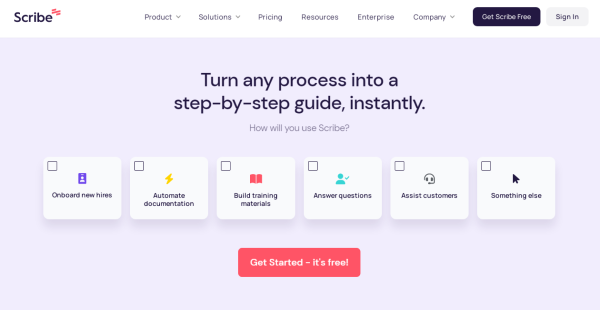
Scribe is an SOP creation software that sales, CSM, HR, and IT teams can use to instantly and effectively document and share processes. They can generate, customize, and send step-by-step guides from their processes. The tool lets them save time in onboarding and training employees, assisting customers, and implementing new technologies.
They’ll record their processes and turn them into step-by-step guides using a browser or desktop. The auto-generated step-by-step guides include screenshots, instructions, and clicks. Users can also edit and customize guides quickly, such as adding custom logos, texts, and reminders, annotating screenshots, and deleting sensitive information.
The how-to-guides can be shared with employees and customers in just a single click. The SOP creation tool permits users to send their guides via links, export to PDF or Confluence, or embed guides into documents, knowledge bases, wikis and applications.Finally, they can integrate Scribe with other platforms and systems, like WordPress, HubSpot, TalentLMS, Zendesk, ClickUp, and 360Learning, Lessonly, and ServiceNow.
Show MoreOverview of Scribe Benefits
Employee Management
Scribe enables HR and L&D teams to efficiently create step-by-step guides for consistent and seamless employee onboarding and training. They can build and share visual tutorials, tips & tricks, and training materials for new hires and current employees.
There’s no need to copy and paste screenshots into training documents manually and answer the same questions from employees repeatedly. Employees can understand and execute projects and workflows properly.
Sales Enablement
You can use Scribe to enhance the performance and productivity of your sales teams and staff. They’ll access standard operating procedures, instructions, and materials in a central repository from any place and at any time. They can respond to customer inquiries in a fast, accurate, and consistent manner.
Technology Adoption
Scribe aids you to implement new technologies and tools across your organization better. IT teams can create and share how-to-guides with employees. Using auto-generated walkthroughs and tutorials, they’ll be able to help them easily learn and adopt business-critical tools, such as project management, CRM, and CSM apps.
High-Quality Process Documentation
The SOP creation software lets you automatically document and share key processes. Its built-in recorder instantly captures any process while you’re going over it via web or desktop. You’ll have a complete and high-quality process guide in less time. You can also add texts, annotate and edit screenshots, and remove sensitive data in your process guides. They can be incorporated into existing knowledge bases, wikis, help centers, and systems.
Show MoreOverview of Scribe Features
- Process Documentation
- Auto-Generated Guides
- Screenshot Editing
- Custom Branding
- Instant Sharing
- Knowledge Base & Wiki Integration
- App Integration
- Employee Onboarding
- Training & Development
- Sales Enablement
- Tool Implementation
- Data Security
Awards & Quality Certificates

Scribe Position In Our Categories
Since companies have special business wants, it is wise that they abstain from settling on a one-size-fits-all, ideal business program. Regardless, it is nearly futile to discover such application even among branded software systems. The right step to undertake would be to write the various major functions which require inspection like major features, pricing, technical skill aptitude of staff members, organizational size, etc. Next, you should perform the research fully. Have a look at some Scribe review articles and check out the other software products in your shortlist more closely. Such comprehensive research ensure you circumvent ill-fitting applications and buy the one that includes all the aspects your business requires.
Position of Scribe in our main categories:
TOP
100
Scribe is one of the top 100 Project Management Software products
There are well-liked and widely used applications in each software category. But are they necessarily the best fit for your organization’s specific needs? A market-leading software application may have thousands of users, but does it present what you require? For this reason, do not blindly invest in popular systems. Read at least a few Scribe Visual Project Management Tools reviews and mull over the aspects that you desire in the software such as the fees, main functionality, available integrations etc. Then, shortlist a few systems that fit your requirements. Check out the free trials of these platforms, read online reviews, get clarifications from the vendor, and do your research systematically. This in-depth research is sure to help you choose the finest software platform for your company’s unique needs.
How Much Does Scribe Cost?
Scribe Pricing Plans:
Free Trial
Basic
Free
Pro
$29/user/month
Enterprise
Contact vendor
What are Scribe pricing details?
Scribe Pricing Plans:
Free Trial
Basic
Free
Pro
$29/user/month
Enterprise
Contact vendor
Scribe is available three plans, including an enterprise pricing plan with security, integration, and access management features. Here are the details of each plan:
Basic – Free
- Unlimited step-by-step guides
- Unlimited pages
- Compatible with any web application
- Customization
- Share via URL or embed
Pro – $29/user/month
- All Basic Plan inclusion, Plus:
- Compatible with any web or desktop application
- Branded step-by-step guides
- Customize screenshots
Enterprise – by quote
- All Pro Plan inclusion, Plus:
- Unlimited step-by-step guides
- SSO & Directory synchronization
- Automatic sensitive information redaction
- Integration with knowledge bases
- Security & governance
User Satisfaction
Positive Social Media Mentions
2
Negative Social Media Mentions
111
We are aware that when you choose to get a Visual Project Management Tools it’s vital not only to find out how experts score it in their reviews, but also to check whether the actual clients and companies that use this software are indeed happy with the product. Because of that need we’ve devised our behavior-based Customer Satisfaction Algorithm™ that collects customer reviews, comments and Scribe reviews across a broad range of social media sites. The data is then featured in a simple to digest format indicating how many people had positive and negative experience with Scribe. With that information at your disposal you will be ready to make an informed business decision that you won’t regret.
Video
Technical details
Devices Supported
- Web-based
Deployment
- Cloud Hosted
Language Support
- English
Pricing Model
- Free
- Monthly payment
- Quote-based
Customer Types
- Small Business
- Large Enterprises
- Medium Business
- Freelancers
What Support Does This Vendor Offer?
- phone
- live support
- training
- tickets
What integrations are available for Scribe?
Scribe supports integration with:
- Confluence
- Zendesk
- Notion
- Guru
- 360Learning
- ClickUp
- HubSpot
- Monday.com
- ServiceNow
- Lessonly
- WordPress
- Coda
- Coassemble
- Groove
- Easygenerator
- SharePoint
- Skilljar
- TalentLMS
- SAP Litmos
- HelpScout
- Learner Mobile
- WorkRamp
- Trainual
- HowKnow

Scribe
is waiting for
your first review.

Write your own review of this product
ADD A REVIEWMore reviews from 0 actual users:


Join a community of 7,369 SaaS experts
Thank you for the time you take to leave a quick review of this software. Our community and review base is constantly developing because of experts like you, who are willing to share their experience and knowledge with others to help them make more informed buying decisions.
Sign in with LinkedIn
Why we require LinkedIn?
- Show the community that you're an actual user.
- We will only show your name and profile image in your review.
- You can still post your review anonymously.
OR
Sign in with company emailSign in with company email
Popular Scribe Alternatives



Top Competitors To Scribe By Price
Product name:
Price:
Trending Visual Project Management Tools Reviews
Scribe Comparisons




Page last modified



Did you find this review useful?
Yes
No
Thank you for your feedback
How can we make this page better?
Unsure about this software?
FIND ALTERNATIVES
 Why is FinancesOnline free?