

Servoy Review



What is Servoy?
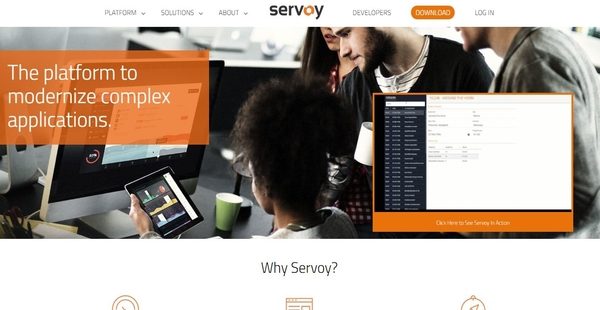
Servoy is an extensible rapid application development and deployment platform which enables independent software vendors (ISVs), organizations, and application developers to build complex business applications or modernize their existing applications. Servoy comes with productivity tools and an architecture that help users create applications easier and faster. It is comprised of a foundation layer or core, and an IDE. The foundation layer provides a rich set of building blocks that can be used to rapidly assemble applications. Servoy’s IDE permits users to create, design, and modify user interfaces, as well as access powerful code editors.
Meanwhile, Servoy’s architecture has three tiers: data tier, logic tier, and presentation tier. Through the aid of an API, the data tier can be connected to data sources which include relational databases, web services, and file systems. The logic tier enables users to write business rules and logic in JavaScript and assists them in maintaining their code. The capability to support different client technologies and deploy applications to different operating systems is made possible by the presentation tier. Last but not least, Servoy employs a UX-first approach that empowers users to create applications in a way that user experience is prioritized.
Show MoreOverview of Servoy Benefits
Extendable Integrated Development Environment
Servoy delivers an integrated development engine that supports integration with the tools that users need in order to build and design applications without limitations. For instance, it has a Java plugin API that allows them to integrate any existing Java classes into Servoy’s IDE. They can also add frontend components to the environment. To share modules with their colleagues and incorporate them into other applications, the development environment provides users with the capability to split up their codebase.
Localize Applications
Servoy’s IDE makes it easy for users to localize their applications. Through the aid of its built-in tools, they can display versions of their applications in multiple languages all at the same time from a single server. Translated strings are saved in database tables, and they can be reused by other applications built within Servoy.
Connect To Any Data Source
Because business applications rely heavily on data, the RAD platform ensures that users are able to access and collect the data they need for their applications. Thus, Servoy can connect to different data sources such as SQL databases and REST services. As users are able to establish connections to databases, they will be able to switch from one database to another. For instance, they can build an application through MySQL and deploy it on Oracle. If they need to get data from a RESTful web service, they can specify the data structure they prefer and call the REST service. Then, the platform generates the data at runtime.
Cross-Platform Capabilities
The RAD platform is built with cross-platform capabilities. Thus, developers will be able to run their applications on different operating systems. They can develop the app on the operating system they are using and deploy it to the operating systems that their customers prefer. They can even run their applications on virtual operating systems such as Terminal Services, Citrix and VMware. When they run their application on multiple operating systems, they don’t have to modify the code of the application and make additional configurations.
Write Code Fast And Easy
With Servoy, writing code is fast and easy. It provides an enhanced scripting environment that enables developers to write JavaScript code efficiently. This environment delivers a feature called “solution model”. With this feature, developers can visually access the user interface and data objects within Servoy. When they double-click on an object, the correct code is connected automatically. As they code, the platform pinpoints runtime errors through the aid of code markers.
To make debugging applications and solutions a breeze, Servoy offers a powerful debugger which is built into its scripting environment. The debugger provides developers with the capability to add breakpoints, watch variables and data elements, evaluate code live, and utilize its step-in and step-out capabilities.
Servoy also has a built-in unit testing capability which lets developers test their JavaScript business logic. This capability is very useful for those who are frequently releasing software products, as Servoy reduces the burden associated with the execution of unit tests.
Code Reuse And Maintenance
Servoy is designed in such a way that it helps developers boost their productivity and maintain code effortlessly. With Servoy, developers can write and design code once and use it again as many times as they need. Servoy permits them to split the design of an application into multiple modules. Because of this, they will be able to develop, test, and validate the smaller pieces of functionalities. They can even combine the modules to form a new application or solution.
Extending user interfaces is another capability available in Servoy. This capability is also known as UI inheritance. Here, developers can create base functions or screens and extend them. The entire UI can also be extended. This way, functions are just written once, enabling developers to keep their codebase more maintainable. Likewise, Servoy enables developers to reuse UI patterns such as the sets of fields and labels used in displaying the company’s address. Thus, they can design UI patterns only once and reuse them in multiple locations.
Security Measures
Servoy incorporates security measures into its architecture, giving users the ability to define who should access their data and the user interface elements of their applications. They can specify and control access for every database, table, or column. They can also do this for each user interface elements.
In addition, they can configure the platform so that it will automatically log all changes made to the data. As a result, Servoy generates an audit trail that shows detailed information which includes the users who have made the changes, the old values that have been altered, the new values that have been entered, and information about the server. To wrap it up, Servoy makes sure that the source code is not sent to the client. Binary objects are encrypted so that security rules set up during the development stage won’t be bypassed on the client side.
Show MoreOverview of Servoy Features
- Extendable IDE
- Share Modules with your Team or the Community
- Integrate with External Tools
- Built-In Localization
- Reusable Translations
- Easily Connect to SQL or Non-SQL Data
- Cross-Database Connections
- Access Stored Procedures
- Database Connection Pooling
- Client Types
- Cross-Platform Capabilities
- Mix Operating Systems and Platforms
- Automatic Data Binding
- Data Broadcasting
- Coding with Ease
- Efficient Scripting
- Built-In Script Library
- Powerful Debugger
- Built-In Unit Testing
- Built-in Functions Library
- Two-Way Stateful Connection
- Reporting
- Reusable and Maintainable Code
- Code is Organized in Modules
- Supports Inheritance
- UI Reuse
- Integrates with Third-Party Modules
- Repository-Based
- Three-Tier Deployment Model
- Intelligent Application Server
- Remote Access
- Continuous Build Integration
- Effortless Management of Versions
- Security by Design
Servoy Position In Our Categories
Knowing that businesses have distinct business-related demands, it is prudent that they abstain from adopting an all-encompassing, “perfect” solution. Nonetheless, it would be almost impossible to find such application even among widely used software solutions. The rational step to do is to write the numerous vital functions that call for a inspection including important features, pricing, skill ability of staff, business size, etc. After which, you must do the research fully. Browse through these Servoy evaluations and check out each of the software systems in your list in detail. Such detailed product investigation guarantees you keep away from poorly fit applications and subscribe to the system which delivers all the aspects your business requires.
Position of Servoy in our main categories:
TOP
100
Servoy is one of the top 100 Rapid Application Development Software - RAD products
If you are considering Servoy it may also be a good idea to analyze other subcategories of Rapid Application Development Software - RAD gathered in our database of SaaS software reviews.
Enterprises have diverse wants and requirements and no software solution can be ideal in such a condition. It is futile to try to find an ideal off-the-shelf software system that meets all your business requirements. The wise thing to do would be to adapt the application for your special needs, staff member skill levels, finances, and other factors. For these reasons, do not hasten and pay for well-publicized leading systems. Though these may be widely used, they may not be the perfect fit for your specific requirements. Do your homework, investigate each short-listed application in detail, read a few Servoy Rapid Application Development Software - RAD reviews, call the vendor for clarifications, and finally choose the product that provides what you want.
How Much Does Servoy Cost?
Servoy Pricing Plans:
Free Trial
Community
Free
Enterprise
Starts at $259/month
ISV (Independent Software Vendor)
Starts at $2,500/month
What are Servoy pricing details?
Servoy Pricing Plans:
Free Trial
Community
Free
Enterprise
Starts at $259/month
ISV (Independent Software Vendor)
Starts at $2,500/month
Alongside its free edition, Servoy is available on two enterprise pricing plans dedicated to large businesses and software companies. Give the details a look, and select the best plan/edition for your organization:
Community
- Be Our Guest
- Usage Fee – Free
- Monthly Fee- Free
- Users – Maximum of 5
- Support – Forum and Wiki
- Deployment – On-Premises
- IDE/Stack – Full
Enterprise
- Do Big Business
- Usage Fee – $10/User/Mo.
- Monthly Fee- $249
- Users – Unlimited
- Support – Phone, Email, and (optional) SL
- Deployment – Cloud and On-Premises
- IDE/Stack – Full
ISV (Independent Software Vendor)
- Conquer The World Yourself
- Usage Fee – Percentage of Application
- Monthly Fee- Starting at $2,500
- Users – Unlimited
- Support – Appsurance Program
- Deployment – Cloud and On-Premises
- IDE/Stack – Full
You can contact the company to get more information about Servoy’s enterprise pricing plans.
User Satisfaction
Positive Social Media Mentions
16
Negative Social Media Mentions
0
We know that when you make a decision to get a Rapid Application Development Software - RAD it’s crucial not only to find out how professionals rank it in their reviews, but also to discover if the actual users and enterprises that bought these solutions are actually satisfied with the product. That’s why we’ve devised our behavior-based Customer Satisfaction Algorithm™ that collects customer reviews, comments and Servoy reviews across a wide array of social media sites. The data is then presented in a simple to digest form revealing how many clients had positive and negative experience with Servoy. With that information available you should be prepared to make an informed business decision that you won’t regret.
Video
Technical details
Devices Supported
- Windows
- Linux
- Mac
- Web-based
Deployment
- Cloud Hosted
- On Premise
- Open API
Language Support
- English
- Chinese
- German
- Hindi
- Japanese
- Spanish
- French
- Russian
- Italian
- Dutch
- Portugese
- Polish
- Turkish
- Swedish
Pricing Model
- Free
- Monthly payment
- Quote-based
Customer Types
- Small Business
- Large Enterprises
- Medium Business
What Support Does This Vendor Offer?
- phone
- live support
- training
- tickets
What integrations are available for Servoy?
Servoy supports integration with SQL databases such as Oracle, DB2, MS SQL server, Sybase, iAnywhere, PostgreSQL, MySQL and OpenBase. It can also be integrated with non-SQL data sources and RESTful web services.

Servoy
is waiting for
your first review.

Write your own review of this product
ADD A REVIEWMore reviews from 0 actual users:


Join a community of 7,369 SaaS experts
Thank you for the time you take to leave a quick review of this software. Our community and review base is constantly developing because of experts like you, who are willing to share their experience and knowledge with others to help them make more informed buying decisions.
Sign in with LinkedIn
Why we require LinkedIn?
- Show the community that you're an actual user.
- We will only show your name and profile image in your review.
- You can still post your review anonymously.
OR
Sign in with company emailSign in with company email
Popular Servoy Alternatives


Top Competitors To Servoy By Price
Product name:
Price:


Trending Rapid Application Development Software - RAD Reviews



9.0
89%

Servoy Comparisons
Product name:





Page last modified



Did you find this review useful?
Yes
No
Thank you for your feedback
How can we make this page better?
Unsure about this software?
FIND ALTERNATIVES
 Why is FinancesOnline free?