

Taskade Review



What is Taskade?
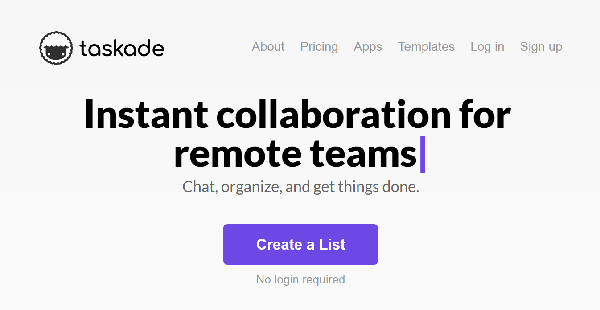
Taskade is a very visual task management solution perfect for small and medium-sized teams working on short and long-term projects. It is a very impressive collaboration tool with its rich set of features that includes a daily/weekly task scheduler, real-time updates, video-conferencing capability, and more.
With Taskade, users get a comprehensive task management software where everything is centralized and easy to access. It has a virtual workspace where every member of the team can create tasks or to-do lists as well as see all the tasks for the day and the rest of the week.
Users can pick how they want to view their tasks and then tick a task to indicate that it’s accomplished. As more tasks get done and ticked, the progress bar fills up, displaying the team’s overall progress.
It is a very simple task management tool, one that many people will find easy to use right off the bat. Real-time features such as chat and video conferencing allow for effective communication and productive collaboration, resulting in better results and faster time-to-delivery.
Show MoreOverview of Taskade Benefits
Use As A Guest
Taskade lets you take it out for a lengthy test drive and enjoy many of its features without you having to subscribe to an account. All you have to do is use the software as a guest and enjoy many of its awesome features such as Unlimited Task Lists, Unlimited Collaborators, Team Chats, Due Dates, Video and Voice Calls among others.
Being able to utilize Taskade allows you to immerse and really experience the software’s intuitiveness, ease of use, and versatility. The features that come with the free version are what you look for in a task management software, so you basically get a full idea of how Taskade fits into your work. And if you decide the software is not for you, then the best part is that you wouldn’t have to shell a single dollar.
Clutter-Free Dashboard
Taskade has a very neat dashboard that is easy to the eyes and simple to navigate. You can easily work around the display, being able to spot which tabs you need to click and access the information you want to see, such as your daily and weekly tasks, memos, notes, and reminders among others.
Unlimited Collaborators and Unlimited Task Lists
Among Taskade’s major selling points is that you can create an unlimited number of task lists and work with as many collaborators as you need. Even if you are using the free version. Whether you are working on a small-scale project or a huge enterprise-level endeavor, Taskade gives you that platform you need to make sure your tasks, priorities, schedules, and people are organized, assigned, and addressed.
Show MoreOverview of Taskade Features
- Themes & Backgrounds
- Night Mode
- Due Dates & Reminders
- Views & Templates
- Team Chat
- Video & Voice Calls
- Real-Time Syncing
- Push Notifications
- Mobile & Desktop Apps
- Recurring Tasks
- Save Templates
- Team Permissions
- Global Search
What Problems Will Taskade Solve?
Taskade helps users achieve the following:
- Real-time collaboration
- Video conferencing
- Work and chat together on the same page, same task list, same document.
Awards & Quality Certificates


Taskade Position In Our Categories
Since companies have distinct business-related wants, it is practical that they avoid paying for an all-in-one, ”best” software solution. Nonetheless, it is troublesome to pinpoint such a software system even among widely used software systems. The correct step to do is to set down the varied main aspects that entail deliberation such as key features, packages, technical skill aptitude of staff, business size, etc. The second step is, you must perform the product research comprehensively. Read these Taskade reviews and scrutinize the other software systems in your shortlist more closely. Such all-encompassing research ascertains you stay away from poorly fit applications and buy the system which offers all the benefits your business requires for success.
Position of Taskade in our main categories:
TOP
50
Taskade is one of the top 50 Collaboration Software products
It's important to keep in mind that almost no service in the Project Collaboration Tools category is going to be an ideal solution that can fulfill all the needs of all company types, sizes and industries. It may be a good idea to read a few Taskade Project Collaboration Tools reviews first as specific solutions can excel only in a very small set of applications or be designed with a really specific industry in mind. Others might function with an intention of being simple and intuitive and consequently lack advanced functionalities welcomed by more experienced users. You can also come across solutions that support a broad group of users and offer a complex feature set, but this frequently comes at a higher price of such a solution. Be certain that you're aware of your requirements so that you choose a software that offers specifically the elements you search for.
How Much Does Taskade Cost?
Taskade Pricing Plans:
Free Trial
Free Plan
$0
Pro
$10/month or $7/month (Annual Billing)
What are Taskade pricing details?
Taskade Pricing Plans:
Free Trial
Free Plan
$0
Pro
$10/month or $7/month (Annual Billing)
Taskade offers the following basic and enterprise pricing packages:
Free
- Unlimited Task Lists
- Unlimited Collaborators
- 1 Workspace
- 1MB File Upload Limit
- 100MB Storage
- Due Dates & Reminders
- Views & Templates
- Team Chat
- Video & Voice Calls
- Real-Time Syncing
- Push Notifications
- Mobile & Desktop Apps
Pro – $10/month or $7/month (Annual Billing)
- All Free Features
- Unlimited Workspace
- 50MB File Upload Limit
- Unlimited Storage
- Themes & Backgrounds
- Night Mode
- Recurring Tasks
- Save Templates
- Team Permissions
- Global Search
User Satisfaction
Positive Social Media Mentions
81
Negative Social Media Mentions
0
We are aware that when you decide to buy a Project Collaboration Tools it’s important not only to find out how professionals rank it in their reviews, but also to discover if the actual users and companies that bought these solutions are genuinely satisfied with the service. That’s why we’ve created our behavior-based Customer Satisfaction Algorithm™ that aggregates customer reviews, comments and Taskade reviews across a wide array of social media sites. The data is then presented in an easy to understand form revealing how many customers had positive and negative experience with Taskade. With that information available you will be equipped to make an informed business decision that you won’t regret.
Video
Technical details
Devices Supported
- Windows
- Linux
- Android
- iPhone/iPad
- Mac
- Web-based
Deployment
- Cloud Hosted
Language Support
- English
Pricing Model
- Free
- Monthly payment
- Annual Subscription
Customer Types
- Small Business
- Medium Business
- Freelancers
What Support Does This Vendor Offer?
- phone
- live support
- training
- tickets
What integrations are available for Taskade?
Taskade integrates with the following business systems and applications:
- Google Calendar
- Google Login

Taskade
is waiting for
your first review.

Write your own review of this product
ADD A REVIEWMore reviews from 0 actual users:


Join a community of 7,369 SaaS experts
Thank you for the time you take to leave a quick review of this software. Our community and review base is constantly developing because of experts like you, who are willing to share their experience and knowledge with others to help them make more informed buying decisions.
Sign in with LinkedIn
Why we require LinkedIn?
- Show the community that you're an actual user.
- We will only show your name and profile image in your review.
- You can still post your review anonymously.
OR
Sign in with company emailSign in with company email
Popular Taskade Alternatives





Top Competitors To Taskade By Price
Product name:
Price:

By quote
By quote
$13.99
Trending Project Collaboration Tools Reviews

Taskade Comparisons
Product name:







Page last modified



Did you find this review useful?
Yes
No
Thank you for your feedback
How can we make this page better?
Unsure about this software?
FIND ALTERNATIVES
 Why is FinancesOnline free?