

Timbo Review



What is Timbo?
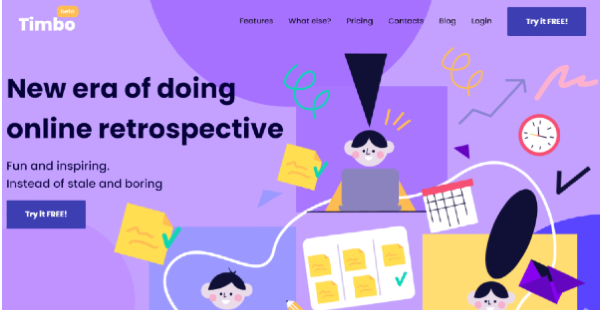
Timbo is a retrospective tool that enables Scrum teams to conduct effective, diverse, and inspiring remote sprint retrospective meetings. It lets you run online retrospectives wherein you and your team members can discuss and collaborate to evaluate work, discover and implement improvements, and achieve better results.
Timbo allows you to use various methodologies and templates for your sprint retrospectives. You can include games and icebreakers, enable peer recognition through Thank you cards, and permit team members to write down their ideas on digital sticky notes. Furthermore, you’ll be able to organize and display ideas on an interactive and collaborative board so team members can brainstorm or vote on them.
The sprint retrospective tool also allows you to transform your team members’ thoughts and ideas into action points. You can start your retrospectives and set plans for your next sprints using previous retrospectives’ action points.
Show MoreOverview of Timbo Benefits
Engaging Online Retrospectives
Timbo lets you conduct online sprint retrospectives in which team members can actively and comfortably share their views about the quality and progress of their work. It provides an interactive and collaborative board where participants can brainstorm ideas about the work in real-time.
Team members can use digital sticky notes to write down issues and ideas. You can then organize and present the digital sticky notes on the board based on their topic and allow your team members to vote on topics, issues, or ideas they think should be prioritized for discussion. You can also set the board in anonymous mode to help you get more views or inputs from team members.
Better Work Performance
Timbo aids teams that are applying agile and scrum methodologies to enhance how they work on their projects. It lets them know what worked well, what went wrong, and what can be improved in each sprint. You and your team can create actionable items out of ideas discussed during a sprint retrospective. These actionable items define the tasks the team needs to work on during the next sprint, the team members to whom the tasks are assigned, and the tasks’ deadlines.
As you conduct a retrospective, you’ll be able to review actionable items from your previous retrospective to see if the team could carry out the changes and improvements and solve the problems discussed during that retrospective. You can also revise the actionable items, reassign them, or change their deadlines to improve the team’s work performance for upcoming sprints.
Improved Team Morale
With Timbo, you can employ various approaches and techniques to make your sprint retrospectives more enjoyable and inspiring. For instance, you can start your sprint retrospectives with fun activities like games or icebreakers so team members will feel focused, connected, and relaxed during such meetings. This is done using built-in templates such as “One Word,” “How Do You Feel,” and “Weather.”
Your team members can also use ‘Thank You’ cards at the beginning or end of sprint retrospectives. This way, team members can recognize and acknowledge each other’s efforts and contributions. With these features, you’ll easily uplift your team’s morale and encourage everyone to keep working hard.
Show MoreOverview of Timbo Features
- Remote Retrospective
- Interactive Board
- Voting
- Brainstorming
- Anonymous Mode
- Digital Sticky Notes
- Timer
- Templates
- Retrospective Games
- Action Points
- Previous Retros & Action Points
- ‘Thank You’ Cards
Awards & Quality Certificates


Timbo Position In Our Categories
Because businesses have distinctive business-related requirements, it is only sensible that they abstain from adopting an all-in-one, ”best” software solution. At any rate, it would be futile to discover such application even among recognizable software products. The clever thing to undertake can be to write down the varied chief functions which demand analysis like essential features, budget, technical skill competence of staff, company size, etc. Then, you must follow through your research through and through. Read some Timbo analyses and check out each of the software solutions in your list in detail. Such well-rounded product research ensures you avoid mismatched software solutions and choose the system which provides all the aspects your business requires.
Position of Timbo in our main categories:
TOP
500
Timbo is one of the top 500 Project Management Software products
Every enterprise has different requirements and requires a software that can be personalized for their size, type of employees and buyers, and the particular industry they are in. For these reasons, no software can proffer perfect tools off-the-shelf. When you search a software product, first be sure what you need it for. Read some Timbo Agile Project Management Software reviews and ask yourself do you desire basic functionality or do you need complex tools? Are there any industry-specific tools that you are seeking? Obtain the answers to these questions to help your search. There are lots of aspects that you need to mull over and these include your budget, particular business requirements, your organization size, integration needs etc. Take your time, try out a few free trials, and finally select the system that offers all that you require to boost your firm efficiency and productivity.
How Much Does Timbo Cost?
Timbo Pricing Plans:
Free Trial
Free Forever
$0
Unlimited
$25/facilitator/month
Enterprise
Contact vendor
What are Timbo pricing details?
Timbo Pricing Plans:
Free Trial
Free Forever
$0
Unlimited
$25/facilitator/month
Enterprise
Contact vendor
Timbo offers three pricing plans for users to choose from, including an enterprise pricing plan that allows you to add unlimited facilitators and team members, and conduct unlimited online sprint retrospectives. Here are the details:
Free Forever – $0/month
- 2 Remote sprint retrospectives/month
- Unlimited team members
- Fun retrospective activities & games
- Guided retrospective process
- Previous retrospectives viewing
Unlimited – $25/facilitator/month
- Unlimited Remote sprint retrospectives
- Unlimited team members
- Fun retrospective activities & games
- Guided retrospective process
- Action points tracking
- Previous retrospectives viewing
- Custom retrospective topics
- Personal manager
Enterprise – by quote
- All features in Unlimited Plan
- Unlimited facilitators or organizers
- Integration with JIRA
User Satisfaction
Positive Social Media Mentions
2
Negative Social Media Mentions
0
We know that when you choose to buy a Agile Project Management Software it’s crucial not only to find out how experts rank it in their reviews, but also to find out if the real people and businesses that purchased these solutions are genuinely satisfied with the service. Because of that need we’ve designer our behavior-based Customer Satisfaction Algorithm™ that collects customer reviews, comments and Timbo reviews across a wide array of social media sites. The information is then displayed in an easy to understand form showing how many people had positive and negative experience with Timbo. With that information at hand you should be prepared to make an informed purchasing decision that you won’t regret.
Technical details
Devices Supported
- Web-based
Deployment
- Cloud Hosted
Language Support
- English
Pricing Model
- Free
- Monthly payment
- Quote-based
Customer Types
- Small Business
- Large Enterprises
- Medium Business
- Freelancers
What Support Does This Vendor Offer?
- phone
- live support
- training
- tickets
What integrations are available for Timbo?
Timbo supports integration with JIRA.

Timbo
is waiting for
your first review.

Write your own review of this product
ADD A REVIEWMore reviews from 0 actual users:


Join a community of 7,369 SaaS experts
Thank you for the time you take to leave a quick review of this software. Our community and review base is constantly developing because of experts like you, who are willing to share their experience and knowledge with others to help them make more informed buying decisions.
Sign in with LinkedIn
Why we require LinkedIn?
- Show the community that you're an actual user.
- We will only show your name and profile image in your review.
- You can still post your review anonymously.
OR
Sign in with company emailSign in with company email
Popular Timbo Alternatives





Top Competitors To Timbo By Price
Product name:
Price:


Trending Agile Project Management Software Reviews

Timbo Comparisons
Product name:







Page last modified



Did you find this review useful?
Yes
No
Thank you for your feedback
How can we make this page better?
Unsure about this software?
FIND ALTERNATIVES
 Why is FinancesOnline free?