
- Home
- Time Management Software
- TimeClock 365

TimeClock 365 Review


What is TimeClock 365?
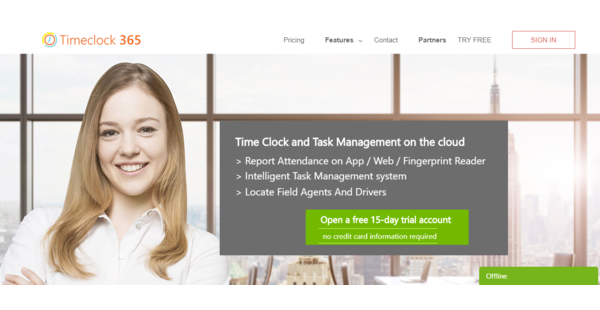
TimeClock 365 is a cloud-based time management software designed to improve employee productivity. Its intuitive user interface offers you flexibility in tracking how your employees spend their working time. Moreover, it allows you to create multiple work contracts that contain specific working hours, overtime, and hourly compensation.
Timeclock365 works on all devices including desktop, laptop, and mobile devices on both iPhone and Android platforms. Its GPS location tracker enables employees to log in from anywhere and access their own dashboard using a PIN code. This makes it an ideal app for monitoring both the office-based and remote workers. Employees, on the other hand, can easily manage their schedules including booking leaves.
The transparency and the accurate time tracking capability that Timeclock 365 offers benefit the employers and the employees alike.
Show MoreOverview of TimeClock 365 Benefits
Real-time updates
Every change done by an employee on his or her dashboard is reflected immediately on the administrator’s dashboard. The administrator, on the other hand, can quickly identify any inconsistencies and find critical data in real-time.
Accurate time tracking
TimeClock 365 lets you know exactly at what time an employee arrived for work, who’s working and where they are while working, thanks to its GPS location tracker. It records employees’ working time to the minute.
Cloud-based
The time tracking app can be accessed anytime and from anywhere without the need to install. It works on all devices, whether its a PC, laptop or mobile phone. It only requires a PIN code to access.
Transparency
The management and the employees can see each other on the map in real-time. It can show you specific locations and route history.
User-friendly
TimeClock 365 has an intuitive design for easy navigation. It also provides you with total flexibility on how you wish to track your employee time using its contract creator.
Time-saving
Its automation capability helps you manage your employees’ time efficiently. TimeClock 365 allows you to manage attendance reports, labor agreements, authorizations, employee cards, and more at your fingertips. This can also translate to significant cost cut.
Show MoreOverview of TimeClock 365 Features
- Time & attendance
- Location & tracking
- Smart notification
- Manager’s control panel
- Call recording
- Task Management
- Work Contracts
Awards & Quality Certificates


TimeClock 365 Position In Our Categories
Knowing that companies have distinctive business-related needs, it is only wise they avoid subscribing to an all-in-one, “perfect” software product. However, it would be difficult to try to discover such application even among branded software products. The practical thing to undertake would be to take note of the various main aspects which entail research including key features, price terms, skill aptitude of staff members, company size, etc. The second step is, you should conduct your research to a full extent. Have a look at these TimeClock 365 analyses and look over each of the software programs in your shortlist in detail. Such detailed product research ensures you avoid ill-fitting software products and choose the system that delivers all the aspects your business requires.
Position of TimeClock 365 in our main categories:
It is essential to keep in mind that virtually no software in the Time Management Software category is going to be a perfect solution that can fulfill all the requirements of various company types, sizes and industries. It may be a good idea to read a few TimeClock 365 Time Management Software reviews first as certain solutions may perform well just in a very narrow group of applications or be created with a very specific industry in mind. Others may work with a goal of being easy and intuitive and consequently lack complex functions desired by more experienced users. You can also find solutions that support a broad group of customers and provide a complex feature set, but that usually comes at a higher cost of such a software. Be certain that you're aware of your needs so that you buy a service that offers exactly the elements you look for.
How Much Does TimeClock 365 Cost?
TimeClock 365 Pricing Plans:
Free Trial
Basic
€2.60/user/month
Standard
€3.50/user/month
Professional
€8/user/month
Premium
€12/user/month
What are TimeClock 365 pricing details?
TimeClock 365 Pricing Plans:
Free Trial
Basic
€2.60/user/month
Standard
€3.50/user/month
Professional
€8/user/month
Premium
€12/user/month
TimeClock 365 offers four SMB and enterprise pricing plans. Find out which plan best suits your needs:
Basic – €2.50/user/month
- Permission management
- Work agreement management
- Manage employee card
- Reminders report
- Smart alerts for the manager
- Hourly report editing
- Manager’s advanced control panel
- Access from anywhere
- Online presence reporting
Standard – €3.50/user/month
- All the basic features
- The “Who working” list in the app
- View app timesheets
- Add a signature and comments
- Mobile app time tracking
Professional – €8/user/month
- All the basic and standard features
- Add photos, signature, and notes
- The task time measurement
- Create tasks in the app
- Tasks and projects
Premium – €12/user/month
- All the basic, standard, and professional features
- Tracks of employees
- Real-time map
- Locating employees
User Satisfaction
Positive Social Media Mentions
33
Negative Social Media Mentions
0
We are aware that when you decide to purchase a Time Management Software it’s important not only to learn how professionals evaluate it in their reviews, but also to find out whether the real clients and companies that use these solutions are genuinely satisfied with the service. Because of that need we’ve devised our behavior-based Customer Satisfaction Algorithm™ that gathers customer reviews, comments and TimeClock 365 reviews across a vast array of social media sites. The data is then featured in an easy to digest format indicating how many customers had positive and negative experience with TimeClock 365. With that information at hand you should be prepared to make an informed purchasing choice that you won’t regret.
Technical details
Devices Supported
- Android
- iPhone/iPad
- Web-based
Deployment
- Cloud Hosted
Language Support
- English
Pricing Model
- Monthly payment
Customer Types
- Small Business
- Large Enterprises
- Medium Business
- Freelancers
What Support Does This Vendor Offer?
- phone
- live support
- training
- tickets
What integrations are available for TimeClock 365?
No information available.

TimeClock 365
is waiting for
your first review.

Write your own review of this product
ADD A REVIEWMore reviews from 0 actual users:


Join a community of 7,369 SaaS experts
Thank you for the time you take to leave a quick review of this software. Our community and review base is constantly developing because of experts like you, who are willing to share their experience and knowledge with others to help them make more informed buying decisions.
Sign in with LinkedIn
Why we require LinkedIn?
- Show the community that you're an actual user.
- We will only show your name and profile image in your review.
- You can still post your review anonymously.
OR
Sign in with company emailSign in with company email
Popular TimeClock 365 Alternatives



Top Competitors To TimeClock 365 By Price
Product name:
Price:

By quote
$49.95
Trending Time Management Software Reviews


TimeClock 365 Comparisons
Product name:





Page last modified



Did you find this review useful?
Yes
No
Thank you for your feedback
How can we make this page better?
Unsure about this software?
FIND ALTERNATIVES
 Why is FinancesOnline free?