
- Home
- Inventory Management Software
- Total Network Inventory

Total Network Inventory Review



What is Total Network Inventory?
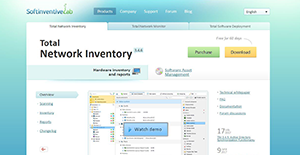
Total Network Inventory is an on-premise network inventory and PC audit management solution. The well-crafted software is designed for IT directors, network administrators, and IT managers in businesses of all sizes. It interrogates all computers on office and large scale enterprise network to provide insightful details about service packs, active Operating Systems, software, hardware, hotfixes, running processes and more.
Total Network Inventory provides an impressive array of features which include: network scanning, inventory management, change log, reports, scan scheduler and more. This set presents excellent capabilities to help businesses manage and view inventory log with ease. In addition, the software provides users with information about disk usage, hardware connections, and application installation.
Show MoreOverview of Total Network Inventory Benefits
Total Network Inventory is a comprehensive suite that offers the best-in-class software inventory and PC audit management solutions. The application allows you to scan virtually everything in your remote network without the need for preinstalled agents. You just require the admin password to get the freedom to scan Mircosoft windows, Apple OS, and Linux based computers; FreeBSD assets; ESX/ESXi servers; and any device that supports Telnet or SNMP protocol. You just initiate the scan, and the program will extract the domain structure, find nodes in all IP range show computers in your workgroup network.
Another noteworthy feature is the Total Network Inventory centralized storage. The program provides reliable storage in the form a regular folder on the hard drive of your computers. Each computer on your network is represented by a file which can easily be moved or backed up. In addition, the solution avails everything that you need to account for your hardware. It allows you to attach inventory numbers, notes, price, data field, and more to your computer. This makes hardware inventory super easy and flexible.
Additionally, Total Network Inventory enables you to keep your information organized. It helps you to examine every scanned computer with ease. Besides, it provides detailed information on the operating system, hardware, installed software, user accounts, antiviruses and more in organized categories of reports.
Last, but not least, the change log functionality enables you to see every activity taking place in your network. Each time a computer is scanned the software takes a snapshot for it. Then using the change log feature, it compares all the snapshots to provide a detailed report of every event.
Show MoreOverview of Total Network Inventory Features
- Network scanning
- Inventory management
- Reports
- Change log
- Scan schedule
Total Network Inventory Position In Our Categories
Because companies have particular business wants, it is only sensible they abstain from seeking an all-encompassing, “perfect” system. Still, it is hard to discover such application even among popular software systems. The logical thing to do can be to spell out the several significant aspects which call for a analysis such as critical features, pricing, skill ability of the users, company size, etc. After which, you should perform your research through and through. Go over some Total Network Inventory review articles and explore the other software systems in your shortlist in detail. Such detailed research guarantee you avoid unsuitable applications and buy the one which has all the tools your company requires.
Position of Total Network Inventory in our main categories:
TOP
500
Total Network Inventory is one of the top 500 Sales Tools products
There are well-liked and widely used solutions in each software group. But are they necessarily the best fit for your organization’s specific wants? A market-leading software product may have thousands of customers, but does it provide what you need? For this reason, do not blindly spend on popular systems. Read at least a few Total Network Inventory Inventory Management Software reviews and think about the factors that you want in the software such as the price, main tools, available integrations etc. Then, select a few apps that fit your wants. Check out the free trials of these products, read online opinions, get information from the seller, and do your homework systematically. This exhaustive homework is sure to aid you select the most excellent software solution for your organization’s special requirements.
How Much Does Total Network Inventory Cost?
Total Network Inventory Pricing Plans:
Free Trial
25 nodes
$90
50 nodes
$170
100 nodes
$290
150 nodes
$390
250 nodes
$550
350 nodes
$630
500 nodes
$790
750 nodes
$990
1000 nodes
$1190
1500 nodes
$1490
2000 nodes
$1790
What are Total Network Inventory pricing details?
Total Network Inventory Pricing Plans:
Free Trial
25 nodes
$90
50 nodes
$170
100 nodes
$290
150 nodes
$390
250 nodes
$550
350 nodes
$630
500 nodes
$790
750 nodes
$990
1000 nodes
$1190
1500 nodes
$1490
2000 nodes
$1790
Total Network inventory offers several SMB and enterprise pricing plan based on the number of nodes. All the licenses include one year updates.
Here are the details:
- 25 nodes – $90
- 50 nodes – $170
- 100 nodes – $290
- 150 nodes – $390
- 250 nodes – $550
- 350 nodes – $630
- 500 nodes – $790
- 750 nodes – $990
- 1000 nodes – $1190
- 1500 nodes – $1490
- 2000 nodes – $1790
User Satisfaction
Positive Social Media Mentions
25
Negative Social Media Mentions
3
We know that when you choose to purchase a Inventory Management Software it’s crucial not only to see how experts evaluate it in their reviews, but also to check whether the actual people and companies that bought these solutions are genuinely satisfied with the service. That’s why we’ve devised our behavior-based Customer Satisfaction Algorithm™ that gathers customer reviews, comments and Total Network Inventory reviews across a wide array of social media sites. The information is then featured in an easy to understand way showing how many clients had positive and negative experience with Total Network Inventory. With that information at hand you should be prepared to make an informed purchasing choice that you won’t regret.
Video
Technical details
Devices Supported
- Windows
- Mac
- Web-based
Deployment
- On Premise
Language Support
- English
- Dutch
- Polish
- Turkish
Pricing Model
- One-time payment
Customer Types
- Small Business
- Large Enterprises
- Medium Business
What Support Does This Vendor Offer?
- phone
- live support
- training
- tickets
What integrations are available for Total Network Inventory?
No information available.
Total Network Inventory User Reviews
Total Network Inventory average rating:
5/5
Overall impression
5/5
Customer Support
5/5
Value for Money
4/5
Ease of Use
Write your own review of this product
ADD A REVIEWThe most favorable review

PROS: It has the most extensive assets and software management tool I have ever used. I love that it is easy to use and it has a clean GUI and customizable report generation. It saves us a lot of time processing different kinds of inventory, and I can customize which action to take.
CONS: I am a happy camper—no complaints at all since the latest update.
The least favorable review
PROS: Easy to work with. Just one click, and it scans the entire network. I also like that it provides detailed reports of hardware, software, IP addresses, and installed programs.
CONS: Registration functions sometimes fail.
More reviews from 2 actual users:
Sort by:
Latest
- Latest
- Most useful
- Most positive
- Most negative
Organized, Fast
Read full review >
4/5
Overall impression
4/5
Customer Support
3/5
Value for Money
4/5
Ease of Use
Published on: 17.09.2021
Company Size: More than 100 Employees
Industry: N/A
PROS: Easy to work with. Just one click, and it scans the entire network. I also like that it provides detailed reports of hardware, software, IP addresses, and installed programs.
CONS: Registration functions sometimes fail.
Extensive features
Read full review >
5/5
Overall impression
4/5
Customer Support
4/5
Value for Money
5/5
Ease of Use
Published on: 14.06.2021
Company Size: More than 100 Employees
Industry: N/A
PROS: It has the most extensive assets and software management tool I have ever used. I love that it is easy to use and it has a clean GUI and customizable report generation. It saves us a lot of time processing different kinds of inventory, and I can customize which action to take.
CONS: I am a happy camper—no complaints at all since the latest update.


Join a community of 7,369 SaaS experts
Thank you for the time you take to leave a quick review of this software. Our community and review base is constantly developing because of experts like you, who are willing to share their experience and knowledge with others to help them make more informed buying decisions.
Sign in with LinkedIn
Why we require LinkedIn?
- Show the community that you're an actual user.
- We will only show your name and profile image in your review.
- You can still post your review anonymously.
OR
Sign in with company emailSign in with company email
Popular Total Network Inventory Alternatives





Top Competitors To Total Network Inventory By Price
Product name:
Price:





Trending Inventory Management Software Reviews



9.1
100%

Total Network Inventory Comparisons
Product name:





Total Network Inventory user reviews
Organized, Fast
Read full review >
4/5
Overall impression
4/5
Customer Support
3/5
Value for Money
4/5
Ease of Use
Published on: 17.09.2021
Company Size: More than 100 Employees
Industry: N/A
Extensive features
Read full review >
5/5
Overall impression
4/5
Customer Support
4/5
Value for Money
5/5
Ease of Use
Published on: 14.06.2021
Company Size: More than 100 Employees
Industry: N/A

Page last modified



Did you find this review useful?
Yes
No
Thank you for your feedback
How can we make this page better?
Unsure about this software?
FIND ALTERNATIVES
 Why is FinancesOnline free?