

VIZOR Review



What is VIZOR?
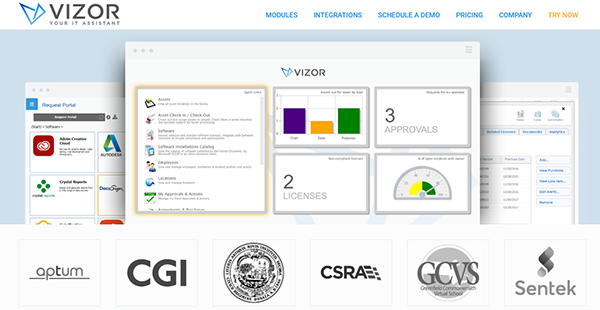
VIZOR is an IT Asset Management, ServiceDesk Issue and Incident Management, Software Asset and License Management system that simplifies processes and helps effectively manage the complete IT asset lifecycle.
Its central repository combines inventory data and network discovery with purchase and maintenance details. The built-in discovery features identify and audit connected devices, which can also be discovered through integrations with existing systems such as LANSweeper and MS System Centre.
The central repository contains all the important information, including suppliers of IT assets and related documentation. This allows users to easily manage multiple purchase and maintenance agreements while also allowing them to easily allocate and track assets. The platform helps centralize information, reduce workload and improve processes by streamlining them at every step.
Show MoreOverview of VIZOR Benefits
VIZOR delivers a comprehensive IT Management suite that is composed of three independent modules designed to work as standalone products or alongside each other: IT Asset Management, Software & License Management, and ServiceDesk.
VIZOR separates itself from other similar platforms and applications with its out-of-the-box workflows and processes for traditional IT tasks. For instance, VIZOR features specific provisioning workflows based on roles. This is designed to ensure that new employee has immediate and easy access to all the hardware (e.g. Laptop, Phone, Desk) and Software (e.g. Office 365, SalesForce, Email & Active Directory account) assets required to enable them to function per role description productively and optimally on their first day.
It is of critical importance that all assets are covered and protected when an employee leaves the company. With VIZOR, companies are able to track and recover all their assets the moment their relationship with an employee is terminated. The software also brings down operational costs by returning licenses allocated to leaving or terminated employees back into the license pool. They can also disable SaaS subscription accounts for that specific employee. VIZOR will even automate common IT tasks such as creating and disabling Active Directory accounts when employees start and leave.
Via this functionality, VIZOR greatly benefits you by reducing your workload, improving your IT processes and centralizes IT information.
Show MoreOverview of VIZOR Features
- IT asset management
- Central repository
- Auto-discovery of devices
- Streamlined asset allocation
- Complete IT asset lifecycle tracking
- Automated employee on/off boarding
- Check in/out equipment loan
- Asset recovery
- Asset location tracking
- Supplier management
- Email alerts and reminders
- Documentation file repository
- Web-based configuration tools
- Dashboards and reports
- ServiceDesk and Incident Management
- Best practice processes
- Automatic ticket routing
- Self-service portal
- Multiple Escalation & SLA Support
- Customer feedback and surveys
- Software and License Management
- Central license repository
- Software request portal
- License compliance
- Purchasing integration
- Cloud and SaaS subscriptions
- Software normalization
- Versioning
- Suite consolidation
What Problems Will VIZOR Solve?
1) A renowned Canadian teaching hospital streamlined the process of on-boarding 1500 residents per year with VIZOR. The unique provisioning capability was used to allocate specific software assets and resources based on the residents’ roles within the hospital.
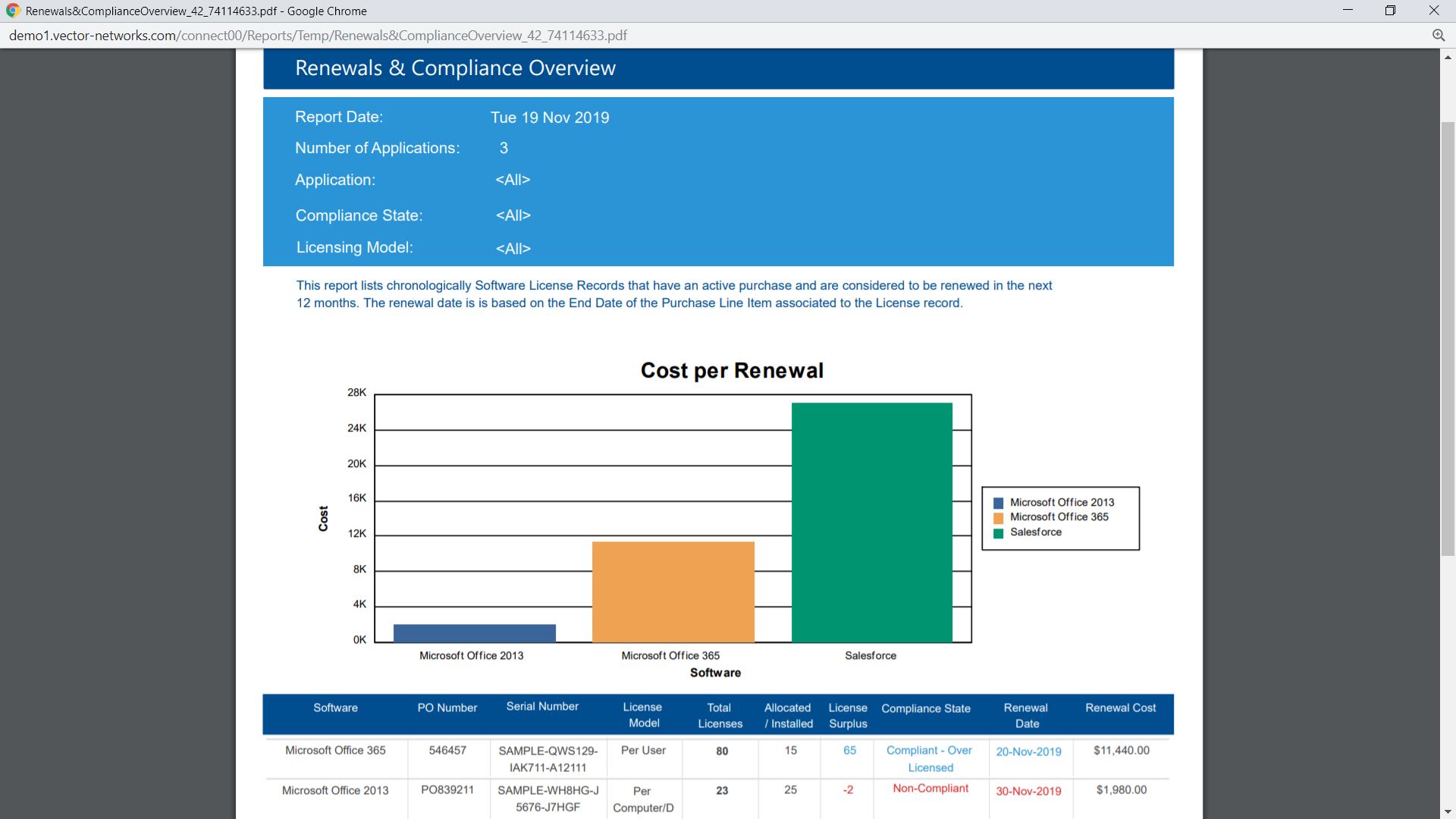
2) After struggling with the limitations of Excel Spreadsheets, a premium Government Healthcare Insurance Company chose VIZOR to manage their software licenses, benefiting from renewal reminders and forecast expenditure reporting.
3) A School District on the West Coast of the United States is using VIZOR to streamline the provisioning of hundreds of newly acquired Chromebooks. VIZOR will manage the requests, approval, procurement, maintenance, and recycling of the devices throughout their lifetime.
4) An award-winning Law Firm maximizes IT technician effectiveness and user productivity by monitoring asset status and tracking asset location with VIZOR Assets’ barcode scanning workflow.
5) A European Law Firm is leveraging its existing Microsoft SCCM infrastructure with VIZOR to transform static hardware and software inventory data into valuable information to drive informed purchasing decisions.
Awards & Quality Certificates


VIZOR Position In Our Categories
Because companies have their own business-related needs, it is only sensible they abstain from subscribing to a one-size-fits-all, ideal business application. Regardless, it would be difficult to try to stumble on such application even among recognizable software solutions. The better thing to undertake would be to list the different major aspects which call for a scrutiny such as important features, packages, technical skill capability of staff, business size, etc. Next, you must follow through your research thoroughly. Have a look at some of these VIZOR review articles and scrutinize each of the applications in your shortlist more closely. Such all-encompassing product research ascertain you keep away from mismatched apps and subscribe to the one which meets all the function your business requires to be successful.
Position of VIZOR in our main categories:
TOP
100
VIZOR is one of the top 100 Help Desk Software products
TOP
50
VIZOR is one of the 50 IT Asset Management Software products
Every company is different, and might call for a special IT Asset Management Software solution that will be fit for their business size, type of clients and employees and even particular niche they deal with. It's not wise to count on finding a perfect solution that is going to work for every company regardless of their background is. It may be a good idea to read a few VIZOR IT Asset Management Software reviews first and even then you should keep in mind what the software is supposed to do for your company and your workers. Do you need a simple and straightforward service with just essential functions? Will you actually make use of the complex tools needed by pros and big enterprises? Are there any specific features that are especially beneficial for the industry you work in? If you ask yourself these questions it will be much easier to find a solid app that will match your budget.
How Much Does VIZOR Cost?
VIZOR Pricing Plans:
Free Trial
Quote-based Plan
Contact vendor
What are VIZOR pricing details?
VIZOR Pricing Plans:
Free Trial
Quote-based Plan
Contact vendor
VIZOR offers basic and enterprise pricing options that vary according to cloud-based and on-premise services, the number of employees and integrations.
User Satisfaction
Positive Social Media Mentions
169
Negative Social Media Mentions
2
We realize that when you choose to purchase a IT Asset Management Software it’s crucial not only to find out how experts evaluate it in their reviews, but also to discover whether the real users and enterprises that use it are genuinely content with the service. Because of that need we’ve created our behavior-based Customer Satisfaction Algorithm™ that gathers customer reviews, comments and VIZOR reviews across a vast range of social media sites. The data is then featured in an easy to understand format revealing how many users had positive and negative experience with VIZOR. With that information available you will be ready to make an informed business choice that you won’t regret.
Video
Screenshots


Technical details
Devices Supported
- Windows
- Linux
- Android
- Mac
- Web-based
Deployment
- Cloud Hosted
- On Premise
Language Support
- English
- German
- Spanish
- French
Pricing Model
- Quote-based
Customer Types
- Large Enterprises
- Medium Business
What Support Does This Vendor Offer?
- phone
- live support
- training
- tickets
What integrations are available for VIZOR?
VIZOR integrates with the following business systems and applications:
- Microsoft SCCM
- LANSweeper Integration
- Active Directory
- LDAP Directory Integration
- Microsoft System Center (ConfigMgr)
- Exchange
- Dynamics GP
- Chromebook Management Console
- Excel

VIZOR
is waiting for
your first review.

Write your own review of this product
ADD A REVIEWMore reviews from 0 actual users:


Join a community of 7,369 SaaS experts
Thank you for the time you take to leave a quick review of this software. Our community and review base is constantly developing because of experts like you, who are willing to share their experience and knowledge with others to help them make more informed buying decisions.
Sign in with LinkedIn
Why we require LinkedIn?
- Show the community that you're an actual user.
- We will only show your name and profile image in your review.
- You can still post your review anonymously.
OR
Sign in with company emailSign in with company email
Popular VIZOR Alternatives


Top Competitors To VIZOR By Price
Product name:
Price:


Trending IT Asset Management Software Reviews



VIZOR Comparisons
Product name:




Page last modified



Did you find this review useful?
Yes
No
Thank you for your feedback
How can we make this page better?
Unsure about this software?
FIND ALTERNATIVES
 Why is FinancesOnline free?