

Zoho Sprints Review



What is Zoho Sprints?
Zoho Sprints is an online agile project management solution designed to help agile teams plan their project, track their progress, and deliver the appropriate product on time. The simple and clutter-free tool takes care of keeping timesheets, monitoring the task statuses, preparing meetings, and overviewing the analytics.
Given that agile teams function with a core value on responding to change and working with a sense of urgency, having a system that augments this type of operation is vital. Zoho Sprints is a dynamic software that is quick and easy to set up, so you can immediately invite your team members, assign them roles, build a backlog, and commence your sprint.
It is part of the revolutionary suite of software solutions by Zoho designed to help businesses in various aspects of their operations. Hence, you can easily integrate Zoho Sprints with Zoho’s other applications in marketing, sales, accounting, customer support, and more using a single login and password.
Zoho Sprints comes with a Free plan for 5 projects, 5 users, and 500MB storage space. The Professional Plan starts at $12 for the first 12 users per month. For the 13th to 100th, you pay an additional $5 per user/month. You pay less 50 cents for each succeeding hundreds. The vendor has a price calculator on its pricing page to simplify the process.
You can opt for a trial then upgrade or downgrade as you see fit. For an annual plan, you will only pay for 10 months’ worth of payments. There is no long-term contract required so you can cancel your subscription anytime.
Show MoreOverview of Zoho Sprints Benefits
Zoho Sprints caters to your agile team’s need for a swift and efficient system to match their fast-paced work nature. It is equipped with a wide range of features and tools to achieve optimum performance. Here are some of the benefits of using the software:
Tracking your progress with boards
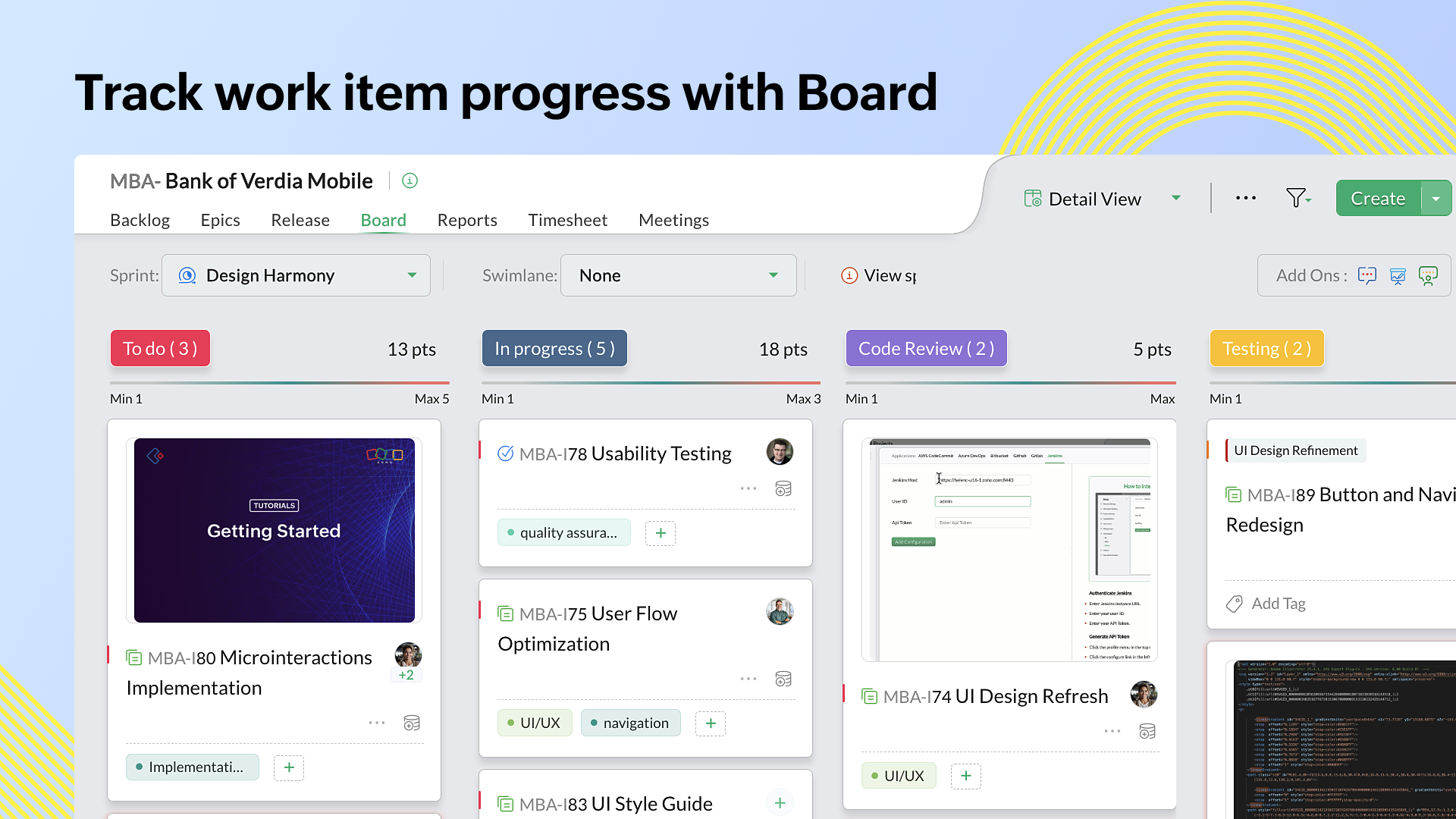
Knowing how far or how near your team is to project completion is essential in staying within schedule. The Scrum Board provides visibility and transparency to everyone’s progress. All recent updates are reflected in the team Feeds. You can customize the project status based on specific requirements and stages. You can also label them with “to do,” “in progress,” and “completed” for easy identification. You may reopen tasks, close bugs, and transfer stories using the drag-and-drop method.
All these details make sure you won’t overlook anything through sorting items into swimlanes according to estimation points, priority, and story. The Sprint Activity graph makes it possible to oversee any changes made including items that are added, closed, reopened, moved, and remained idle.
Maintaining timesheets effortlessly
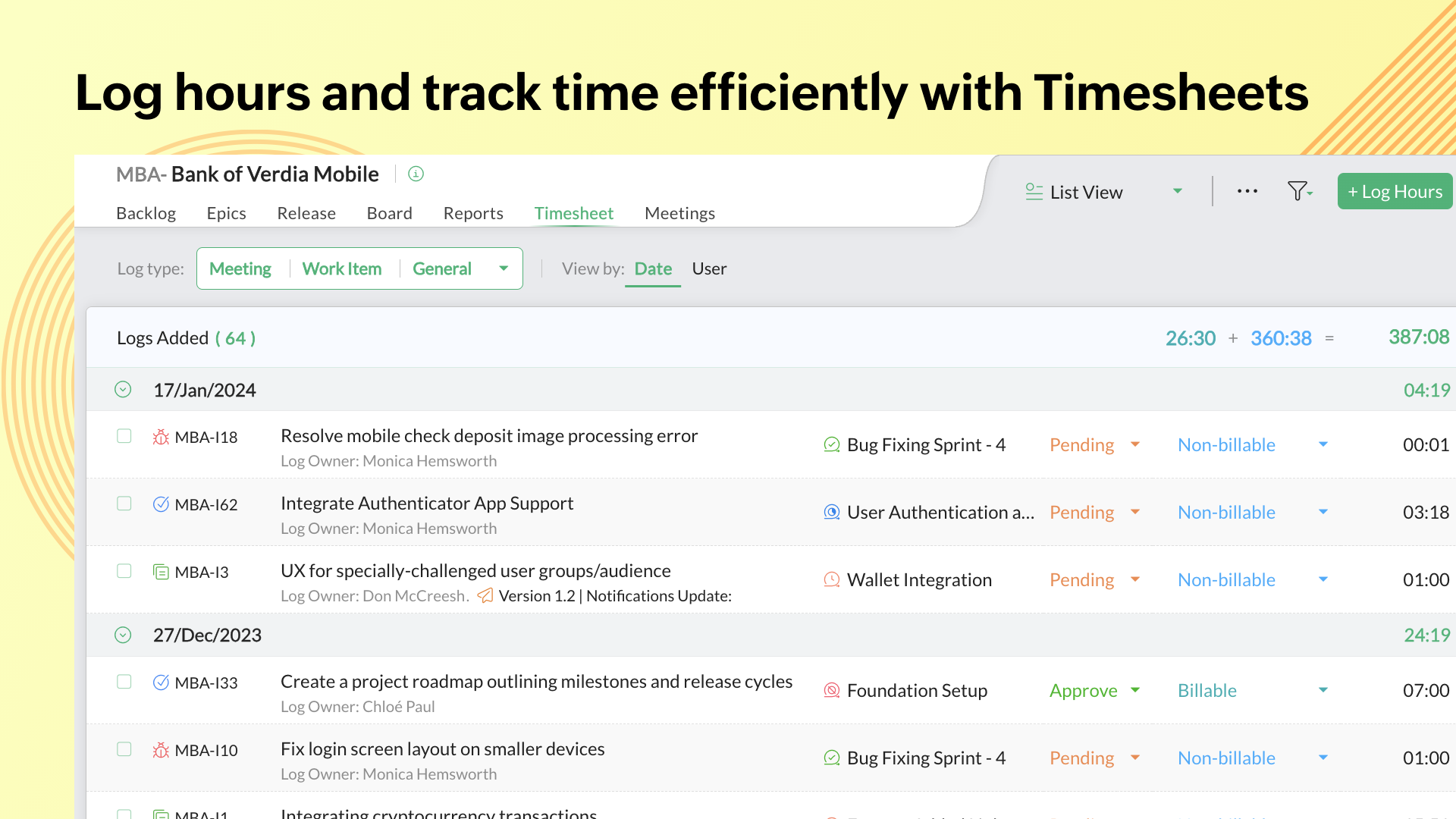
All members of your team can log their billable and non-billable hours into the system. Through this, you can easily track and tabulate your team’s time logs. The members can choose which item to work on and log the time they spent working on it. The global timer lets you start, stop, or pause the timer for certain items so you can view the day’s work breakdown. Meanwhile, the scrum-master and product-owner can approve the timesheets with a single click. This helps to estimate how much time is needed for the next sprint and complete invoices efficiently.
Prioritizing the right tasks
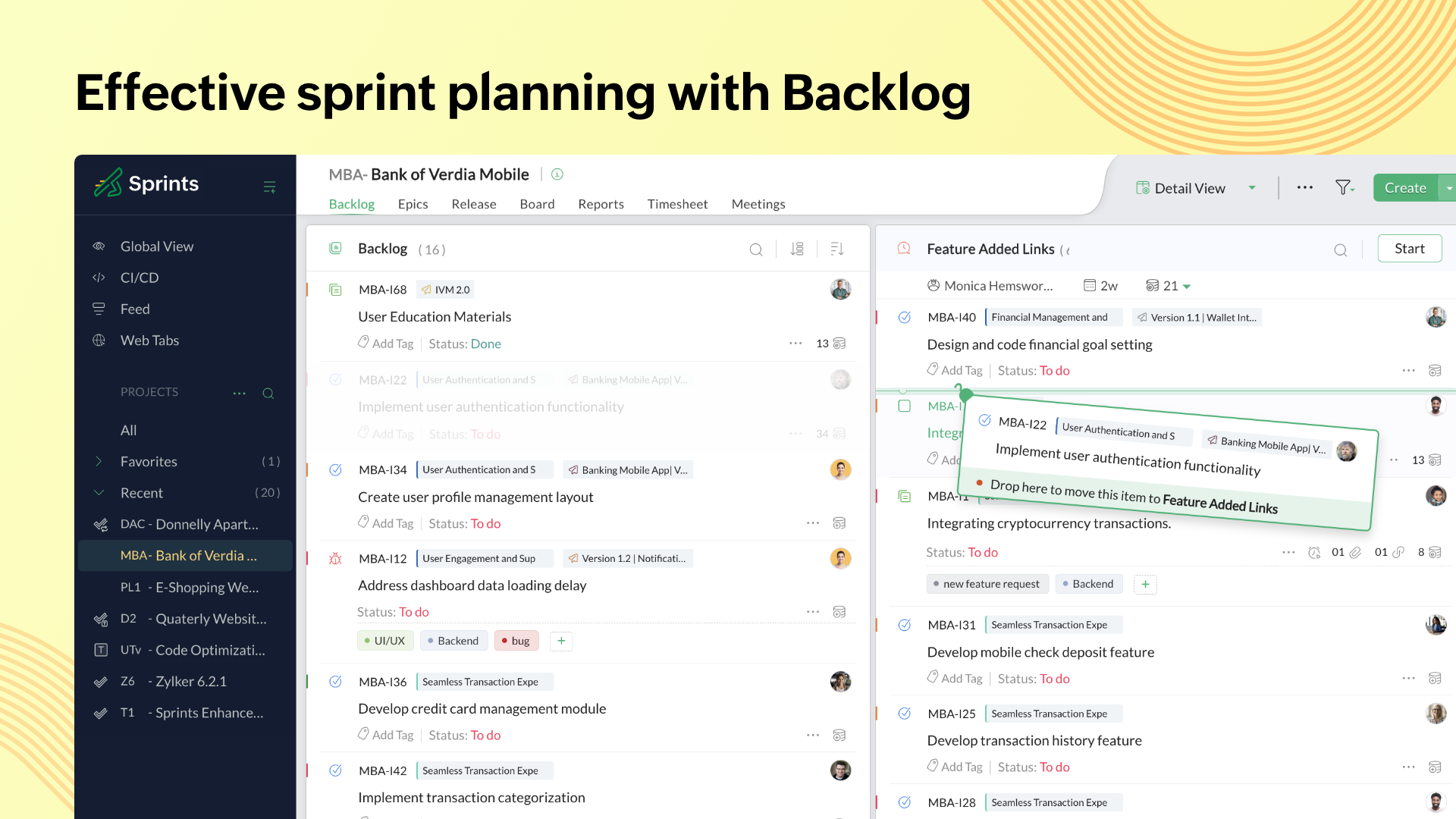
Tasks can easily pile up on top of each other. If not monitored, tasks with high priority may be overlooked. Zoho Sprints lets you create sprints and backlogs for each project. With its drag-and-drop feature, moving the hierarchy of tasks according to its importance and urgency is quick and hassle-free. There are also reminders and set durations to alert everyone in the team with any newly released sprint.
Overseeing the project’s bigger picture
Keep an eye on your project through the Dashboard where you can see an overview of all vital metrics. This lets you distribute and assign work to your team members smoothly. This data lets you identify working patterns and plan future schedules and tasks.
Improving project analytics
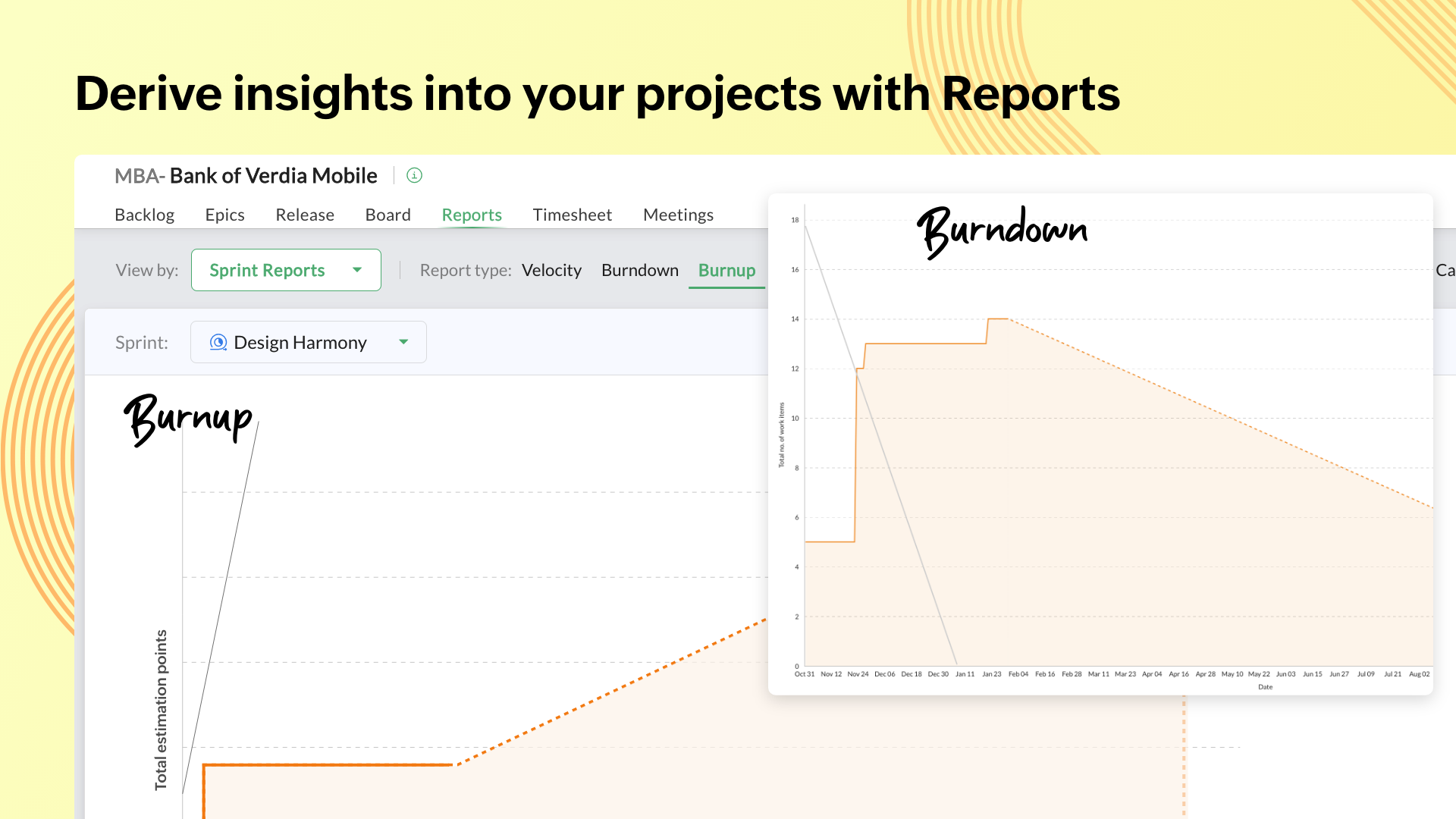
The Velocity chart gives you the project delivery rate of your team and helps you estimate future sprints. Meanwhile, Burndown and Burnup charts show you your team’s pace towards reaching the project line. The Cumulative Flow Diagram is essential for determining alterations in work progress and identifying bottlenecks. These data provides actionable insights to improve your team’s productivity and efficiency.
Maintaining interactions between team members
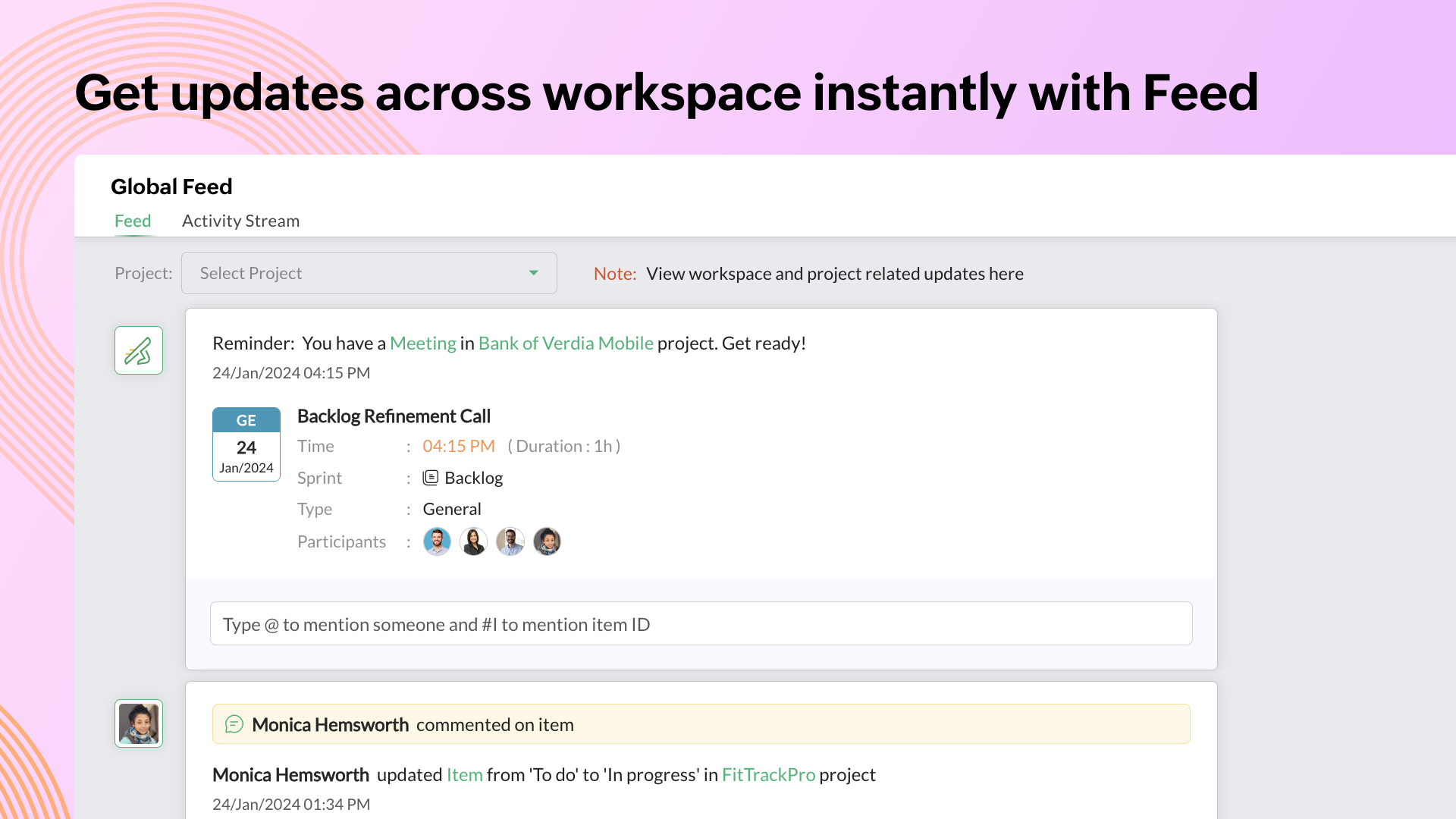
Managing meetings is made easier by doing a hassle-free search for upcoming and completed meetings. Reminders will be sent to each participating team member’s feed and email to ensure everyone will be present at the meeting. Since meetings are vital to agile teams, doing face-to-face appointments improves the team’s workmanship.
Working on the go
Online discussions improve real-time collaboration with your team. Zoho Sprints can be accessed through Android and iOS devices so everyone can collaborate anywhere at any time and stay updated with reminders, feedback, and announcements.
Show MoreOverview of Zoho Sprints Features
- Sprint Creation
- Backlog Metrics
- Scrum Board
- Custom Status
- Personalized Board
- Swimlane
- Sprint Activity
- Timesheet
- Drag-and-drop feature
- User Assignments
- Priority Listing
- Estimation Point
- Reminder Alerts
- Global Timer
- One-Click Time Log Approval
- Daily Stand-up
- Sprint Reviews and Retrospectives
- Billable and Nonbillable Hours Invoicing
- Dashboard Overview
- Weekly Digest
- Sprint Planning
- Status Productivity
- Activity Streams
- Most Engaged Users
- Actual vs Planned Graph
- Velocity Chart
- Burndown and Burnup Chart
- Cumulative Flow Diagram
- Release Note
- Meetings Module
- Automatic Reminders
- Feeds
- Webhooks
- WIP limits
- Custom views
- Custom project templates
- Github integration
- Bitbucket integration
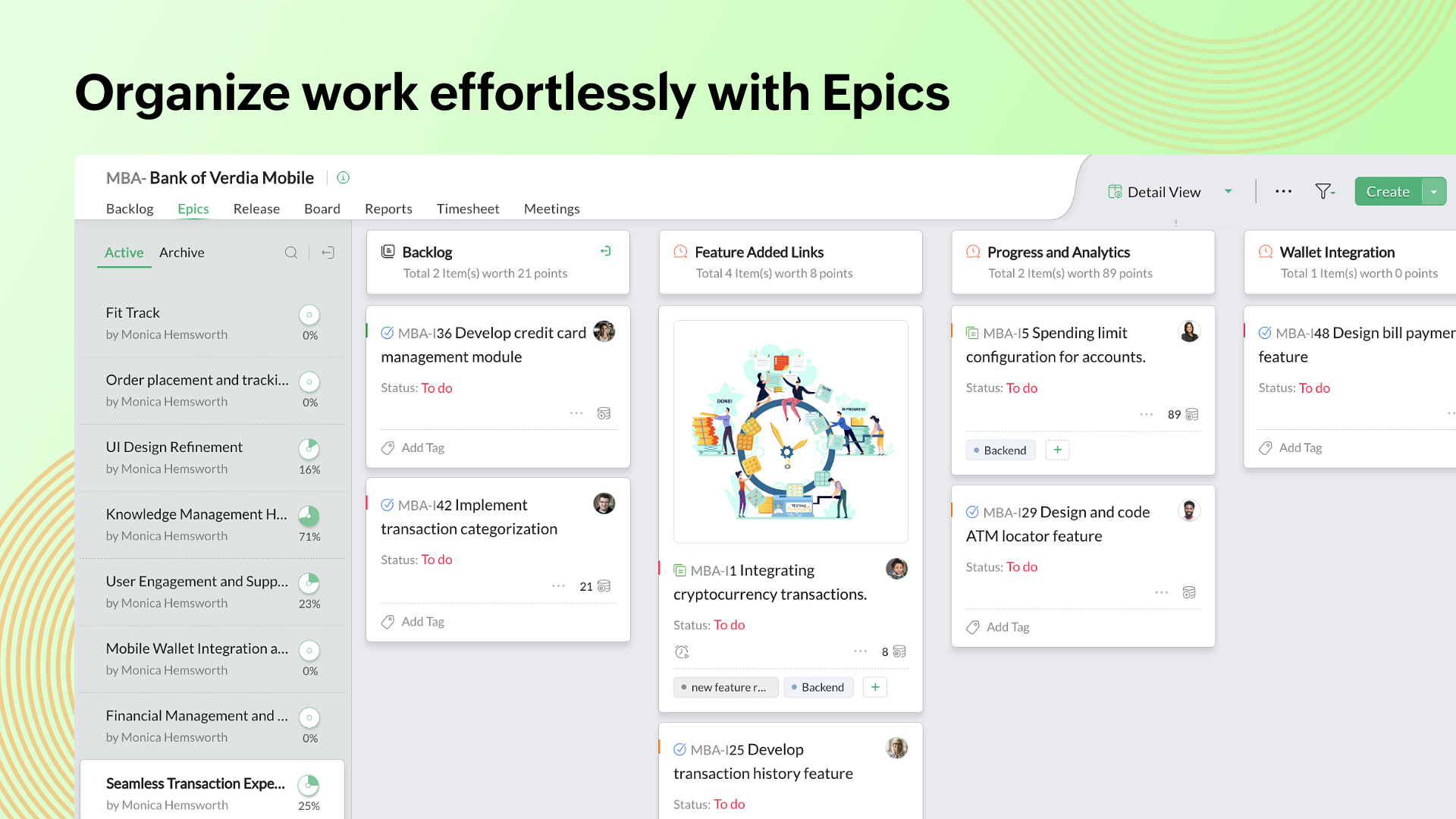
- Epics
- Parallel sprints
Awards & Quality Certificates



Zoho Sprints Position In Our Categories
Knowing that companies have particular business wants, it is rational that they abstain from subscribing to a one-size-fits-all, ideal software solution. Regardless, it would be futile to find such a software solution even among sought-after software products. The sensible step to do is to write down the several main functions which require examination like critical features, plans, technical skill aptitude of staff members, business size, etc. Thereafter, you should perform your research comprehensively. Browse over these Zoho Sprints reviews and check out each of the applications in your shortlist in detail. Such well-rounded product investigation ensure you avoid poorly fit applications and buy the system that provides all the tools your business requires.
Position of Zoho Sprints in our main categories:
TOP
200
Zoho Sprints is one of the top 200 Project Management Software products
TOP
100
Zoho Sprints is one of the 100 Remote Work Software products
Since each organization has specific business wants, it is advisable for them to desist from seeking a one-size-fits-all ideal software application. Needless to say, it would be futile to try to find such a platform even among widely used software solutions. The clever thing to do would be to jot down the various essential factors that need consideration such as key features, finances, skill levels of staff members, company size etc. Then, you should do your groundwork thoroughly. Read some Zoho Sprints Agile Project Management Software reviews and look into each of the other apps in your shortlist in detail. Such in-depth research can make sure you weed out ill-fitting applications and select the system that offers all the elements you require for business success.
How Much Does Zoho Sprints Cost?
Zoho Sprints Pricing Plans:
Free Trial
Starter
$1/user/month billed annually
Elite
$2.5/user/month billed annually
Premier
$5/user/month billed annually
What are Zoho Sprints pricing details?
Zoho Sprints Pricing Plans:
Free Trial
Starter
$1/user/month billed annually
Elite
$2.5/user/month billed annually
Premier
$5/user/month billed annually
Zoho Sprints starts at $1 per user per month. It offers user-based pricing so you will only pay based on your number of users and access all features. Here are its plans and inclusions:
Starter – $1/user/month billed annually
- 50 Projects
- 20 GB
- 5 Project Templates
- Backlog Management
- Scrum Board
- Epic Management
- Timesheet Management
- Agile Reports
- Scrum Meetings
- Project and Sprint Dashboard
- Project Feed and Activity Stream
- iOS and Android Mobile App
Elite
– $2.5/user/month billed annually
- Unlimited Projects
- 50 GB
- 10 Project Templates
- Starter Features +
- Client Portal
- Vendor Portal
- Custom Profiles & Permissions
- Checklist
- Workitem Reminder
- Custom Priority
- Custom WorkItem Type
- Timesheet Grid view
Premier
– $5/user/month billed annually
- Unlimited Projects
- 100 GB
- 20 Project Templates
- Elite Features+
- Release Management
- Linking Work-items
- Email Alias
- Custom Mail Templates
- Global Custom Views
- WIP Settings
- User Groups
- Advanced Timesheet Settings
- Custom Layouts and Fields for Projects, Sprints, Work-items, Release, Epics and Meetings
- Web Hooks
- Custom Domain
User Satisfaction
Positive Social Media Mentions
11
Negative Social Media Mentions
0
We realize that when you make a decision to buy a Agile Project Management Software it’s crucial not only to find out how professionals rank it in their reviews, but also to discover whether the real clients and businesses that use it are genuinely satisfied with the service. Because of that need we’ve designer our behavior-based Customer Satisfaction Algorithm™ that collects customer reviews, comments and Zoho Sprints reviews across a broad range of social media sites. The information is then featured in a simple to digest way indicating how many users had positive and negative experience with Zoho Sprints. With that information available you will be prepared to make an informed purchasing decision that you won’t regret.
Video
Screenshots


Technical details
Devices Supported
- Windows
- Android
- iPhone/iPad
- Mac
- Web-based
Deployment
- Cloud Hosted
Language Support
- English
- Chinese
- German
- Japanese
- Spanish
- French
- Russian
- Italian
- Dutch
- Portugese
- Polish
- Turkish
- Swedish
Pricing Model
- Free
- Monthly payment
- Annual Subscription
Customer Types
- Small Business
- Large Enterprises
- Medium Business
What Support Does This Vendor Offer?
- phone
- live support
- training
- tickets
What integrations are available for Zoho Sprints?
Zoho Sprints integrates seamlessly with other apps from the Zoho software solution suite. There are also integrations with Zapier and Zoho Flow available.
- Slack
- Zoho Meeting
- JIRA
- GitHub
- GitLab
- Bitbucket
- G Suite Marketplace
- Microsoft Teams
- Microsoft Office 365
- Zoho Flow
- Zoho Desk
- Zoho Projects

Zoho Sprints
is waiting for
your first review.

Write your own review of this product
ADD A REVIEWMore reviews from 0 actual users:


Join a community of 7,369 SaaS experts
Thank you for the time you take to leave a quick review of this software. Our community and review base is constantly developing because of experts like you, who are willing to share their experience and knowledge with others to help them make more informed buying decisions.
Sign in with LinkedIn
Why we require LinkedIn?
- Show the community that you're an actual user.
- We will only show your name and profile image in your review.
- You can still post your review anonymously.
OR
Sign in with company emailSign in with company email
Popular Zoho Sprints Alternatives


Top Competitors To Zoho Sprints By Price
Product name:
Price:


Trending Agile Project Management Software Reviews

8.0
100%


7.2
N/A
Zoho Sprints Comparisons
Product name:





Page last modified
Award Winner

Did you find this review useful?
Yes
No
Thank you for your feedback
How can we make this page better?
 Why is FinancesOnline free?