

4POS Review



What is 4POS?
4POS is a user-friendly point of sale system designed to work with Windows and Linux OS-powered PCs. Built with the independent retailer in mind, 4POS comes with a comprehensive set of back office features, including Stock Control, Debtors, Creditors, and Bill of Materials, as well as a touchscreen interface for streamlined functions and performance.
The 4POS Suite is made of a Backoffice module to help users stay on top of their purchases, reports, and administration. The Domain controller updates the transactions as they are finished and then the 4POSScan is built to simplify sales in a typical scanning/retail environment.
The 4POSTouch is mostly deployed in Restaurants, Bars, Pubs, Ice Cream Parlors, and other similar establishments were scanning items is not the most viable way to speed up transactions.
Show MoreOverview of 4POS Benefits
4POS supplies you with a point-of-sale platform that is built to be friendly for faster adaption and implementation, which equates to increased ROI. Built on decades of experience, 4POS is offered as a one-time payment software license with free upgrades as the years roll by.
It runs on Windows ® Win7, Win8, Win1032 or 64 bit, operating systems that are highly popular among independent retailers. The structuring is simple as well – one license per PC. As your business grows, 4POS can easily grow right there with you.
4POS modules communicate seamlessly with each other. Once a transaction is completed, the whole suite updates automatically. There is only one version of the truth, ensuring that all information you have is the most recent and highly accurate.
The best part about 4POS is that it works with your existing hardware. The software is not dependent on any particular brand of scanners and printers. The only requirement is that they should work on Windows. If your printers and scanners can function smoothly on Windows, then you are covered.
4POS also lets you control your business remotely. You can opt to install a remote program like Teamviewer, set up a VPN (virtual private network), or use 4POSEnterprise to view your reports ports online from any browser.
Show MoreOverview of 4POS Features
- User-Friendly POS Interface
- Windows OS-Compatible
- Multiple Languages
- Multiple Currencies
- Remote Management
- Stock Control
- Debtors and Creditors Management
- Bill of Materials
What Problems Will 4POS Solve?
1) 4POS can run on a stand-alone PC or laptop.
The whole site is comprised of a back office module for your adminstration, purchases, and reports. For your transactions, the Domain Controller module takes care of that while the 4POSScan module, as the name suggests, is intended for scanning, which is perfect in retail setting. The 4POSTouch module is ideal in a Restaurant / Fast Food / Bar / Pub / Ice cream Parlor business where you simply click on the item button instead of scanning to ring up the sale.
2) 4POS automatically updates the stock figures after a sale is successful.
There is no need to manually edit the information after a sale is completed.
3) 4POS allows for remote access and management.
Even if you are away from your store or office, you can control your business remotely through Teamviewer, a VPN, and via the 4POSEnterprise module.
Awards & Quality Certificates


4POS Position In Our Categories
Bearing in mind companies have special business-related needs, it is reasonable that they abstain from settling on an all-in-one, “perfect” solution. Just the same, it is troublesome to try to discover such application even among sought-after software products. The practical step to undertake can be to spell out the numerous important aspects that need scrutiny including essential features, budget, technical skill ability of the users, business size, etc. Thereafter, you must perform your research thoroughly. Have a look at these 4POS evaluations and look over the other solutions in your shortlist in detail. Such detailed product research guarantees you take out mismatched applications and buy the one that offers all the aspects your company requires in sustaining growth.
Position of 4POS in our main categories:
TOP
500
4POS is one of the top 500 Sales Tools products
Since each organization has particular business wants, it is prudent for them to refrain from looking for a one-size-fits-all perfect software system. Needless to say, it would be pointless to try to find such a system even among popular software solutions. The clever thing to do would be to list the various vital factors that require consideration such as key features, finances, skill levels of workers, company size etc. Then, you should do your homework thoroughly. Read some 4POS POS Systems reviews and investigate each of the other solutions in your shortlist in detail. Such in-depth homework can make certain you discard ill-fitting systems and zero in on the app that offers all the features you require for business success.
How Much Does 4POS Cost?
4POS Pricing Plans:
Free Trial
4POS License
R1,399 per PC
What are 4POS pricing details?
4POS Pricing Plans:
Free Trial
4POS License
R1,399 per PC
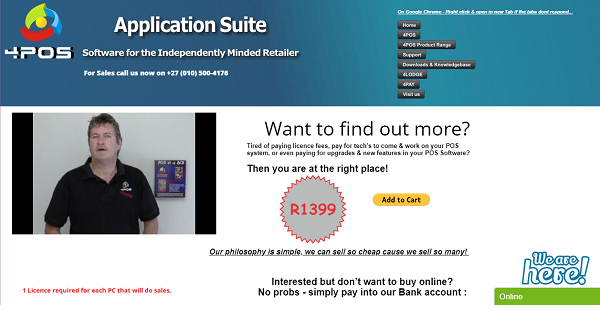
4POS offers a simple one License per PC pricing. Contact them to know more about their enterprise pricing options and other product details.
- 4POS License – R1,399 per PC
User Satisfaction
Positive Social Media Mentions
0
Negative Social Media Mentions
0
We are aware that when you choose to get a POS Systems it’s important not only to see how professionals rank it in their reviews, but also to find out if the actual people and companies that use this software are actually satisfied with the product. Because of that need we’ve devised our behavior-based Customer Satisfaction Algorithm™ that gathers customer reviews, comments and 4POS reviews across a vast array of social media sites. The information is then presented in a simple to digest format indicating how many people had positive and negative experience with 4POS. With that information at your disposal you should be ready to make an informed purchasing choice that you won’t regret.
Video
Technical details
Devices Supported
- Windows
- Linux
Deployment
- On Premise
Language Support
- English
Pricing Model
- One-time payment
Customer Types
- Small Business
- Large Enterprises
- Medium Business
- Freelancers
What Support Does This Vendor Offer?
- phone
- live support
- training
- tickets
What integrations are available for 4POS?
POS4 has Drivers available for Windows ® , Linux ® & OPOS ®

4POS
is waiting for
your first review.

Write your own review of this product
ADD A REVIEWMore reviews from 0 actual users:


Join a community of 7,369 SaaS experts
Thank you for the time you take to leave a quick review of this software. Our community and review base is constantly developing because of experts like you, who are willing to share their experience and knowledge with others to help them make more informed buying decisions.
Sign in with LinkedIn
Why we require LinkedIn?
- Show the community that you're an actual user.
- We will only show your name and profile image in your review.
- You can still post your review anonymously.
OR
Sign in with company emailSign in with company email
Popular 4POS Alternatives


Top Competitors To 4POS By Price
Product name:
Price:

By quote

by quote



Trending POS Systems Reviews





4POS Comparisons
Product name:









Page last modified



Did you find this review useful?
Yes
No
Thank you for your feedback
How can we make this page better?
Unsure about this software?
FIND ALTERNATIVES
 Why is FinancesOnline free?