

ClickLearn Review



What is ClickLearn?
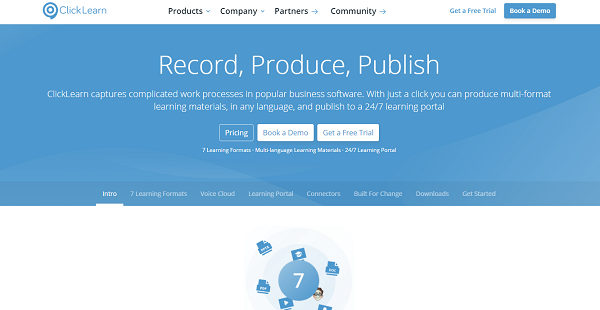
ClickLearn is a platform for capturing the work processes of business software solutions and turning them into multi-format and easy-to-access learning materials. The work instructions are then made available in a portal that is open 24/7 and can be accessed from any device including laptops and smartphones. The tool can be connected to different applications for workflow capturing purposes.
The platform supports 7 formats of learning to account for any training situation. This includes a video walkthrough and an interactive video simulation of the work environment. Documentations are also available for both online and offline use in the form of an online guide and a printable pdf/Docx format. ClickLearn also features a helper tool that can be found within your ERP system; ready to assist whenever.
Show MoreOverview of ClickLearn Benefits
Multi-Format Learning Materials
To ensure that there are suitable learning materials for every stage and type of training, ClickLearn supports multiple formats with which to create work instructions. Three of them are video formats – one for a walkthrough, another for guiding trainees through the desired process, and the other one is to take what they learn to a test. The platform also features online and offline documentation, classroom training, and an assistant tool available from your ERP system.
Multilingual Automated Speech Generator
ClickLearn offers a feature called VoiceCloud which uses IVONA voice technology to create a speech for your video material. The voice is clear, coordinated with the screen movements, and is available in several languages including Arabic, German, French, Spanish, Thai, Russian, Japanese, and Italian.
Different Types of Connectors
The platform also offers different types of connectors to ensure that instructions and workflows used for your learning materials are easy to capture and of high quality. There is a Web Connector that works with most of the web-based apps today and can record web activities. Another one is a Windows Connector that supports about 90% of Windows applications. You can also use the Microsoft Office Connector to create high-quality documentation using any of the apps in the Microsoft Office Suite such as Word and Excel.
Show MoreOverview of ClickLearn Features
- Video Learning and Testing Formats
- Offline Documentation
- Classroom Training
- ClickLearn Assist
- Voice Cloud
- Learning Portal
- Web and Windows Connectors
- Microsoft Office Connector
What Problems Will ClickLearn Solve?
1. Training is often an afterthought
Often with software implementation projects, there is a large budget dedicated to development and consultancy work. However, if training isn’t included in the scope of a project, the employees cannot use the new features and the organization doesn’t get the ROI that they expect. By enabling consultants to record what they demonstrate, they can effectively create the training and documentation with no extra effort.
2. Frequent software updates
Organizations may spend time on creating training material and documentation for a particular software version, but this quickly becomes outdated with each new software update that is released. With ClickLearn updating training content and documentation is automated – all you have to do is click the Replay button and ClickLearn goes through the process and updates all changed steps and screenshots so your content is always current.
3. Most business processes span multiple platforms and applications
To support the way employees work in their business systems, the ClickLearn application is not tied to a single application but can record processes across all Microsoft and other web-based applications. With its in-app assistance that guides users from inside their business systems, ClickLearn ensures that users are quickly onboarded and re-enabled in any business software.
Awards & Quality Certificates


ClickLearn Position In Our Categories
Because companies have particular business requirements, it is only rational that they steer clear of going for a one-size-fits-all, ”best” software product. Needless to say, it would be difficult to try to find such a software product even among popular software products. The rational thing to undertake is to narrow down the numerous significant aspects that demand examination including crucial features, budget, technical skill levels of the users, business size, etc. The second step is, you should do your product research to a full extent. Have a look at some of these ClickLearn review articles and look over each of the software solutions in your shortlist in detail. Such comprehensive research ensures you take out poorly fit applications and select the system which includes all the benefits your company requires for success.
Position of ClickLearn in our main categories:
TOP
100
ClickLearn is one of the top 100 Document Creation Software products
If you are interested in ClickLearn it may also be beneficial to investigate other subcategories of Document Creation Software collected in our database of SaaS software reviews.
Since each company has particular business needs, it is sensible for them to refrain from searching for a one-size-fits-all ideal software application. Needless to say, it would be useless to try to find such a system even among widely used software applications. The clever thing to do would be to list the various essential factors that require consideration such as required features, budget, skill levels of employees, company size etc. Then, you should do your groundwork thoroughly. Read some ClickLearn Document Creation Software reviews and check out each of the other solutions in your shortlist in detail. Such exhaustive homework can make certain you weed out ill-fitting applications and choose the app that offers all the aspects you require for business success.
How Much Does ClickLearn Cost?
ClickLearn Pricing Plans:
Free Trial
ClickLearn for IFS, SAP & Oracle
Contact vendor
ClickLearn for Microsoft Dynamics 365
Starts at $208.43/month
What are ClickLearn pricing details?
ClickLearn Pricing Plans:
Free Trial
ClickLearn for IFS, SAP & Oracle
Contact vendor
ClickLearn for Microsoft Dynamics 365
Starts at $208.43/month
ClickLearn offers a free trial and two enterprise pricing packages. One of which is only available upon request and while the other offers tailored pricing based on your business needs.
ClickLearn for IFS, SAP & Oracle – By quote
- IFS Applications™
- IFS FSM
- Oracle Java via Java Access Bridge
- SAP FrontEnd, NetWeaver Business Client, S4/HANA
ClickLearn for Microsoft Dynamics 365 – Starts at $208.43/month
- Dynamics 365
- Power Platform
- Microsoft 365
- Custom-developed Platforms and Apps
User Satisfaction
Positive Social Media Mentions
119
Negative Social Media Mentions
2
We know that when you make a decision to buy a Document Creation Software it’s vital not only to find out how experts rank it in their reviews, but also to check if the actual users and enterprises that bought it are actually satisfied with the service. That’s why we’ve devised our behavior-based Customer Satisfaction Algorithm™ that aggregates customer reviews, comments and ClickLearn reviews across a broad range of social media sites. The data is then featured in a simple to digest way showing how many customers had positive and negative experience with ClickLearn. With that information at hand you should be ready to make an informed business choice that you won’t regret.
Video
Technical details
Devices Supported
- Windows
- Web-based
Deployment
- Cloud Hosted
Language Support
- English
- Chinese
- German
- Hindi
- Japanese
- Spanish
- French
- Russian
- Dutch
- Portugese
- Polish
- Turkish
- Swedish
Pricing Model
- Annual Subscription
- Quote-based
Customer Types
- Large Enterprises
What Support Does This Vendor Offer?
- phone
- live support
- training
- tickets
What integrations are available for ClickLearn?
ClickLearn integrates with a variety of popular business software solutions including the following:
- SAP FrontEnd
- IFS Applications
- IFS FSM
- Oracle Java
- NetWeaver Business Client
- Microsoft Dynamics 365
- Microsoft SharePoint
- Microsoft Teams

ClickLearn
is waiting for
your first review.

Write your own review of this product
ADD A REVIEWMore reviews from 0 actual users:


Join a community of 7,369 SaaS experts
Thank you for the time you take to leave a quick review of this software. Our community and review base is constantly developing because of experts like you, who are willing to share their experience and knowledge with others to help them make more informed buying decisions.
Sign in with LinkedIn
Why we require LinkedIn?
- Show the community that you're an actual user.
- We will only show your name and profile image in your review.
- You can still post your review anonymously.
OR
Sign in with company emailSign in with company email
Popular ClickLearn Alternatives





Top Competitors To ClickLearn By Price
Product name:
Price:


Trending Document Creation Software Reviews


ClickLearn Comparisons
Product name:






Page last modified



Did you find this review useful?
Yes
No
Thank you for your feedback
How can we make this page better?
Unsure about this software?
FIND ALTERNATIVES
 Why is FinancesOnline free?