
- Home
- Backup Software
- Cloudback

Cloudback Review



What is Cloudback?
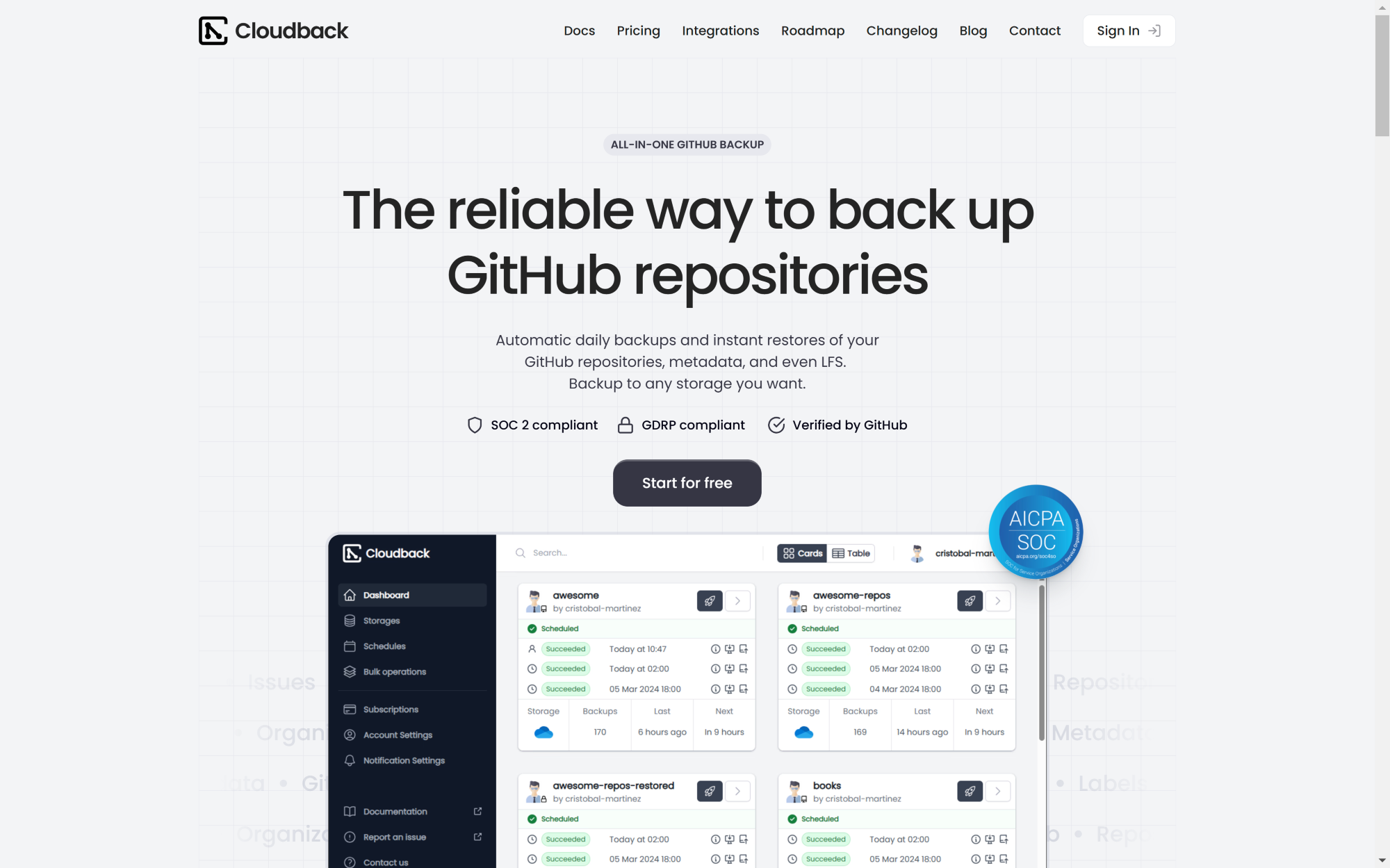
Cloudback is a cloud backup solution built for organizations from startups to enterprises to backup their GitHub repositories securely. You can either automatically or manually create regular backups of your git repositories and keep them in your own storage system without storing copies in Cloudback’s storage infrastructure.
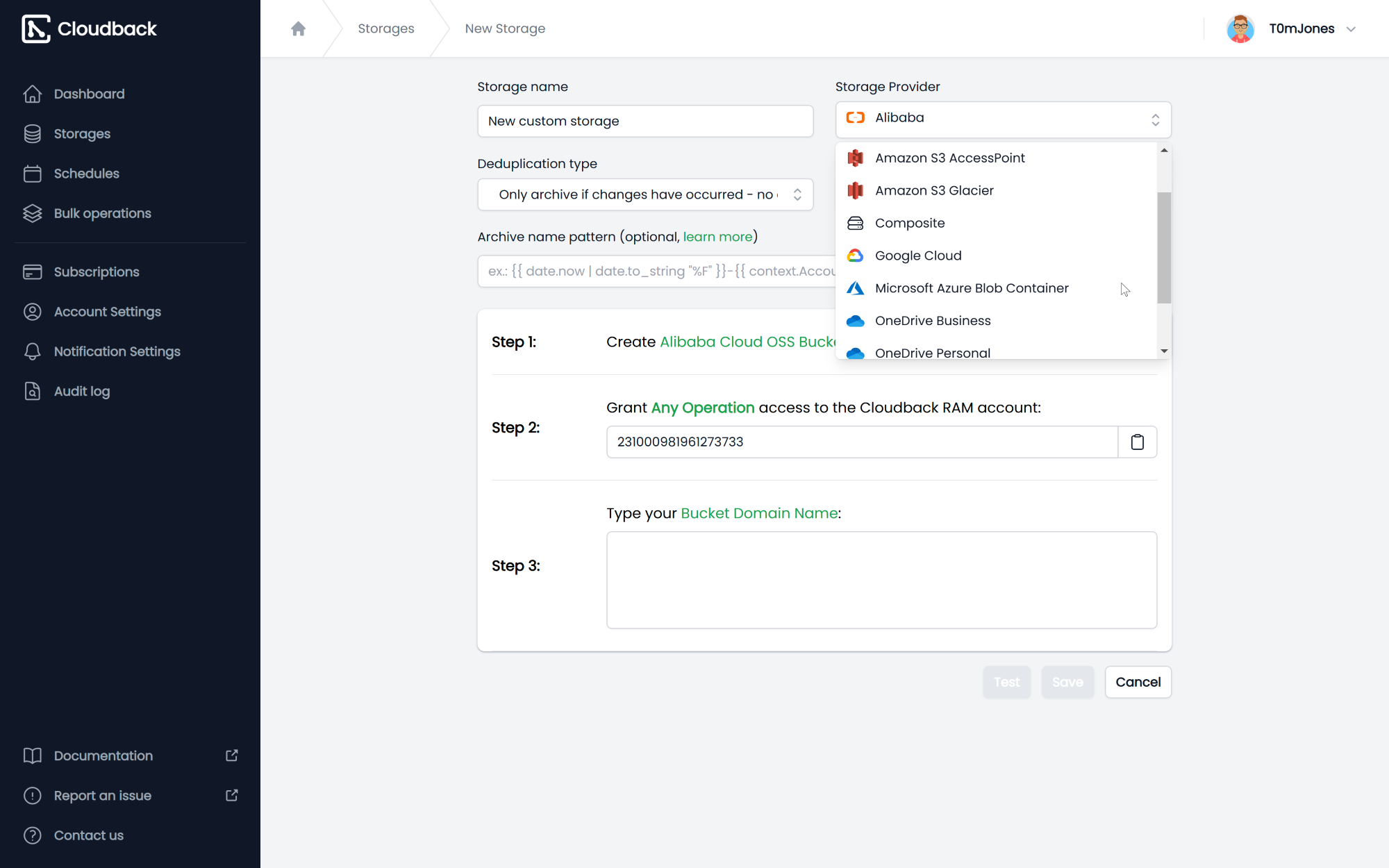
Cloudback lets you perform automated daily backups of your GitHub repositories along with their metadata based on your account time zone, scheduled hours, and retention policies. Git repository backups can be stored in Google Cloud, Amazon S3, Microsoft Azure, Microsoft OneDrive, Alibaba Cloud, and OpenStack Swift.
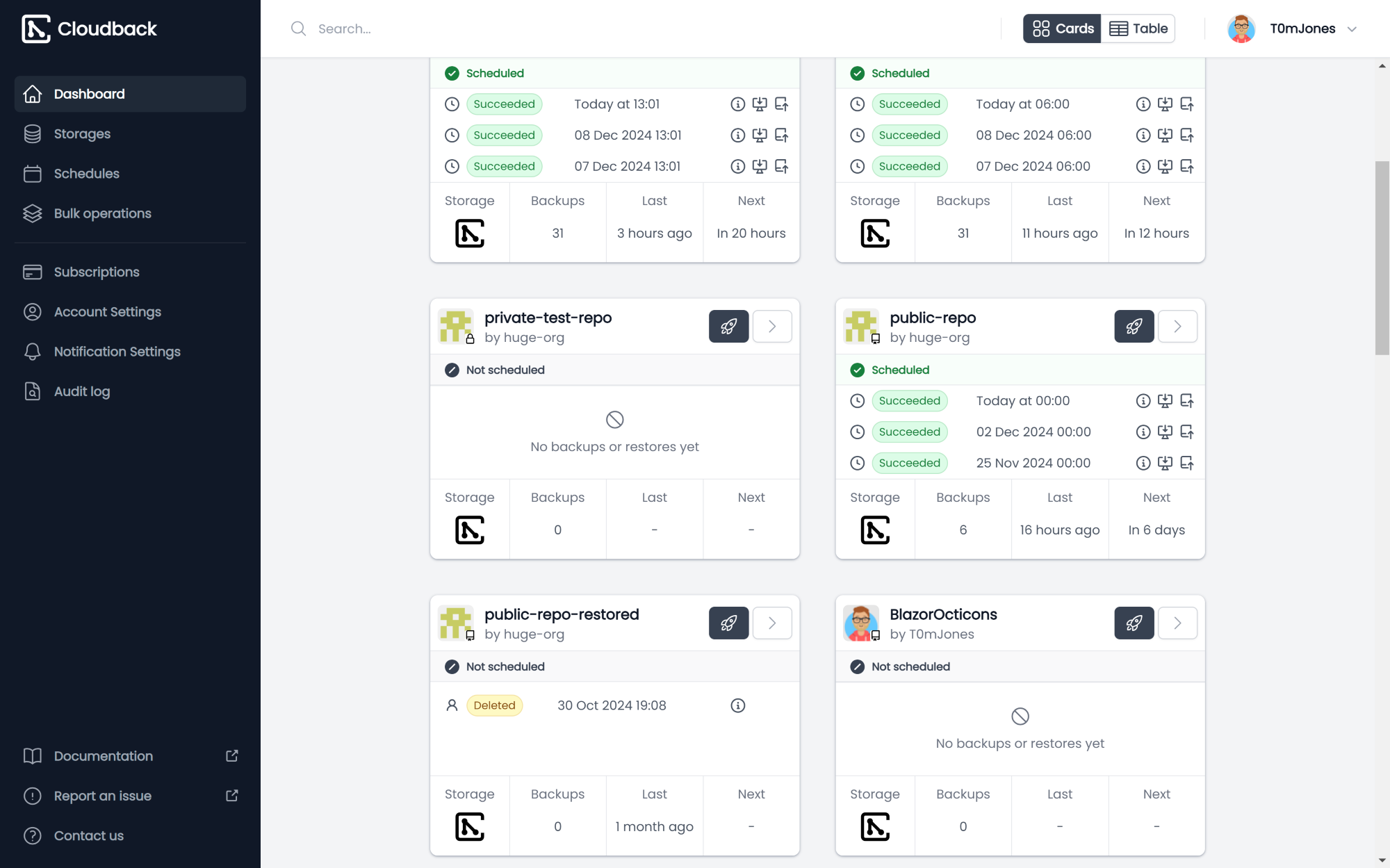
You can archive different data from your git repositories, including git repository bare clone, Wiki repository clone, Git LFS objects, topics, milestones, labels, issues, projects, and comments. You can also trigger manual backups of your git repositories with just a single click of a button. Moreover, from the repository card, you can download git repository backups to your computer and restore any backup back to GitHub.
Show MoreOverview of Cloudback Benefits
Manual & Automated GitHub Backup
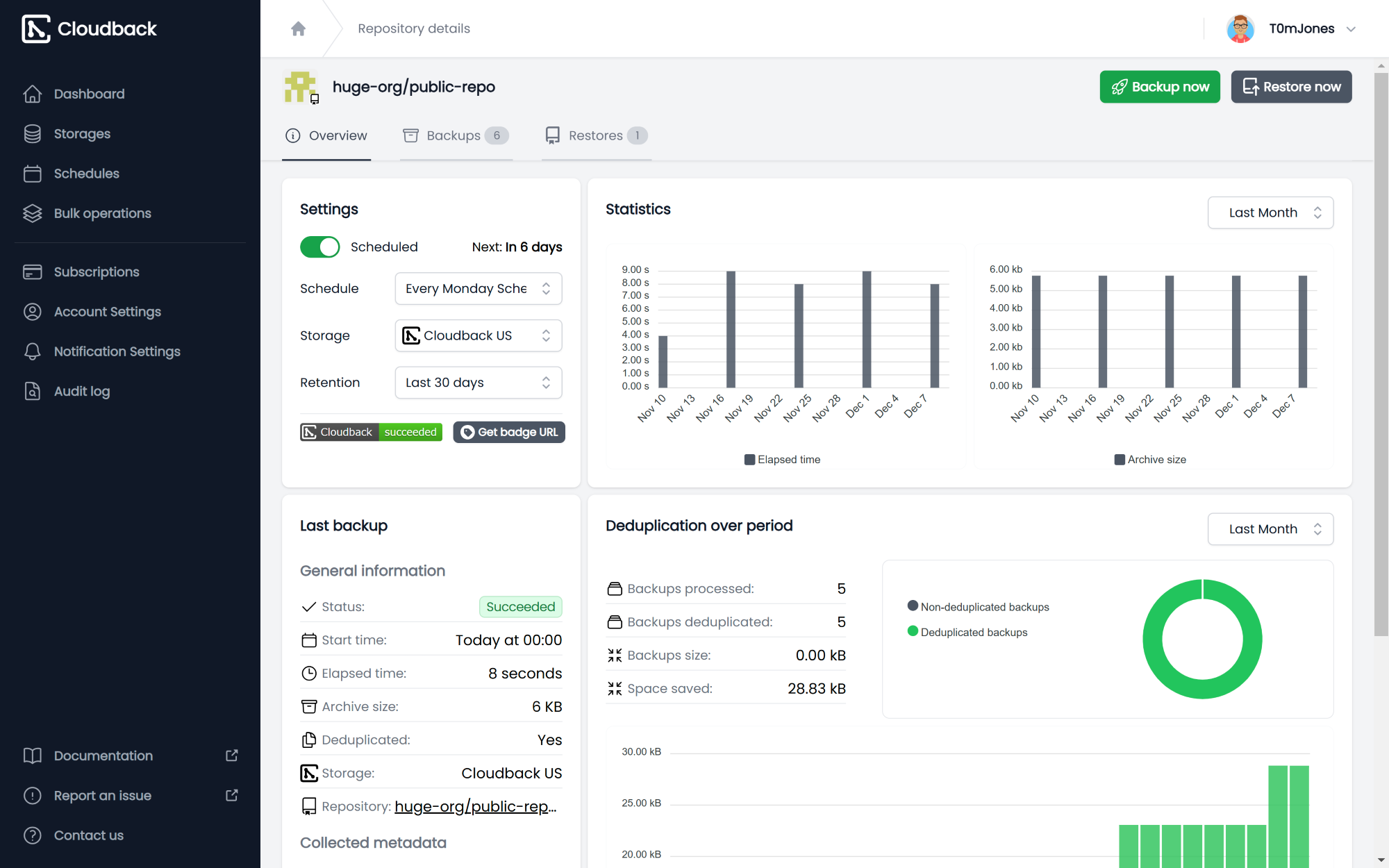
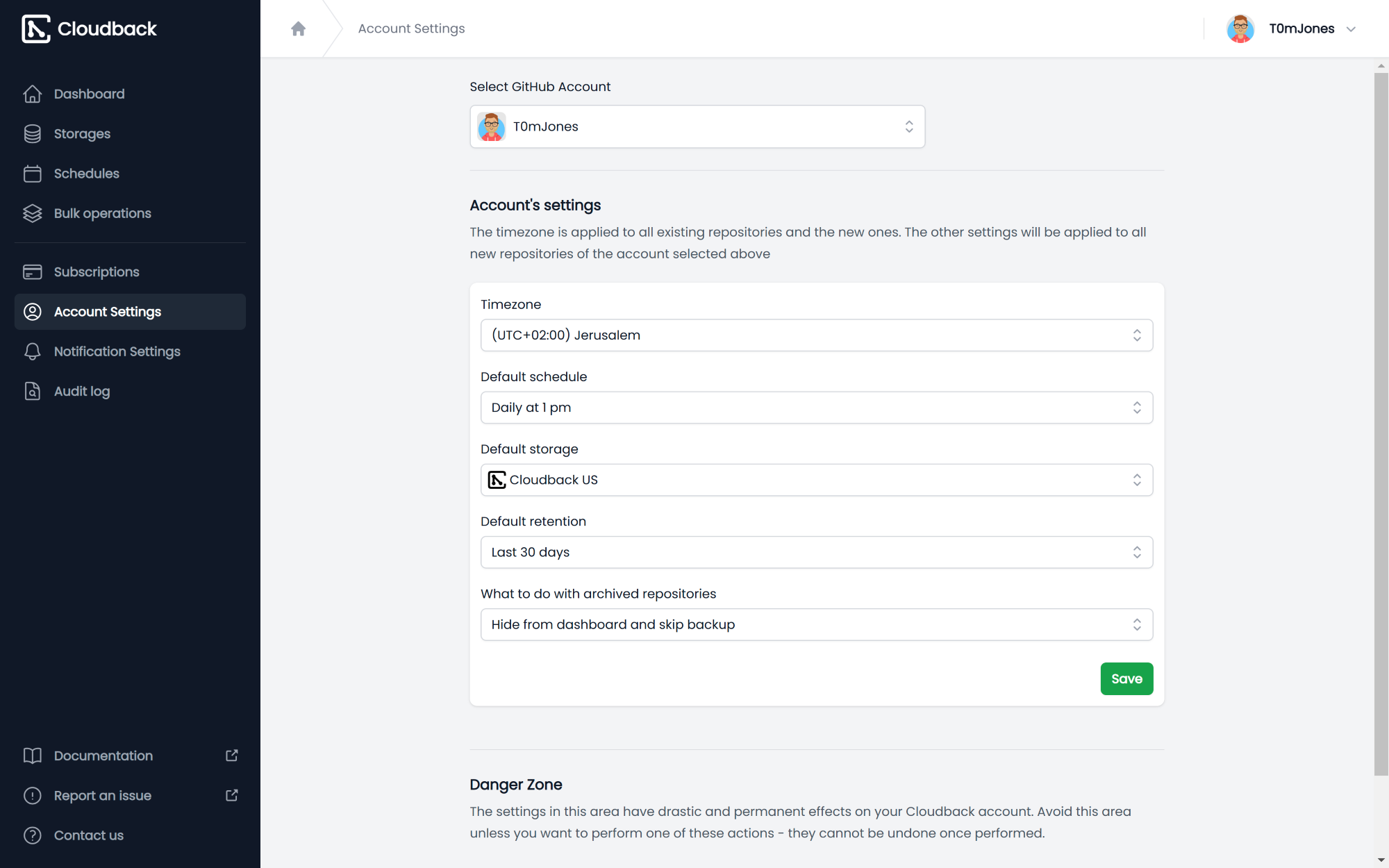
Cloudback supports two processes for backing up GitHub repositories: manual and automated. You can automatically create backups of your GitHub repositories and archive them into your own storage infrastructures. Based on your account’s timezone, you can schedule a specific hour of each day when Cloudback will perform automated backups of your GitHub repositories.
You can define the number of days your GitHub repositories will be stored and retained before they are completely wiped out. Meanwhile, the manual backup process allows you to initiate git repository backups with just a single click. This is useful when you need to download up-to-date data right away, test a recently configured storage infrastructure or system, or want to protect your data at a certain time.
Metadata Backup & Backup Download and Restore
Along with your git repositories, Cloudback also backs up and archives the repositories’ metadata. The repository backup includes clones of git and Wiki repositories and all Git LFS objects, topics, milestones, labels, issues, projects, commit comments, releases, collaborators, and webhooks.
Furthermore, Cloudback downloads backups of GitHub repositories. These backups are password-protected that are sent to you via email whenever you download your repository backups. You can also easily restore backups back to GitHub repositories. This is done using Cloudback’s GitHub restore application which can be temporarily installed to provide users with read-write access to their GitHub data.
Support for Various Storage Infrastructures
With Cloudback, you can store your GitHub repository backups in your own storage infrastructures. Thus, backups of your GitHub repositories are delivered to your own storage environments/systems and no copies are kept in Cloudback’s servers. You can register your own storage through the aid of a simple wizard. Cloudback supports Google Cloud, Amazon S3, Microsoft Azure, Microsoft OneDrive, Alibaba Cloud, and OpenStack Swift.
Show MoreOverview of Cloudback Features
- Automated GitHub Backups
- Time Zone-Sensitive Backup
- Retention Policy
- 1-Click Repository Backup
- Storage Infrastructures
- Repository Metadata
- Backup Download
- Backup Restore
Awards & Quality Certificates


Cloudback Position In Our Categories
Keeping in mind companies have their own business-related requirements, it is only practical they avoid choosing a one-size-fits-all, “perfect” business application. Nonetheless, it would be hard to come across such a software solution even among branded software systems. The practicable step to do is to write down the several key factors which merit deliberation such as major features, packages, skill ability of staff, business size, etc. After which, you should conduct your research comprehensively. Browse through some Cloudback evaluations and explore each of the software programs in your shortlist in detail. Such well-rounded research makes sure you keep away from unsuitable software solutions and pay for the system which offers all the features your business requires to achieve growth.
Position of Cloudback in our main categories:
TOP
50
Cloudback is one of the top 50 Backup Software products
If you are considering Cloudback it may also be beneficial to analyze other subcategories of Backup Software gathered in our base of SaaS software reviews.
Every organization has different wants and requires a system that can be customized for their size, kind of workers and clients, and the particular industry they are in. For these reasons, no software can proffer perfect functionality off-the-shelf. When you try to find a software app, first be sure what you require it for. Read some Cloudback Backup Software reviews and ask yourself do you need basic tools or do you need advanced functionality? Are there any industry-specific functionalities that you are seeking? Find the answers to these queries to assist your search. There are plenty of factors that you need to mull over and these include your budget, particular business requirements, your organization size, integration requirements etc. Take your time, use a few free trials, and finally choose the platform that offers all that you need to improve your company efficiency and productivity.
How Much Does Cloudback Cost?
Cloudback Pricing Plans:
Free Trial
Basic
$10/month/GitHub repository
Pro
$75/month/10 GitHub repositories
Enterprise
$500/month/100 GitHub repositories
What are Cloudback pricing details?
Cloudback Pricing Plans:
Free Trial
Basic
$10/month/GitHub repository
Pro
$75/month/10 GitHub repositories
Enterprise
$500/month/100 GitHub repositories
Cloudback offers three pricing plans for users to choose from. Pay per repositories, not seats. Each plan includes all Cloudback features.
Here are the details:
Basic: $10/month per 10 GitHub repositories – Ideal for individual developers or small projects
Team: $75/month per 100 GitHub repositories – Designed for collaborative teams and growing projects
Enterprise: $500/month per 1000 GitHub repositories – Tailored for large organizations and mission-critical projects.
Also, a fully-featured free plan available: back up one GitHub repository for free. Repository size is limited up to 100MB.
Platform Compatibility & Data Protection
-
Back up GitHub (personal & organization) and GitHub Enterprise Cloud repositories (GitLab, Azure DevOps, and BitBucket coming soon)
-
Preserve essential data: repositories, Git LFS objects, issues, labels, projects, milestones, topics, pull requests, collaborators, releases, commit comments, wikis, and webhooks (except secret tokens)
Security, Compliance & Reliability
-
SOC 2 Type II certified, GDPR-compliant, AES-256 encryption, and password protection
-
Customer-managed encryption keys and cross-cloud restore (both coming soon)
-
Backup replication, audit logs, object lock and tagging for Amazon S3, and instant notifications
Automation & Data Management
-
Public and private repository backups with manual or automated scheduling
-
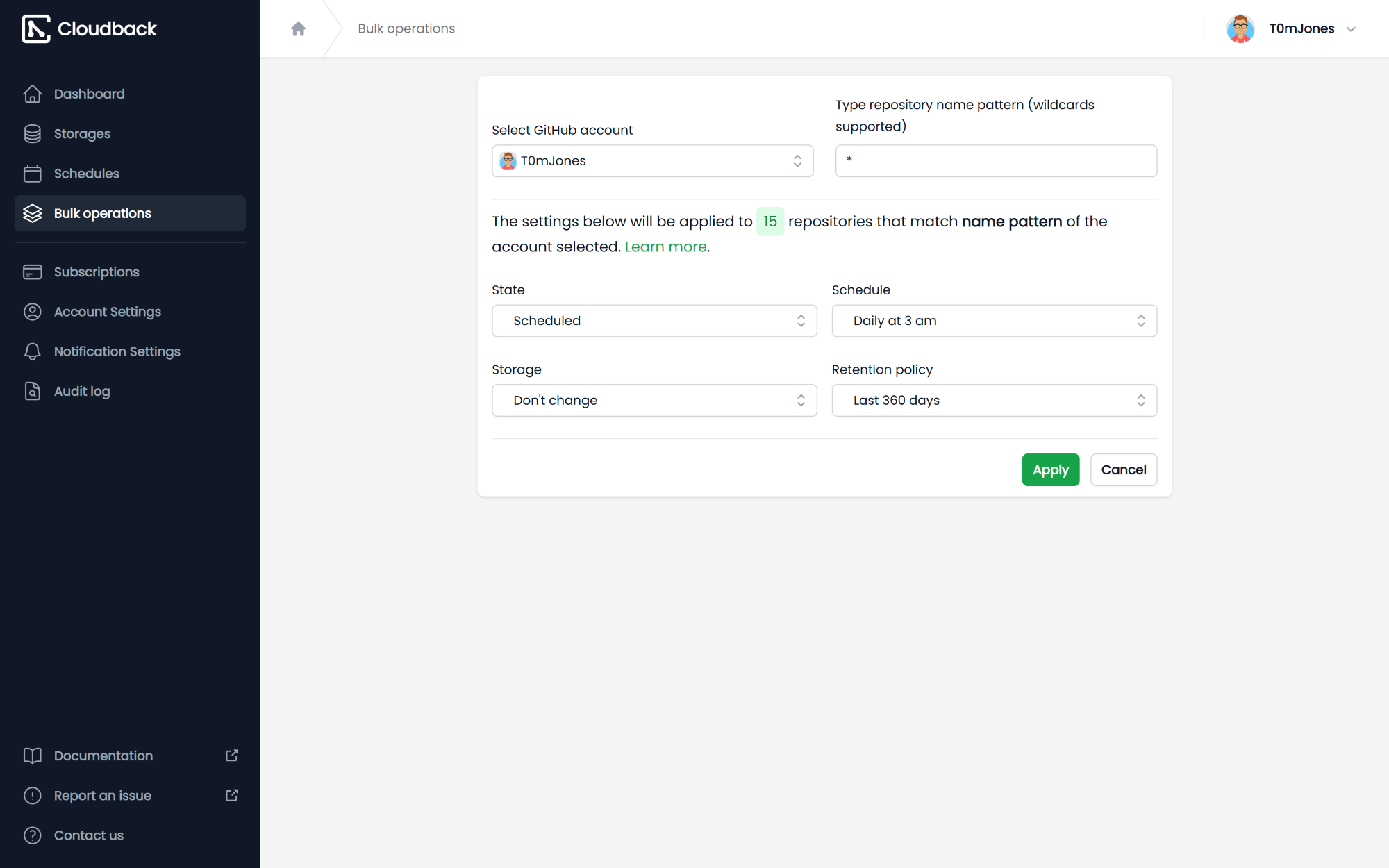
Metadata backups, data deduplication, and bulk operations to streamline settings
-
Retention policies and custom schedules for flexible data lifecycle management
-
Convenient admin dashboard with card and advanced table views
Easy Restore & Flexible Formats
-
Downloadable backups, restore to GitHub now, and restore to GitLab soon
-
Human-readable ZIP archives for simple repository cloning and JSON-based metadata
Versatile Storage Options
-
Regional storages (US, EU, UK, Sydney, Singapore) to meet compliance and latency needs
-
Support for Azure Blob, OneDrive (Personal & Business), Amazon S3/Glacier, Google Cloud, Alibaba Cloud, Wasabi, and other S3-compatible storages
Notifications & Support
-
Stay informed via email, Slack, Microsoft Teams, and Discord notifications
-
Backup status badges for quick status checks
-
Dedicated email support, comprehensive documentation, and demo sessions to help you succeed
User Satisfaction
Positive Social Media Mentions
8
Negative Social Media Mentions
0
We realize that when you decide to buy a Backup Software it’s vital not only to find out how experts evaluate it in their reviews, but also to find out whether the real clients and businesses that purchased this software are actually satisfied with the service. That’s why we’ve devised our behavior-based Customer Satisfaction Algorithm™ that collects customer reviews, comments and Cloudback reviews across a broad range of social media sites. The information is then presented in a simple to digest format showing how many clients had positive and negative experience with Cloudback. With that information at hand you will be ready to make an informed business decision that you won’t regret.
Screenshots
Technical details
Devices Supported
- Web-based
Deployment
- Cloud Hosted
Language Support
- English
Pricing Model
- Free
- Monthly payment
- Annual Subscription
Customer Types
- Small Business
- Large Enterprises
- Medium Business
- Freelancers
What Support Does This Vendor Offer?
- phone
- live support
- training
- tickets
What integrations are available for Cloudback?
Cloudback integrates with the following storage infrastructures and systems:
Source Platforms:
-
GitHub (Personal & Organization)
-
GitHub Enterprise Cloud
-
GitLab (Coming soon)
-
Azure DevOps (Coming soon)
-
BitBucket (Coming soon)
Supported Storages:
-
Microsoft Azure Blob Storage
-
Microsoft OneDrive (Personal & Business)
-
Amazon S3 (via Access Point, Access Key)
-
Amazon S3 Glacier
-
OpenStack Swift Container (via S3 API)
-
Google Cloud Storage Bucket
-
Wasabi (S3 API)
-
Alibaba Cloud Object Storage Service
-
Other S3-Compatible Storages
Notifications:
-
Email
-
Slack
-
Microsoft Teams
-
Discord

Cloudback
is waiting for
your first review.

Write your own review of this product
ADD A REVIEWMore reviews from 0 actual users:


Join a community of 7,369 SaaS experts
Thank you for the time you take to leave a quick review of this software. Our community and review base is constantly developing because of experts like you, who are willing to share their experience and knowledge with others to help them make more informed buying decisions.
Sign in with LinkedIn
Why we require LinkedIn?
- Show the community that you're an actual user.
- We will only show your name and profile image in your review.
- You can still post your review anonymously.
OR
Sign in with company emailSign in with company email
Popular Cloudback Alternatives


Top Competitors To Cloudback By Price
Product name:
Price:

by quote


$79.99

$149.95
Trending Backup Software Reviews



Cloudback Comparisons
Product name:


Page last modified



Did you find this review useful?
Yes
No
Thank you for your feedback
How can we make this page better?
Unsure about this software?
FIND ALTERNATIVES
 Why is FinancesOnline free?