

docEdge DMS Review



What is docEdge DMS?
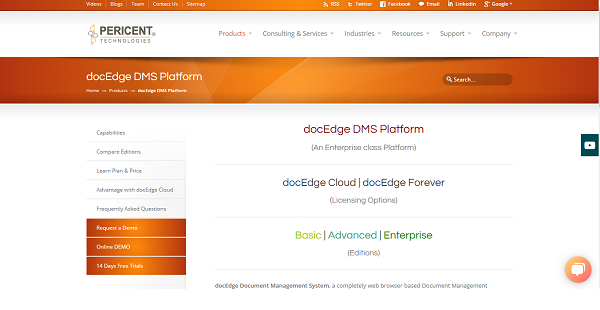
docEdge DMS is a document management system available in three editions, catering to businesses, organizations, and individuals with varying needs and requirements.
The docEdge DMS Basic Edition is built with all the essential tools to help small offices and businesses manage and organize their documents efficiently, smartly, and on the cloud.
Small and medium businesses that are looking for a more advanced document management solution will find the docEdge DMS Advanced Edition to be the perfect fit. It has a very rich document management system with all the basic tools plus a set of premium features to help them deal with a large volume of documents effortlessly.
For large corporations that have more complicated document management processes and needs, docEdge DMS Enterprise Edition is designed for them. Powerful features include workflow management, annotations, e-forms management, and bulk upload to mention a few.
Show MoreOverview of docEdge DMS Benefits
Effortless Scanning and Capture
docEdge DMS uses a highly advanced OCR engine to capture, sort, and organize data from paper documents and transforms them into digital files that are extremely text-search friendly. A quick search using the software’s search engine feature and you will be able to find the specific document you are looking for in a flash.
Works With Every Document/Data Source
With docEdge DMS, you can gather documents from multiple sources including external systems, paper-based files, email clients, scanners, APIs, and more and convert them into a unified digital format of your choice and store them in a secure document hub that you and your team can access anytime, anywhere, using any device.
Absolute Control over Permissions and Access
You are in charge on who can access what document and what documents can be shared or not. docEdge DMS hands you all the reins when it comes to permissions and access controls. You can assign general permissions to users when it comes to basic documents. But when you are talking about documents that contain crucial or confidential data, such as contracts, project plans, and other documents of such nature, you can make them viewable/editable/shareable to a select few.
Quick and Easy Sharing
Sharing is a breeze. Integrations with popular document sharing platforms such as Google Drive, Dropbox, Microsoft Office, email clients, and more allow you to easily share your documents with the rest of the group as well as external parties. Features like password protected share ensure that your documents are accessed by authorized parties.
Show MoreOverview of docEdge DMS Features
- Access Controls
- Encryption
- Version Control
- OCR for Image Text Search
- Bulk Upload and Download as ZIP
- Full-Text Search
- Stamping
- eForms Management & Publish
- Direct Email Capture & Email Filter
- Document Sharing via
- Email(ticket/download)
- Document Rating
- Document Tags
- Document Archiving
- Backup Management
- Document Indexing
- Metadata & Template Management
- Document Sharing via Email
- Collaboration
- Compliance Management
- Detailed Audit Trail & Reporting
- Multi-Tenancy
- Workflow Design & Execution
- Multi-lingual Support
- LDAP / Active Directory Access
- Web Services API
- Document Scanning & Capturing
- MetaTemplate & Tagging
- Document History
- Google Docs/MS Office Integration
- Watched Folder
- Document Indexi
- Sharing Document with other Tenant & Publically
- Document Annotations
- Digital Signature
- Event Subscription & Notifications
- Event Calendar/Scheduling Task
- Mobile App (Android/iOS/Windows)
What Problems Will docEdge DMS Solve?
Digital documents can be better managed into DMS, however, still, there are pains around the flow of business documents to different stakeholders in the organization. docEdge DMS aims to help businesses not only managing, controlling and monitoring the documents centrally but by addressing various common problems related to the routing of the documents to different stakeholders including customer and vendors.
Awards & Quality Certificates


docEdge DMS Position In Our Categories
Since companies have distinctive business requirements, it is only wise that they steer clear of subscribing to an all-in-one, ideal solution. Needless to say, it would be futile to chance on such an app even among popular software products. The better thing to undertake can be to jot down the various significant functions which entail research like important features, price terms, skill capability of the employees, business size, etc. Next, you must double down on your research fully. Have a look at some of these docEdge DMS evaluations and scrutinize each of the applications in your shortlist in detail. Such comprehensive product research ensure you drop poorly fit applications and subscribe to the one that includes all the aspects your company requires for success.
Position of docEdge DMS in our main categories:
TOP
200
docEdge DMS is one of the top 200 Collaboration Software products
Every enterprise has different needs and needs an application that can be customized for their size, kind of workers and clients, and the specific industry they are in. For these reasons, no system can offer perfect tools off-the-shelf. When you look for a software product, first be sure what you need it for. Read some docEdge DMS Document Management Systems reviews and ask yourself do you need basic tools or do you require sophisticated tools? Are there any industry-specific functionalities that you are looking for? Get the answers to these questions to help your search. There are lots of elements that you need to consider and these include your finances, particular business needs, your company size, integration needs etc. Take your time, check out a few free trials, and finally select the platform that provides all that you require to boost your firm effectiveness and productivity.
How Much Does docEdge DMS Cost?
docEdge DMS Pricing Plans:
Free Trial
docEdge DMS Basic Edition
Contact Vendor
docEdge DMS Advanced Edition
Contact Vendor
docEdge DMS Enterprise Edition
Contact Vendor
What are docEdge DMS pricing details?
docEdge DMS Pricing Plans:
Free Trial
docEdge DMS Basic Edition
Contact Vendor
docEdge DMS Advanced Edition
Contact Vendor
docEdge DMS Enterprise Edition
Contact Vendor
docEdge DMS offers the following basic and enterprise pricing packages:
docEdge DMS Basic Edition – Request for a quote
- Best Suited for Small Business
docEdge DMS Advanced Edition – Request for a quote
- Perfect for both Small & Medium Businesses
docEdge DMS Enterprise Edition – Request for a quote
- Ideal for Large Enterprises
User Satisfaction
Positive Social Media Mentions
0
Negative Social Media Mentions
0
We realize that when you decide to get a Document Management Systems it’s vital not only to find out how professionals evaluate it in their reviews, but also to find out whether the actual people and businesses that purchased this software are genuinely happy with the service. Because of that need we’ve devised our behavior-based Customer Satisfaction Algorithm™ that aggregates customer reviews, comments and docEdge DMS reviews across a vast array of social media sites. The data is then displayed in an easy to understand format showing how many users had positive and negative experience with docEdge DMS. With that information available you should be equipped to make an informed buying choice that you won’t regret.
Technical details
Devices Supported
- Windows
- Linux
- Android
- iPhone/iPad
- Mac
- Web-based
Deployment
- Cloud Hosted
Language Support
- English
Pricing Model
- Quote-based
Customer Types
- Small Business
- Large Enterprises
- Medium Business
What Support Does This Vendor Offer?
- phone
- live support
- training
- tickets
What integrations are available for docEdge DMS?
docEdge DMS offers integration with other products via Webservices, Rest API. Additionally, docEdge DMS supports CMIS and WebDev.
docEdge DMS User Reviews
docEdge DMS average rating:
5/5
Overall impression
5/5
Customer Support
5/5
Value for Money
5/5
Ease of Use
Write your own review of this product
ADD A REVIEWMore reviews from 1 actual users:
Sort by:
Latest
- Latest
- Most useful
- Most positive
- Most negative
A very good and light weight product helps your docs organised.
Read full review >
5/5
Overall impression
5/5
Customer Support
5/5
Value for Money
5/5
Ease of Use
Published on: 04.03.2022
Company Size: 11-50 Employees
Industry: Banking
PROS: We have been using this product in our organization over an year now. We are happy with the product which meets most of our requirements. There are some enhancements requested to the software provider and are they are happy to implement value add in upcoming builds. They also supported well this journey. I definitely recommend this product.
CONS: Reporting can be done more flexible


Join a community of 7,369 SaaS experts
Thank you for the time you take to leave a quick review of this software. Our community and review base is constantly developing because of experts like you, who are willing to share their experience and knowledge with others to help them make more informed buying decisions.
Sign in with LinkedIn
Why we require LinkedIn?
- Show the community that you're an actual user.
- We will only show your name and profile image in your review.
- You can still post your review anonymously.
OR
Sign in with company emailSign in with company email
Popular docEdge DMS Alternatives



Top Competitors To docEdge DMS By Price
Product name:
Price:




Trending Document Management Systems Reviews


docEdge DMS Comparisons
Product name:







docEdge DMS user reviews
A very good and light weight product helps your docs organised.
Read full review >
5/5
Overall impression
5/5
Customer Support
5/5
Value for Money
5/5
Ease of Use
Published on: 04.03.2022
Company Size: 11-50 Employees
Industry: Banking

Page last modified



Did you find this review useful?
Yes
No
Thank you for your feedback
How can we make this page better?
Unsure about this software?
FIND ALTERNATIVES
 Why is FinancesOnline free?