

Docsvault Review



What is Docsvault?
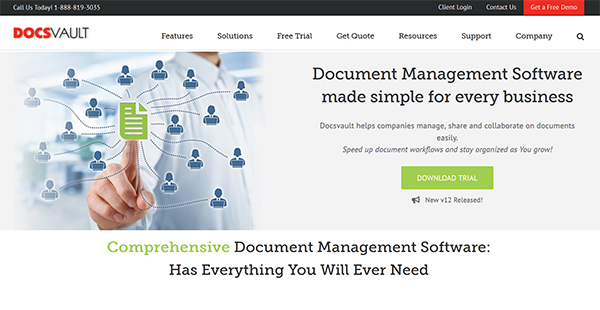
Docsvault is a powerful and all-inclusive document management software. It allows users to capture, manage, secure and centralize all documents (both electronic and hard copies) and emails in a desktop and web-based platform. It covers features for document centralization, version control, and document workflows.
Docsvault offers easy and efficient document capturing, management and sharing across teams no matter where they are working from. Users can access and manage common file formats such as Excel, Word, PowerPoint, DWG, PDF and many more. It offers a built-in high-quality batch scanning features and easy printing. You can also assign tags and metadata for easy document identification and retrieval. Docsvault provides instant email notifications and audit trails for activity monitoring.
The software keeps a history of every change made to a specific document with its built-in Document Version Control. The feature allows users to view and roll back a document to its older version for easy evaluation.
Docsvault allows users to create workflows to eliminate repetitive tasks such as document revisions and leave applications. You can also track the items within the workflow to identify bottlenecks. With this, the efficiency of the business processes can be enhanced.
Show MoreOverview of Docsvault Benefits
Better communication and workflow
Docsvault makes collaboration convenient and easy by routing documents and tasks across team members through the platform’s email notification feature. This allows employees to work with full capacity for every task. The email notification can also be used for important announcements like events and policy updates. In addition to that, Docsvault can be used to automate workflows to replicate all daily repetitive business processes such as invoice approvals, purchase authorization, accounts payable and leave applications. These processes can be done with full traceability. Moreover, document notes can be input in every file. This allows the team members to get the latest information on any matter and answer customer queries instantly.
Document Accessibility
Docsvault’s integrated scanning automatically saves files in the repository, allowing centralized access to all documents. It has a comprehensive search feature that allows users to locate documents quickly using specific criteria such as name, description, type, location, flags, authors, dates and custom profile values. Additionally, it offers full-text searches for identifying documents by its text contents. This can be done with scanned files as well. These searches can be saved for quicker access in the future. Moreover, Docsvault documents can be accessed using Docsvault Web Interface & Mobile App from anywhere.
Safe Public Share Links
Docsvault lets you create unlimited secure links to people outside your organization. This solution eliminates the lack of security, traceability, and visibility of versions from the traditional way of sharing documents through email attachments and third-party websites. You can even secure shared files and folders with password and link expiry date.
Secure Collaboration
Docsvault provides users with full control over all business documents using application-based rights. This way, tight security can be efficiently implemented across the organization. Moreover, email alerts are sent whenever changes are made to a document or folder. This way, users can monitor all activities on any file and folder in the repository.
Show MoreOverview of Docsvault Features
- Document centralization
- Version control
- Approvals and workflows
- Comprehensive search
- Collaboration
- Document security
- Custom reports
- Audit trail history
- Document capture and batch scanning
- PDF editing, redaction and correction
- eForms
- Digital signatures
Awards & Quality Certificates


Docsvault Position In Our Categories
Because companies have particular business-related wants, it is only sensible that they abstain from choosing an all-in-one, ”best” system. Just the same, it would be hard to find such a software solution even among branded software systems. The rational step to do would be to jot down the several chief factors that need examination like important features, price terms, technical skill aptitude of staff, business size, etc. The second step is, you should double down on the research fully. Go over these Docsvault evaluations and check out the other solutions in your list in detail. Such all-encompassing research makes sure you keep away from ill-fitting software products and select the one that meets all the tools your company requires in growing the business.
Position of Docsvault in our main categories:
TOP
200
Docsvault is one of the top 200 Collaboration Software products
TOP
50
Docsvault is one of the 50 Version Control Systems products
Each enterprise has different needs and requires a system that can be customized for their size, kind of workers and customers, and the specific industry they are in. For these reasons, no software can provide perfect functionality out-of-the-box. When you search a software product, first be sure what you require it for. Read some Docsvault Document Management Systems reviews and ask yourself do you want basic functionality or do you require complex functionality? Are there any industry-specific tools that you are looking for? Obtain the answers to these questions to help your search. There are multiple elements that you need to consider and these include your budget, particular business requirements, your organization size, integration requirements etc. Take your time, try out a few free trials, and finally choose the app that offers all that you require to enhance your company efficiency and productivity.
How Much Does Docsvault Cost?
Docsvault Pricing Plans:
Free Trial
Quote-based Plan
Contact vendor
What are Docsvault pricing details?
Docsvault Pricing Plans:
Free Trial
Quote-based Plan
Contact vendor
Docsvault offers quote-based SMB and enterprise pricing plans. Please contact the vendor for additional details.
User Satisfaction
Positive Social Media Mentions
5
Negative Social Media Mentions
0
We realize that when you choose to get a Document Management Systems it’s vital not only to learn how experts rank it in their reviews, but also to check if the real people and companies that purchased these solutions are genuinely happy with the service. Because of that need we’ve designer our behavior-based Customer Satisfaction Algorithm™ that aggregates customer reviews, comments and Docsvault reviews across a wide range of social media sites. The data is then presented in an easy to digest way showing how many people had positive and negative experience with Docsvault. With that information at hand you will be prepared to make an informed purchasing decision that you won’t regret.
Technical details
Devices Supported
- Windows
- Android
- iPhone/iPad
- Web-based
Deployment
- On Premise
Language Support
- English
Pricing Model
- Quote-based
Customer Types
- Small Business
- Large Enterprises
- Medium Business
- Freelancers
What Support Does This Vendor Offer?
- phone
- live support
- training
- tickets
What integrations are available for Docsvault?
Docsvault integrates with Microsoft Office applications.
Docsvault User Reviews
Docsvault average rating:
5/5
Overall impression
5/5
Customer Support
5/5
Value for Money
5/5
Ease of Use
Write your own review of this product
ADD A REVIEWMore reviews from 1 actual users:

5/5
Overall impression
It has been a wonderful addition to our organization. I don't see any cons as such. We are saving a lot on time and money and majority of our paper management hassles are gone. The support and the walk through of the product were great and support also seems to be up to the mark. I'd surely recommend it to anyone who wants to go paperless.


Join a community of 7,369 SaaS experts
Thank you for the time you take to leave a quick review of this software. Our community and review base is constantly developing because of experts like you, who are willing to share their experience and knowledge with others to help them make more informed buying decisions.
Sign in with LinkedIn
Why we require LinkedIn?
- Show the community that you're an actual user.
- We will only show your name and profile image in your review.
- You can still post your review anonymously.
OR
Sign in with company emailSign in with company email
Popular Docsvault Alternatives



Top Competitors To Docsvault By Price
Product name:
Price:

By quote

By quote

by quote


Trending Document Management Systems Reviews




Docsvault Comparisons
Product name:






5/5
Overall impression
It has been a wonderful addition to our organization. I don't see any cons as such. We are saving a lot on time and money and majority of our paper management hassles are gone. The support and the walk through of the product were great and support also seems to be up to the mark. I'd surely recommend it to anyone who wants to go paperless.

Page last modified



Did you find this review useful?
Yes
No
Thank you for your feedback
How can we make this page better?
Unsure about this software?
FIND ALTERNATIVES
 Why is FinancesOnline free?