
- Home
- IT Management Software
- LiteManager

LiteManager Review



What is LiteManager?
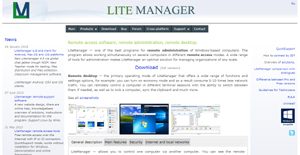
LiteManager is a remote access software purposely developed to allow remote administration of computers over the Internet or remote control in a local network. This is quite useful for a number of purposes, such as online learning, delivering remote support to users, remote installation of software, and managing and monitoring work activity of employees.
With LiteManager, users are able to quickly and effortlly take total control of a desktop in real time, perform repairs, conduct lessons, administer software installation and perform network or PC repair among other uses.The software is loaded with integrated tools for creating network map, gathering technical data, ability to deploy and update using remote installation services, and configure private ID router (NOIP).
Show MoreOverview of LiteManager Benefits
LiteManager makes remote access and administration simple, effortless, and secure. On top of that, users are able to enjoy huge savings on operational and maintenance costs. For instance, technicians who require accessing the network for a system maintenance check or repair or upgrade don’t have to be physically present on site to perform their tasks. All they have to do is access the system from a remote computer and do the upgrade or the repair or the maintenance from their location. This eliminates the need to for expenses such as fare, food, as well as the hassle that stems from having to physically check the technician upon entering and exiting the site.
For online learners and instructors, LiteManager helps turn distant learning into a productive and fruitful exercise. For instance, an instructor needs to demonstrate a step by step guide to his or her students, LiteManager enables the instructor to correctly and thoroughly show all the details and actions required per step. It basically optimizes the learning process.
When you are working away from the office and need instant and immediate access to your office computer, LiteManager helps you fully maximize your capabilities and streamline your tasks. You can access your files, work on documents, submit reports, and communicate with other people at the office. If you need it the other way around, say you want secure access to your home computer from your workplace, LiteManager has got you covered too.
Show MoreOverview of LiteManager Features
- Desktop control
- File manager
- Remote task manager
- Power management
- Text chat and audio and video chat
- Telnet control of computer via command line
- Device manager and inventory
- Screen recorder
- Network map
- Remote installation and update
- Server search
- Registry editor
- Connect by ID and NoIP application
What Problems Will LiteManager Solve?
System administration
To manage and maintain in good working condition dozens or even hundreds of computers, you need professional specialist and special software. LiteManager will allow you to optimize the IT infrastructure of your organization. Thus you can save time and money spent on servicing and maintenance of computers, reduce the workload of the employees and improve quality of technical support services.
Remote work/support
If you need to control your home or office computer from any place in the world, LiteManager will be your optimal and indispensable tool for remote computer control. Using this program you can establish remote connection of employees when they are outside the office, configure access to your home computer directly from the workplace or vice versa.
Educational institutions/Classroom management
LiteManager will be effective tool for optimizing educational process. The teacher can simultaneously control learning process of students, help them in solving problems and correcting mistakes, give tests or demo lessons.
Awards & Quality Certificates


LiteManager Position In Our Categories
Since businesses have special business wants, it is practical that they abstain from preferring a one-size-fits-all, ideal system. However, it is nearly futile to try to find such an app even among popular software products. The practical step to undertake can be to make a list of the numerous chief factors which need examination including essential features, costing, skill competence of the users, organizational size, etc. The second step is, you must follow through your product research thoroughly. Go over some LiteManager review articles and look over the other software solutions in your list in detail. Such comprehensive product investigation ensure you keep away from unfit apps and select the one that delivers all the aspects your business requires.
Position of LiteManager in our main categories:
TOP
500
LiteManager is one of the top 500 IT Management Software products
If you are considering LiteManager it could also be sensible to investigate other subcategories of IT Management Software listed in our database of B2B software reviews.
Since each organization has particular business requirements, it is sensible for them to abstain from seeking a one-size-fits-all perfect software application. Needless to say, it would be pointless to try to find such a platform even among popular software platforms. The clever thing to do would be to jot down the various vital factors that need consideration such as key features, finances, skill levels of employees, company size etc. Then, you should do your research thoroughly. Read some LiteManager IT Management Software reviews and look into each of the other solutions in your shortlist in detail. Such exhaustive research can make certain you discard ill-fitting applications and zero in on the system that provides all the aspects you require for business success.
How Much Does LiteManager Cost?
LiteManager Pricing Plans:
Free Trial
1 license and more
$10 per license
50 license and more
$9 per license
100 license and more
$8 per license
300 license and more
$7 per license
1000 license and more
$5000 (Unlimited license)
What are LiteManager pricing details?
LiteManager Pricing Plans:
Free Trial
1 license and more
$10 per license
50 license and more
$9 per license
100 license and more
$8 per license
300 license and more
$7 per license
1000 license and more
$5000 (Unlimited license)
LiteManager offers the following enterprise pricing plans for users to choose from.
Standard License Pricing
- 1 license and more – $10 per license
- 50 license and more – $9 per license
- 100 license and more – $8 per license
- 300 license and more – $7 per license
- 1000 license and more – $5000 (Unlimited license)
User Satisfaction
Positive Social Media Mentions
0
Negative Social Media Mentions
0
We realize that when you decide to get a IT Management Software it’s vital not only to find out how professionals score it in their reviews, but also to find out whether the real people and companies that bought this software are indeed satisfied with the product. That’s why we’ve designer our behavior-based Customer Satisfaction Algorithm™ that collects customer reviews, comments and LiteManager reviews across a wide array of social media sites. The information is then featured in an easy to digest form revealing how many people had positive and negative experience with LiteManager. With that information available you should be equipped to make an informed purchasing choice that you won’t regret.
Technical details
Devices Supported
- Windows
Deployment
- On Premise
Language Support
- English
Pricing Model
- One-time payment
Customer Types
- Small Business
- Large Enterprises
- Medium Business
What Support Does This Vendor Offer?
- phone
- live support
- training
- tickets
What integrations are available for LiteManager?
No information available.

LiteManager
is waiting for
your first review.

Write your own review of this product
ADD A REVIEWMore reviews from 0 actual users:


Join a community of 7,369 SaaS experts
Thank you for the time you take to leave a quick review of this software. Our community and review base is constantly developing because of experts like you, who are willing to share their experience and knowledge with others to help them make more informed buying decisions.
Sign in with LinkedIn
Why we require LinkedIn?
- Show the community that you're an actual user.
- We will only show your name and profile image in your review.
- You can still post your review anonymously.
OR
Sign in with company emailSign in with company email
Popular LiteManager Alternatives


Top Competitors To LiteManager By Price
Product name:
Price:


Trending IT Management Software Reviews


LiteManager Comparisons
Product name:


Page last modified



Did you find this review useful?
Yes
No
Thank you for your feedback
How can we make this page better?
Unsure about this software?
FIND ALTERNATIVES
 Why is FinancesOnline free?