
- Home
- Email Marketing Software
- NEWOLDSTAMP

NEWOLDSTAMP Review


What is NEWOLDSTAMP?
NEWOLDSTAMP is an email signature generator created to provide users with professional-looking, attractive, and interactive email signatures designed to spark readers’ interest, drive traffic to their site or page and empower readers to engage and interact with email senders.
With NEWOLDSTAMP, users get a user-friendly email generator platform that’s loaded with a wide selection of professional signature templates. Users only have to choose the template, include corporate or personal branding as well as social links and contact details, and NEWOLDSTAMP will create powerful email signatures that will surely impact email marketing efforts.
NEWOLDSTAMP supports all popular email clients and works great with the iOS mobile platform, providing users with a lot of range for their emails.
Show MoreOverview of NEWOLDSTAMP Benefits
NEWOLDSTAMP gives your business emails a boost, whether they contain marketing materials or promotions, or simply you following up on a client. With NEWOLDSTAMP, your readers see a professional looking signature at the end of your message with all your branding and contact details neatly and perfectly organized and displayed, enabling them to contact you or your team soon after they read your email.
Creating a beautifully crafted email signature takes time if you have to start from the ground up and you do it on your own. The good news is that NEWOLDSTAMP takes care of the grunt work.
This email generation tool is loaded with lots of professional-looking email signature templates. And these templates are compatible with the most widely-used email clients and operating systems, including Gmail, Apple Mail, Outlook, and iOS.
You pick one that you like, include your social links, contact details, and branding elements (such as logos, colors, etc.), and let NEWOLDSTAMP create that beautiful email signatures for you and your team.
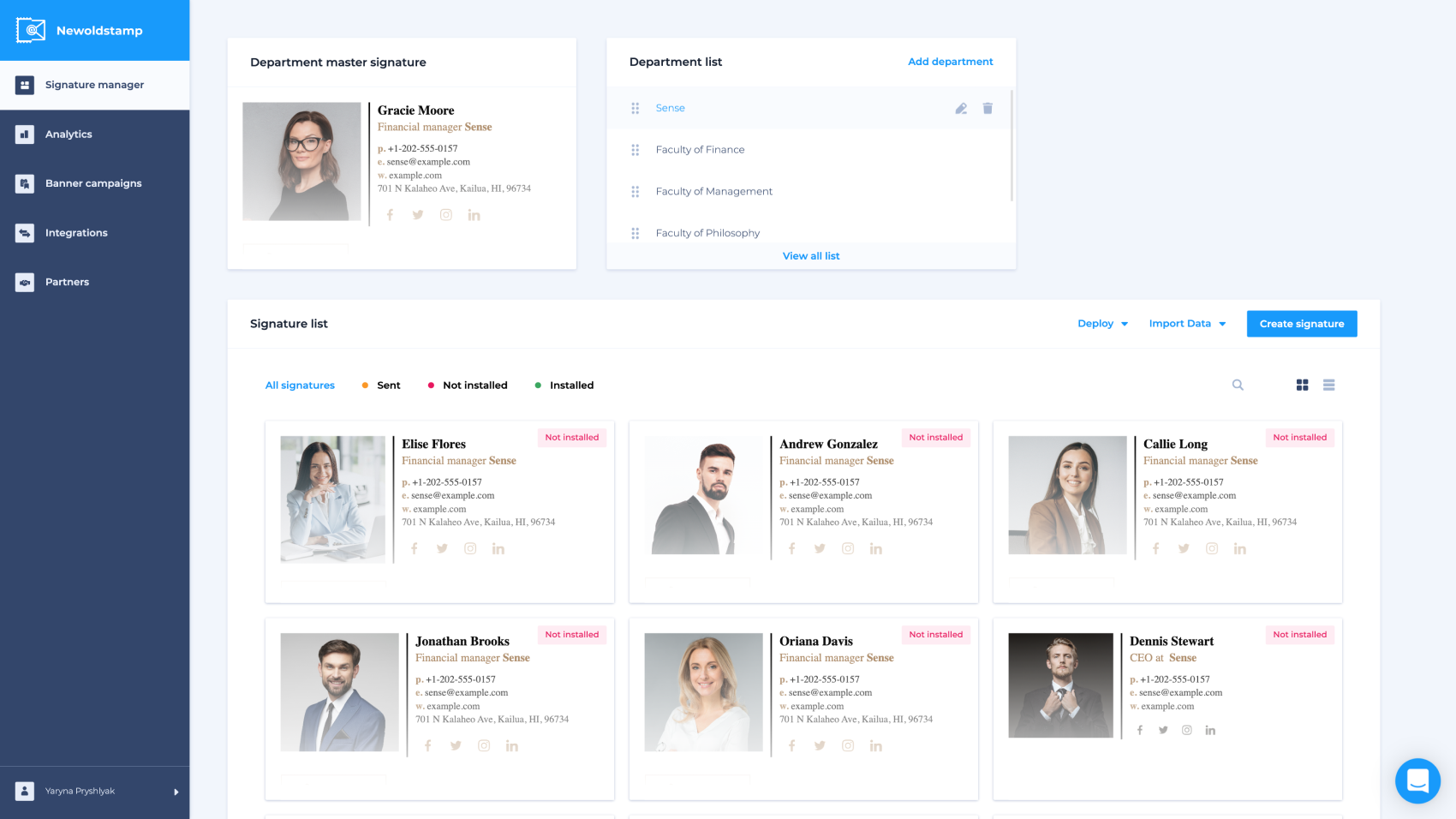
Speaking of team, NEWOLDSTAMP makes it easy for you to create and manage all your team’s email signature through a centralized dashboard. You are in total control of every aspect of your team’s email signature, from the looks to branding.
You can also create your own signature with NEWOLDSTAMP’s user-friendly signature builder. You don’t have to have extensive knowledge in design to build a professional email signature. The tool comes with a friendly builder that lets you create your own in minutes.
Show MoreOverview of NEWOLDSTAMP Features
- Email Signature Editor
- Professionally Designed Templates
- Centralized Dashboard
- Image Hosting
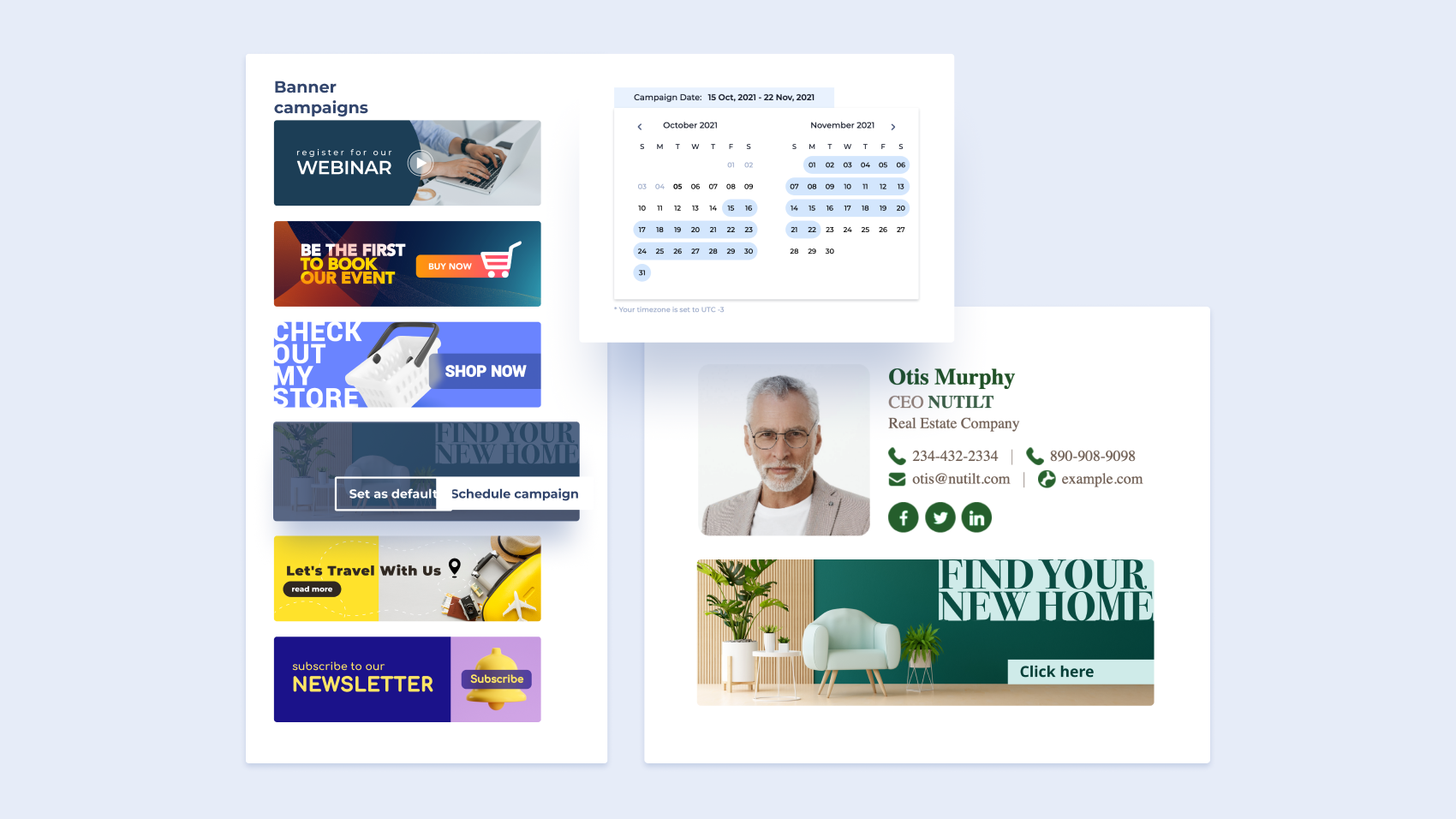
- Banner Campaigns
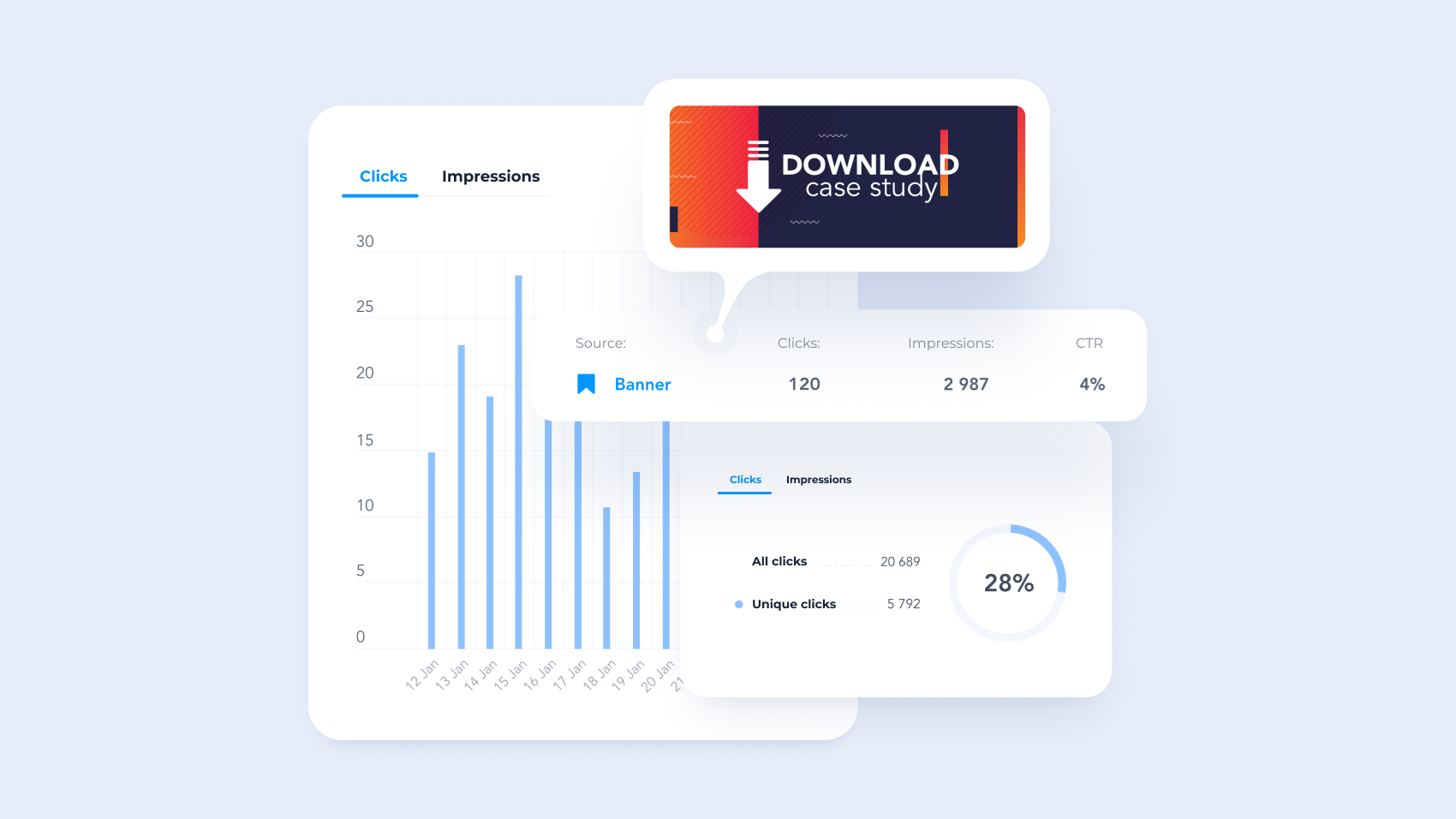
- Built-In Analytics
What Problems Will NEWOLDSTAMP Solve?
Branding issues
Jen works as a brand manager for a company with 100 employees. Her company went through a rebranding phase recently and she was tasked to update email signatures for all employees and ensure that they use a new logo. This task would demand Jen to work for long if she had to do it manually.
Fortunately, Jen has been using NEWOLDSTAMP for a while now, that enables to automatically update all images without bothering her team with reinstalling signatures. She simply uploads a new logo to master signature in NEWOLDSTAMP dashboard and save changes. Jen is happy because she doesn’t need to manually update and check 100 signatures.
Feature: Central Management
Enhancing sales
Bill is event manager and is working on an upcoming conference. He exhausted all promotion strategies but still had some tickets unsold. He discovered signature marketing and decided to include email signatures with banners to their daily business communication.
They use NEWOLDSTAMP to create interactive signatures and run banner campaigns. To increase sales, Bill provides a call-to-action button and promo code at banner designs. They track views, clicks and average CTR to check performance and make tweaks to improve results. As consequence tickets were sold out.
Feature: Email Signature Marketing
Employees onboarding
Kate works as an HR manager and her tasks include onboarding of new employees. Her company updates onboarding package and enforces email and signature policy. They had contracted a freelance designer to create the signature design that was approved by CEO. But design is a PNG file that is hard to edit and update.
Kate tries to find service to replicate the design. She stops on NEWOLDSTAMP as their editor is the most flexible. Kate customizes a template in few minutes. She decides to add a link to the generator with preset template and possibility to update personal information like name and contacts to employee onboarding package. Starting from this moment, Kate doesn’t spend time on creating and installing signatures to new employees.
Feature: Advanced customization, signature distribution, and installation
Awards & Quality Certificates


NEWOLDSTAMP Position In Our Categories
Because businesses have their own business needs, it is practical that they avoid adopting a one-size-fits-all, ideal software system. Still, it is troublesome to pinpoint such an app even among popular software solutions. The right thing to do should be to tabulate the varied significant factors which need consideration including critical features, packages, technical skill ability of staff, company size, etc. The second step is, you must do the research systematically. Browse through some of these NEWOLDSTAMP analyses and scrutinize each of the software solutions in your shortlist in detail. Such detailed product research ensures you weed out unfit apps and subscribe to the system which meets all the features your business requires.
Position of NEWOLDSTAMP in our main categories:
TOP
200
NEWOLDSTAMP is one of the top 200 Accounting Software products
Since each organization has specific business wants, it is sensible for them to refrain from looking for a one-size-fits-all perfect software system. Needless to say, it would be pointless to try to find such a platform even among widely used software applications. The clever thing to do would be to catalog the various important factors that need consideration such as main features, budget, skill levels of employees, company size etc. Then, you should do your research thoroughly. Read some NEWOLDSTAMP Email Marketing Software reviews and investigate each of the other apps in your shortlist in detail. Such exhaustive groundwork can ensure you discard ill-fitting applications and select the app that offers all the aspects you need for business success.
How Much Does NEWOLDSTAMP Cost?
NEWOLDSTAMP Pricing Plans:
Free Trial
Starter
$6/month
Branding
$8/month
Marketing
$11/month
Custom pricing
by quote
What are NEWOLDSTAMP pricing details?
NEWOLDSTAMP Pricing Plans:
Free Trial
Starter
$6/month
Branding
$8/month
Marketing
$11/month
Custom pricing
by quote
NEWOLDSTAMP offers the following enterprise pricing packages for users to choose from. Give the details a look, and select the best plan for your business.
Small Business Packages
These plans are ideal for small businesses.
Starter $6 per month. Includes 5 signatures.
Branding $8 per month. Starts from 5 signature to 200.
Marketing $11 per month. Starts from 5 signature to 200.
Custom pricing available from 200 signatures and starts from 1$ per month, per user.
User Satisfaction
Positive Social Media Mentions
3
Negative Social Media Mentions
0
We realize that when you make a decision to purchase a Email Marketing Software it’s important not only to learn how professionals rank it in their reviews, but also to discover whether the actual users and businesses that use it are genuinely happy with the service. That’s why we’ve designer our behavior-based Customer Satisfaction Algorithm™ that gathers customer reviews, comments and NEWOLDSTAMP reviews across a wide array of social media sites. The data is then featured in an easy to understand format showing how many users had positive and negative experience with NEWOLDSTAMP. With that information available you should be ready to make an informed buying choice that you won’t regret.
Video
Screenshots
Technical details
Devices Supported
- Windows
- iPhone/iPad
- Mac
- Web-based
Deployment
- Cloud Hosted
Language Support
- English
- Spanish
Pricing Model
- Monthly payment
- One-time payment
- Annual Subscription
Customer Types
- Small Business
- Large Enterprises
- Medium Business
- Freelancers
What Support Does This Vendor Offer?
- phone
- live support
- training
- tickets
What integrations are available for NEWOLDSTAMP?
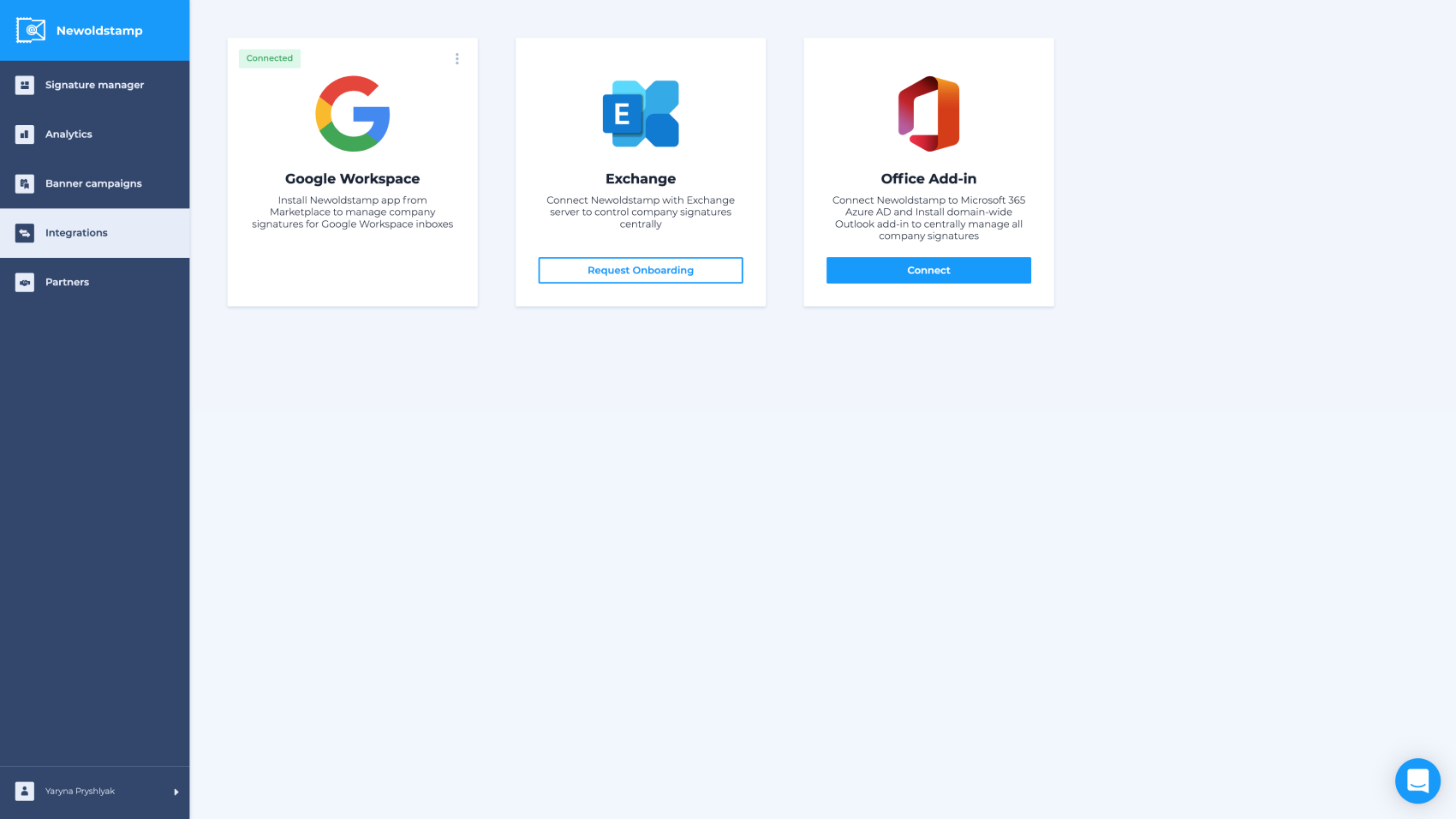
NEWOLDSTAMP integrates with the following business systems and applications:
- Gmail
- G Suite
- Outlook
- Outlook 360
- Outlook for Mac
- Office 360
- Apple Mail
- Yahoo Mail
- Thunderbird
- iOS Mail
- Mailbird
- ZohoMail
- Spark
- AOL
NEWOLDSTAMP User Reviews
NEWOLDSTAMP average rating:
5/5
Overall impression
5/5
Customer Support
5/5
Value for Money
5/5
Ease of Use
Write your own review of this product
ADD A REVIEWThe most favorable review

PROS: Simple and flexible editor Central management that allows you creating and managing signatures fast.
CONS: Haven't had any problems
The least favorable review

PROS: First of all, it is simple. I really like that you don't need an IT department or additional software. Each team member receives a signature to copy with detailed installation guides, so it is amazing because you can do it fast. Also, we love the fact that Newoldstamp is able to track clicks and views from your banner or logo. In this case, you can analyze and update your banner to a more attractive one.
CONS: Nothing - we're happy with the service (special thanks to support, they are awesome). We will be waiting for new updates and features in the future.
More reviews from 4 actual users:
Sort by:
Latest
- Latest
- Most useful
- Most positive
- Most negative
Great Product, We Love Our New Email Signatures!
Read full review >
4/5
Overall impression
5/5
Customer Support
4/5
Value for Money
5/5
Ease of Use
Published on: 15.10.2021
Company Size: More than 100 Employees
Industry: Computer Software
PROS: The automation of creating signatures saves us a lot of money and time, so we really love this tool. Signatures are looking very good and consistent, so it is a perfect solution for the right price. Also, they have a banner gallery with ready-to-use banners (we have to use a lot of banners every month). There is a not-bad analytics where you can track all clicks and views. And all these features in one place (your dashboard)
CONS: More template customization, like adding 1 more logo into the signature. However, we just add it to the banner section.
Professional Tool for Email Signatures
Read full review >
4/5
Overall impression
5/5
Customer Support
5/5
Value for Money
5/5
Ease of Use
Published on: 23.05.2021
Company Size: 11-50 Employees
Industry: Marketing and Advertising
PROS: First of all, it is simple. I really like that you don't need an IT department or additional software. Each team member receives a signature to copy with detailed installation guides, so it is amazing because you can do it fast. Also, we love the fact that Newoldstamp is able to track clicks and views from your banner or logo. In this case, you can analyze and update your banner to a more attractive one.
CONS: Nothing - we're happy with the service (special thanks to support, they are awesome). We will be waiting for new updates and features in the future.
Easy to use signature generator
Read full review >
5/5
Overall impression
5/5
Customer Support
5/5
Value for Money
5/5
Ease of Use
Published on: 19.11.2018
Company Size: 1-10 Employees
Industry: Retail
PROS: The site is very user-friendly. It's so easy to navigate around. I can litterally create a professional looking signature in less than 5 minutes. You just need fill up the necessary details like name, company, title, etc., upload your logo or your photo, and choose a signature template, then viola, you can now copy and paste it to your mail client and it works like a charm! It works well with Gmail, Microsoft Outlook, Apple Mail (Mac and iOS), Thunderbird and many more. Also if you want to make edits, you just have to do it in your account dashboard and it will do its magic to update the signature everywhere. You can also create a signature for other users and edit them when necessary in your account dashboard. You can also add your social media links and banners at the bottom of your signature. NewOldStamp will take care of the layout and design for you. I'm so glad I have found this tool.
CONS: I wish there's an HTML editor in case you want more customization for advanced users.
Great email signature generator for teams
Read full review >
5/5
Overall impression
5/5
Customer Support
5/5
Value for Money
5/5
Ease of Use
Published on: 16.11.2018
Company Size: 11-50 Employees
Industry: Computer Software
PROS: Simple and flexible editor Central management that allows you creating and managing signatures fast.
CONS: Haven't had any problems


Join a community of 7,369 SaaS experts
Thank you for the time you take to leave a quick review of this software. Our community and review base is constantly developing because of experts like you, who are willing to share their experience and knowledge with others to help them make more informed buying decisions.
Sign in with LinkedIn
Why we require LinkedIn?
- Show the community that you're an actual user.
- We will only show your name and profile image in your review.
- You can still post your review anonymously.
OR
Sign in with company emailSign in with company email
Popular NEWOLDSTAMP Alternatives


Top Competitors To NEWOLDSTAMP By Price
Product name:
Price:


Trending Email Marketing Software Reviews


NEWOLDSTAMP Comparisons
Product name:


NEWOLDSTAMP user reviews
Great Product, We Love Our New Email Signatures!
Read full review >
4/5
Overall impression
5/5
Customer Support
4/5
Value for Money
5/5
Ease of Use
Published on: 15.10.2021
Company Size: More than 100 Employees
Industry: Computer Software
Professional Tool for Email Signatures
Read full review >
4/5
Overall impression
5/5
Customer Support
5/5
Value for Money
5/5
Ease of Use
Published on: 23.05.2021
Company Size: 11-50 Employees
Industry: Marketing and Advertising
Easy to use signature generator
Read full review >
5/5
Overall impression
5/5
Customer Support
5/5
Value for Money
5/5
Ease of Use
Published on: 19.11.2018
Company Size: 1-10 Employees
Industry: Retail
Great email signature generator for teams
Read full review >
5/5
Overall impression
5/5
Customer Support
5/5
Value for Money
5/5
Ease of Use
Published on: 16.11.2018
Company Size: 11-50 Employees
Industry: Computer Software

Page last modified


Did you find this review useful?
Yes
No
Thank you for your feedback
How can we make this page better?
Unsure about this software?
FIND ALTERNATIVES
 Why is FinancesOnline free?