
- Home
- Accounting Software
- OfficeBooks

OfficeBooks Review


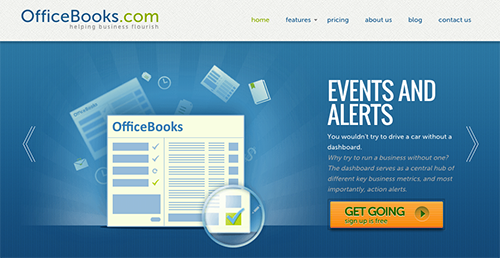

What is OfficeBooks?
OfficeBooks is an ERP platform for small to medium sized businesses that comes with user-friendly interfaces and simple functions that makes many basic accounting functions such as creating work orders and converting quotes to invoice easy with just a few clicks. Controlling inventory, sales, and billing functions is also a breeze as well, even via mobile devices. These functionalities make OfficeBooks an ideal option for field-heavy service or sales companies.
Show MoreOverview of OfficeBooks Benefits
QuickBooks makes things simple for companies, from managing and controlling inventory to delivering products and bolstering sales. Check out how OfficeBooks can benefit your enterprise.
- Reduce and gradually eliminated instances of late deliveries, thanks to OfficeBooks’ well-implemented inventory system.
- As OfficeBooks can be configured to handle various business processes such as quotes and credit card processing, you now have the time to build up on your business. Get to know your clients, attend conventions and networking events, or whip up some killer marketing concepts.
- OfficeBooks improves customer experience and interaction as well as project your brand via standardizing your outward facing documentation (purchase orders, quotations, invoices, etc).
- Empower your team to make better decisions and encourage them to collaborate and share ideas by providing them access to data.
Overview of OfficeBooks Features
- Integrated and automated Inventory Control
- Professional Quotes
- Reduced Data Entry
- Sales Driven Action
- Purchase Orders
- Order Tracing
- Credit Card Payment
- Contact Management
- Flexible and Out-of-the-box Reproting
- Outstanding Support
OfficeBooks Position In Our Categories
Since companies have special business-related demands, it is sensible that they steer clear of preferring a one-size-fits-all, ideal software. Be that as it may, it would be difficult to pinpoint such application even among sought-after software products. The rational step to undertake can be to spell out the varied vital functions that merit deliberation such as major features, packages, skill capability of staff, organizational size, etc. Then, you should double down on your product research exhaustively. Go over these OfficeBooks evaluations and look over each of the applications in your list more closely. Such well-rounded research guarantee you steer clear of unsuitable applications and buy the one that offers all the tools your company requires.
Position of OfficeBooks in our main categories:
TOP
500
OfficeBooks is one of the top 500 Accounting Software products
Each business is different, and can call for a specific Accounting Software solution that will be designed for their business size, type of customers and employees and even specific niche they cater to. You should not count on locating a perfect software that will work for every company regardless of their history is. It may be a good idea to read a few OfficeBooks Accounting Software reviews first and even then you should remember what the solution is supposed to do for your company and your workers. Do you need an easy and straightforward solution with just essential features? Will you really use the complex functionalities needed by pros and large enterprises? Are there any specific features that are especially beneficial for the industry you work in? If you ask yourself these questions it is going to be much easier to get a reliable app that will fit your budget.
How Much Does OfficeBooks Cost?
OfficeBooks Pricing Plans:
Free Trial
Free Version
Free
Purchasing
$19/month
Distributor
$79/month
Full Suite
$169/month
What are OfficeBooks pricing details?
OfficeBooks Pricing Plans:
Free Trial
Free Version
Free
Purchasing
$19/month
Distributor
$79/month
Full Suite
$169/month
OfficeBooks offers 3 affordable priced plans plus a free version that will surely meet the needs as well as the budget of all businesses of any shape and size. Whether you require a purchasing pack or a distribution bundle or a combination of both, OfficeBooks has the plan you require. Plus, each edition comes with a free trial offering if you want to check them out before making a purchase.
Free Version
- up to 5 users
- Up to 25 records
- Reports
- Optimized for manufacturing
- All distributor features
- Inventory control
- Credit card processing
- Invoices
- Tax reports
- Work orders
- Work centers
- Workflows
- Bill of Materials
Purchasing – $19/month
- Unlimited users
- Unlimited records
- Reports
- Purchase Orders
Distributor – $79/month
- Unlimited users
- Unlimited records
- Reports
- Sales & Quotes
- All purchasing features
- Inventory control
- Credit card processing
- Invoices
- Tax reports
Full Suite – $169/month
- Unlimited users
- Unlimited records
- Reports
- Optimized for manufacturing
- All distributor features
- Inventory control
- Credit card processing
- Invoices
- Tax reports
- Work orders
- Work centers
- Workflows
- Bill of Materials
User Satisfaction
Positive Social Media Mentions
4
Negative Social Media Mentions
0
We are aware that when you make a decision to purchase a Accounting Software it’s vital not only to see how experts evaluate it in their reviews, but also to discover if the real users and businesses that purchased these solutions are actually satisfied with the product. That’s why we’ve devised our behavior-based Customer Satisfaction Algorithm™ that gathers customer reviews, comments and OfficeBooks reviews across a wide array of social media sites. The information is then presented in an easy to understand way indicating how many customers had positive and negative experience with OfficeBooks. With that information available you will be ready to make an informed purchasing choice that you won’t regret.
Technical details
Devices Supported
- Windows
- Android
- iPhone/iPad
- Mac
- Web-based
Deployment
- Cloud Hosted
Language Support
- English
Pricing Model
- Monthly payment
Customer Types
- Small Business
- Freelancers
What Support Does This Vendor Offer?
- phone
- live support
- training
- tickets
What integrations are available for OfficeBooks?
OfficeBooks supports integrations with the following business systems and applications:
- QuickBooks Online
- Google Drive
OfficeBooks User Reviews
OfficeBooks average rating:
4/5
Overall impression
5/5
Customer Support
4/5
Value for Money
4/5
Ease of Use
Write your own review of this product
ADD A REVIEWThe most favorable review

PROS: Officebooks is simply designed and easy to use. I can keep my business contacts as well as work orders, purchase orders, and sales orders in one place. I use the app every day to monitor all my current orders.
CONS: The vendor should offer an Android mobile app as I use an Android smartphone. This can help me access the system anytime, anywhere.
The least favorable review
PROS: Officebooks is easy to learn and adopt. I use the app for my company work. I share documents and the system is simple and effective. It can be easily used even by those without technical skills.
CONS: It lacks many features that other products offer and is not too user-friendly. As an engineer, it is a bit easier for me, but my colleagues struggle with the system and need help to work with it.
More reviews from 3 actual users:
Sort by:
Latest
- Latest
- Most useful
- Most positive
- Most negative
Easy to use tool
Read full review >
4/5
Overall impression
4/5
Customer Support
4/5
Value for Money
4/5
Ease of Use
Published on: 15.09.2021
Company Size: More than 100 Employees
Industry: Aviation & Aerospace
PROS: Our company uses this simple app to pass information through departments. We have been very successful in using the app effectively for our needs.
CONS: I have no complaints at all as there is nothing to dislike about the app.
Ideal app for small businesses
Read full review >
5/5
Overall impression
5/5
Customer Support
5/5
Value for Money
5/5
Ease of Use
Published on: 23.05.2021
Company Size: More than 100 Employees
Industry: Construction
PROS: Officebooks is simply designed and easy to use. I can keep my business contacts as well as work orders, purchase orders, and sales orders in one place. I use the app every day to monitor all my current orders.
CONS: The vendor should offer an Android mobile app as I use an Android smartphone. This can help me access the system anytime, anywhere.
Simple business management app
Read full review >
4/5
Overall impression
4/5
Customer Support
4/5
Value for Money
4/5
Ease of Use
Published on: 04.09.2019
Company Size: More than 100 Employees
Industry: Unavailable
PROS: Officebooks is easy to learn and adopt. I use the app for my company work. I share documents and the system is simple and effective. It can be easily used even by those without technical skills.
CONS: It lacks many features that other products offer and is not too user-friendly. As an engineer, it is a bit easier for me, but my colleagues struggle with the system and need help to work with it.


Join a community of 7,369 SaaS experts
Thank you for the time you take to leave a quick review of this software. Our community and review base is constantly developing because of experts like you, who are willing to share their experience and knowledge with others to help them make more informed buying decisions.
Sign in with LinkedIn
Why we require LinkedIn?
- Show the community that you're an actual user.
- We will only show your name and profile image in your review.
- You can still post your review anonymously.
OR
Sign in with company emailSign in with company email
Popular OfficeBooks Alternatives




Top Competitors To OfficeBooks By Price
Product name:
Price:



Trending Accounting Software Reviews



8.5
100%
OfficeBooks Comparisons
Product name:








OfficeBooks user reviews
Easy to use tool
Read full review >
4/5
Overall impression
4/5
Customer Support
4/5
Value for Money
4/5
Ease of Use
Published on: 15.09.2021
Company Size: More than 100 Employees
Industry: Aviation & Aerospace
Ideal app for small businesses
Read full review >
5/5
Overall impression
5/5
Customer Support
5/5
Value for Money
5/5
Ease of Use
Published on: 23.05.2021
Company Size: More than 100 Employees
Industry: Construction
Simple business management app
Read full review >
4/5
Overall impression
4/5
Customer Support
4/5
Value for Money
4/5
Ease of Use
Published on: 04.09.2019
Company Size: More than 100 Employees
Industry: Unavailable

Page last modified



Did you find this review useful?
Yes
No
Thank you for your feedback
How can we make this page better?
Unsure about this software?
FIND ALTERNATIVES
 Why is FinancesOnline free?