

PhotoScape Review



What is PhotoScape?
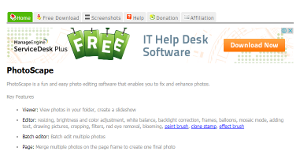
PhotoScape is an all-in-one graphics editing solution engineered by a Korean-based company called MOOII Tech. The program is expertly crafted to enable users to easily edit their photos taken from smartphones and digital cameras. It provides a wide array of features for fixing and enhancing photos. Some of the key tools include: editor, viewer, page, batch editor, animated GIF, print, combine, print,screen capture, spliter, and more.
The application is provided in two default languages; English and Korean. However, more languages packages can be accessed via the downloadable modules. Also, PhotoScape runs only on Windows and Mac systems and is not available for Linux users. For more details, please visit their official website.
Show MoreOverview of PhotoScape Benefits
PhotoScape is an easy-to-use photo editor with a user-friendly interface. It’s a robust tool that provides all the basic photo enhancement tools including cutting, color adjustment, resizing, GIF animation, and printing. However, the tag “photo editor” doesn’t do this application any justice. This is because PhotoScape goes beyond photo editing to provide much more than the basic retouching. It provides other functionalities including image viewer, built-in screen capture tool, a batch editing function, and a number of filters and effects.
Overall, the editing toolkit is one of the best PhotoScape features. The toolkit provides a set of self-explanatory and well-labeled features. It is simple for beginners yet powerful enough to perform all the tasks to perfection. The feature allows you to play around with its options and see what happens to your photo. You simply tinker with the options to retouch your photo and create something impressive. It also provides a reliable undo function which comes in handy when things get too far.
Another noteworthy feature is the Batch editor function. This is the perfect option for people who edit images on a daily basis. The feature allows you to convert, rename, or to resize multiple photos with a single mouse click. The RAW converter is another great feature. It allows you to convert RAW images to JPEG images with ease. This means PhotoScape is capable of opening any RAW Image from the renowned camera brands like Olympus, Canon, and Nikon.
Show MoreOverview of PhotoScape Features
- Viewer
- Editor
- Batch editor
- Animated GIF
- Splitter
- Page
- Screen capture
- Rename
- Raw converter
- Face search
PhotoScape Position In Our Categories
Because companies have specific business-related demands, it is only practical they abstain from paying for an all-encompassing, ideal software system. Still, it is troublesome to try to chance on such a software solution even among well-known software products. The practical thing to undertake should be to narrow down the varied important factors that merit investigation including key features, plans, skill levels of the employees, company size, etc. Thereafter, you should conduct your product research fully. Read some of these PhotoScape evaluations and look into the other applications in your shortlist in detail. Such well-rounded research guarantees you stay away from unsuitable software solutions and pay for the one that offers all the aspects your company requires to be successful.
Position of PhotoScape in our main categories:
TOP
20
PhotoScape is one of the top 20 Graphic Design Software products
There are popular and widely used systems in each software category. But are they necessarily the best fit for your enterprise’s unique requirements? A popular software application may have thousands of users, but does it provide what you need? For this reason, do not blindly shell out for popular systems. Read at least a few PhotoScape Graphic Design Software reviews and mull over the factors that you want in the software such as the cost, main functionality, available integrations etc. Then, choose a few systems that fit your requirements. Try out the free trials of these products, read online comments, get explanations from the seller, and do your homework systematically. This profound groundwork is certain to help you find the finest software solution for your company’s specific wants.
How Much Does PhotoScape Cost?
PhotoScape Pricing Plans:
Free Trial
PhotoScape
Free
What are PhotoScape pricing details?
PhotoScape Pricing Plans:
Free Trial
PhotoScape
Free
PhotoScape is a free photo editing solution, and comes with no enterprise pricing fees to worry about.
User Satisfaction
Positive Social Media Mentions
224
Negative Social Media Mentions
2
We are aware that when you decide to buy a Graphic Design Software it’s vital not only to learn how experts evaluate it in their reviews, but also to discover whether the actual users and enterprises that bought it are genuinely satisfied with the service. That’s why we’ve designer our behavior-based Customer Satisfaction Algorithm™ that collects customer reviews, comments and PhotoScape reviews across a wide array of social media sites. The information is then featured in an easy to digest way revealing how many clients had positive and negative experience with PhotoScape. With that information at your disposal you should be ready to make an informed purchasing decision that you won’t regret.
Video
Technical details
Devices Supported
- Windows
- Mac
Deployment
- On Premise
Language Support
- English
Pricing Model
- Free
Customer Types
- Small Business
- Medium Business
- Freelancers
What Support Does This Vendor Offer?
- phone
- live support
- training
- tickets
What integrations are available for PhotoScape?
No information available.
PhotoScape User Reviews
PhotoScape average rating:
4/5
Overall impression
5/5
Customer Support
4/5
Value for Money
4/5
Ease of Use
Write your own review of this product
ADD A REVIEWThe most favorable review

PROS: At zero cost but still able to provide access to more than basic editing tools, PhotoScape might just be the best photo editing platform out there, trumping costly platforms that offer a range of features that are proving unnecessary for daily editing needs.
CONS: Photo quality is reduced with each modification saved.
The least favorable review
PROS: PhotoScape gives you all the basic photo editing tools such as cropping, resizing, color adjustment, animation, etc. which are all doable through a smartphone or digital camera. I'm impressed with how easy it is to use compared with its rivals in the market.
CONS: Adjusting picture sizes is my only issue.
More reviews from 14 actual users:
Sort by:
Latest
- Latest
- Most useful
- Most positive
- Most negative
Great for desktop or mobile
Read full review >
4/5
Overall impression
3/5
Customer Support
4/5
Value for Money
3/5
Ease of Use
Published on: 12.11.2021
Company Size: 1-10 Employees
Industry: Utilities
PROS: PhotoScape offers a range of photo editing and enhancement options that are easy to use as compared to other photo editing apps.
CONS: I prefer using PhotoScape through desktop than through mobile. The mobile version still has a lot of room for improvement to avoid lags and allow easy movement.
Topnotch photo editor at zero cost
Read full review >
4/5
Overall impression
4/5
Customer Support
4/5
Value for Money
4/5
Ease of Use
Published on: 19.10.2021
Company Size: More than 100 Employees
Industry: N/A
PROS: Not space-consuming but offers a very broad array of tools with multiple layers, filters, effects, and enhancing features we can work around with. We can produce perfect collages and make edits in bulk.
CONS: There are some refining tools I need that PhotoScape doesn't provide so I hope it can integrate with third-party cloud-based servers. This way, I can also access the work on various devices.
Great for non-professionals
Read full review >
4/5
Overall impression
4/5
Customer Support
3/5
Value for Money
3/5
Ease of Use
Published on: 05.10.2021
Company Size: 1-10 Employees
Industry: Computer Software
PROS: PhotoScape may not cater to professional editors but for its straightforward interface and free offering, I think this is the best out there for basic editing tasks such as color adjustments, adding of effects, etc.
CONS: It doesn't meet the needs of professionals. Since I liked the user-friendly interface, I might consider it if it offered a Pro plan.
Dynamic and easy to use even for beginners
Read full review >
5/5
Overall impression
4/5
Customer Support
5/5
Value for Money
4/5
Ease of Use
Published on: 28.09.2021
Company Size:
Industry: N/A
PROS: At zero cost but still able to provide access to more than basic editing tools, PhotoScape might just be the best photo editing platform out there, trumping costly platforms that offer a range of features that are proving unnecessary for daily editing needs.
CONS: Photo quality is reduced with each modification saved.
No-cost and highly flexible editor
Read full review >
4/5
Overall impression
4/5
Customer Support
4/5
Value for Money
4/5
Ease of Use
Published on: 11.08.2021
Company Size: 11-50 Employees
Industry: N/A
PROS: I can resize photos in batches, view raw photos without having to convert them after transferring from a DSLR, add fantastic effects, and edit GIFs. It's free and extremely easy to operate. There's nothing more I can ask for in a photo editing tool.
CONS: Nothing to hate about it.
Perfect at no cost
Read full review >
5/5
Overall impression
5/5
Customer Support
4/5
Value for Money
4/5
Ease of Use
Published on: 05.05.2021
Company Size: More than 100 Employees
Industry: N/A
PROS: PhotoScape's user-friendly interface, a wide range of toolkit at zero cost makes it an ultimate package especially for small businesses that need basic enhancements for their marketing tools.
CONS: It can do better in its price point for its pro version.
Very intuitive to use
Read full review >
4/5
Overall impression
4/5
Customer Support
3/5
Value for Money
3/5
Ease of Use
Published on: 02.05.2021
Company Size:
Industry: Photography
PROS: PhotoScape provides a wide range of tools such as an editor, a viewer of even raw photos, batch editor, animation, screen capture, and splitter, among others.
CONS: I often encounter lags but they run only for a few seconds so they are not that big an issue for me.
Photo editor with amazing and robust functionalities
Read full review >
4/5
Overall impression
3/5
Customer Support
4/5
Value for Money
4/5
Ease of Use
Published on: 10.04.2021
Company Size: 11-50 Employees
Industry: Education Management
PROS: PhotoScape gives you all the basic photo editing tools such as cropping, resizing, color adjustment, animation, etc. which are all doable through a smartphone or digital camera. I'm impressed with how easy it is to use compared with its rivals in the market.
CONS: Adjusting picture sizes is my only issue.
Achieving photo outputs exactly the way you wanted and without hassle
Read full review >
4/5
Overall impression
3/5
Customer Support
3/5
Value for Money
4/5
Ease of Use
Published on: 09.04.2021
Company Size: 1-10 Employees
Industry: Writing and Editing
PROS: PhotoScape X allows you to work around a photo and have a finished product that looks like the work of an expert. You can achieve this with zero effort as its interface is made for a newbie so the need for learning curves as getting comfortable around it is instantaneous.
CONS: There are zero hangups and it is impressively lightweight.
Rich in easy-to-use tools that even professionals use
Read full review >
5/5
Overall impression
5/5
Customer Support
4/5
Value for Money
5/5
Ease of Use
Published on: 24.03.2021
Company Size: More than 100 Employees
Industry: N/A
PROS: PhotoScape has been my go-to photo editor for nearly a decade. User-friendly and robust, PhotoScape allows you to edit in bulk, significantly saving you time from when you have to edit one photo at a time. It has been extremely beneficial that I upgraded to the premium version after a month of using it.
CONS: There are some tools X users have been using for so long that we're now barred from use unless you upgrade to the PRO version. PhotoScape should consider being more generous.
Works great if you need a cheap photo editor
Read full review >
4/5
Overall impression
3/5
Customer Support
3/5
Value for Money
3/5
Ease of Use
Published on: 13.11.2019
Company Size: 51-100 Employees
Industry: N/A
PROS: If Photoshop is a bit out of your budget, I would have no hesitation recommending this program. I was impressed at all the functions available, all of which you need to come up with a professional-looking image. Our customers have been satisfied with our work thanks to this tool. I also appreciated the fact that there was a translation feature in different languages, so users will easily get the hang of using it even if English isn't their first language. I liked how easy it was to master this and how very little training was needed.
CONS: How can I complain about this program? The customer service provided is exceptional, and the features are comprehensive and really help out when it comes to producing images that are of high quality.
Really top-notch editor
Read full review >
4/5
Overall impression
4/5
Customer Support
4/5
Value for Money
4/5
Ease of Use
Published on: 17.09.2019
Company Size: More than 100 Employees
Industry: N/A
PROS: I am really impressed with how lightweight this program is. The fact that it doesn't take so much space and still provides me with a lot of features and options is also equally impressive. Because of that, I can work with different types of filters and layers. I appreciate how easy it is now to make effects and draw and refine images. Another thing I like is the number of options it offers me when it comes to making collages.
CONS: I can't think of anything to complain about when it comes to this program. If I had to say something, I think they should add even more options in future versions. The cloud server integration is also something they can introduce so that information and images can be protected. This would also make it possible for users to look at their work using other devices.
Great features at no cost
Read full review >
5/5
Overall impression
4/5
Customer Support
5/5
Value for Money
5/5
Ease of Use
Published on: 06.09.2019
Company Size:
Industry: N/A
PROS: Sure, there is more demand for large software that has professional tools. But what I like about this program is that all the things you need to manage and edit photos are already here, without you having to spend anything. With larger brands, you'd have to pay a lot of money.
CONS: In general, I actually like this tool since it can be installed easily and using it is a breeze. That said, I have to point out that whenever I modify an image, the quality of the image overall is reduced. I'd really like for them to look into this and improve on it in future versions.
This makes photo editing so much easier
Read full review >
4/5
Overall impression
4/5
Customer Support
3/5
Value for Money
3/5
Ease of Use
Published on: 04.09.2019
Company Size: 1-10 Employees
Industry: N/A
PROS: The thing that I like most about this program is that you can put out professional-looking images even if you're not using brand name photo editing software. I love the interface and how neat it looks. It is very orderly so it isn't difficult to get the hang of it, and you won't have to look through many different menus to find the thing that you need. I am also impressed with the variety of editing options I can use, such as GIF creation, collaging, combining, batching, editing, and photo viewing.
CONS: To be very honest, I can't think of anything to dislike about this program. Highly recommend it.


Join a community of 7,369 SaaS experts
Thank you for the time you take to leave a quick review of this software. Our community and review base is constantly developing because of experts like you, who are willing to share their experience and knowledge with others to help them make more informed buying decisions.
Sign in with LinkedIn
Why we require LinkedIn?
- Show the community that you're an actual user.
- We will only show your name and profile image in your review.
- You can still post your review anonymously.
OR
Sign in with company emailSign in with company email
Popular PhotoScape Alternatives


Top Competitors To PhotoScape By Price
Product name:
Price:



Trending Graphic Design Software Reviews



PhotoScape Comparisons
Product name:








PhotoScape user reviews
Great for desktop or mobile
Read full review >
4/5
Overall impression
3/5
Customer Support
4/5
Value for Money
3/5
Ease of Use
Published on: 12.11.2021
Company Size: 1-10 Employees
Industry: Utilities
Topnotch photo editor at zero cost
Read full review >
4/5
Overall impression
4/5
Customer Support
4/5
Value for Money
4/5
Ease of Use
Published on: 19.10.2021
Company Size: More than 100 Employees
Industry: N/A
Great for non-professionals
Read full review >
4/5
Overall impression
4/5
Customer Support
3/5
Value for Money
3/5
Ease of Use
Published on: 05.10.2021
Company Size: 1-10 Employees
Industry: Computer Software
Dynamic and easy to use even for beginners
Read full review >
5/5
Overall impression
4/5
Customer Support
5/5
Value for Money
4/5
Ease of Use
Published on: 28.09.2021
Company Size:
Industry: N/A
No-cost and highly flexible editor
Read full review >
4/5
Overall impression
4/5
Customer Support
4/5
Value for Money
4/5
Ease of Use
Published on: 11.08.2021
Company Size: 11-50 Employees
Industry: N/A

Page last modified



Did you find this review useful?
Yes
No
Thank you for your feedback
How can we make this page better?
Unsure about this software?
FIND ALTERNATIVES
 Why is FinancesOnline free?