

Power-user Review


What is Power-user?
Power-user is a feature-packed plug-in tool for Excel, Word, and PowerPoint that is designed to make creating documents easier and faster. It brings together visual contents, formatting tools, automation features, and a lot more in a single solution so you don’t need to manually look for each tool individually on the web. By bringing powerful tools at your fingertips, this solution empowers office users to do more in less time.
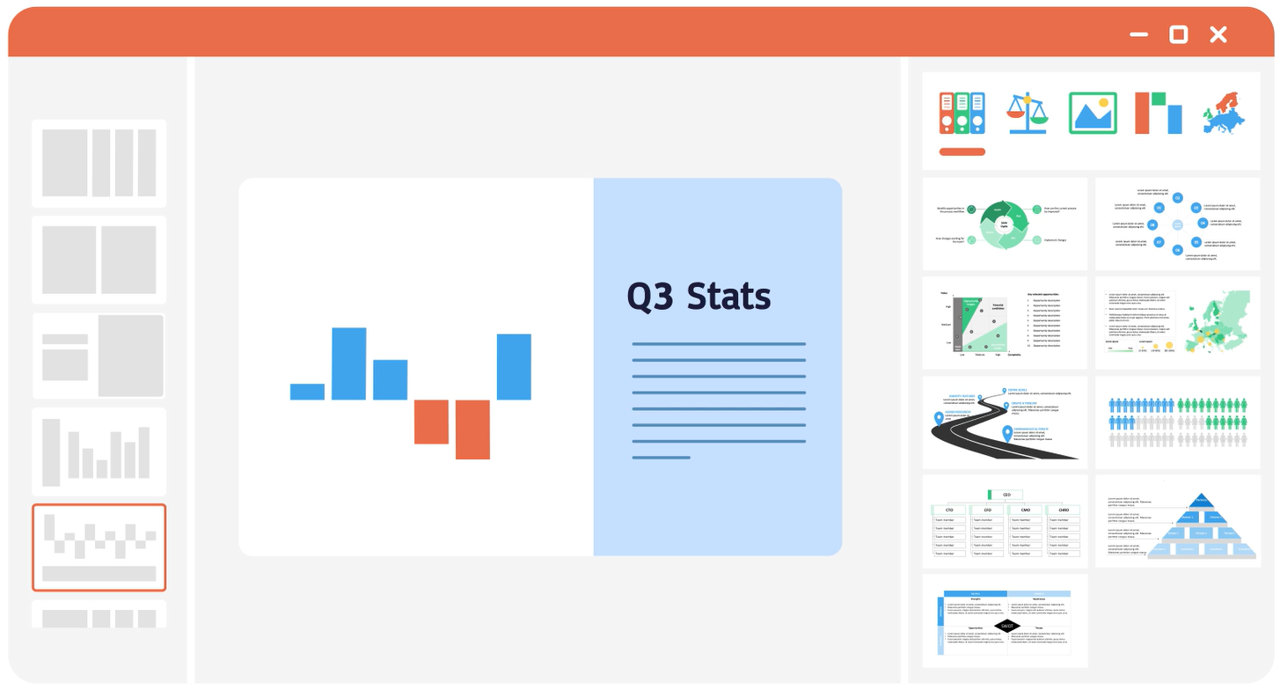
Some of its key features include 400 highly reusable, customizable PowerPoint templates, a plethora of Excel templates such as a template of automated Excel dashboard, and professionally-designed Word templates. It also offers more than a million high-quality images free of rights, several types of charts including Gantt charts, Waterfall, Mekko, Sankey, and Tornado, thousands of icons, customizable data maps, tombstones, and different types of diagrams.
What’s more, the plug-in comes with formatting tools to help users create PPT presentations and do Excel tasks quickly with ease. It offers color replace tool, the ability to detect presentation errors, the ability to edit multiple charts simultaneously, format shapes quickly, the ability to copy and paste visible cells only on Excel, and a lot more. Basically, this solution allows users to focus more on the content of the document than the low added-value tasks such as formatting.
Show MoreOverview of Power-user Benefits
Access to a Plethora of Visual Contents
Incorporating visuals into a document helps your audience better understand your content. But searching for the visuals from different places including the web can be time-consuming. To solve this dilemma, Power-user gives users access to an arsenal of visual content. There is a template library for PowerPoint, Excel, and Word, icons library, flags of every country in the world, free of rights pictures, different types of charts, diagrams, data maps, and tombstones.
Shared Libraries for Corporate Users
This functionality can be beneficial for a company or a team. By creating a shared library of templates, it will be easier for each team member to access the latest version of your company templates. By giving employees access to company templates with corporate design, font, and colors, the organization can also maintain its brand integrity.
Access to Different Types of Charts
Creating charts on PowerPoint, Excel, or Word is usually a long and complex process. But with Power-user, you can accomplish it with ease. The plugin offers tools for creating different types of charts such as Gantt, Waterfall, Mekko, Sankey, and Tornado in just a few seconds.
Powerful PowerPoint Formatting Tools
Power-user comes with formatting tools, which can help users create slides faster and easier. It offers a Replace Color feature that allows users to easily change the color of any element in a presentation, a Clean Presentation tool for automatic proofing of slides, the ability to edit multiple charts simultaneously, and a Pipette tool which makes working on shapes a lot easier and faster.
Excel Automation Tools
Power-user also helps automate tedious Excel tasks. It offers the ability to copy and paste visible cells only, “flatten” a crosstab table and quickly turn it into a database, find all the merged cells in a worksheet and unmerge them flexibly when needed, delete all empty cells from a selected column in a single click, and automatically clean unnecessary redundant formulas.
Free for Academic Users
The plug-in comes with a free Academic version which includes all the features of the premium plan. It is accessible to students and teachers who can present proof of their academic status. There is also a free plan for those who just want to give this tool a try. It includes a free trial of the plug-in premium features.
Show MoreOverview of Power-user Features
- PowerPoint, Excel, and Word Templates
- 6000 Icons
- 1million+ Pictures
- 250 Customizable Data Maps
- 14 Types of PowerPoint Diagrams
- Clean Presentation
- Chart+ (Edit Multiple Charts)
- Excel Formatting Tools
- Advanced Functions for Excel
- Charts (Waterfall charts, Mekko charts, Sankey Charts, Tornado charts, Gantt Charts)
Awards & Quality Certificates


Power-user Position In Our Categories
Knowing that businesses have their own business needs, it is only practical they avoid subscribing to a one-size-fits-all, “perfect” software system. Needless to say, it is difficult to try to stumble on such application even among well-known software products. The best thing to do would be to list the several major aspects that require consideration including essential features, costing, technical skill ability of staff members, company size, etc. Next, you should follow through your product research to a full extent. Browse through some Power-user analyses and explore each of the software products in your shortlist in detail. Such comprehensive product research ascertain you avoid mismatched software solutions and pay for the system which meets all the tools your company requires for success.
Position of Power-user in our main categories:
TOP
100
Power-user is one of the top 100 Content Management Systems products
TOP
50
Power-user is one of the 50 Document Creation Software products
There are popular and widely used systems in each software category. But are they necessarily the best fit for your enterprise’s specific requirements? A market-leading software application may have thousands of users, but does it provide what you need? For this reason, do not blindly spend on popular systems. Read at least a few Power-user Document Creation Software reviews and think about the factors that you want in the software such as the price, main tools, available integrations etc. Then, shortlist a few systems that fit your requirements. Try out the free trials of these platforms, read online reviews, get clarifications from the maker, and do your homework thoroughly. This in-depth research is certain to assist you choose the most excellent software solution for your organization’s specific needs.
How Much Does Power-user Cost?
Power-user Pricing Plans:
Free Trial
Free Forever
Free
Premium
$18.75/month
Premium (For more than 9 users)
Contact vendor
Academic Version
Free
What are Power-user pricing details?
Power-user Pricing Plans:
Free Trial
Free Forever
Free
Premium
$18.75/month
Premium (For more than 9 users)
Contact vendor
Academic Version
Free
Power-user offers a free academic version and three enterprise pricing plans for users to choose from. Take note that all licenses include software updates, technical support, unlimited license transfers and are compatible with every MS Office version on PC. Give the details a look, and select the plan that best suits your requirements.
Free Forever – $0
- A limited number of templates, diagrams, icons, and maps
- Tab Explorer
- 30 Advanced Excel Formulas
- Over a million HD pictures
- Free trial of Premium License
Premium – $18.75/month (billed annually)
- 700 PowerPoint and Excel Templates
- 1+ Million HD Pictures
- 7,000 vector icons and flags
- 350 editable maps
- 100 advanced charts
- Excel-PowerPoint link
- Clean menu
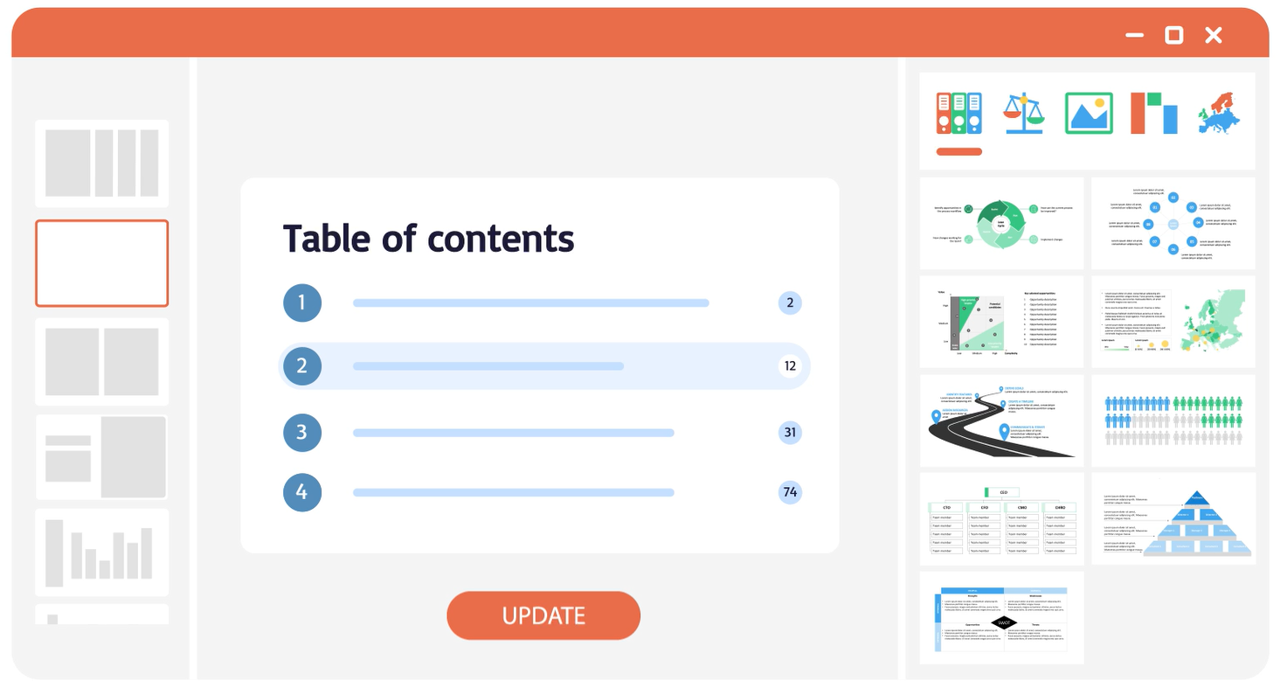
- Agenda Builder
- 10 tools to automate formatting
- 10 tools to automate Excel tasks
- 10 tools to manipulate shapes
Premium (For more than 9 users) – by quote
- All features in the Premium Plan
- Tombstones
- Shared libraries
- Admin Portal for Brand Compliance and License Management
- Free Pilot with a group of users
Academic Version (For teachers and students) – Free
- All features in the Premium Plan
User Satisfaction
Positive Social Media Mentions
99
Negative Social Media Mentions
5
We realize that when you decide to purchase a Document Creation Software it’s vital not only to see how experts score it in their reviews, but also to check if the actual clients and businesses that purchased it are actually happy with the service. Because of that need we’ve designer our behavior-based Customer Satisfaction Algorithm™ that collects customer reviews, comments and Power-user reviews across a vast array of social media sites. The information is then displayed in a simple to digest format indicating how many people had positive and negative experience with Power-user. With that information at your disposal you should be equipped to make an informed purchasing decision that you won’t regret.
Video
Screenshots
Technical details
Devices Supported
- Windows
Deployment
- On Premise
Language Support
- English
- Chinese
- German
- Hindi
- Japanese
- Spanish
- French
- Russian
- Italian
- Dutch
- Portugese
- Polish
- Turkish
- Swedish
- Arabic
Pricing Model
- Free
- Annual Subscription
- Quote-based
Customer Types
- Small Business
- Large Enterprises
- Medium Business
- Freelancers
What Support Does This Vendor Offer?
- phone
- live support
- training
- tickets
What integrations are available for Power-user?
Microsoft Office 365
Power-user User Reviews
Power-user average rating:
5/5
Overall impression
5/5
Customer Support
5/5
Value for Money
5/5
Ease of Use
Write your own review of this product
ADD A REVIEWMore reviews from 1 actual users:
Sort by:
Latest
- Latest
- Most useful
- Most positive
- Most negative
I highly recommend this tool!
Read full review >
5/5
Overall impression
5/5
Customer Support
5/5
Value for Money
5/5
Ease of Use
Published on: 13.10.2021
Company Size: N/A
Industry: N/A
PROS: - Time sabed every day to format PowerPoint presentations - Professional templates available to create striking presentations in just a few clicks - Extremely responsive and attentive support to customer requests which are taken into account to make the product evolve! - Robust Excel-PowerPoint links that have changed daily-work of many of our employees
CONS: - No Mac version for the moment


Join a community of 7,369 SaaS experts
Thank you for the time you take to leave a quick review of this software. Our community and review base is constantly developing because of experts like you, who are willing to share their experience and knowledge with others to help them make more informed buying decisions.
Sign in with LinkedIn
Why we require LinkedIn?
- Show the community that you're an actual user.
- We will only show your name and profile image in your review.
- You can still post your review anonymously.
OR
Sign in with company emailSign in with company email
Popular Power-user Alternatives


Top Competitors To Power-user By Price
Product name:
Price:


Trending Document Creation Software Reviews




Power-user Comparisons
Product name:


Power-user user reviews
I highly recommend this tool!
Read full review >
5/5
Overall impression
5/5
Customer Support
5/5
Value for Money
5/5
Ease of Use
Published on: 13.10.2021
Company Size: N/A
Industry: N/A

Page last modified



Did you find this review useful?
Yes
No
Thank you for your feedback
How can we make this page better?
Unsure about this software?
FIND ALTERNATIVES
 Why is FinancesOnline free?