
- Home
- Document Creation Software
- Qoppa PDF Studio

Qoppa PDF Studio Review


What is Qoppa PDF Studio?
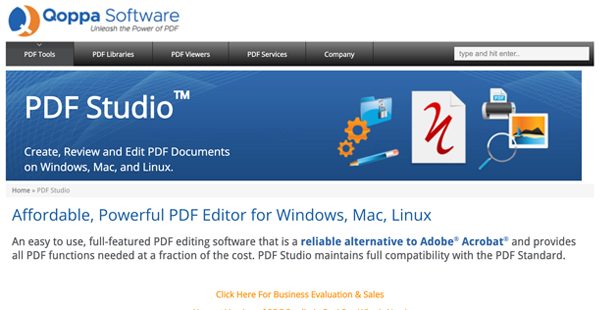
Qoppa PDF Studio is a full-featured application designed to help users create, edit, and manage PDFs. The software offers hundreds of functions to manipulate and manage PDF documents.
One of the main features of Qoppa PDF Studio is that it lets users create and edit PDF documents. The software can be used to scan papers directly to PDF and convert Word documents, images, and other text files into PDF documents. Qoppa PDF Studio also makes it easy for users to review and annotate PDF documents. This means users can highlight text, add sticky notes, and even record audio into PDFs. The application also lets users easily fill out and save interactive PDF forms and use a typewriter tool for non-interactive forms.
However, Qoppa PDF Studio’s strength lies in the advanced features it offers. These features include redaction tools and a PDF optimizer, which allows users to reduce the size of PDF files. The application also includes a PDF Compare feature, through which users can do a side-by-side or overlay comparison of different PDF files.
In addition to these advanced features, Qoppa PDF Studio is fully equipped to provide preflight and compliance verification for PDF files. PDF/A, PDF/A-2b, and PDF/A-3b are just some of the archival compliance standards that the application can verify. Once verified, PDF documents can be converted into ISO PDF archival formats.
Another strength of Qoppa PDF Studio is that it’s designed to be cross-platform. This means the application works just as well on Windows, macOS, and Linux platforms.
An important feature of Qoppa PDF Studio is that it comes with a variety of security features for PDF documents. Users can secure PDFs with passwords and set user permissions for these documents. Using the software, digital signatures can also be attached to PDFs.
Aside from these features, Qoppa PDF Studio also comes with an advanced, user-friendly interface. Through this interface, users get access to functionalities such as text search, grid views, and touch mode. The application also provides access to batch functions, letting users simultaneously work on multiple PDF documents.
Qoppa PDF Studio offers these features at a third of the price of other PDF software today.
Show MoreOverview of Qoppa PDF Studio Benefits
Hassle-free PDF creation and assembly
With Qoppa PDF Studio, users can create PDF documents from papers, Word documents, images, and other text files. OCR capabilities also ensure that these PDFs are searchable. Users can also combine multiple files into a single PDF. All these features help users in efforts such as digitizing paper workflows and organizing document workflows.
Comprehensive PDF editing, review, and annotation
Qoppa PDF Studio makes it easy for users to edit and annotate PDFs. Users can add sticky notes, hyperlinks, and shapes to PDF documents as well as rubber stamps. Text and shapes can also be edited and redacted seamlessly, helping users save time and improve productivity. The application is also compatible with interactive PDF forms and provides support for JavaScript.
Robust PDF security features
Through Qoppa PDF Studio, users can easily secure their PDF documents through passwords and encryption. User permissions can also be set for PDFs to prevent unauthorized access. The application also lets users digitally sign PDF documents and manage digital IDs.
Batch functions for easier multitasking
Qoppa PDF Studio offers a wide variety of batch functions that let users work on multiple PDF documents at once. The software comes with batch functions for conversion, annotation, and document management. All these features can help users become more efficient in handling PDF documents.
Intuitive user interface
The application comes with an advanced user interface with functionalities such as Text search, a Loupe tool for grid views and rulers, and touch mode for tablets. Users can also drag and drop pages as needed to move them from one document to another.
Show MoreOverview of Qoppa PDF Studio Features
- Scan-to-PDF
- Convert Word and images to PDF
- Bookmark/outline creation
- OCR for searchable documents
- Merge files into PDF
- Review and annotation tools
- Sound annotations
- Pre-defined rubber stamp
- Precision measuring tools
- Edit PDF text and shapes
- Redact text, images, and shape
- Fill out interactive PDF forms
- Typewriter tool
- Interactive form designer
- Text search
- Batch conversion
- Batch annotation
- Password protection
- User permissions
- Digital signatures
What Problems Will Qoppa PDF Studio Solve?
Problem #1: Getting documents signed takes up too much time
Solution: Qoppa PDF Studio comes with a Fast Sign option to make it easier and faster to get documents signed for clients. The application also seamlessly integrates with DocuSign to help users save time.
Problem #2: Shared documents are sometimes received in different formats
Solution: With Qoppa PDF Studio, users can convert Word, Excel, and PowerPoint files into PDF, a file format that everyone can receive. Once converted, files can then be easily shared with recipients in their intended format.
Problem #3: Editing PDF documents is difficult
Solution: Qoppa PDF Studio comes with a wide variety of features for editing PDF files. With these features, users can make annotations, add watermarks and notes, and markup PDF documents.
Awards & Quality Certificates


Qoppa PDF Studio Position In Our Categories
Because companies have unique business demands, it is prudent that they avoid preferring an all-in-one, ideal software solution. Nevertheless, it would be hard to discover such a software solution even among recognizable software products. The clever step to do would be to shortlist the numerous vital functions that demand deliberation like major features, pricing, technical skill capability of staff, organizational size, etc. Thereafter, you must do the product research fully. Browse over some of these Qoppa PDF Studio reviews and look into the other software programs in your shortlist in detail. Such detailed product investigation ascertain you circumvent poorly fit software products and select the system which offers all the function your business requires.
Position of Qoppa PDF Studio in our main categories:
TOP
20
Qoppa PDF Studio is one of the top 20 Document Creation Software products
TOP
20
Qoppa PDF Studio is one of the 20 Office Software products
Each organization has different wants and requires a system that can be customized for their size, kind of workers and clients, and the particular industry they are in. For these reasons, no platform can proffer perfect functionality out-of-the-box. When you try to find a software system, first be sure what you need it for. Read some Qoppa PDF Studio Document Creation Software reviews and ask yourself do you desire basic tools or do you need sophisticated tools? Are there any industry-specific features that you are looking for? Find the answers to these queries to assist your search. There are plenty of elements that you need to mull over and these include your finances, particular business wants, your company size, integration needs etc. Take your time, try out a few free trials, and finally choose the platform that presents all that you need to enhance your organization efficiency and productivity.
How Much Does Qoppa PDF Studio Cost?
Qoppa PDF Studio Pricing Plans:
Free Trial
Qoppa PDF Studio Standard
$99
Qoppa PDF Studio Pro
$139
What are Qoppa PDF Studio pricing details?
Qoppa PDF Studio Pricing Plans:
Free Trial
Qoppa PDF Studio Standard
$99
Qoppa PDF Studio Pro
$139
Qoppa PDF Studio is available in two types of licenses: PDF Studio Standard and PDF Studio Pro. Below are more details on these licenses.
Qoppa PDF Studio Standard – $99 per license (2 users)
- Windows, Mac, Linux, Unix support
- Create PDFs from blank page
- Create PDFs from images
- Create PDFs from MS Word and Excel documents
- Create PDFs from text documents
- Scan to PDF
- Convert PDFs to images
- Extract text from PDF
- Set document properties & initial view
- Review and annotate PDFs
- Fill and save PDF forms
- Secure PDFs with passwords and permissions
- Support for 128 & 256 AES bit encryption
- Manage digital IDs and trusted certificates
- Fast Sign (No Encryption)
- Combine and rearrange documents (limited)
- Add watermarks, headers, and footers
- Precision measuring tools
- Annotation tool chest
- Spell check for annotations and form fields
- Loupe, pan and zoom, rulers, and grids
- Easy navigation with thumbnails, bookmarks, etc…
- Search text in multiple PDF documents using directory or recent files list
- Side by side PDF comparison
- Touch mode
- Customizable toolbars
- Drag & drop page manipulation, import, & export
- Adobe Compliant PDFs
- Commenting tools: sticky notes, graphical annotations, audio comments, pencil tool, typewriter tool
- Use Rich Text & System Fonts in Text Box, Callout, & Typewriter annotations (Bold, Italic, Underline, Crossout)
- Support characters from any language
- Text markups: highlights, underline, text replace, text insert, and strikethrough
- Rubber stamps such as “Approved” & “Reviewed”
- Dynamic rubber stamps
- Assign annotations to layers
- Insert hyperlinks
- Precision measuring tools (distance, perimeter, area) with separate x & y values
- Flatten annotations
- Customizable default annotation properties/settings
- Import/export annotations
- Import/export custom stamps during computer transfer
- Edit multiple annotations properties at once
- View and search annotations in Comments Pane
- Save favorite annotations in My Comments toolchest
- Insert, delete, rotate, organize pages
- Embed file attachments
- Add/edit bookmarks
- Add headers, footers, and watermarks
- Add bates numbering
- Add/edit document JavaScript
- Crop pages (crop box, bleed box, trim box, art box)
- Fill and save PDF forms
- Flatten fields
- Edit multiple field properties at once
- Merge/assemble PDF forms
Qoppa PDF Studio Pro – $139 per license (2 users)
- All Standard features, plus
- Interactive form field designer
- Optical Character Recognition
- Convert to PDF/A
- Convert to HTML5/SVG
- Convert to MS Word
- PDF linearization (for fast web view)
- Output preview
- Overlay PDF comparison
- Correct text in original PDF content (font, style, size, color)
- Modify images in original PDF content (move, resize, delete, copy, paste, edit properties)
- Reduce/optimize PDFs
- Batch process multiple documents
- Permanently redact sensitive data
- Certify PDF documents
User Satisfaction
Positive Social Media Mentions
4
Negative Social Media Mentions
0
We know that when you choose to purchase a Document Creation Software it’s crucial not only to learn how professionals rank it in their reviews, but also to find out whether the actual clients and businesses that purchased this software are actually satisfied with the service. Because of that need we’ve devised our behavior-based Customer Satisfaction Algorithm™ that collects customer reviews, comments and Qoppa PDF Studio reviews across a broad range of social media sites. The information is then featured in an easy to understand format showing how many users had positive and negative experience with Qoppa PDF Studio. With that information at hand you will be prepared to make an informed business decision that you won’t regret.
Video
Technical details
Devices Supported
- Windows
- Linux
- Mac
Deployment
- On Premise
Language Support
- English
- German
- Japanese
- Spanish
- French
- Italian
Pricing Model
- One-time payment
Customer Types
- Small Business
- Large Enterprises
- Medium Business
- Freelancers
What Support Does This Vendor Offer?
- phone
- live support
- training
- tickets
What integrations are available for Qoppa PDF Studio?
Qoppa PDF Studio seamlessly integrates with a wide variety of third-party applications, including:
- DocuSign
- Dropbox
- Google Drive
- OneDrive
Qoppa PDF Studio User Reviews
Qoppa PDF Studio average rating:
4/5
Overall impression
5/5
Customer Support
4/5
Value for Money
4/5
Ease of Use
Write your own review of this product
ADD A REVIEWThe most favorable review

PROS: PDF studio is easy to use and offer all the major functions presents in Acrobat Pro, at a fraction of his price. Multi-platform, I use PDF studio on my linux Ubuntu 21.04 without any problem. Easy to install and with update manager integrated
CONS: I didn't found anything
The least favorable review

PROS: The user interface is simple, the menus are clear and it is very fast in execution
CONS: Drag and drop can be improved
More reviews from 3 actual users:
Sort by:
Latest
- Latest
- Most useful
- Most positive
- Most negative
Switched from Adobe Acrobat Pro
Read full review >
4/5
Overall impression
4/5
Customer Support
4/5
Value for Money
4/5
Ease of Use
Published on: 26.08.2021
Company Size: More than 100 Employees
Industry: Education Management
PROS: Priced just right. Very easy to deploy. 32bit, 64bit, MSI and EXE. Lots of deployment options.
CONS: I haven't found a way to unregister the license via command line. Unfortunately you need to unregister the license before you uninstall the product or you'll lose your license and it can't be reused on another computer.
Great software for PDF
Read full review >
5/5
Overall impression
5/5
Customer Support
5/5
Value for Money
5/5
Ease of Use
Published on: 11.05.2021
Company Size: N/A
Industry: N/A
PROS: PDF studio is easy to use and offer all the major functions presents in Acrobat Pro, at a fraction of his price. Multi-platform, I use PDF studio on my linux Ubuntu 21.04 without any problem. Easy to install and with update manager integrated
CONS: I didn't found anything
The best alternative to Acrobat DC
Read full review >
4/5
Overall impression
4/5
Customer Support
3/5
Value for Money
4/5
Ease of Use
Published on: 16.03.2021
Company Size: 51-100 Employees
Industry: Computer Software
PROS: The user interface is simple, the menus are clear and it is very fast in execution
CONS: Drag and drop can be improved


Join a community of 7,369 SaaS experts
Thank you for the time you take to leave a quick review of this software. Our community and review base is constantly developing because of experts like you, who are willing to share their experience and knowledge with others to help them make more informed buying decisions.
Sign in with LinkedIn
Why we require LinkedIn?
- Show the community that you're an actual user.
- We will only show your name and profile image in your review.
- You can still post your review anonymously.
OR
Sign in with company emailSign in with company email
Popular Qoppa PDF Studio Alternatives




Top Competitors To Qoppa PDF Studio By Price
Product name:
Price:


Trending Document Creation Software Reviews


Qoppa PDF Studio Comparisons
Product name:





Qoppa PDF Studio user reviews
Switched from Adobe Acrobat Pro
Read full review >
4/5
Overall impression
4/5
Customer Support
4/5
Value for Money
4/5
Ease of Use
Published on: 26.08.2021
Company Size: More than 100 Employees
Industry: Education Management
Great software for PDF
Read full review >
5/5
Overall impression
5/5
Customer Support
5/5
Value for Money
5/5
Ease of Use
Published on: 11.05.2021
Company Size: N/A
Industry: N/A
The best alternative to Acrobat DC
Read full review >
4/5
Overall impression
4/5
Customer Support
3/5
Value for Money
4/5
Ease of Use
Published on: 16.03.2021
Company Size: 51-100 Employees
Industry: Computer Software

Page last modified



Did you find this review useful?
Yes
No
Thank you for your feedback
How can we make this page better?
Unsure about this software?
FIND ALTERNATIVES
 Why is FinancesOnline free?