
- Home
- Inventory Management Software
- SOS Inventory

SOS Inventory Review



What is SOS Inventory?
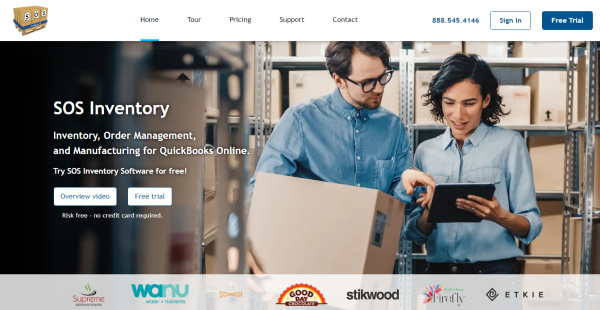
SOS Inventory is a comprehensive inventory, order, and production management tool that was created specifically for QuickBooks Online. It offers capabilities for managing sales orders, assembly, traceability, numerous locations, and more on a single platform. It focuses on small to medium-sized businesses in a wide range of sectors, including furniture retailers, craft beer distributors, food processors, and aircraft makers.
The capability of QuickBooks Online is considerably increased with SOS Inventory. It reinforces the system with numerous features, including lot/batch tracking, serial numbers, multicurrency, sales orders, landed costs, unlimited-level assemblies, purchase orders, multiple locations, kits, partial receiving and partial shipping, custom fields, and advanced inventory management.
It offers customers a user-friendly interface that works on any device. It also interacts with several big e-commerce shopping carts and shipping providers, including BigCommerce, Zapier, PayPal, Shopify, UPS, and ShipStation. The email support is available 24/7 and phone support can be reached during business hours.
Show MoreOverview of SOS Inventory Benefits
QuickBooks Online Integration
The strongest selling point of SOS Inventory is how well it integrates with QuickBooks Online. It offers a wide range of perks because it was created from the ground up with that particular application in mind.
For instance, it improves your order management by integrating a sales order tool into your workflow or it saves you time and money by minimizing redundant data entry. Additionally, you may link QuickBooks Online with your selection, packaging, and shipping processes.
Item Tracking
You can track specific items with SOS Inventory, including their serial numbers. You can view your detailed profit and loss for any particular item by tracking their individual history. This helps in managing your business more effectively.
Assemblies and Work-in-Progress Management
QuickBooks Online users can track assemblies and kits, or item groups, through SOS Inventory. Your completed inventory will be refreshed along with your raw inventory when you create assemblies out of component items. Additionally, you can have different work-in-progress (WIP) stages so that you always know where your materials are. By more accurately predicting lead times, you may also give your customers better customer service.
Multi-location Support
SOS Inventory offers complete multi-location support. The system can instantly determine the amount of inventory in each of your facilities as well as buy and receive materials for each location. You can ship orders from one or more locations or move objects between locations.
Show MoreOverview of SOS Inventory Features
- Advanced inventory management
- Assemblies with unlimited levels
- Purchase Orders
- Automated order processing
- Lot/batch tracking
- Process Manufacturing
- Automated order processing
- Multicurrency
What Problems Will SOS Inventory Solve?
Solution 1: Food, cosmetics, and pharmaceutical manufacturers all work with materials that expire. To protect the public and the integrity of their businesses, SOS Inventory’s lot tracking feature allows them to track materials or ingredients by expiration date forward and backward in their journey to quickly locate and remove them from circulation.
Solution 2: QuickBooks Online does not offer inventory customers a feature for sales orders. Sales orders in SOS Inventory can initiate purchase orders, invoices, jobs, pick tickets, shipments, returns, or RMAs.
Solution 3: Companies managing their inventory on spreadsheets often experience different versions of the truth from one department to another. SOS Inventory integrates data from all departments and locations, so everyone is working from the same data for greater accuracy and in-depth analysis.
Awards & Quality Certificates

SOS Inventory Position In Our Categories
Because businesses have particular business needs, it is only rational they abstain from preferring an all-in-one, ”best” solution. Just the same, it is almost impossible to try to stumble on such an app even among recognizable software products. The best thing to undertake should be to write the several vital functions which merit investigation including critical features, costing, skill ability of staff members, business size, etc. Next, you must do the research to a full extent. Go over these SOS Inventory review articles and look into the other software products in your list in detail. Such comprehensive product research ascertains you circumvent unsuitable software products and buy the one which provides all the tools your company requires.
Position of SOS Inventory in our main categories:
Since each organization has unique business requirements, it is advisable for them to desist from searching for a one-size-fits-all faultless software application. Needless to say, it would be pointless to try to find such an app even among market-leading software platforms. The clever thing to do would be to catalog the various important factors that need consideration such as required features, finances, skill levels of workers, company size etc. Then, you should do your homework thoroughly. Read some SOS Inventory Inventory Management Software reviews and investigate each of the other systems in your shortlist in detail. Such in-depth homework can make sure you reject ill-fitting systems and select the app that provides all the features you need for business success.
How Much Does SOS Inventory Cost?
SOS Inventory Pricing Plans:
Free Trial
Companion
$59.95/month
Plus
$199.95/month
Pro
$169.95/month
What are SOS Inventory pricing details?
SOS Inventory Pricing Plans:
Free Trial
Companion
$59.95/month
Plus
$199.95/month
Pro
$169.95/month
SOS Inventory is available in three enterprise pricing options. What you want to get is dependent on the features you are aiming for. You can more users to the system for $20 each. A 14-day free trial is also available to test out the software.
Companion – $59.95/month
- Sales orders
- Assemblies
- Best-in-class QuickBooks integration
- 2 users included ($20 for each additional user)
Plus – $199.95/month
- Unlimited locations
- Serial/lot tracking
- Barcoding
- 3 users included ($20 for each additional user)
Pro – $169.95/month
- Job costing
- Advanced manufacturing
- Customer Portal
- 5 users included ($20 for each additional user)
User Satisfaction
Positive Social Media Mentions
127
Negative Social Media Mentions
5
We realize that when you make a decision to get a Inventory Management Software it’s vital not only to find out how experts evaluate it in their reviews, but also to discover whether the actual users and businesses that bought this software are indeed content with the product. That’s why we’ve devised our behavior-based Customer Satisfaction Algorithm™ that gathers customer reviews, comments and SOS Inventory reviews across a broad array of social media sites. The data is then presented in an easy to digest form showing how many users had positive and negative experience with SOS Inventory. With that information at hand you should be prepared to make an informed buying decision that you won’t regret.
Technical details
Devices Supported
- iPhone/iPad
- Web-based
Deployment
- Cloud Hosted
Language Support
- English
Pricing Model
- Monthly payment
- Annual Subscription
Customer Types
- Small Business
- Medium Business
What Support Does This Vendor Offer?
- phone
- live support
- training
- tickets
What integrations are available for SOS Inventory?
While SOS Inventory is built for QuickBooks Online, it also integrates other major apps, particularly e-commerce shopping carts and shipping vendors, such as:
- Shopify
- PayPal
- QuickBooks Intuit
- Zapier
- BigCommerce
- ShipStation

SOS Inventory
is waiting for
your first review.

Write your own review of this product
ADD A REVIEWMore reviews from 0 actual users:


Join a community of 7,369 SaaS experts
Thank you for the time you take to leave a quick review of this software. Our community and review base is constantly developing because of experts like you, who are willing to share their experience and knowledge with others to help them make more informed buying decisions.
Sign in with LinkedIn
Why we require LinkedIn?
- Show the community that you're an actual user.
- We will only show your name and profile image in your review.
- You can still post your review anonymously.
OR
Sign in with company emailSign in with company email
Popular SOS Inventory Alternatives


Top Competitors To SOS Inventory By Price
Product name:
Price:


Trending Inventory Management Software Reviews



SOS Inventory Comparisons
Product name:



Page last modified



Did you find this review useful?
Yes
No
Thank you for your feedback
How can we make this page better?
Unsure about this software?
FIND ALTERNATIVES
 Why is FinancesOnline free?