
- Home
- HR Management Software
- WorkBright

WorkBright Review



What is WorkBright?
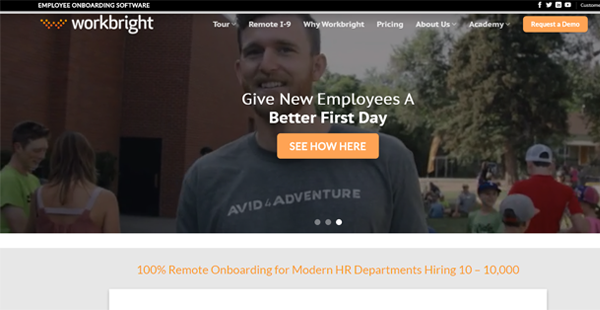
WorkBright is a cloud-based onboarding software that helps you process and consolidate the HR files of newly-hired employees in one place, making for faster and more efficient onboarding. It accounts for all standard government forms and provides an unlimited number of custom office forms, which your employees can accomplish using their mobile devices. Answering the forms is easy while affixing a signature can be done using one’s fingertip.
The platform provides ample storage space for your HR files, eliminating the need for bulky filing cabinets. This allows you to quickly locate the desired files and folders since the documents are neatly arranged on the cloud by the software. WorkBright also generates automated reports that display HR information. In browsing through those, you will know which employees have incomplete or outdated papers.
If your employees need to submit scanned certifications and identification, like passports and government-issued IDs, they can do so with their phone cameras. WorkBright scans and transcribes the uploaded files, priming them for documentation and submission in no time. Should they forget to submit the required documents on time, you can also set the platform to send automatic email reminders. This way, you can receive all their HR requirements before they report for work.
To safeguard all documents, WorkBright is equipped with bank-grade security and offers one-way encryption for account passwords. In addition, it features comprehensive audit logs that record every activity performed on the platform. The software also backs up data in multiple, separate locations in the event of a network crash or if the data gets compromised. This assures you that the company’s HR files are protected from hackers and other online threats.
Besides streamlining the documentation process of new hires, WorkBright has an advanced applicant tracking system that connects to a large number of job portals. There, you can create a personalized hiring page, complete with job specifications, the job skills and qualifications required, screening questions, and company branding. With this, your company will have a steady supply of talent in the pipeline should new positions open or if employees decide to leave their jobs.
Furthermore, the platform has a specialized I-9 functionality that scans and transcribes uploaded I-9 forms as well as an E-Verify tool that migrates data to the system once employees accomplish their I-9 requirements. This decreases the likelihood of late submissions.
As an open API platform, WorkBright integrates with existing HR, ERP, ATS, and payroll systems. Should you have questions on how any of the features work, WorkBright has a reliable support team who will gladly assist you with any concern.
WorkBright comes with seven pricing plans, all of which are based on the number of onboarded employees annually. Interested parties can request a demo from the company.
Show MoreOverview of WorkBright Benefits
Optimized for mobile devices
With the platform, HR documents can be accomplished remotely using a mobile device, so you won’t have trouble collecting needed files from new hires. These include government and company documents. As for certificates and IDs, your employees can simply upload photos of those, which the app will scan and transcribe. This means your employees won’t need scanners or desktop computers to submit their requirements. In fact, they can submit their HR papers even if they’re on the road.
WorkBright also works for those in leadership positions. Company executives can approve, reject, as well as countersign documentation through their smartphones or tablets.
Painless digital signatures
With WorkBright, executives and managers can place their signatures on documents right from their mobile devices’ or computer screens using their fingertips. Employees can also leverage this to sign contracts and documents quickly. You won’t need to locate or wait for office personnel to secure all the needed documents.
Automated email notifications
Office requirements are massive distractions for new hires, especially when they are still learning the ropes. With WorkBright, you can set the platform to automatically send email notifications so that they can send in all their papers before they report for work.
Robust security
To protect a company’s digital assets from online threats, WorkBright equipped its system with bank-grade security that features 256-bit AES encryption. Not only does it assure the safety of employee accounts, it also has comprehensive audit logs and backup, which allow you to restore the platform’s state before it was compromised. This lets you record and process employee documents worry-free.
Easy I-9 completion
Accomplishing an I-9 form is critical to the employment of your workforce, which is why WorkBright created a specialized solution for it. The I-9 functionality guides employees throughout the process of filling the form. After this, it integrates seamlessly with the WorkBright’s main system, so the migration of data is simple and straightforward.
In case employees commit mistakes, the application has an automatic error resolution feature that notifies users of incorrect or missing information. You can quickly send back incomplete forms to employees to avoid any compliance issues with the government.
Digital filing cabinet
WorkBright offers optimum visibility to its users with its digital filing cabinet. This places all information within easy access by recruiting managers and other people in the HR department who need them. With this, you can pull employee or applicant information at any time from anywhere. Moreover, since the platform provides an unlimited number of forms, it can store more files than any filing cabinet. Offices, as a result, don’t need to invest in physical file storage, which is a big deal for small companies.
In-depth reporting
WorkBright does not just provide standard reports, it also allows you to gain a deeper understanding of the data right down to the field level. This also aids you in creating directories and seeing the documentation-based overview of employees. Furthermore, the reports let you spot which among the staff have incomplete or outdated documents rather than browsing through countless employee files for hours.
Integrated applicant tracking system (ATS)
With WorkBright, companies can cast their nets wider in their search for the best talents available. In using the ATS add-on, they get their very own branded careers page where they can display their open positions, list their required skills and qualities, and post interview questions to immediately filter applicants. The ATS also posts the openings in numerous job boards to ensure the steady supply of talent.
Custom integrations
With WorkBright, companies can extend the application’s capabilities by creating bi-directional connections with other related tools. Doing so lets them further expand and customize their workflows and streamline their processes further.
Show MoreOverview of WorkBright Features
- Online forms
- Electronic signature
- Photo upload
- Upload scanning and transcribing
- Automated email reminders
- I-9 completion
- Field validation capability
- Document management
- Data import & export
- Field-level reporting ability
- Custom reports
- Custom directories
- Integrated ATS
- Bank-grade Security
Awards & Quality Certificates



WorkBright Position In Our Categories
Since businesses have unique business-related demands, it is only sensible that they avoid getting a one-size-fits-all, “perfect” solution. Just the same, it is difficult to try to discover such a software system even among recognizable software systems. The sensible step to do would be to spell out the numerous vital factors that need research such as key features, pricing, technical skill aptitude of the employees, organizational size, etc. Thereafter, you should double down on your research through and through. Have a look at some of these WorkBright reviews and scrutinize the other solutions in your shortlist more closely. Such all-encompassing product investigation guarantees you steer clear of poorly fit applications and subscribe to the system that has all the features your company requires for optimal results.
Position of WorkBright in our main categories:
TOP
50
WorkBright is one of the top 50 Applicant Tracking Systems products
TOP
100
WorkBright is one of the 100 HR Management Software products
Since each organization has specific business needs, it is prudent for them to desist from searching for a one-size-fits-all perfect software solution. Needless to say, it would be useless to try to find such a system even among widely used software solutions. The intelligent thing to do would be to list the various vital factors that require consideration such as key features, finances, skill levels of staff members, company size etc. Then, you should do your homework thoroughly. Read some WorkBright HR Management Software reviews and look into each of the other systems in your shortlist in detail. Such in-depth homework can ensure you weed out ill-fitting applications and choose the system that presents all the aspects you need for business success.
How Much Does WorkBright Cost?
WorkBright Pricing Plans:
Free Trial
1-100
From $158
101-250
From $210
251-500
From $368
501-1,000
From $578
1,001-2,500
From $1,247
2,501-5,000
From $1,969
5000+
From $3,609
What are WorkBright pricing details?
WorkBright Pricing Plans:
Free Trial
1-100
From $158
101-250
From $210
251-500
From $368
501-1,000
From $578
1,001-2,500
From $1,247
2,501-5,000
From $1,969
5000+
From $3,609
WorkBright has seven pricing plans based on the number of onboarded employees per year, starting with the 1-100 plan at $158 per month.
1-100 employees – from $158/month
- All standard government forms
- Unlimited custom forms
- Secure hosting
- Tech support
- Unlimited administrators
101-250 employees – from $210/month
- All standard government forms
- Unlimited custom forms
- Secure hosting
- Tech support
- Unlimited administrators
251-500 employees – from $368/month
- All standard government forms
- Unlimited custom forms
- Secure hosting
- Tech Support
- Unlimited Administrators
501-1,000 employees – from $578/month
- All standard fovernment forms
- Unlimited custom forms
- Secure hosting
- Tech support
- Unlimited administrators
1,001-2,500 employees – from $1,247/month
- All Standard government forms
- Unlimited custom forms
- Secure hosting
- Tech support
- Unlimited administrators
2,501-5000 employees – from $1,969/month
- All standard government forms
- Unlimited custom forms
- Secure hosting
- Tech support
- Unlimited administrators
5000+ employees – from $3,609/month
- All standard government forms
- Unlimited custom forms
- Secure hosting
- Tech support
- Unlimited administrators
User Satisfaction
Positive Social Media Mentions
0
Negative Social Media Mentions
0
We realize that when you make a decision to purchase a HR Management Software it’s crucial not only to learn how experts evaluate it in their reviews, but also to find out whether the real users and enterprises that purchased this software are genuinely satisfied with the product. That’s why we’ve designer our behavior-based Customer Satisfaction Algorithm™ that collects customer reviews, comments and WorkBright reviews across a wide array of social media sites. The information is then featured in an easy to understand form indicating how many clients had positive and negative experience with WorkBright. With that information at hand you will be equipped to make an informed buying choice that you won’t regret.
Technical details
Devices Supported
- Windows
- Mac
- Web-based
Deployment
- Cloud Hosted
- Open API
Language Support
- English
Pricing Model
- Monthly payment
Customer Types
- Small Business
- Large Enterprises
- Medium Business
- Freelancers
What Support Does This Vendor Offer?
- phone
- live support
- training
- tickets
What integrations are available for WorkBright?
WorkBright allows your technical team to integrate with existing ATS, ERP, HRIS, and payroll systems. Contact vendor for the complete list of integrations.

WorkBright
is waiting for
your first review.

Write your own review of this product
ADD A REVIEWMore reviews from 0 actual users:


Join a community of 7,369 SaaS experts
Thank you for the time you take to leave a quick review of this software. Our community and review base is constantly developing because of experts like you, who are willing to share their experience and knowledge with others to help them make more informed buying decisions.
Sign in with LinkedIn
Why we require LinkedIn?
- Show the community that you're an actual user.
- We will only show your name and profile image in your review.
- You can still post your review anonymously.
OR
Sign in with company emailSign in with company email
Popular WorkBright Alternatives





Top Competitors To WorkBright By Price
Product name:
Price:


by quote


Trending HR Management Software Reviews


WorkBright Comparisons
Product name:







Page last modified
Award Winner

Did you find this review useful?
Yes
No
Thank you for your feedback
How can we make this page better?
 Why is FinancesOnline free?