

Workep Review



What is Workep?
Workep is a flexible project management software that fully integrates with G Suite. Built for cross-enterprise collaboration, the platform is highly easy to use for all types of users. It offers various methodologies that suit you and your team members – Kanban, Gantt Chart, and Agile. These enable you to effectively visualize your work, identify issues and improve your workflow.
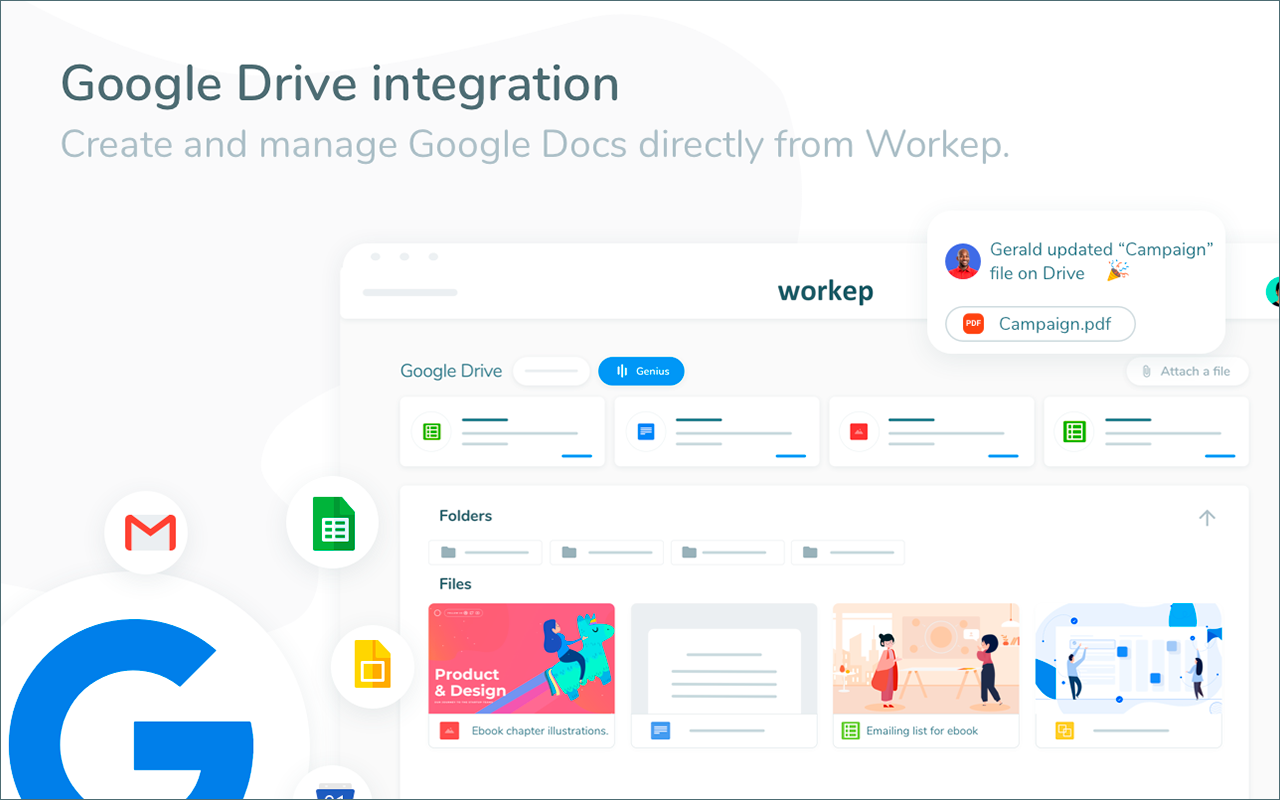
Workep is ideal for users who rely on Google for the majority of their projects. In a single, you can transform your G Suite into a collaboration platform. This way, you can leverage and maximize Gmail, Google Drive, Google Calendar, Hangouts and Google Chat, Google Contacts and Google Cloud. It centralizes and syncs data seamlessly to ensure information is consistent and up-to-date without moving from one application to another.
Show MoreOverview of Workep Benefits
Visualize Tasks
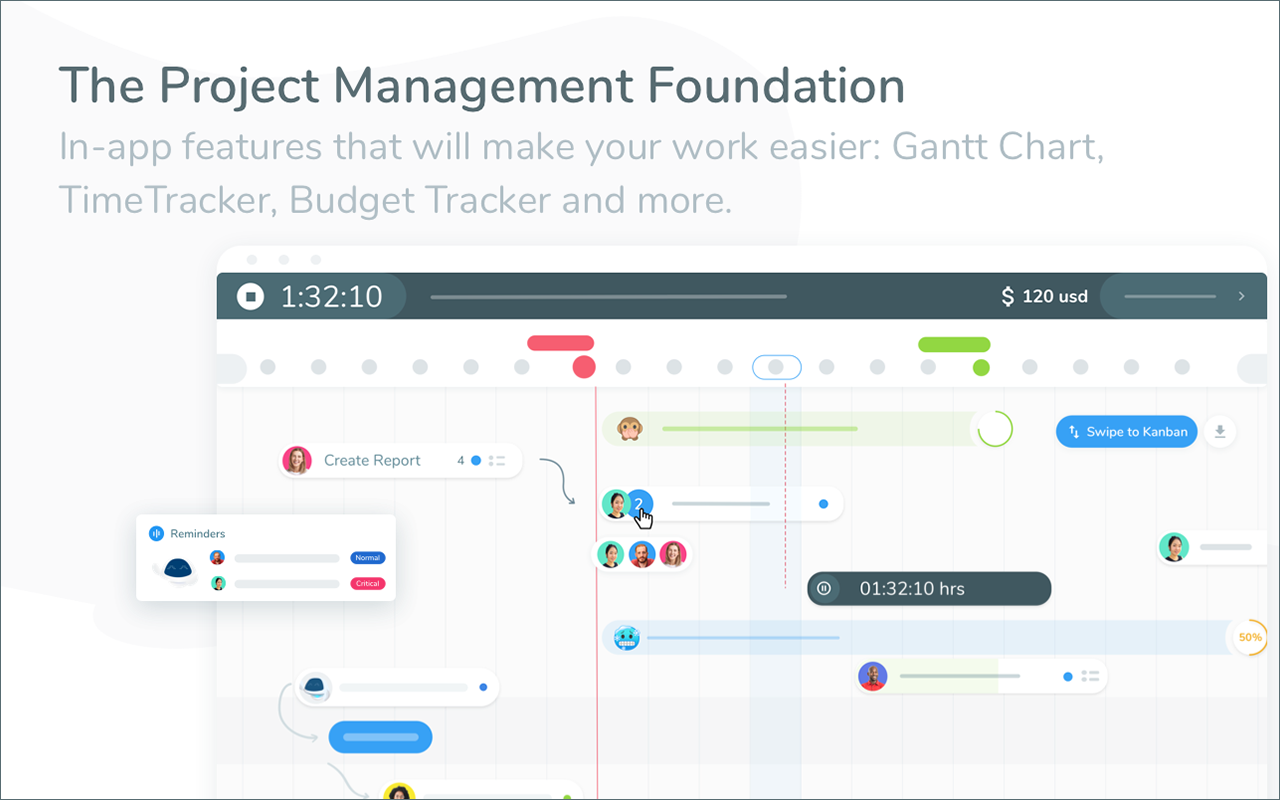
With Gantt chart, you can easily visualize your tasks. This way, you can view schedules and the project’s progress at a glance. There are also options for Kanban and Agile, depending on what suits your team’s workflow.
Track Time
Automate time tracking so you won’t have to manually record. It also streamlines generating time reports.
Standardize Workflows
By creating templates, you can save time from creating your project workflows from scratch. This also enables you to standardize and plan your projects effectively.
Assign Roles
Workep enables you to assign roles to your team members. Hence, everyone in your organization will know what to do based on what they’re good at to improve productivity.
Optimized Inbox
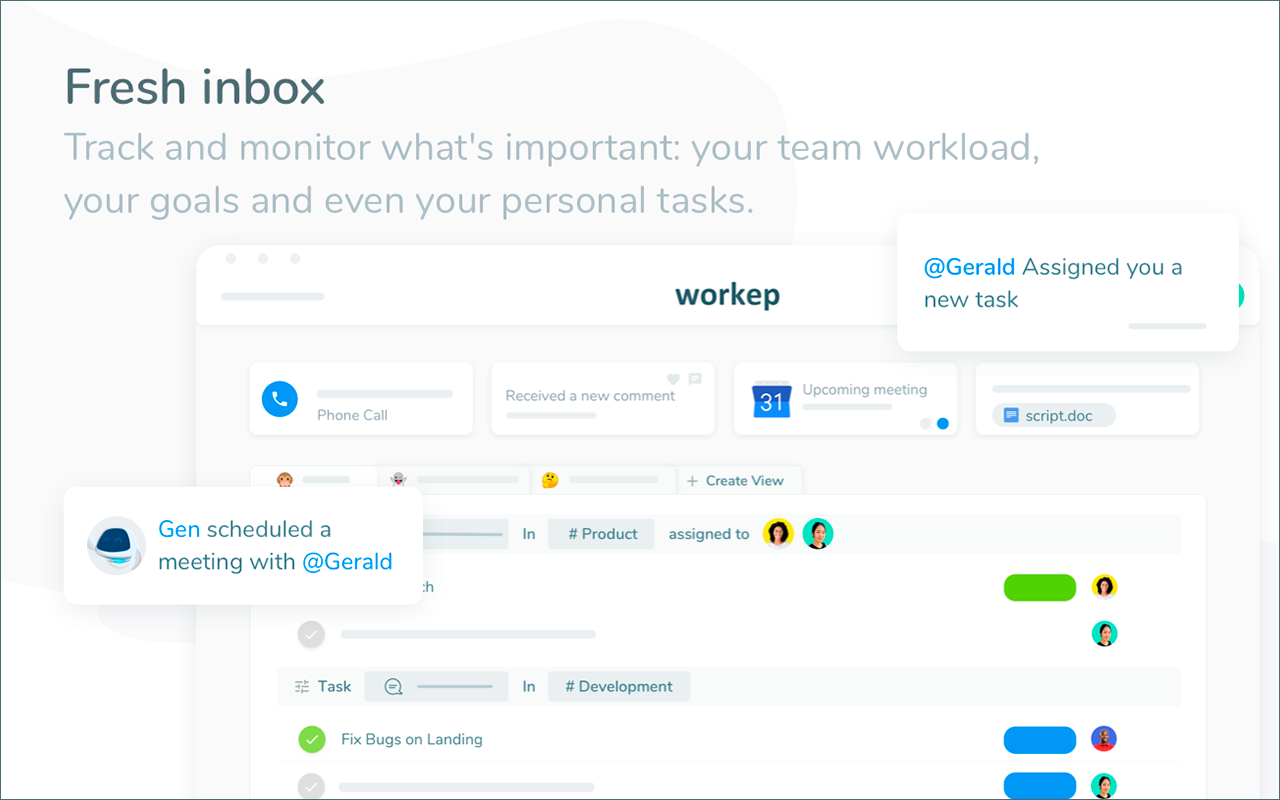
The platform ensures communication is up-to-date and relevant. Using dynamic filters, you can visualize, monitor and track important updates.
Generate Reports
When creating reports, you don’t have to worry about how you’ll present it. Workep lets you export your project reports into Google Spreadsheets. This can then be easily shared with your stakeholders.
Record Voice Notes
Workep lets you record voice notes. This can be attached to tasks to help deliver messages faster and more accurately.
Show MoreOverview of Workep Features
- Project Management
- Task Management
- Gantt Chart
- Time tracker
- Budget tracker
- Voice notes
- Templates
- Roles
- Integration with G Suite
- Inbox
- Search
- Sendable Task URLs
- Activity feed
- Add assignees, attachments, and due dates to tasks
- Automatic updates to email/inbox
- Create custom views (to-do list, Kanban or Gantt)
- Get notifications and reminders
- Android and iOS
- Project Sections and Milestones
- Real-time updates
- See team members’ tasks and priorities
- Project and task creation
- Comments on tasks
- Task dependencies
- Integrations: Slack, GitHub, Zapier
Awards & Quality Certificates
Workep Position In Our Categories
Knowing that businesses have unique business wants, it is only logical they avoid selecting a one-size-fits-all, “perfect” software system. Having said that, it is difficult to try to find such a software system even among sought-after software systems. The efficient step to do is to set down the various critical functions which necessitate careful thought such as critical features, packages, technical skill capability of the employees, organizational size, etc. Next, you should perform the research comprehensively. Go over some of these Workep review articles and scrutinize each of the solutions in your shortlist more closely. Such all-encompassing product investigation makes sure you weed out ill-fitting apps and choose the system that has all the tools your company requires.
Position of Workep in our main categories:
TOP
500
Workep is one of the top 500 Project Management Software products
There are trendy and widely used solutions in each software group. But are they necessarily the best fit for your enterprise’s special wants? A market-leading software solution may have thousands of users, but does it provide what you require? For this reason, do not blindly shell out for popular systems. Read at least a few Workep Project Management Software reviews and mull over the aspects that you desire in the software such as the cost, main features, available integrations etc. Then, choose a few apps that fit your requirements. Check out the free trials of these platforms, read online comments, get information from the maker, and do your research systematically. This exhaustive research is sure to assist you choose the best software solution for your company’s specific needs.
How Much Does Workep Cost?
Workep Pricing Plans:
Free Trial
Lite
Free
Growth
$9.99/user per month
Enterprise
$19.99/user per month
What are Workep pricing details?
Workep Pricing Plans:
Free Trial
Lite
Free
Growth
$9.99/user per month
Enterprise
$19.99/user per month
Lite – Free
- Unlimited tasks, projects, and files
- Up to 10 team members
- Up to 1 Team
- G Suite Integrations
- Basic platform
Growth – $9.99/user per month
- All Lite features, plus:
- No team member limit
- Unlimited teams
- Admin controls (Roles)
- Advanced Gantt chart
- Time tracker
- Budget tracker
- Project Templates
- Voice notes
- External integrations: Slack, GitHub, Zapier
- Priority support
Enterprise – $19.99/user per month
- All Growth features, plus:
- API access
- Backups
- Fully personalized training
- Flexible and advanced reports
User Satisfaction
Positive Social Media Mentions
79
Negative Social Media Mentions
2
We know that when you choose to buy a Project Management Software it’s crucial not only to see how professionals rank it in their reviews, but also to discover whether the real people and companies that bought this software are genuinely happy with the service. That’s why we’ve created our behavior-based Customer Satisfaction Algorithm™ that collects customer reviews, comments and Workep reviews across a vast array of social media sites. The data is then featured in a simple to understand form revealing how many people had positive and negative experience with Workep. With that information available you will be ready to make an informed purchasing decision that you won’t regret.
Video
Screenshots

Technical details
Devices Supported
- Android
- iPhone/iPad
- Web-based
Deployment
- Cloud Hosted
Language Support
- English
- Spanish
- French
- Italian
- Portugese
Pricing Model
- Free
- Monthly payment
Customer Types
- Small Business
- Large Enterprises
- Medium Business
- Freelancers
What Support Does This Vendor Offer?
- phone
- live support
- training
- tickets
What integrations are available for Workep?
Workep integrates with the following business systems and applications:
- Google Suite
- Google Drive
- Google Calendar
- Gmail
- Google Sheets
- Google Docs
- Google Slides
- Hangouts
- Google Chat
External:
- Slack
- GitHub
- Zapier

Workep
is waiting for
your first review.

Write your own review of this product
ADD A REVIEWMore reviews from 0 actual users:


Join a community of 7,369 SaaS experts
Thank you for the time you take to leave a quick review of this software. Our community and review base is constantly developing because of experts like you, who are willing to share their experience and knowledge with others to help them make more informed buying decisions.
Sign in with LinkedIn
Why we require LinkedIn?
- Show the community that you're an actual user.
- We will only show your name and profile image in your review.
- You can still post your review anonymously.
OR
Sign in with company emailSign in with company email
Popular Workep Alternatives





Top Competitors To Workep By Price
Product name:
Price:


Trending Project Management Software Reviews


8.5
100%
8.9
100%

8.0
100%

Workep Comparisons
Product name:











Page last modified



Did you find this review useful?
Yes
No
Thank you for your feedback
How can we make this page better?
Unsure about this software?
FIND ALTERNATIVES
 Why is FinancesOnline free?