

Airgram Review



What is Airgram?
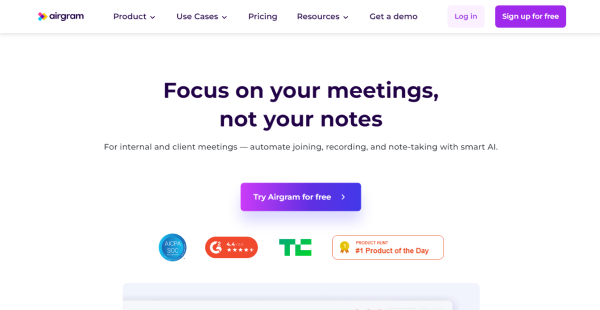
Airgram is an AI-powered online conference assistant that increases the efficiency and productivity of both internal and external meetings by organizing all meeting recordings, notes, and transcripts into a single workspace. It helps members collaborate in creating a meeting agenda together and discussing it beforehand to keep everyone in the loop.
Airgram’s live transcription and automated conversation recording allow users to fully engage with other participants without having to think about forgetting important details or omitting key points. The members can also collaborate on notes using the built-in notepad and the discussions are made more organized by the platform’s integrated meeting agenda templates.
When you stop recording, the meeting log and transcript are immediately accessible for inspection. You can clip, edit, and share them as you see fit. Airgram also makes sure that your meeting agreements are carried out by following up on the action items. Additionally, you may plan for your Airgram assistant to automatically participate in and record calls on Zoom, MS Teams, and Google Meet without your physical presence.
Show MoreOverview of Airgram Benefits
Live Recording
Airgram captures high-quality audio and video of conferences. It automatically transcripts both online and offline sessions with time stamps, which speeds up finding any material. It works well with Microsoft Teams, Google Meet, and Zoom. The transcription is available in eight languages—English, French, Spanish, German, Portuguese, Japanese, Russian, and Chinese—are supported by the transcription.
Live Transcription
A key feature of Airgram, it generates live transcription meeting notes at a click of a button. Live Transcription lets you focus on the meeting instead of taking notes. The transcripts are generated in real-time, easily editable, and shareable.
Team Meeting Collaboration
Team members can work together in real-time to take notes and exchange feedback. This helps everyone make the most of the meetings by being able to easily participate. In order to leave meetings with concrete goals for the future, you can create action items with deadlines. You can add text, an agenda, a bulleted list, photos, and more using the built-in rich-text editor by using the slash (/) command.
Shareable Meeting Clips and Notes
To ensure everyone is on the same page about important information after the session, you can cut and distribute a portion of the recording. Transcripts and notes can be exported to Slack, Google Docs, Word, or Notion so you can incorporate meeting highlights effectively into your knowledge. Furthermore, you can download audio and video files to local storage so you can watch the meeting clip whenever you need.
Quick Recording Review
Airgram helps you save time by letting you quickly search the conference transcript for a keyword or phrase. The advanced AI topic feature collects important details like price, person, place, and time to provide a quick meeting takeaway. Users can also watch the video at a variable speed and jump to any point in the recording with ease. This lets you finish reviewing an hour-long call in about ten minutes.
Show MoreOverview of Airgram Features
- AI Assistant
- Live Transcription
- Agenda Timer
- Meeting Notes Tagging
- AI Topic Extraction
- Audio/Video File Transcription
- Collaborative Note-taking
- Chrome Extension
Airgram Position In Our Categories
Because companies have their own business-related requirements, it is only wise that they avoid adopting an all-encompassing, ”best” system. Still, it would be difficult to try to find such an app even among recognizable software systems. The correct step to undertake can be to take note of the different major aspects which entail consideration including important features, pricing, technical skill aptitude of the employees, organizational size, etc. Next, you should conduct your research thoroughly. Go over some Airgram reviews and explore the other software systems in your list in detail. Such comprehensive research ensures you weed out unfit applications and subscribe to the one which offers all the benefits your business requires to be successful.
Position of Airgram in our main categories:
TOP
100
Airgram is one of the top 100 Communications Software products
Organizations have unique wants and requirements and no software platform can be perfect in such a scenario. It is useless to try to find a perfect out-of-the-box software system that meets all your business needs. The wise thing to do would be to adapt the application for your unique wants, employee skill levels, budget, and other aspects. For these reasons, do not rush and invest in well-publicized popular solutions. Though these may be widely used, they may not be the perfect fit for your unique wants. Do your research, look into each short-listed system in detail, read a few Airgram Communications Software reviews, speak to the seller for explanations, and finally settle for the product that provides what you require.
How Much Does Airgram Cost?
Airgram Pricing Plans:
Free Trial
Free
$0
Pro
Starts at $8.99/month
Team
Starts at $17.99/month
What are Airgram pricing details?
Airgram Pricing Plans:
Free Trial
Free
$0
Pro
Starts at $8.99/month
Team
Starts at $17.99/month
Airgram has various enterprise pricing plans which scale with the number of meetings that companies need to automatically transcribe. There’s a free plan as well which has a limited recording quota, ideal for testing out the software.
Free
- 5 lifetime recordings
- 1-hour recording duration
- Live transcription (8 languages)
- Collaborative note-taking
- Support Zoom, Google Meet, and Teams
Pro – Starts at $8.99/month for 10 montly recordings
- Everything in Free +
- 2-hour recording duration
- Agenda timer
- AI topic extraction
- Tag meeting notes
- Create clips
- Search & replace
- Download video recording
- Export (Slack, Notion, Google Docs, Word)
Team – Starts at $17.99/month for 15 monthly recordings
- Everything in Pro +
- 5-hour recording duration
- Add team member
- Admin tools
User Satisfaction
Positive Social Media Mentions
1
Negative Social Media Mentions
0
We are aware that when you make a decision to purchase a Communications Software it’s important not only to learn how professionals evaluate it in their reviews, but also to discover whether the real clients and companies that use it are indeed happy with the product. That’s why we’ve devised our behavior-based Customer Satisfaction Algorithm™ that collects customer reviews, comments and Airgram reviews across a broad range of social media sites. The data is then featured in an easy to understand format revealing how many users had positive and negative experience with Airgram. With that information at hand you will be equipped to make an informed purchasing choice that you won’t regret.
Video
Technical details
Devices Supported
- Web-based
Deployment
- Cloud Hosted
Language Support
- English
- Chinese
- German
- Japanese
- Spanish
- French
- Russian
- Portugese
Pricing Model
- Free
- Monthly payment
Customer Types
- Small Business
- Large Enterprises
- Medium Business
What Support Does This Vendor Offer?
- phone
- live support
- training
- tickets
What integrations are available for Airgram?
Airgram integrates with some of the major video call platforms and other apps such as:
- Zoom
- Google Meet
- MS Team
- Slack
- Google Docs
- Notion

Airgram
is waiting for
your first review.

Write your own review of this product
ADD A REVIEWMore reviews from 0 actual users:


Join a community of 7,369 SaaS experts
Thank you for the time you take to leave a quick review of this software. Our community and review base is constantly developing because of experts like you, who are willing to share their experience and knowledge with others to help them make more informed buying decisions.
Sign in with LinkedIn
Why we require LinkedIn?
- Show the community that you're an actual user.
- We will only show your name and profile image in your review.
- You can still post your review anonymously.
OR
Sign in with company emailSign in with company email
Popular Airgram Alternatives


Top Competitors To Airgram By Price
Product name:
Price:



Trending Communications Software Reviews


Airgram Comparisons
Product name:


Page last modified



Did you find this review useful?
Yes
No
Thank you for your feedback
How can we make this page better?
Unsure about this software?
FIND ALTERNATIVES
 Why is FinancesOnline free?