
- Home
- Employee Monitoring Software
- BrowseReporter

BrowseReporter Review


What is BrowseReporter?
BrowseReporter is a Currentware employee monitoring solution that tracks Internet activity and bandwidth usage.
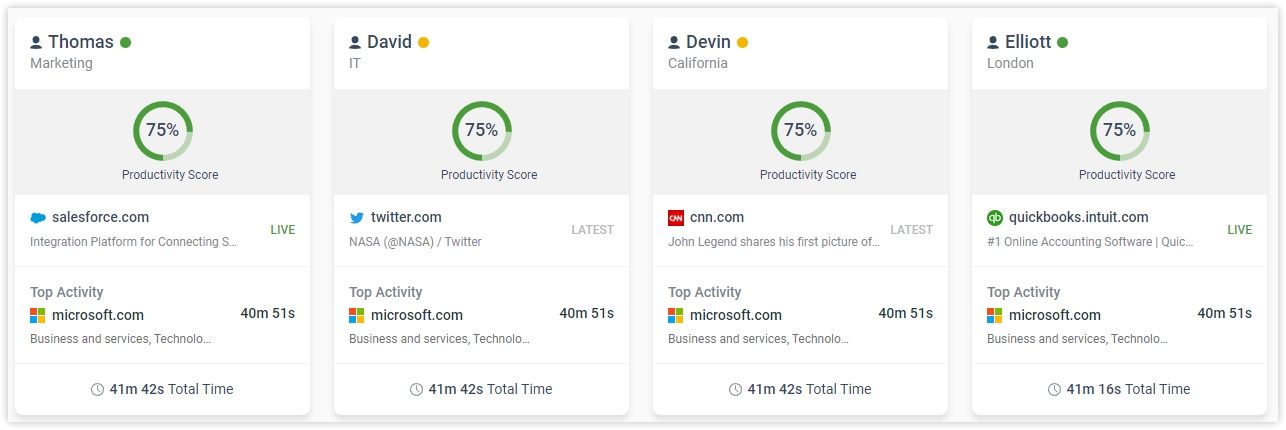
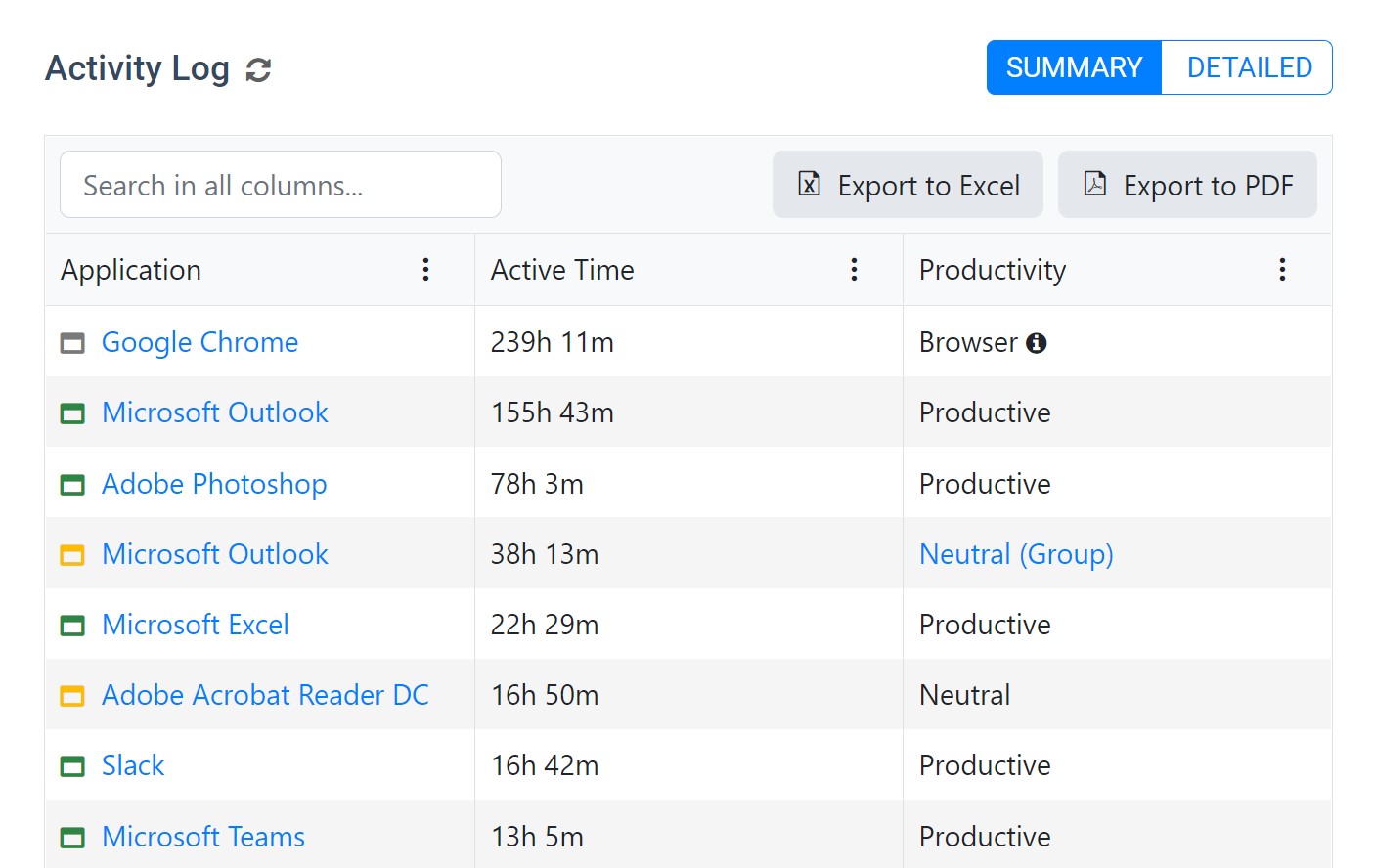
The technology’s primary Employee Internet Monitoring feature can pinpoint the exact sites visited and specific programs ran by users. While employees can still be given ample time for personal web browsing and computer use, specifically during breaks, the technology can recognize who are abusing company resources that are intended for official business. BrowseReporter even has a real-time Remote Screen Capture function that can check if employees are being productive even without managers physically checking on them.
Aside from overseeing Internet and computer activities down to the time and duration, the software also has an Internet Bandwidth Monitor. This can identify computers with high bandwidth usage that may be the cause of network congestion.
BrowseReporter’s monitoring properties are backed by Internet Tracking Report tools. This way, managers or HR personnel can automatically generate detailed yet easy-to-understand usage reports using the data gathered from tracking procedures.
Show MoreOverview of BrowseReporter Benefits
BrowseReporter’s Internet Monitoring function can help identify employees that spend too much time on social networking sites, online shopping, personal chats, sports and entertainment sites, and the like. Illegal downloading and streaming can be tracked as well. By pinpointing users that abuse an organization’s web usage policy, managers can take the necessary steps to address such behavior.
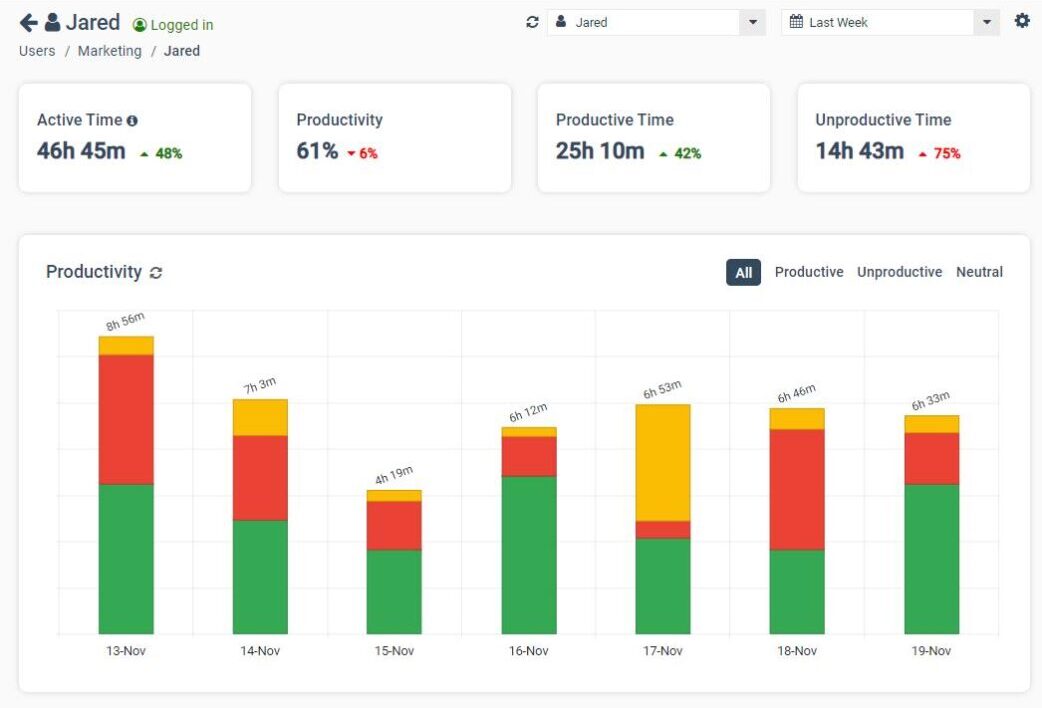
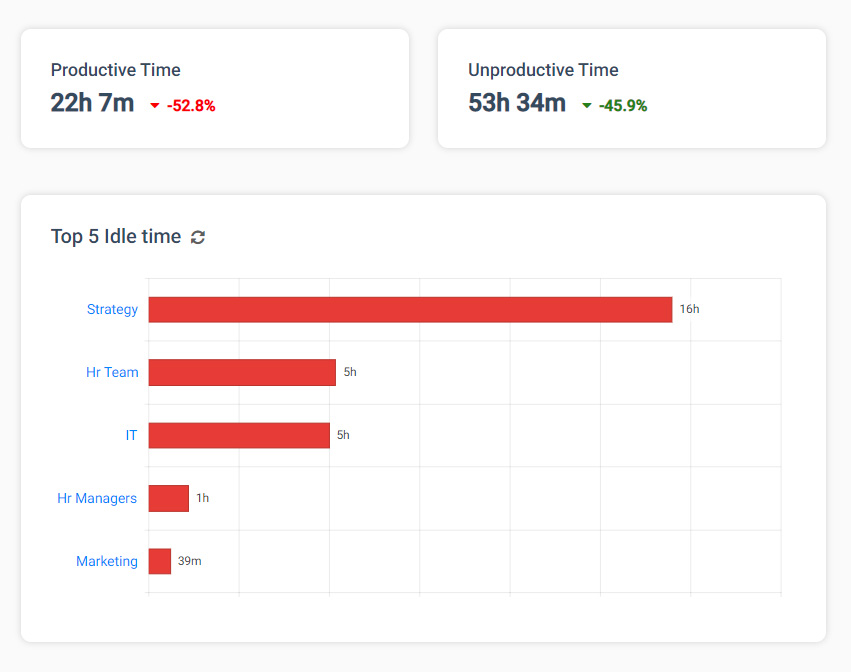
Using the data monitored from web and programs used, BrowseReporter can automatically create extensive usage reports. Business heads can use the reports to check for improvements in online habits – specifically since productivity usually increases when employees are aware that computer usage is tracked. These reports can also be used as basis for performance evaluations of employees.
Monitoring Internet bandwidth consumption helps detect computers and its corresponding users that can be causing bandwidth issues throughout an organization’s network. When the exact source of excessive bandwidth usage is located, the necessary adjustments can be made.
Managers – especially those who are usually out of the office – no longer need to guess if their staff members are being productive while they are away. BrowseReporter’s Remote Screen Capture can give real-time updates as to what employees are working on. This function can also be used even if managers are not on the field, so that they do not need to micromanage or hover over their staff.
Show MoreOverview of BrowseReporter Features
- Monitor web browsing
- Option for per user or per computer basis
- Generates detailed Executive-level Reports
- Application usage tracking
- Bandwidth monitoring
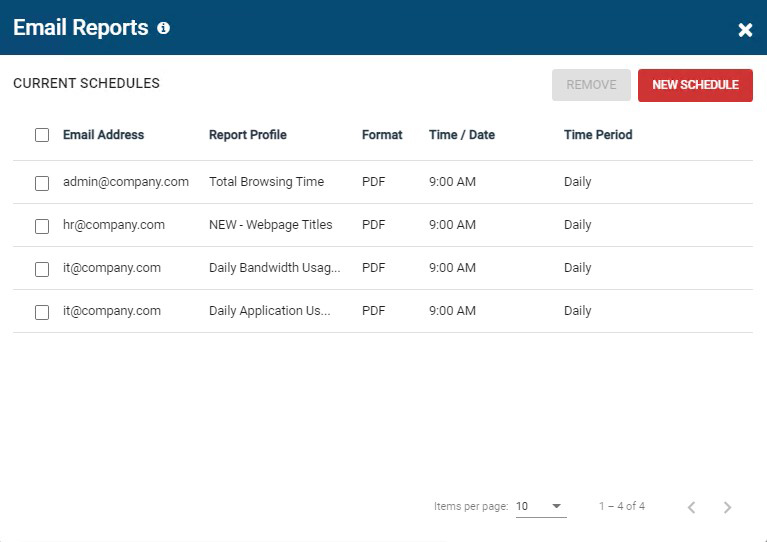
- Email reports
- Automated remote screenshots
- Non-intrusive program
- User-friendly Console
- Export URLs to BrowseControl
- Allowance for personal browsing
- Remote installation of clients
- Exclusion list
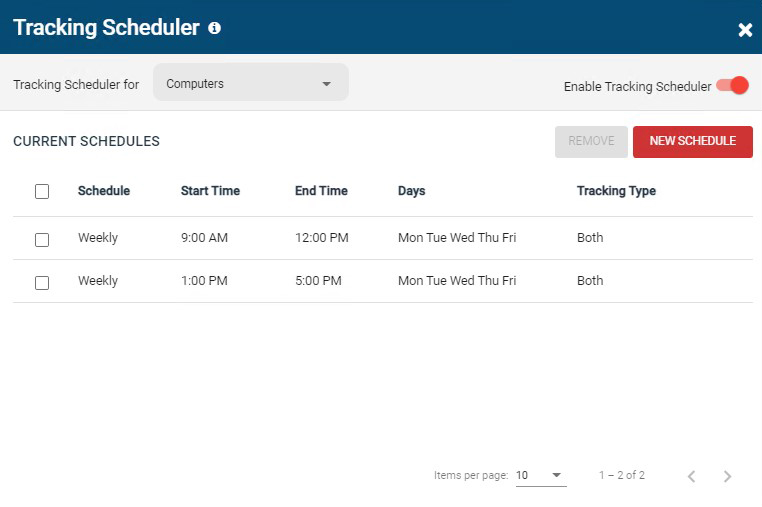
- Schedule URL tracking
- Data from monitoring can be stored centrally
BrowseReporter Position In Our Categories
Since companies have their own business wants, it is logical they abstain from seeking a one-size-fits-all, ”best” software product. Nevertheless, it is futile to try to pinpoint such an app even among popular software solutions. The practical step to undertake is to write the different significant factors which call for a examination including major features, costing, skill competence of staff members, business size, etc. Then, you should perform the research fully. Go over these BrowseReporter evaluations and look into each of the applications in your list more closely. Such all-encompassing research ensures you steer clear of ill-fitting applications and subscribe to the system which offers all the function your business requires.
Position of BrowseReporter in our main categories:
TOP
100
BrowseReporter is one of the Employee Monitoring Software products
Each business is different, and might need a specific Employee Monitoring Software solution that will be adjusted to their company size, type of clients and staff and even particular niche they support. You should not count on locating a perfect services that is going to be suitable for every business no matter what their history is. It may be a good idea to read a few BrowseReporter Employee Monitoring Software reviews first and even then you should pay attention to what the solution is intended to do for your company and your workers. Do you require a simple and straightforward solution with just essential features? Will you actually make use of the complex tools required by pros and big enterprises? Are there any particular tools that are especially useful for the industry you work in? If you ask yourself these questions it will be much easier to find a trustworthy software that will fit your budget.
How Much Does BrowseReporter Cost?
BrowseReporter Pricing Plans:
Free Trial
10 – 99 units
$3.99/user/month
more than 100 units
by quote
What are BrowseReporter pricing details?
BrowseReporter Pricing Plans:
Free Trial
10 – 99 units
$3.99/user/month
more than 100 units
by quote
Orders of 10-99 licenses start at $3.99 USD per user per month. Discounts are available for orders with 100+ licenses, educational organizations, non-profits, managed services providers, and businesses that pre-purchase multiple-year plans.
User Satisfaction
Positive Social Media Mentions
40
Negative Social Media Mentions
5
We realize that when you decide to buy a Employee Monitoring Software it’s important not only to learn how professionals evaluate it in their reviews, but also to find out whether the actual people and companies that use these solutions are indeed happy with the service. That’s why we’ve devised our behavior-based Customer Satisfaction Algorithm™ that aggregates customer reviews, comments and BrowseReporter reviews across a broad array of social media sites. The data is then displayed in an easy to digest form showing how many clients had positive and negative experience with BrowseReporter. With that information available you should be prepared to make an informed purchasing choice that you won’t regret.
Video
Screenshots


Technical details
Devices Supported
- Windows
Deployment
- On Premise
Language Support
- English
Pricing Model
- One-time payment
Customer Types
- Small Business
- Large Enterprises
- Medium Business
What Support Does This Vendor Offer?
- phone
- live support
- training
- tickets
What integrations are available for BrowseReporter?
BrowseReporter integrates with BrowseControl, a web filtering software that can block employee Internet access, block specific URLs, and block categories of websites. Both solutions run from the same client/server and central console.
BrowseReporter User Reviews
BrowseReporter average rating:
5/5
Overall impression
5/5
Customer Support
5/5
Value for Money
5/5
Ease of Use
Write your own review of this product
ADD A REVIEWMore reviews from 1 actual users:
Sort by:
Latest
- Latest
- Most useful
- Most positive
- Most negative
Excellent Feature – Dedicated Support
Read full review >
5/5
Overall impression
5/5
Customer Support
5/5
Value for Money
5/5
Ease of Use
Published on: 20.06.2021
Company Size: 11-50 Employees
Industry: Information Technology and Services
PROS: Track Website usage by active time - only when my employees were focused on a webpage. Track Windows application usage Email report in .PDF directly to my email
CONS: None


Join a community of 7,369 SaaS experts
Thank you for the time you take to leave a quick review of this software. Our community and review base is constantly developing because of experts like you, who are willing to share their experience and knowledge with others to help them make more informed buying decisions.
Sign in with LinkedIn
Why we require LinkedIn?
- Show the community that you're an actual user.
- We will only show your name and profile image in your review.
- You can still post your review anonymously.
OR
Sign in with company emailSign in with company email
Popular BrowseReporter Alternatives




Top Competitors To BrowseReporter By Price
Product name:
Price:





Trending Employee Monitoring Software Reviews





BrowseReporter Comparisons
Product name:





BrowseReporter user reviews
Excellent Feature – Dedicated Support
Read full review >
5/5
Overall impression
5/5
Customer Support
5/5
Value for Money
5/5
Ease of Use
Published on: 20.06.2021
Company Size: 11-50 Employees
Industry: Information Technology and Services

Page last modified



Did you find this review useful?
Yes
No
Thank you for your feedback
How can we make this page better?
Unsure about this software?
FIND ALTERNATIVES
 Why is FinancesOnline free?