
- Home
- Employee Monitoring Software
- Employee Trail

Employee Trail Review



What is Employee Trail?
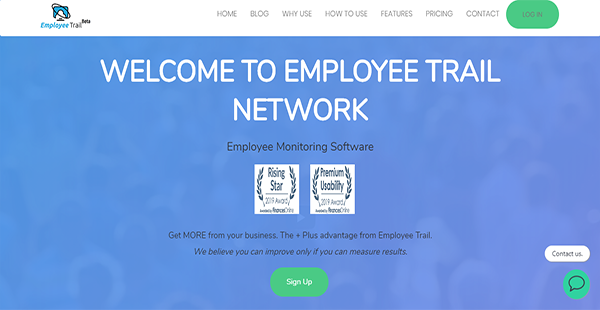
Employee Trail is an employee activity monitoring and organization productivity analysis software that records the movements of your staff and their usage of the software as well as their speed in handling tasks. It lets you determine how much time workers are spending on particular applications and websites so you can analyze their productivity.
Employee Trail helps you secure your organization from insider threats, too. This is possible because of its risk analysis module and IP protection features. When you utilize these, you can determine whether members of your staff pose a security risk and prevent theft of your intellectual property.
Despite its rigorous employee activity tracking, Employee Trail remains compliant with HIPAA and COPPA regulations. It has configured options that protect sensitive data regardless of whether screenshots are enabled or not. Overall, it offers transparency into the use of organizational resources so that you can improve your employees’ efficiency at work.
Show MoreOverview of Employee Trail Benefits
Rigorous Employee Monitoring
To ensure that tasks and projects are completed at the right time, you can monitor your employees’ use of resources, particularly those of your digital assets. Employee Trail can assist you in watching workers’ activity on the web and gauge their interactions with specific websites and applications. On top of that, it can take screenshots whenever it detects suspicious user actions so you can discover the risks.
Productivity Comparison
Employee Trail can help you determine how much of your organizational resources are needed to keep employees productive. You can do this with its productivity comparison feature, which allows you to compare and contrast the time spent of workers on a particular task. By studying the routines, you can optimize processes to ensure high productivity rates.
Internal Threat Detection
External threats abound and there is plenty of software to shield your company from them. However, there are insider threats that you have to safeguard your organization against, too. Employee Trail can provide protection from these by identifying workers whose actions may pose a security problem. You can set risk levels from one up to ten so that you can act on each accordingly.
Google Drive Integration
In case you want to keep a record of your data separate from the system, you can do so with ease. Employee Trail is integrated with Google Drive. With the synchronization in place, you can send your data to your Google Drive account automatically and access it from anywhere.
Show MoreOverview of Employee Trail Features
- Employee Activity Tracking
- Industry-Specific Compliance
- Operational Efficiency Improvement
- Activity Transparency
- Productivity Comparison
- Software Metering
- Risk Analysis
- Digital Asset Monitoring (DAM)
- Intellectual Property Protection
- Productivity Analysis
- Individual & Group Workflows Analysis
- Organization Efficiency
What Problems Will Employee Trail Solve?
Problem #1: Employee Compliance
Employee Trail can monitor which applications are most popular amongst staff. It also keeps logs of other activities and captures screenshots when necessary. This way, organizations can stem the improper use of resources and increase compliance with policies.
Problem #2: Productivity Analysis
Employee Trail offers customizable reports that provide information on the productivity of each unit in the organization. This offers insights into areas where there is low productivity so that decision-makers can resolve them promptly.
Problem #3: Streamlined Processes
Employee Trail offers alerts, reports, and comprehensive reviews of employees’ activities using vigorous monitoring tools. However they interact with the web and with digital assets, organizations can be confident that they can capture suspicious activities and prevent critical security events.
Awards & Quality Certificates


Employee Trail Position In Our Categories
Since businesses have unique business needs, it is logical that they avoid getting a one-size-fits-all, “perfect” software solution. Still, it would be almost impossible to try to come across such application even among branded software systems. The clever step to do can be to jot down the different main aspects that necessitate scrutiny including critical features, pricing, skill aptitude of staff members, company size, etc. After which, you must perform the product research exhaustively. Browse over some Employee Trail evaluations and scrutinize each of the software systems in your list more closely. Such detailed product research guarantees you avoid mismatched apps and subscribe to the one that has all the function your business requires.
Position of Employee Trail in our main categories:
TOP
50
Employee Trail is one of the top 50 Computer Monitoring Software products
TOP
100
Employee Trail Employee Monitoring Software tools
Every business has its own characteristics, and may require a special Employee Monitoring Software solution that will be fit for their company size, type of customers and employees and even specific niche they deal with. It's not wise to count on locating a perfect services that is going to work for each company regardless of their history is. It may be a good idea to read a few Employee Trail Employee Monitoring Software reviews first and even then you should remember what the service is intended to do for your business and your employees. Do you need a simple and intuitive service with only essential functions? Will you really make use of the complex tools needed by experts and big enterprises? Are there any particular features that are especially beneficial for the industry you work in? If you ask yourself these questions it is going to be much easier to locate a trustworthy solution that will match your budget.
How Much Does Employee Trail Cost?
Employee Trail Pricing Plans:
Free Trial
Free
$0
Basic
$3/month
Advanced
Contact vendor
What are Employee Trail pricing details?
Employee Trail Pricing Plans:
Free Trial
Free
$0
Basic
$3/month
Advanced
Contact vendor
Employee Trail has two straightforward options for enterprise pricing. The inclusions of these plans, as well as of the free version, are outlined below.
Free – $0
- 3 Agents
- 3 Website Users
- 3 GB Data Storage
- Real-time View
- Unlimited Screenshots
- Offline Data Collection
Basic – $3/month
- All Free Features
- 1 Agent
- Unlimited Website Users
- Unlimited Data Storage
- Email Support
Advanced – request pricing information
- All Basic Features
- Unlimited Agents
- Phone Support
User Satisfaction
Positive Social Media Mentions
36
Negative Social Media Mentions
1
We are aware that when you decide to buy a Employee Monitoring Software it’s vital not only to learn how professionals rank it in their reviews, but also to discover whether the real people and companies that bought these solutions are genuinely happy with the service. Because of that need we’ve designer our behavior-based Customer Satisfaction Algorithm™ that aggregates customer reviews, comments and Employee Trail reviews across a wide array of social media sites. The data is then featured in an easy to understand way indicating how many users had positive and negative experience with Employee Trail. With that information available you will be prepared to make an informed business choice that you won’t regret.
Video
Technical details
Devices Supported
- Windows
- Web-based
Deployment
- Cloud Hosted
- On Premise
Language Support
- English
Pricing Model
- Monthly payment
- Quote-based
Customer Types
- Small Business
- Large Enterprises
- Medium Business
What Support Does This Vendor Offer?
- phone
- live support
- training
- tickets
What integrations are available for Employee Trail?
Employee Trail integrates with:
- Google Drive

Employee Trail
is waiting for
your first review.

Write your own review of this product
ADD A REVIEWMore reviews from 0 actual users:


Join a community of 7,369 SaaS experts
Thank you for the time you take to leave a quick review of this software. Our community and review base is constantly developing because of experts like you, who are willing to share their experience and knowledge with others to help them make more informed buying decisions.
Sign in with LinkedIn
Why we require LinkedIn?
- Show the community that you're an actual user.
- We will only show your name and profile image in your review.
- You can still post your review anonymously.
OR
Sign in with company emailSign in with company email
Popular Employee Trail Alternatives



Top Competitors To Employee Trail By Price
Product name:
Price:




Trending Employee Monitoring Software Reviews




Employee Trail Comparisons
Product name:








Page last modified



Did you find this review useful?
Yes
No
Thank you for your feedback
How can we make this page better?
Unsure about this software?
FIND ALTERNATIVES
 Why is FinancesOnline free?