

CapLinked Review



What is CapLinked?
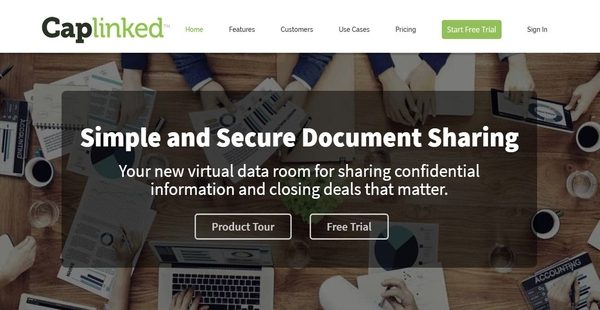
CapLinked is an intuitive, easy-to-use, and superior virtual data room solution that enables enterprise and external collaborators to work together on secure online workspaces, share data, files, and documents with each other, and concentrate more on closing deals. With CapLinked, users will be able to set up a virtual data room in just a matter of minutes and store all the files and documents they need in it.
CapLinked, furthermore, comes with dashboard that has an user-friendly interface, permitting users to easily manage important information such as contact details and messages, monitor notifications, and keep track of all activities. The virtual data room platform also provides document control and management features which make it easy for users to view and edit documents and files directly on a web browser as well as handle their versioning. CapLinked offers collaboration functionalities that allow the sending of email notifications to collaborators, monitoring of changes made to documents, and assigning topic experts or administrators who are capable of answering questions coming from a specific permission group.
Digital rights management is also available in CapLinked. Here, users can manage and control how their colleagues and external collaborators are viewing, accessing, editing, and printing the documents and files they stored within the platform. This is to ensure that any sensitive and confidential information contained in those documents and files won’t fall into the wrong hands. Watermanking features are also included as users share documents and files.
Show MoreOverview of CapLinked Benefits
Set Up Workspaces For Easy Document Sharing And Collaboration
As a virtual data room solution, CapLinked provides users with the ability to establish online workspaces where they can store all important files and documents and collaborate on them conveniently. Whether they need to handle tasks related to mergers and acquisitions, capital raising activities, due diligence projects, or files they have to share with brokers and brokers, CapLinked allows them to do that on a secure environment which serves as a storage and collaboration vault. These workspaces can be set up quickly and accessed on desktop computers and mobile devices easily.
User-Friendly Dashboard
CapLinked is equipped with a user-friendly dashboard that functions as central hub for monitoring all activities and actions being performed throughout its system. This dashboard permits users to directly access their workspaces, view notification feeds, see messages from colleagues and collaborators, and manage contact information.
Document Control And Management
Document control and management using CapLinked is a breeze. In fact, this is one of the core components and features of the virtual data room solution. With CapLinked, users can view, add, and edit files and documents right straight from their web browser. These files and documents include PDS, Microsoft Office files, images, and videos. The built-in document editing capabilities of the solution enables them to make changes to their documents directly within the platform.
A Plug-In Free Technology With Version Control
What’s great about is that they can do this without the need to install plug-ins or third-party programs. As soon as they modify a file or document, the solution instantly generates a new version of it and stores it in a secure server. If they want to monitor all the changes made to their files and documents, CapLinked’s version control feature will help them perform such task easily.
Enhace Collaboration Using Alerts
CapLinked offers a set of collaboration features that keep everyone in the loop as they work on their files and documents and improve how users communicate with their colleagues and external collaborators. The solution is built with an alerting functionality which means users can send automated alerts and notifications to all the members who are collaborating within a workspace.
This way, team members and collaborators will always be reminded when there are modifications made in files and documents. The alerting functionality also lets them keep track of important dates and deadlines and view all information related to their projects. In case team members and collaborators are currently not using the solution, alerts and notifications can still be sent via email.
Integrated Instant Messaging
To enhance how users collaborate, CapLinked has a built-in instant messaging feature. With this feature, users will be able to exchange messages with collaborators directly within the solution.
Assign Administrators or Subject Matter Experts To Permission Groups
Another collaboration feature offered by CapLinked is its Q&A Assignment feature. How does this feature work? This feature allows users to assign administrators to specific permission groups. They are the ones in charge of answering questions being raised and submitted by users included in those groups. Thus, they are subject matter experts that are knowledgeable about certain topics. In addition, each permission group can have one or more administrators or subject matter experts.
Track All Activities And Actions Within Workspaces
Activity tracking is also included in CapLinked. With this feature, users will be able to track all activities and actions being performed within workspaces such as document viewing, downloading, and editing, permission modification and configuration, and page viewing. In other words, they can determine how many times a file or document have been viewed and downloaded, a page has been viewed; as well as check all previous versions of a file or document and the specific changes that were made. As users keep an audit trail of all workspace-related activities and actions, CapLinked permits them to also generate detailed reports and apply custom filters to such reports. As a result, team members, collaborators, and investors will always be updated on all important matters and ensured that they are on the same page.
Security And Digital Rights Management
CapLinked makes sure that teams are users are able to protect all their important files and documents, including the sensitive and confidential information they contain. This is made possible through the aid of its digital rights management features. Because the solution doesn’t use plug-ins, files and documents won’t be exposed to malware, viruses, and other harmful content coming from third-party plug-ins and applications. Users can also name the persons who are allowed to view, download, and print documents; and control the permissions granted to those individuals.
Protect Sensitive Files And Documents By Applying Custom Watermarks
The virtual data room software comes with a watermarking feature. In general, watermarking is a method applied to digital content management wherein data and information are embedded into the content to confirm its credibility and authenticity and give details about the owner of such content. This is a mechanism which protects files and documents from unauthorized access, publication, and distribution. With CapLinked, users can utilize customizable watermarks like time, date, user email, and IP address.
Modern Pipeline Dashboard
Summing it up, CapLinked provides a modern pipeline dashboard which makes its easy for users to organize all transactions, documents, and information associated with their deals. This dashboard centralizes all information in one place such as financials, market data, and personnel. As a result, users won’t have a hard time finding the exact data or information they need. With just a single click, they will be able to add new deals to the pipeline and arrange them based on which stage of the pipeline they belong to. Automated alerts can also be sent out as users perform deal management using this dashboard.
Show MoreOverview of CapLinked Features
- Quickl Set Up Workspaces
- Dashboard
- Document Control and Management
- Collaboration
- Alert Worspaces Members about Changes
- Send Updates as an Email
- Instant Messaging
- Q&A Assignments
- Customizable Permissions
- Track all Actions and Changes made within a Workspace
- Digital Rights Management
- Plug-In Free Technology
- Grant or Restrict Access Permissions for Viewing and Printing Documents
- Watermarking
- Deal Management
- Modern Pipeline Dashboard
- Security
CapLinked Position In Our Categories
Knowing that businesses have distinct business-related wants, it is prudent they steer clear of purchasing a one-size-fits-all, ”best” business application. Just the same, it would be futile to stumble on such application even among sought-after software solutions. The right thing to do would be to tabulate the numerous important factors that demand consideration like important features, price terms, technical skill capability of staff, company size, etc. Then, you must do your product research through and through. Have a look at some of these CapLinked analyses and check out the other software systems in your list more closely. Such detailed product investigation ascertain you avoid unsuitable applications and pay for the system which delivers all the aspects your company requires.
Position of CapLinked in our main categories:
TOP
50
CapLinked is one of the top 50 Virtual Data Room Software products
If you are considering CapLinked it could also be a good idea to examine other subcategories of Virtual Data Room Software collected in our database of SaaS software reviews.
It is important to note that almost no app in the Virtual Data Room Software category is a perfect solution that can match all the needs of all business types, sizes and industries. It may be a good idea to read a few CapLinked Virtual Data Room Software reviews first as specific services may dominate exclusively in a really small set of applications or be prepared with a very specific type of industry in mind. Others can work with a goal of being simple and intuitive and consequently lack complex features welcomed by more experienced users. There are also software that focus on a large group of users and offer a rich feature base, but this in most cases comes at a more expensive cost of such a software. Make sure you're aware of your needs so that you pick a service that has all the elements you search for.
How Much Does CapLinked Cost?
CapLinked Pricing Plans:
Free Trial
Professional
$99/month
Enterprise
Contact vendor
What are CapLinked pricing details?
CapLinked Pricing Plans:
Free Trial
Professional
$99/month
Enterprise
Contact vendor
CapLinked offers a single plan at $99 per month. Meanwhile, enterprise pricing is also available.
Professional – $99/month
- 1 workspace
- 10 admins
- Unlimited users
- Up to 10 GB of data
- Watermarking/Digital Rights Management
Enterprise – Custom pricing
- Unlimited data
- Exclusive Concierge Services access
- API access integration
- Active Directory integration
- SAML-based SSO
- 99.9% uptime SLA
- Personalized onboard and training
- Due diligence and deal making
- Full-service set up
- Migration assistance
- Priority email and phone support
User Satisfaction
Positive Social Media Mentions
5
Negative Social Media Mentions
0
We know that when you make a decision to get a Virtual Data Room Software it’s crucial not only to see how experts score it in their reviews, but also to find out if the real users and businesses that use these solutions are indeed happy with the product. Because of that need we’ve designer our behavior-based Customer Satisfaction Algorithm™ that aggregates customer reviews, comments and CapLinked reviews across a vast array of social media sites. The information is then featured in a simple to digest form indicating how many customers had positive and negative experience with CapLinked. With that information at your disposal you should be prepared to make an informed buying decision that you won’t regret.
Video
Technical details
Devices Supported
- Windows
- Mac
- Web-based
Deployment
- Cloud Hosted
- Open API
Language Support
- English
Pricing Model
- Monthly payment
- Annual Subscription
- Quote-based
Customer Types
- Small Business
- Large Enterprises
- Medium Business
What Support Does This Vendor Offer?
- phone
- live support
- training
- tickets
What integrations are available for CapLinked?
CapLinked can be integrated with CRM systems, file storage platforms, and other third-party applications like the following:
- Salesforce
- Dropbox
- OneDrive
- Google Drive
- Box

CapLinked
is waiting for
your first review.

Write your own review of this product
ADD A REVIEWMore reviews from 0 actual users:


Join a community of 7,369 SaaS experts
Thank you for the time you take to leave a quick review of this software. Our community and review base is constantly developing because of experts like you, who are willing to share their experience and knowledge with others to help them make more informed buying decisions.
Sign in with LinkedIn
Why we require LinkedIn?
- Show the community that you're an actual user.
- We will only show your name and profile image in your review.
- You can still post your review anonymously.
OR
Sign in with company emailSign in with company email
Popular CapLinked Alternatives


Top Competitors To CapLinked By Price
Product name:
Price:


Trending Virtual Data Room Software Reviews


CapLinked Comparisons
Product name:


Page last modified



Did you find this review useful?
Yes
No
Thank you for your feedback
How can we make this page better?
Unsure about this software?
FIND ALTERNATIVES
 Why is FinancesOnline free?