

Datawrapper Review



What is Datawrapper?
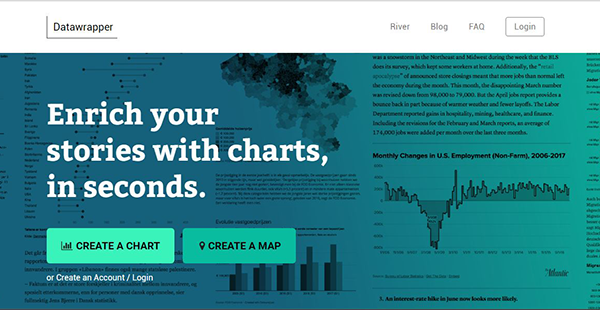
Datawrapper is an innovative data visualization software developed by Datawrapper GmbH for journalists, developers, and designers working in fast-paced newsrooms. It’s an open-source solution that enables users to create and visualize charts and maps that are responsive, interactive, and embeddable in the organization’s website. The platform expedites the conversion of data from CSVs, PDFs, and web sources into simple, beautiful, and accurate charts and requires no coding or designing skills to use.
Datawrapper is built to deliver unprecedented flexibility, and it can create customized chart styles for specific newsrooms. Some of its key features include export as PNG or PDF, Maps, live chart updates, own custom layout, full chart styling customizations, and discrete colors.
Show MoreOverview of Datawrapper Benefits
Datawrapper offers extremely quick and simple techniques to create web charts and maps. It allows you to copy and paste data from Google Sheets and Excel, upload CSV files, or link to URLs to create live updating charts. Then, pick your chart or map type from its selection with just a single click, customize and annotate them to create a highly-responsive and effective representation.
On advantage of Datawrapper charts is that they are highly responsive, which means they look great on any device including desktop, tablet, and mobile device. The text size, color key position, and the appearance of the label remain the same regardless of the device used. Better still, Datawrapper provides a preview mode that lets you check how the charts will look like on different devices before publishing them. You can easily alter the size of the preview directly while designing and establish if a particular size will make visual sense.
Additionally, the maps and charts are interactive. They permit the readers to hover over bars, lines, or maps to uncover the underlying values and comprehend the entire chart better. Also, it’s easy to match the chart design to your ideal style guide. You just inform Datawrapper your fonts, spacing, and colors used in your newsroom and the vendor will create a chart style to suit your brand.
Show MoreOverview of Datawrapper Features
- Maps
- Export as PNG, PDF
- Full chart styling customizations
- Own custom layout
- Discrete colors
- Live chart updates
Datawrapper Position In Our Categories
Keeping in mind businesses have their own business-related needs, it is only sensible they steer clear of purchasing a one-size-fits-all, “perfect” system. Regardless, it would be almost impossible to try to discover such application even among well-known software solutions. The right step to undertake is to write the different essential functions which necessitate careful thought like key features, price terms, skill aptitude of staff members, company size, etc. Then, you should double down on the product research through and through. Go over some Datawrapper reviews and look over each of the software options in your shortlist more closely. Such comprehensive research guarantee you stay away from unfit apps and subscribe to the one which includes all the aspects your company requires.
Position of Datawrapper in our main categories:
TOP
50
Datawrapper is one of the top 50 Data Visualization Software products
If you are considering Datawrapper it might also be sensible to investigate other subcategories of Data Visualization Software gathered in our base of SaaS software reviews.
It's crucial to note that virtually no software in the Data Visualization Software category is an ideal solution able to match all the requirements of all company types, sizes and industries. It may be a good idea to read a few Datawrapper Data Visualization Software reviews first as specific solutions might perform well just in a very narrow set of applications or be designed with a very specific industry in mind. Others can operate with an intention of being easy and intuitive and therefore lack advanced functions needed by more experienced users. There are also apps that support a wide group of customers and give you a rich feature base, but that in most cases comes at a more expensive price of such a solution. Be certain that you're aware of your requirements so that you get a software that provides exactly the features you search for.
How Much Does Datawrapper Cost?
Datawrapper Pricing Plans:
Free Trial
Single 10k
Free
Single Flat
$29/month
Team
$129/month
Custom
$279/month
Enterprise
$879+
What are Datawrapper pricing details?
Datawrapper Pricing Plans:
Free Trial
Single 10k
Free
Single Flat
$29/month
Team
$129/month
Custom
$279/month
Enterprise
$879+
Datawrapper offers a flexible, enterprise pricing structure which includes free and subscription-based plans:
Single 10k @ free
- 1 user
- 10000 chart view
Single Flat @ $29/month
- 1 user
- Unlimited chart views
- Export as PNG image and PDF
Team @ $129/month
- Unlimited users
- Unlimited chart view
- Export as PNG image and PDF
Custom @ $279/month
- Everything in Team
- Without ” Created with Datawrapper” attribution
- Get customized chart style based on your color, fonts, etc
Enterprise @ $879+
- Fully customized solution
- Custom maps
- Print and export
- CMS integration
User Satisfaction
Positive Social Media Mentions
70
Negative Social Media Mentions
0
We are aware that when you make a decision to buy a Data Visualization Software it’s crucial not only to find out how professionals rank it in their reviews, but also to discover whether the actual people and enterprises that purchased this software are actually content with the product. That’s why we’ve devised our behavior-based Customer Satisfaction Algorithm™ that gathers customer reviews, comments and Datawrapper reviews across a broad range of social media sites. The information is then featured in a simple to digest format revealing how many people had positive and negative experience with Datawrapper. With that information at hand you will be ready to make an informed purchasing choice that you won’t regret.
Video
Technical details
Devices Supported
- Windows
- Mac
- Web-based
Deployment
- Cloud Hosted
Language Support
- English
- German
Pricing Model
- Free
- Monthly payment
Customer Types
- Small Business
- Large Enterprises
- Medium Business
What Support Does This Vendor Offer?
- phone
- live support
- training
- tickets
What integrations are available for Datawrapper?
No information available
Datawrapper User Reviews
Datawrapper average rating:
5/5
Overall impression
5/5
Customer Support
5/5
Value for Money
4/5
Ease of Use
Write your own review of this product
ADD A REVIEWMore reviews from 1 actual users:
Sort by:
Latest
- Latest
- Most useful
- Most positive
- Most negative
Powerful software for creating interactive maps
Read full review >
5/5
Overall impression
4/5
Customer Support
4/5
Value for Money
5/5
Ease of Use
Published on: 12.01.2021
Company Size: More than 100 Employees
Industry: Oil & Energy
PROS: It is a user-friendly software for creating aesthetically pleasing and interactive maps and graphic designs. It makes the job easier for us by allowing copying data from Excel files or link sources. It has automation features for color and font size adjustments. It also gives users a preview of their design.
CONS: Improvements can be made to the color adjustment feature.


Join a community of 7,369 SaaS experts
Thank you for the time you take to leave a quick review of this software. Our community and review base is constantly developing because of experts like you, who are willing to share their experience and knowledge with others to help them make more informed buying decisions.
Sign in with LinkedIn
Why we require LinkedIn?
- Show the community that you're an actual user.
- We will only show your name and profile image in your review.
- You can still post your review anonymously.
OR
Sign in with company emailSign in with company email
Popular Datawrapper Alternatives




Top Competitors To Datawrapper By Price
Product name:
Price:



Trending Data Visualization Software Reviews

7.8
100%


8.0
100%

8.0
100%

Datawrapper Comparisons
Product name:


Datawrapper user reviews
Powerful software for creating interactive maps
Read full review >
5/5
Overall impression
4/5
Customer Support
4/5
Value for Money
5/5
Ease of Use
Published on: 12.01.2021
Company Size: More than 100 Employees
Industry: Oil & Energy

Page last modified



Did you find this review useful?
Yes
No
Thank you for your feedback
How can we make this page better?
Unsure about this software?
FIND ALTERNATIVES
 Why is FinancesOnline free?