
- Home
- Inventory Management Software
- EZOfficeInventory

EZOfficeInventory Review



What is EZOfficeInventory?
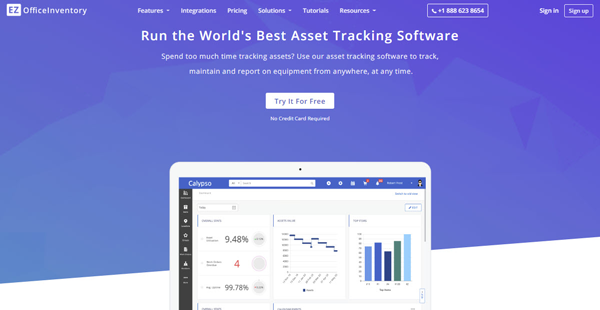
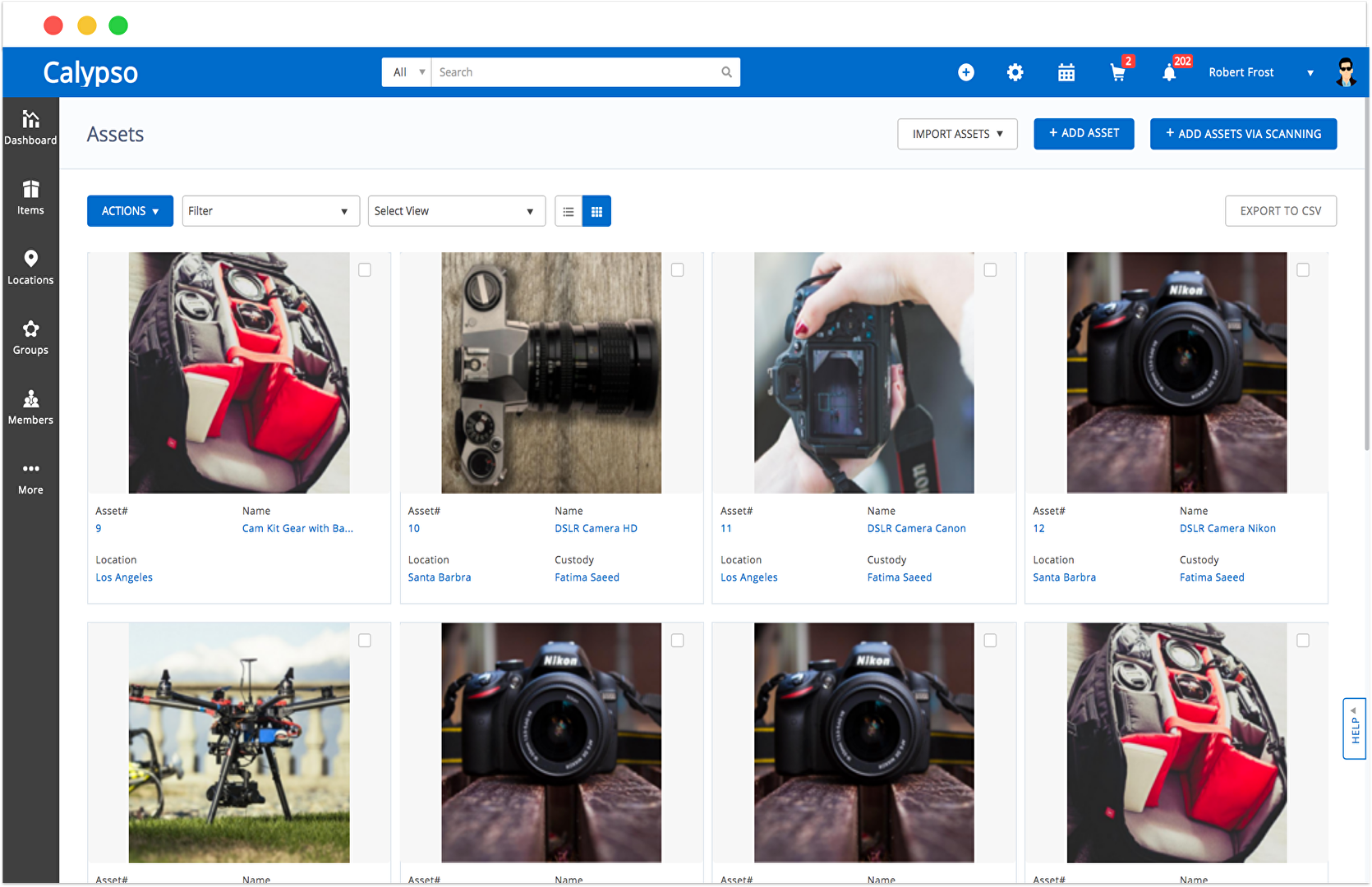
EZOfficeInventory is a fully-featured and powerful asset tracking and maintenance solution for businesses of various sizes that allows them to keep track of everything from anywhere. It provides complete logs of all assets from procurement to retirement and simplifies all operations that involve company assets. The web-based asset management solution supports QR and barcodes, while mobile apps and handheld scanners make the entire process of managing assets a breeze.
The solution works particularly well for businesses spread across multiple geographical regions and comes with access control features. Suitable for a variety of industries, including construction and engineering, educational institutes, health care, art and media, NGOs, IT and Tech firms, event management, public safety and services and maintenance businesses, the software has best industry practices baked right into it.
Show MoreOverview of EZOfficeInventory Benefits
EZOfficeInventory comes with REST-based APIs and can be seamlessly integrated with other systems. Being a web-based solution, the software is accessible from anywhere using a variety of devices, including smartphones and tablets. Users can send asset information from any time regardless of their location or device being used. It allows efficient inventory tracking and automatically provides low-stock alerts. Mobile apps for Android, iOS, as well as Windows Phone, allow users to scan QR and barcodes in no time and take mass-actions from anywhere. It also makes the check-in/check-out process simpler and allows custodians to actively keep all the information updated.
The user management features make it easier to define user roles, restrict access, run reports and edit items. The visibility of certain items can be limited based on different factors such as group and location or even their combination. Employee ID scan ensures speedy checkouts and security using mobile apps, while users also get the option to sign-in using Google or Outlook credentials.
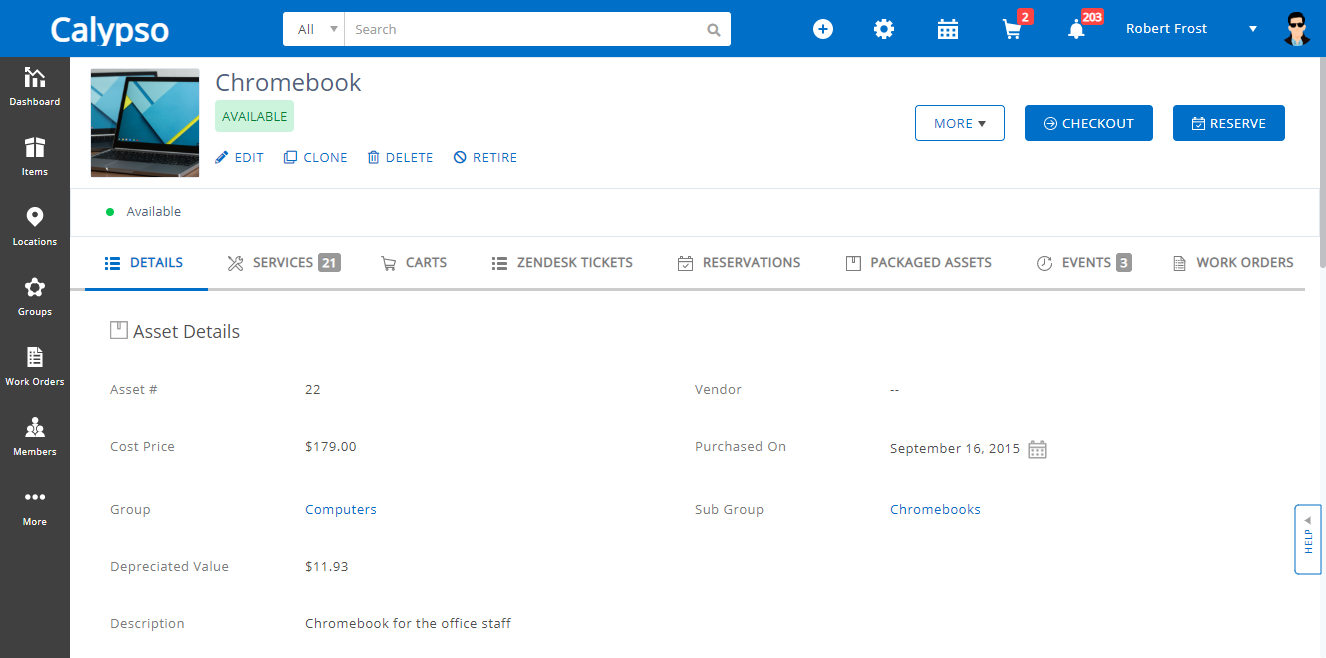
CMMS/ service and maintenance features include service triage and tickets, which make maintenance workflows more smooth and reduces equipment downtimes. Service tickets can be scheduled along with notes and service details such as dates, costs, and associated vendors. It helps plan in advance for recurring maintenance services and allows setting service cycles for regular servicing. The software sends alerts automatically on initiation, completion, and extension of services, while these alerts can also be customized. The service history provides a quick overview of all the events related to an individual asset and helps track trends such as cost. The reporting and analysis features include custom notifications and reports, regular data backups and customized views.
Show MoreOverview of EZOfficeInventory Features
- Android, iOS and Windows Phone Apps
- Low stock alerts
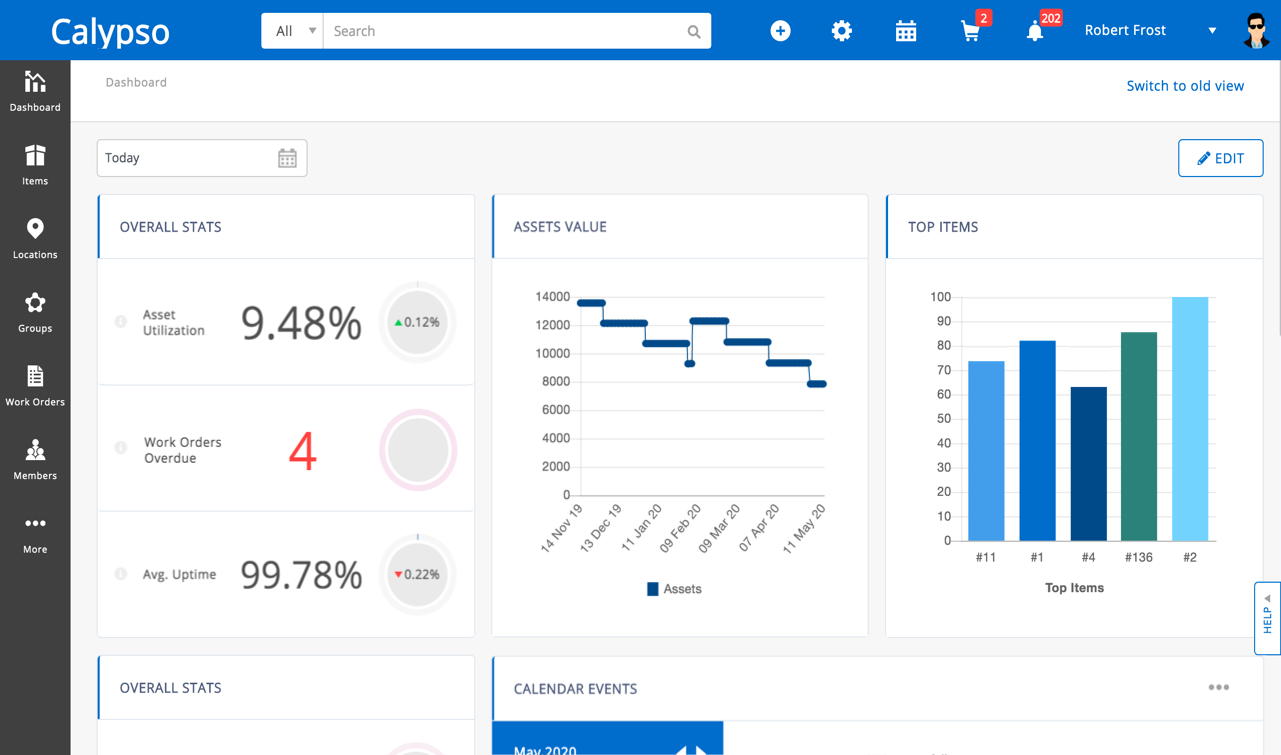
- Availability and dashboard calendar
- Reservations module
- Purchase orders
- Label designer and scanner
- GPS location
- History tracking
- Groups and subgroups
- Company URL
- Cart
- User roles and access control
- Arbitration
- Employee ID scan
- SAML SSO
- Service Triage and Tickets
- Recurring services
- Scheduled maintenance
- Maintenance alerts
- Audits
- Service vendor management
- Service history
- Custom notifications and reports
- Data backups
- Customizable alerts and views
Awards & Quality Certificates


EZOfficeInventory Position In Our Categories
Bearing in mind companies have specific business-related requirements, it is only rational that they steer clear of adopting an all-in-one, ”best” software system. However, it would be almost impossible to try to pinpoint such a software system even among popular software products. The clever thing to do can be to shortlist the numerous vital functions that entail consideration like essential features, plans, skill ability of the users, business size, etc. After which, you should perform the research fully. Browse through some EZOfficeInventory evaluations and check out each of the solutions in your list in detail. Such well-rounded product research ascertain you steer clear of unfit software products and buy the system which meets all the benefits your business requires.
Position of EZOfficeInventory in our main categories:
TOP
50
EZOfficeInventory is one of the top 50 Compliance Management Software products
TOP
10
EZOfficeInventory is one of the 10 Distribution Software products
TOP
20
EZOfficeInventory is one of the top 20 Fixed Asset Management Software products
TOP
50
EZOfficeInventory is one of the 50 IT Asset Management Software products
TOP
200
EZOfficeInventory is one of the top 200 Sales Tools products
Every enterprise is different, and might call for a specific Inventory Management Software solution that will be fit for their business size, type of customers and staff and even individual industry they deal with. We advise you don't count on locating an ideal solution that is going to be suitable for each company regardless of their background is. It may be a good idea to read a few EZOfficeInventory Inventory Management Software reviews first and even then you should remember what the solution is intended to do for your company and your staff. Do you require a simple and intuitive solution with only basic functions? Will you really use the complex functionalities required by experts and big enterprises? Are there any specific features that are especially beneficial for the industry you operate in? If you ask yourself these questions it is going to be much easier to get a solid service that will fit your budget.
How Much Does EZOfficeInventory Cost?
EZOfficeInventory Pricing Plans:
Free Trial
Essentials
$35/month
Advanced
$45/month
Premium
$50/month
Enterprise
by quote
What are EZOfficeInventory pricing details?
EZOfficeInventory Pricing Plans:
Free Trial
Essentials
$35/month
Advanced
$45/month
Premium
$50/month
Enterprise
by quote
EZOfficeInventory offers customizable enterprise pricing plans that vary depending on the feature bundle and the number of items. Give the details a look and select the plan that suits your company’s needs:
Essential – Starts at $35.00/month
- Essential Features
- Unlimited Users
- For 250 items
Advanced – Starts at $45.00/month
- Advanced Features
- Unlimited users
- For 250 items
Premium – Starts at $50.00/month
- Premium Features
- Unlimited users
- For 250 items
Enterprise – By quote
- Enterprise Features
- Unlimited users
- Private Cloud
- Dedicated Account Manager
Here are EZOfficeInventory’s feature bundle packs. You can choose from any of the four bundle packs below: Essential
- Asset Tracking
- Reservations
- Alerts
- Mobile Apps (Android + iOS)
- Custom Fields (Items)
- QR Codes & Bar-code Labels
- Audits
- Excel Import & Export
- GPS Location
- Services & Maintenance
- Reports & Analytics
- Depreciation of Equipment
- Inventory Management Module
- Employee ID Scans
- Asset Stock
- Availability Calendar
Advanced
- All Essential Features
- Scheduled Services
- Advanced Reporting
- Carts for Projects
- External Data Backups
- Purchase Orders
- Custom Fields (All Modules)
- Custom Report
- Restful APIs
- Packages
- Purchase Orders
- Recurring Services
- Customized Emails
- Company URL
- Bundles
- Transfer of Custody
- Transfer of Stock
- Save & Schedule Custom Reports
- RFID Scanning Functionality
- Topaz Signature Pad Integration
- Handheld Scanner Integration
Premium
- All Advanced Features
- Advanced Access Control
- Single Sign On
- Service Desk Integrations
- Work Orders
- G Suite Integration
- LDAP & SAML
- Zendesk Integration
- Jira Integration
Enterprise
- All Premium Features
- Global Private Cloud Option
- Custom Security
- Custom Integrations
- Custom Terms Of Services
- Account Manager
User Satisfaction
Positive Social Media Mentions
5
Negative Social Media Mentions
0
We know that when you make a decision to purchase a Inventory Management Software it’s crucial not only to see how professionals rank it in their reviews, but also to find out whether the actual clients and enterprises that purchased it are genuinely content with the service. That’s why we’ve created our behavior-based Customer Satisfaction Algorithm™ that gathers customer reviews, comments and EZOfficeInventory reviews across a vast range of social media sites. The information is then featured in an easy to digest form showing how many users had positive and negative experience with EZOfficeInventory. With that information available you should be equipped to make an informed purchasing choice that you won’t regret.
Video
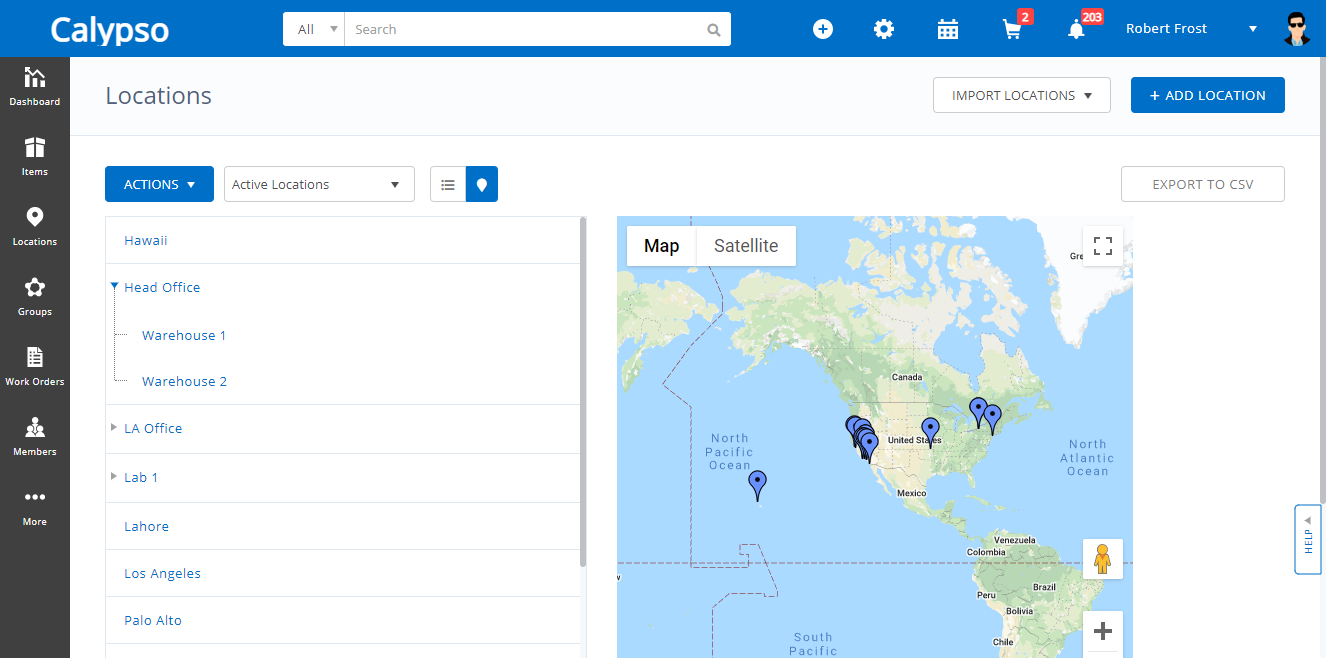
Screenshots

Technical details
Devices Supported
- Windows
- Linux
- Android
- iPhone/iPad
- Mac
- Web-based
Deployment
- Cloud Hosted
- Open API
Language Support
- English
Pricing Model
- Monthly payment
- Annual Subscription
- Quote-based
Customer Types
- Small Business
- Large Enterprises
- Medium Business
What Support Does This Vendor Offer?
- phone
- live support
- training
- tickets
What integrations are available for EZOfficeInventory?
EZOfficeInventory offers the following integration options:
- Rest APIs
- Zendesk
- Jira Service Desk
- Zendesk Sunshine
- Dropbox
- Salesforce
- Onelogin
- OneDrive
- Ping Identity
- Centrify
- Okta
- Google and Outlook login
- LDAP server
- Topaz Signature Pad
- Hardware

EZOfficeInventory
is waiting for
your first review.

Write your own review of this product
ADD A REVIEWMore reviews from 0 actual users:


Join a community of 7,369 SaaS experts
Thank you for the time you take to leave a quick review of this software. Our community and review base is constantly developing because of experts like you, who are willing to share their experience and knowledge with others to help them make more informed buying decisions.
Sign in with LinkedIn
Why we require LinkedIn?
- Show the community that you're an actual user.
- We will only show your name and profile image in your review.
- You can still post your review anonymously.
OR
Sign in with company emailSign in with company email
Popular EZOfficeInventory Alternatives


Top Competitors To EZOfficeInventory By Price
Product name:
Price:





Trending Inventory Management Software Reviews


EZOfficeInventory Comparisons
Product name:








Page last modified


Did you find this review useful?
Yes
No
Thank you for your feedback
How can we make this page better?
Unsure about this software?
FIND ALTERNATIVES
 Why is FinancesOnline free?