
- Home
- IT Management Software
- ManageEngine EndPoint Central

ManageEngine EndPoint Central Review



What is ManageEngine EndPoint Central?
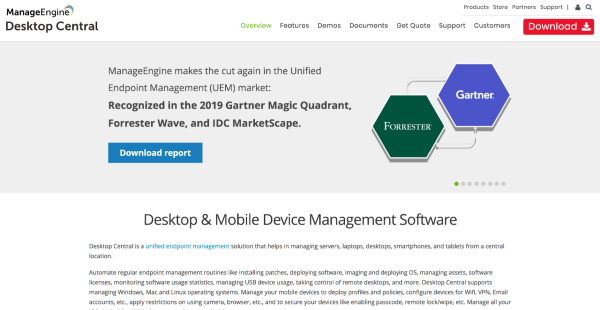
ManageEngine EndPoint Central is a unified endpoint management platform designed to help administrators and employees manage their servers, laptops, desktops, smartphones, tablets, and other devices from a single, centralized location. EndPoint Central by ManageEngine is compatible with iOS, Android, and Windows smartphones and tablets.
ManageEngine EndPoint Central simplifies the overall management of desktops and mobile devices by automating your regular desktop management processes such as updates, patch management and installations, software distribution, IT asset management, software license management, remote desktop management, software usage stats tracking and USB device use management.
The system is designed to work with Windows, Mac, and Linux operating systems. With ManageEngine EndPoint Central, not only can you manage your desktops, laptops, and mobile devices from a single location, you can also tweak devices for Wi-Fi, VPN, and email accounts. You can also set restrictions on camera and browser usage as well as secure your devices by activating password feature, and remote lock/wipe.
Show MoreOverview of ManageEngine EndPoint Central Benefits
EndPoint Central is a UEM software from ManageEngine that provides businesses a reliable solution to manage their mobile devices such as smartphones and tablets, as well as laptops, desktops, and other devices. Moreover, it also helps users oversee the management of their heterogeneous devices or devices that travel outside the organization’s network. With EndPoint Central, users can automate regular desktop management workflows such as installing patches, distributing software, managing their IT assets and software licenses, and monitoring software usage statistics. Overall, it reduces the workload of IT teams, reduces costs, and expedites troubleshooting.
Catering to the mobile device and desktop management needs of over 55,000-strong customer base including high-profile organizations such as Duke University, Sony, and the New York Times, EndPoint Central has proven to be a popular and widely used solution in its category.
EndPoint Central is a robust product that allows users to achieve total control over their IT systems. The platform is effective in scanning IT systems and spotting system vulnerabilities and potential flaws. EndPoint Central also streamlines other processes such as patching Windows and OSX with updates, patching third-party products (Adobe Acrobat, Flash, Java, etc.), deploying software (Microsoft and 3rd Party), managing mobile devices, following licenses and reporting on almost anything.
For companies that supply their staff with smartphones and tablets, EndPoint Central can push profiles and policies, quickly modify the devices for Wi-Fi, VPN, and email accounts, and set restrictions on camera and browser use on the phones. EndPoint Central supports iOS, Android, and Windows Phone for smartphones and tablets.
Show MoreOverview of ManageEngine EndPoint Central Features
Desktop Management
- Patch Management
- Software Deployment
- Remote Desktop Sharing
- IT Asset Management
- Desktop Configurations
- Service Pack Installation
- Active Directory Reports
- User Administration
- OS Deployment
- USB Device Management
- Power Management
- Mobile Application
- Device Enrollment
- App Management
- Profile Management
- Asset Management
- Security Management
- Audit & Reports
ManageEngine EndPoint Central Position In Our Categories
Bearing in mind companies have distinctive business demands, it is practical they steer clear of picking a one-size-fits-all, ”best” software system. Nevertheless, it would be difficult to try to pinpoint such an app even among widely used software products. The right step to undertake would be to make a list of the several main functions that merit careful thought such as crucial features, plans, technical skill capability of the employees, business size, etc. The second step is, you should perform your research systematically. Read these ManageEngine EndPoint Central review articles and check out each of the solutions in your list more closely. Such well-rounded product investigation guarantee you drop poorly fit apps and select the system which meets all the tools your company requires.
Position of ManageEngine EndPoint Central in our main categories:
TOP
200
ManageEngine EndPoint Central is one of the top 200 IT Management Software products
If you are considering ManageEngine EndPoint Central it might also be a good idea to investigate other subcategories of IT Management Software listed in our base of SaaS software reviews.
It's essential to keep in mind that virtually no software in the IT Management Software category is an ideal solution that can meet all the goals of different business types, sizes and industries. It may be a good idea to read a few ManageEngine EndPoint Central IT Management Software reviews first as certain software might dominate exclusively in a very small set of applications or be created with a really specific type of industry in mind. Others may work with an idea of being easy and intuitive and as a result lack complex elements needed by more experienced users. You can also find software that focus on a wide group of users and offer a powerful feature set, however this usually comes at a more expensive price of such a software. Make sure you're aware of your needs so that you select a solution that provides exactly the features you look for.
How Much Does ManageEngine EndPoint Central Cost?
ManageEngine EndPoint Central Pricing Plans:
Free Trial
Free Edition
$0
Professional Edition
$795
Enterprise Edition
$945
UEM Edition
$1095
What are ManageEngine EndPoint Central pricing details?
ManageEngine EndPoint Central Pricing Plans:
Free Trial
Free Edition
$0
Professional Edition
$795
Enterprise Edition
$945
UEM Edition
$1095
ManageEngine EndPoint Central is available in 4 editions from small business to enterprise pricing. Instead of a free trial, users can access a Free Edition with robust features. Meanwhile, its premium plans are built for businesses that need more features. Here’s an overview:
Free Edition – $0
For SMBs with up to 25 computers and 25 mobiles
- Desktop and laptop management
- Patch management
- Software deployment
- Remote control
- Asset management
- Configurations
- Some general features
- MDM comes as an add on
Professional Edition – starts at $795
For basic desktop and laptop management in LAN
- Desktop and laptop management
- Some patch management inclusions
- Some software deployment inclusions
- Some remote control inclusions
- Hardware and software tracking
- Configurations (excluding USB device management)
- Some general features
- MDM comes as an add on
Enterprise Edition – starts $945
For all-round desktop and laptop management across WAN
- Desktop and laptop management
- Patch management
- Software deployment
- Remote control
- Asset management
- Configurations
- Some general features
- MDM comes as an add on
UEM Edition – starts at $1,095
For complete endpoint management
- Desktop and laptop management
- All inclusions of Enterprise Edition
- Modern management
- OS deployment
- Includes MDM
Add-Ons
- Failover Server – starts at $1,195
- Secure Gateway Server – $345
- Multilanguage Support – $185
User Satisfaction
Positive Social Media Mentions
0
Negative Social Media Mentions
0
We realize that when you choose to buy a IT Management Software it’s vital not only to see how experts evaluate it in their reviews, but also to check if the actual users and enterprises that bought this software are genuinely happy with the product. Because of that need we’ve devised our behavior-based Customer Satisfaction Algorithm™ that gathers customer reviews, comments and ManageEngine EndPoint Central reviews across a wide range of social media sites. The information is then presented in an easy to digest way showing how many clients had positive and negative experience with ManageEngine EndPoint Central. With that information available you should be ready to make an informed business choice that you won’t regret.
Video
Technical details
Devices Supported
- Windows
- Linux
- Android
- iPhone/iPad
- Mac
- Windows Mobile
Deployment
Language Support
- English
Pricing Model
- Free
- Annual Subscription
Customer Types
- Small Business
- Large Enterprises
- Medium Business
- Freelancers
What Support Does This Vendor Offer?
- phone
- live support
- training
- tickets
What integrations are available for ManageEngine EndPoint Central?
ManageEngine EndPoint Central integrates with:
Other ManageEngine products
- Browser Security Plus
- Servicedesk Plus
- Servicedesk Plus On-Demand
- OS Deployer
- Asset Explorer
- Analytics Plus
Other products
- Jira
- Zendesk
- ServiceNow
- Spiceworks
ManageEngine EndPoint Central User Reviews
ManageEngine EndPoint Central average rating:
5/5
Overall impression
5/5
Customer Support
4/5
Value for Money
4/5
Ease of Use
Write your own review of this product
ADD A REVIEWThe most favorable review

PROS: What our business likes about this tool is the multiple functions that our IT team gets. It also does not hurt that this is very user-friendly.
CONS: I'd like to be given the option to put in restrictions when it comes to patches so that our computers do not automatically use Windows updates when updating. Adding this improvement to the patch management module would be great.
The least favorable review
PROS: We were really impressed that this solution has a number of varied features. In fact, the sheer number of it can be overwhelming and we probably haven't really used it to its full potential. Our work involves a cross-platform environment, so we've been able to use this solution to manage our inventory and patches as well as to have a remote desktop.
CONS: I have to say that there are some modules that are rendered unreliable by bugs in the system. But to be fair, service packs are often sent out quickly so these bugs are generally resolved in a short amount of time.
More reviews from 13 actual users:
Sort by:
Latest
- Latest
- Most useful
- Most positive
- Most negative
Managing PCs is a breeze now
Read full review >
5/5
Overall impression
5/5
Customer Support
4/5
Value for Money
5/5
Ease of Use
Published on: 28.11.2021
Company Size: More than 100 Employees
Industry: N/A
PROS: It has become easier than ever for us to have software added to the computers on our network. The best part is we can do it even on a large scale.
CONS: One thing that I wish this tool had is the ability to be pushed retroactively to computers on our network. As it is now, we need to have installed Desktop Central first.
Really helped us out with regards to accessibility
Read full review >
5/5
Overall impression
5/5
Customer Support
5/5
Value for Money
5/5
Ease of Use
Published on: 06.09.2021
Company Size: More than 100 Employees
Industry: Hospital & Health Care
PROS: This tool has definitely helped me out when it comes to providing tech support. Now I can address any technical issues users may have with their computers without having to leave my location.
CONS: I really think it's not user-friendly that the system logs me out every few minutes. It's a waste of time to have log in every single time.
Works great especially if your business is on different platforms
Read full review >
4/5
Overall impression
4/5
Customer Support
4/5
Value for Money
3/5
Ease of Use
Published on: 09.08.2021
Company Size: More than 100 Employees
Industry: Computer and Network Security
PROS: We were really impressed that this solution has a number of varied features. In fact, the sheer number of it can be overwhelming and we probably haven't really used it to its full potential. Our work involves a cross-platform environment, so we've been able to use this solution to manage our inventory and patches as well as to have a remote desktop.
CONS: I have to say that there are some modules that are rendered unreliable by bugs in the system. But to be fair, service packs are often sent out quickly so these bugs are generally resolved in a short amount of time.
It’s a user-friendly system I’d recommend
Read full review >
4/5
Overall impression
4/5
Customer Support
4/5
Value for Money
3/5
Ease of Use
Published on: 30.06.2021
Company Size: More than 100 Employees
Industry: Non-Profit Organization Management
PROS: I'm using this now in my current job and I have to commend it for its user-friendliness and efficiency. Tasks and service orders can be created and edited in one ticket, so that makes it so much easier on my end.
CONS: There definitely needs to be an improvement when it comes to the search engine. As it stands now, I don't think it does an efficient job of going through work orders.
A tool to consider when looking to scale up
Read full review >
5/5
Overall impression
5/5
Customer Support
4/5
Value for Money
5/5
Ease of Use
Published on: 28.06.2021
Company Size: More than 100 Employees
Industry: N/A
PROS: Using this tool has really helped speed up and streamline our operations. Since multiple desktop computers can be managed by this tool and we can also easily scale up, it has definitely made our job easier. There is now no need for us to manually access each desktop computer in our system.
CONS: While the support team was able to quickly help us with the server slowdown caused by the software, I do wish that this wasn't a problem in the first place.
User-friendly but prone to mismanagement
Read full review >
5/5
Overall impression
4/5
Customer Support
5/5
Value for Money
5/5
Ease of Use
Published on: 14.03.2021
Company Size: More than 100 Employees
Industry: Higher Education
PROS: Using this software has really made it easy for us to know our computers inside and out. This has been incredibly helpful, especially with the current situation requiring us to work remotely. The program has an excellent inventory system and has made our job easier. With it, we can remotely update and patch computers, share desktops, and even perform software repair.
CONS: The problem we've encountered with this solution is that it is easy for us to end up handling a computer that doesn't belong to us, especially when the network we are working with is large and shared. System management is also a challenge when you're using this solution to deal with a large domain that has various ad areas. Another issue we've encountered with this solution is the inability to check if there are any installed webcams in the systems we're managing. We've tried looking for an internal or external way to do this but have not found the answer. Lastly, it may not be economical for smaller businesses to use this when it comes to integrating desktops as well as rebuilding computers.
I highly recommend this tool
Read full review >
5/5
Overall impression
5/5
Customer Support
5/5
Value for Money
5/5
Ease of Use
Published on: 06.03.2021
Company Size: More than 100 Employees
Industry: Legal Services
PROS: I've come to appreciate a number of this program's features. For one thing, the tool for remote connection is pretty self-reliant and I don't need to do much to get a connection. Package updates can be done easily and correctly and patch management is also intuitive. Implementing software is also a breeze with this tool. I also like that the remote control agent also lets me transfer files in the background as well as use multiple screens.
CONS: While I like the remote control agent, I do have to admit that it has difficulty handling video cards with very high resolution. I've also noticed that using the remote control agent has resulted in me losing control of both the keyboard and the mouse. Another issue I have with this tool is how it struggles with big patches. Installing does take up a lot of time and I've had experiences where people have restarted without finishing the patch download.
Makes it easier to manage Macs
Read full review >
4/5
Overall impression
4/5
Customer Support
4/5
Value for Money
4/5
Ease of Use
Published on: 03.02.2021
Company Size: More than 100 Employees
Industry: N/A
PROS: The multiple tools we get to use when it comes to a mobile device and computer management is what really impressed us with this solution. We especially liked that the Mac device management options are numerous. Another thing that we appreciated is the various MDM modules provided, which included location finder, path management, and also software deployment.
CONS: To be frank, it would be really helpful if syncing the MDM modules with the computer inventory was easier to do. As it is now, adding or editing device information like location, asset tag, owner email and owner has to be done manually.
Really makes it easier to manage systems
Read full review >
4/5
Overall impression
4/5
Customer Support
4/5
Value for Money
4/5
Ease of Use
Published on: 28.09.2020
Company Size: More than 100 Employees
Industry: Construction
PROS: The IT team is the team that benefits the most from this solution. They can effectively resolve tickets from users in the company thanks to features like remote support, MDM, patch management, and laptop/desktop controls. System management has really become easier for them.
CONS: I didn't give this a perfect score because there are honestly a number of features that become redundant once you've integrated this with other Manage Engine products. I'd also like to see an improvement in the user interface.
Worth the price tag if you decide to upgrade
Read full review >
5/5
Overall impression
5/5
Customer Support
4/5
Value for Money
4/5
Ease of Use
Published on: 25.09.2020
Company Size: More than 100 Employees
Industry: Hospital & Health Care
PROS: This tool has helped us to remotely control our computers, as well as giving us the capacity to deploy software and patches from a central machine. Best of all, you don't have to pay for anything if you're handling 25 computers or fewer.
CONS: It's certainly a good idea to upgrade, but I do wish actually making that happen wasn't such a difficult process. It has to all be done manually and that takes up a lot of time I may not necessarily have. I hope that in the future they introduce an auto-updater.
Does what you expect!
Read full review >
5/5
Overall impression
5/5
Customer Support
4/5
Value for Money
4/5
Ease of Use
Published on: 23.09.2020
Company Size: More than 100 Employees
Industry: Mechanical or Industrial Engineering
PROS: I have to say, I can't get enough of how user-friendly this solution is. Installing is a breeze and once you're done with that, there isn't a steep learning curve to deal with and using this solution to manage computers is easy to do.
CONS: Not to sound biased, but I honestly prefer this over the update services of Microsoft Windows. I can't think of anything that I have an issue with.
Really user-friendly!
Read full review >
5/5
Overall impression
4/5
Customer Support
4/5
Value for Money
5/5
Ease of Use
Published on: 20.09.2020
Company Size: More than 100 Employees
Industry: Mining & Metals
PROS: What our business likes about this tool is the multiple functions that our IT team gets. It also does not hurt that this is very user-friendly.
CONS: I'd like to be given the option to put in restrictions when it comes to patches so that our computers do not automatically use Windows updates when updating. Adding this improvement to the patch management module would be great.
It’s improved the service of our tech support team
Read full review >
5/5
Overall impression
4/5
Customer Support
4/5
Value for Money
5/5
Ease of Use
Published on: 01.09.2020
Company Size: More than 100 Employees
Industry: Hospital & Health Care
PROS: It used to be that if I was working remotely and on a VPN, I had to make sure I didn't encounter any technical issues because it would be difficult for our tech support to help me with it. But thanks to this tool, they are now able to remotely control our devices and resolve any issues we have with them even when we're out of the office.
CONS: I know it's just a small thing, but I would like to have an option to turn off notifications telling me when I last logged in.


Join a community of 7,369 SaaS experts
Thank you for the time you take to leave a quick review of this software. Our community and review base is constantly developing because of experts like you, who are willing to share their experience and knowledge with others to help them make more informed buying decisions.
Sign in with LinkedIn
Why we require LinkedIn?
- Show the community that you're an actual user.
- We will only show your name and profile image in your review.
- You can still post your review anonymously.
OR
Sign in with company emailSign in with company email
Popular ManageEngine EndPoint Central Alternatives



Top Competitors To ManageEngine EndPoint Central By Price
Product name:
Price:


Trending IT Management Software Reviews


ManageEngine EndPoint Central Comparisons
Product name:




ManageEngine EndPoint Central user reviews
Managing PCs is a breeze now
Read full review >
5/5
Overall impression
5/5
Customer Support
4/5
Value for Money
5/5
Ease of Use
Published on: 28.11.2021
Company Size: More than 100 Employees
Industry: N/A
Really helped us out with regards to accessibility
Read full review >
5/5
Overall impression
5/5
Customer Support
5/5
Value for Money
5/5
Ease of Use
Published on: 06.09.2021
Company Size: More than 100 Employees
Industry: Hospital & Health Care
Works great especially if your business is on different platforms
Read full review >
4/5
Overall impression
4/5
Customer Support
4/5
Value for Money
3/5
Ease of Use
Published on: 09.08.2021
Company Size: More than 100 Employees
Industry: Computer and Network Security
It’s a user-friendly system I’d recommend
Read full review >
4/5
Overall impression
4/5
Customer Support
4/5
Value for Money
3/5
Ease of Use
Published on: 30.06.2021
Company Size: More than 100 Employees
Industry: Non-Profit Organization Management
A tool to consider when looking to scale up
Read full review >
5/5
Overall impression
5/5
Customer Support
4/5
Value for Money
5/5
Ease of Use
Published on: 28.06.2021
Company Size: More than 100 Employees
Industry: N/A

Page last modified



Did you find this review useful?
Yes
No
Thank you for your feedback
How can we make this page better?
Unsure about this software?
FIND ALTERNATIVES
 Why is FinancesOnline free?