

PaperSave Review



What is PaperSave?
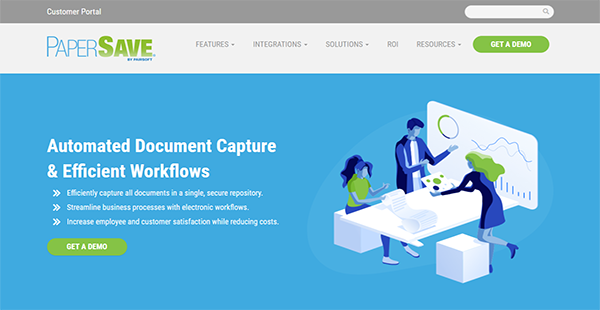
PaperSave efficiently captures documents, extracts information, validates data, and streamlines business processes. The solution’s innovative document capture system has various document capture methods. This means that it can capture data from multiple sources like scanners, faxes, emails, and even Microsoft Office.
To complement its document imaging capability, PaperSave has an intelligent Optical Character Recognition (OCR) engine. With it, the solution can extract data automatically from documents. This also results in the reduction, even elimination, of manual and repetitive data entry. This works together with the software’s smart forms as well.
You can use those features to have consistently efficient work processes. That is because you can make them a part of your workflow and business rules. In this way, there are parts of your processes that you can automate and complete quickly. On top of that, you can employ this feature to streamline auditing, monitor corporate processes to create reports, and delegate tasks. You can even create business rules to capture general ledger distribution. With this, those who need information from the GL can get instant access and proceed with their work swiftly.
Furthermore, PaperSave can integrate with your ERP or CRM software. Thus, you can augment the data in those platforms with the information gathered by the solution. Other than those, the platform is certified for Microsoft Dynamics, is a technology partner of Blackbaud and Intacct.
Lastly, if your employees are always on the go, they can access their work and important data through PaperSave’s mobile apps. They can capture documents with the mobile camera, search and browse for documents, and participate in workflows like document approvals.
This software, which is designed for SMEs, can be implemented rapidly in your organization. PaperSave’s support team is available via chat, and you can get in touch with them via email as well if you are interested in a demo and a quote.
Show MoreOverview of PaperSave Benefits
Flexible document capture
With PaperSave, you can capture documents from various sources. Its most basic data capture capability is scanning paper documents. The solution can also capture documents from a desktop scanner or copier, an email client, fax machine, or Microsoft Office application. Once images have been scanned, users can choose what to do with them: send to records directly, scan documents in bulk and leave the rest to the software, enter transactions from an image, or capture documents from systems like AP Checks, bill of lading, and the like. Because you can capture documents from anywhere, you do not have to worry about losing documents or going the roundabout way to upload them to the PaperSave system.
Dynamic search
PaperSave can conduct basic searches, but its search capabilities extend beyond that. It can conduct full-text searches so you can scan through entire documents. You can also utilize unstructured search on metadata, user-defined metadata, and document content. Or, if you prefer, you can do structured searches instead. The software takes care of the technical side of that so that you can perform a structured search anytime. With the dynamic search, you can easily find data whenever you need to.
Data on the cloud
With PaperSave, there is no need to worry about losing scanned data or storing them in a separate cloud database. The solution has a cloud center where it sends captured documents automatically. It is compliant with regulations, has top-notch encryption, industry-standard security protocols, and cares for your privacy. You do not have to worry about other people accessing your data because you own every byte of information that goes to PaperSaveCloud.
Electronic workflow
With an electronic workflow, you can make your work procedures more consistent. PaperSave can help you enforce this through its business rules that you can configure from the start and change when necessary. In this way, employees stick to the standard processes to avoid missing critical information and delays. It can also help reduce the time spent on critical workflows like procurement. That is because PaperSave assists in processing transactions quickly.
Faster approval and approval control
For processes that always require approval, you can ensure that only the right individuals can provide that approval. This is possible with the automated workflow that can integrate with the document management system and smart forms. PaperSave can send documents and forms through all the steps necessary depending on the configured workflow. With this, employees can gain approval quickly and avoid bottlenecks in operations.
Paperless office
Paper expenses can cost as much as $80 per employee annually. That is a lot of money that you can save by going paperless. PaperSave helps you with your digitalization process with smart web-based forms. These forms can interact with the PaperSave workflow, so you can distribute and process them automatically.
Mobile apps
PaperSave has three mobile apps: RE, FR, and GP. These allow users to scan documents with their mobile cameras and store them in the system with ease. Thereon, they can upload the files into the workflow to erase bottlenecks. Managers, employees, and proprietors can utilize the mobile apps to review and approve forms and documents. In this way, tasks can be completed with ease and at the best speed because there is little time spent waiting. Additionally, the PaperSave mobile apps serve as walking information databases because users can search for and browse documents whenever and wherever they need to.
Show MoreOverview of PaperSave Features
- Flexible document capture
- Optical Character Recognition
- Data validation
- Central document database
- Search function
- Electronic workflow
- Information extraction
- SmartForms
- ERP integration
- CRM integration
- Microsoft applications integration
- Blackbaud integration
- Intacct integration
- Mobile apps
Awards & Quality Certificates



PaperSave Position In Our Categories
Bearing in mind companies have distinct business-related wants, it is reasonable that they steer clear of going for a one-size-fits-all, ideal business application. However, it would be hard to pinpoint such an app even among sought-after software solutions. The rational step to do would be to list the varied chief aspects which require analysis such as essential features, price plans, skill capability of staff members, organizational size, etc. The second step is, you should follow through your product research to a full extent. Go over these PaperSave reviews and explore each of the software solutions in your shortlist in detail. Such all-encompassing product investigation ascertain you avoid unsuitable apps and buy the system which provides all the benefits your company requires for success.
Position of PaperSave in our main categories:
Enterprises have diverse needs and requirements and no software platform can be perfect in such a situation. It is useless to try to find an ideal out-of-the-box software product that meets all your business requirements. The wise thing to do would be to customize the solution for your unique requirements, worker skill levels, finances, and other factors. For these reasons, do not rush and invest in well-publicized leading solutions. Though these may be widely used, they may not be the best fit for your specific wants. Do your homework, investigate each short-listed platform in detail, read a few PaperSave Accounts Payable Software reviews, speak to the vendor for explanations, and finally choose the app that presents what you need.
How Much Does PaperSave Cost?
PaperSave Pricing Plans:
Free Trial
PaperSave
by quote
What are PaperSave pricing details?
PaperSave Pricing Plans:
Free Trial
PaperSave
by quote
PaperSave pricing is available only by request. You can get in touch with the vendor’s sales representatives to discuss a solution that meets your organization’s requirements.
PaperSave – request a quote
- Document Capture
- Document Management
- Electronic Workflow
- Transaction Automation
- SmartForms
- Mobile Apps
User Satisfaction
Positive Social Media Mentions
45
Negative Social Media Mentions
2
We are aware that when you choose to buy a Accounts Payable Software it’s important not only to see how experts score it in their reviews, but also to discover whether the actual clients and enterprises that use this software are genuinely content with the service. That’s why we’ve devised our behavior-based Customer Satisfaction Algorithm™ that gathers customer reviews, comments and PaperSave reviews across a broad range of social media sites. The data is then displayed in a simple to understand form indicating how many people had positive and negative experience with PaperSave. With that information available you will be equipped to make an informed purchasing choice that you won’t regret.
Video
Technical details
Devices Supported
- Android
- iPhone/iPad
- Web-based
Deployment
- Cloud Hosted
Language Support
- English
Pricing Model
- Quote-based
Customer Types
- Small Business
- Medium Business
What Support Does This Vendor Offer?
- phone
- live support
- training
- tickets
What integrations are available for PaperSave?
PaperSave can integrate with your ERP and CRM software. It can also connect with platforms from the following:
- Microsoft
- Blackbaud
- Intacct

PaperSave
is waiting for
your first review.

Write your own review of this product
ADD A REVIEWMore reviews from 0 actual users:


Join a community of 7,369 SaaS experts
Thank you for the time you take to leave a quick review of this software. Our community and review base is constantly developing because of experts like you, who are willing to share their experience and knowledge with others to help them make more informed buying decisions.
Sign in with LinkedIn
Why we require LinkedIn?
- Show the community that you're an actual user.
- We will only show your name and profile image in your review.
- You can still post your review anonymously.
OR
Sign in with company emailSign in with company email
Popular PaperSave Alternatives





Top Competitors To PaperSave By Price
Product name:
Price:




Trending Accounts Payable Software Reviews



PaperSave Comparisons
Product name:





Page last modified



Did you find this review useful?
Yes
No
Thank you for your feedback
How can we make this page better?
Unsure about this software?
FIND ALTERNATIVES
 Why is FinancesOnline free?