

Preno Review


What is Preno?
Preno is an easy-to-use yet powerful hotel management software that enables hotels and accommodation providers to streamline their operations and save time and money in running their business. Since it’s cloud-based, users can access the platform anytime and anywhere from any device—mobile, tablet, laptop, or desktop.
Moreover, Preno allows you to merge your front-office and back-office operations so that there is a seamless flow of information between different departments or teams in your business. Using user logs and activity tracking helps avoid errors and double-handling of data. Whether you’re running hotels, motels, lodges, vacation rentals, apartments, or resorts, you’ll be able to focus more on delivering great experiences to your guests rather than doing repetitive administrative responsibilities.
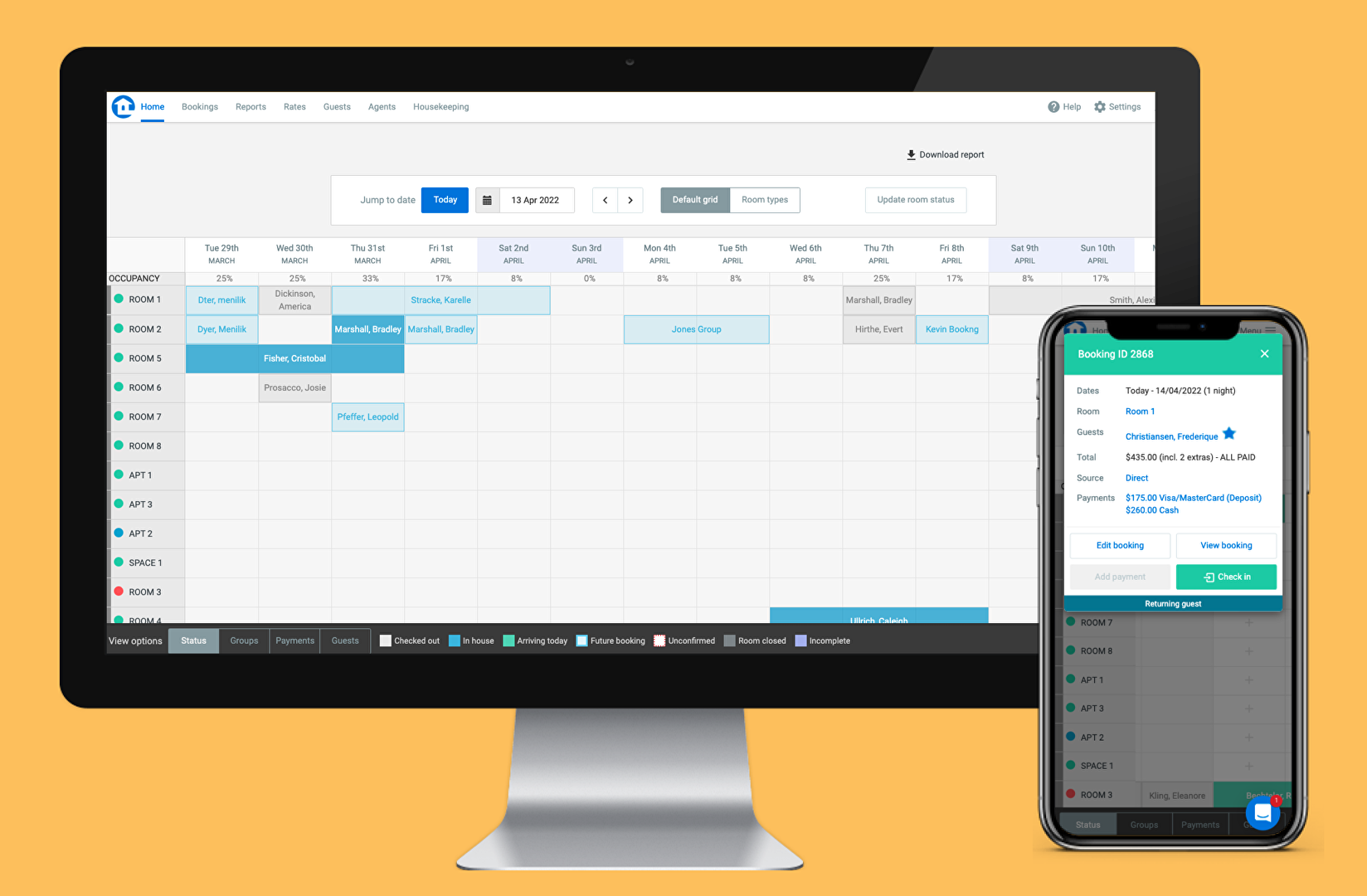
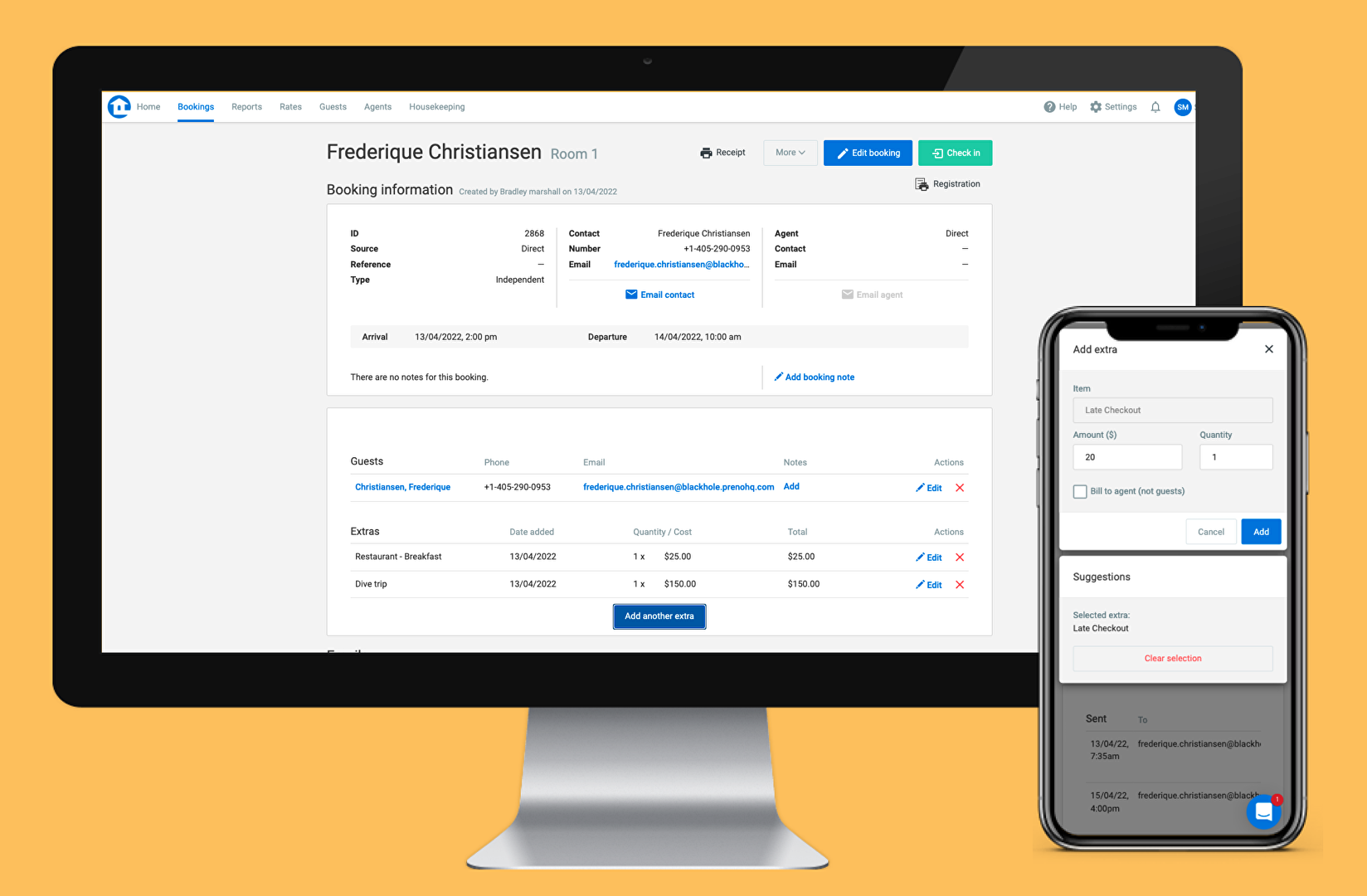
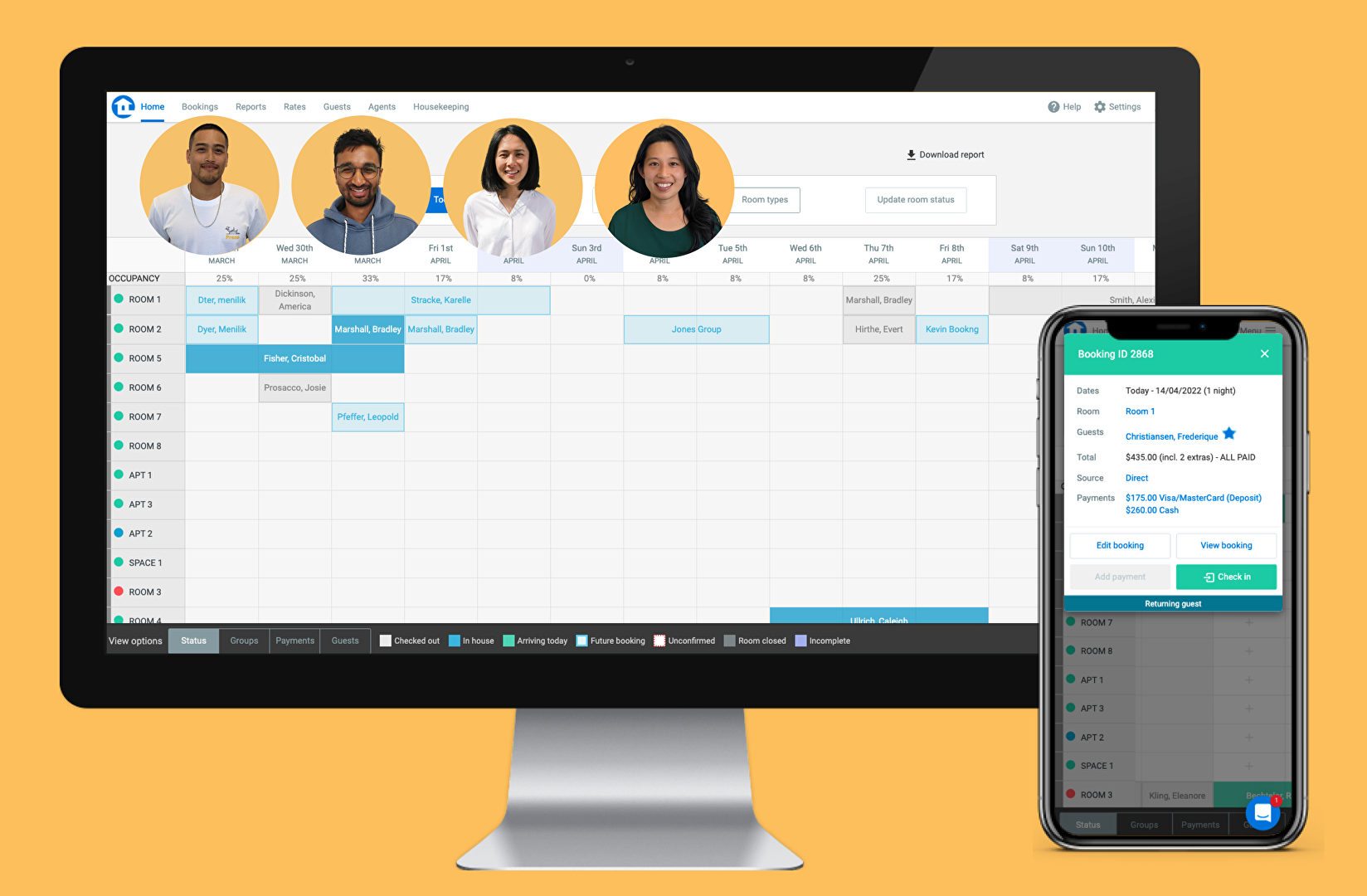
Preno provides a visual dashboard where all of your private and group bookings are consolidated for a clear view. The dashboard gives you easy access to all the booking information you need and lets you accomplish tasks through a simple drop and drag function. The software also includes features that help you make guests’ stay more convenient and memorable. You can implement a faster check-in/out process, offer add-ons to guests as they book online, give them the opportunity to dine or buy now and pay later, and instantly connect with guests via email. It also has a Connected Rooms feature that automatically books multiple units for families and groups.
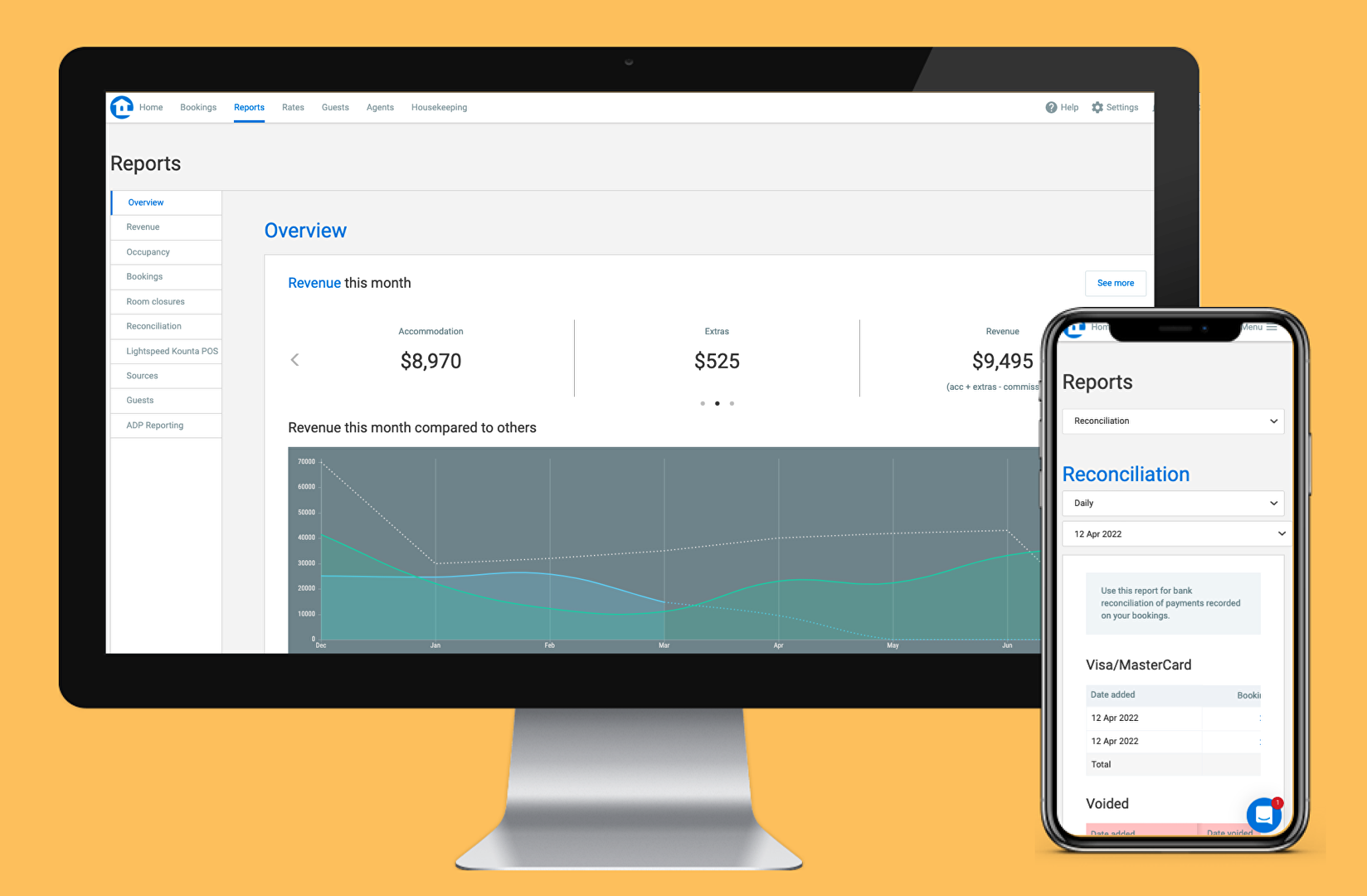
You’ll also have access to the software’s custom reporting features, which ensures you always have a complete overview of key metrics to assess your business performance. You can drill down into specific details such as source, room type, date of the booking, etc. You can also track and compare agent performance over time, which greatly simplifies the management of agent commissions and overall business decision-making.
Preno integrates with popular accounting software such as Xero and MYOB. You will also be able to provide smoother transactions to your guests by integrating the software with payment gateways such as Stripe, Braintree, and Windcave. Additionally, Preno lets you connect with various online travel agents and channel managers so you can improve the online visibility of your business and obtain higher occupancy rates.
Subscribers of Preno receive 24/7 in-app support from a dedicated team that understands the hotel and rental accommodation industry. This expert support is available at no extra cost. Lastly, as the vendor offers a flexible contract subscription, users may conveniently upgrade or cancel at any time.
Show MoreOverview of Preno Benefits
See key booking info at a glance
One of the handy features included in Preno is it permits you to easily manage individual and group bookings. Its user-friendly interface and flexible grid views make it easy to see details such as check-ins, returning guests, unpaid invoices, room types, room availability, and more. You can also check previous and upcoming bookings so you can compare and plan your reservations.
If there are any changes in your bookings, you can quickly make edits right on Preno’s dashboard using its drag-and-drop function. You can shift booking rooms or dates and instantly confirm a new reservation. This feature also makes it easy to see which popular rooms are available and provide guests with free room upgrades.
In addition, it has a Connected Rooms feature that allows users to list a particular unit under two room types. This will automatically close one of the units when a connected room has been booked, making it great for families and groups.
Provide personalized guest experience
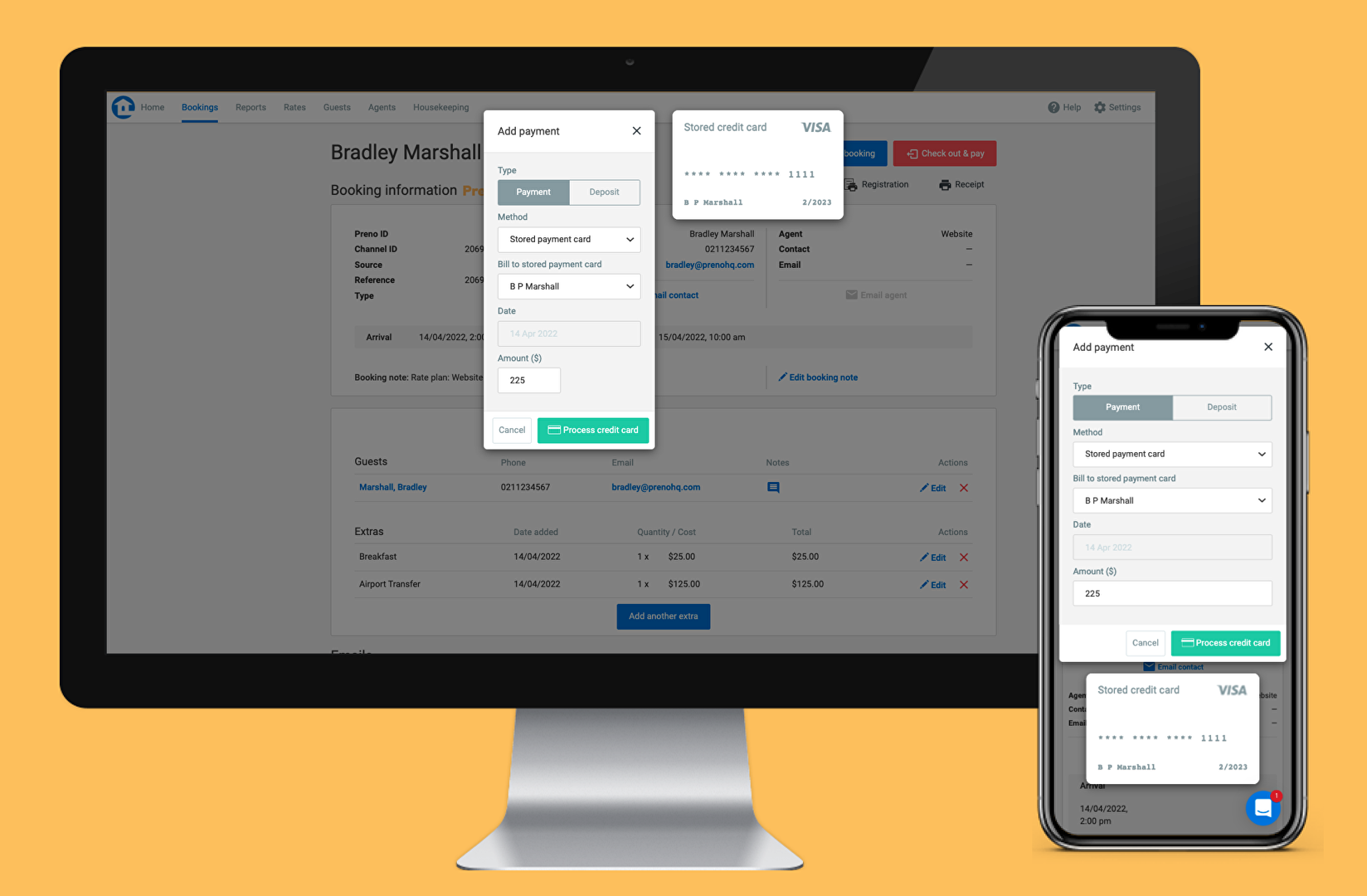
Preno allows you to build comprehensive guest profiles so you can provide a more personalized guest experience. You can implement a streamlined check-in/check-out process, store credit card details, and keep track of guest preferences such as their favorite room, service, etc.
Easy onboarding
Preno’s intuitive to use, so even the most non-tech savvy member of your staff will be able to learn the software in no time. It has a modern workflow design that minimizes user errors. The company also provides free training to users and 24/7 in-app customer support so your hotel staff can have the skills and confidence when using the platform.
Prepare for busy, high occupancy days
Preno’s grid view makes it easy to keep track of holidays and events happening in your area. This feature comes in handy when you need to add public holidays and event dates to the dashboard in order to prepare for days when occupancy rates might increase.
Optimize your email marketing
Preno’s email automation feature lets you personalize emails and optimize your business’ email marketing. You can send automatic reminders and thank you notes to guests by using templates or setting rules to automatically send emails based on your set criteria.
Easily track and update hotel activities
Preno has tools to help track activities and log users. With this, you can see all the movements happening on the front end and back end. These include system changes, schedule changes, as well as who had access to which rooms.
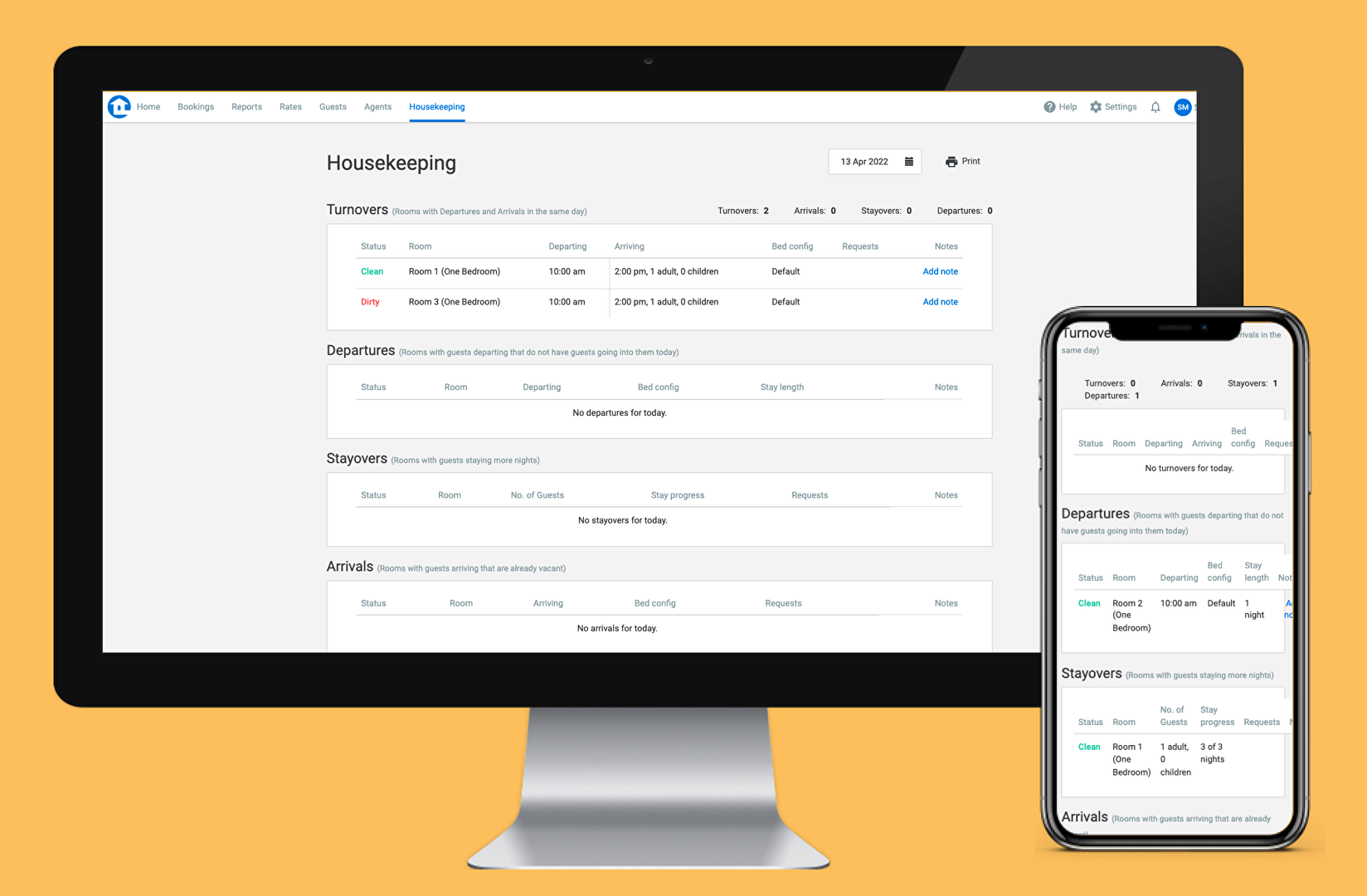
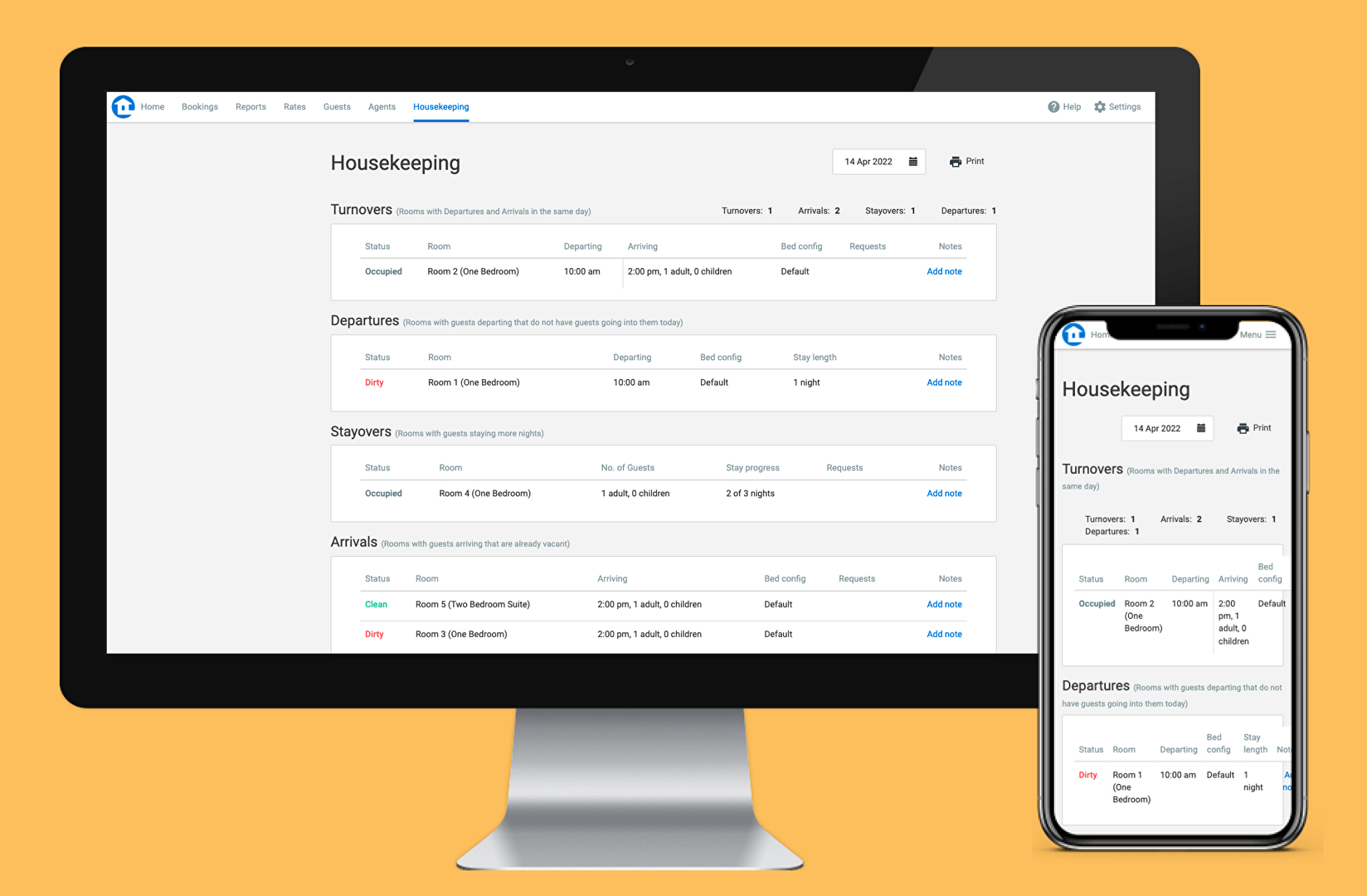
In addition, this allows you to check on the housekeeping status of your rooms. With this, housekeeping staff can get updates on tasks and specific guest requests/notes per room. These include requests for separate beds, bottles of champagne or wine, etc.
Improved online visibility
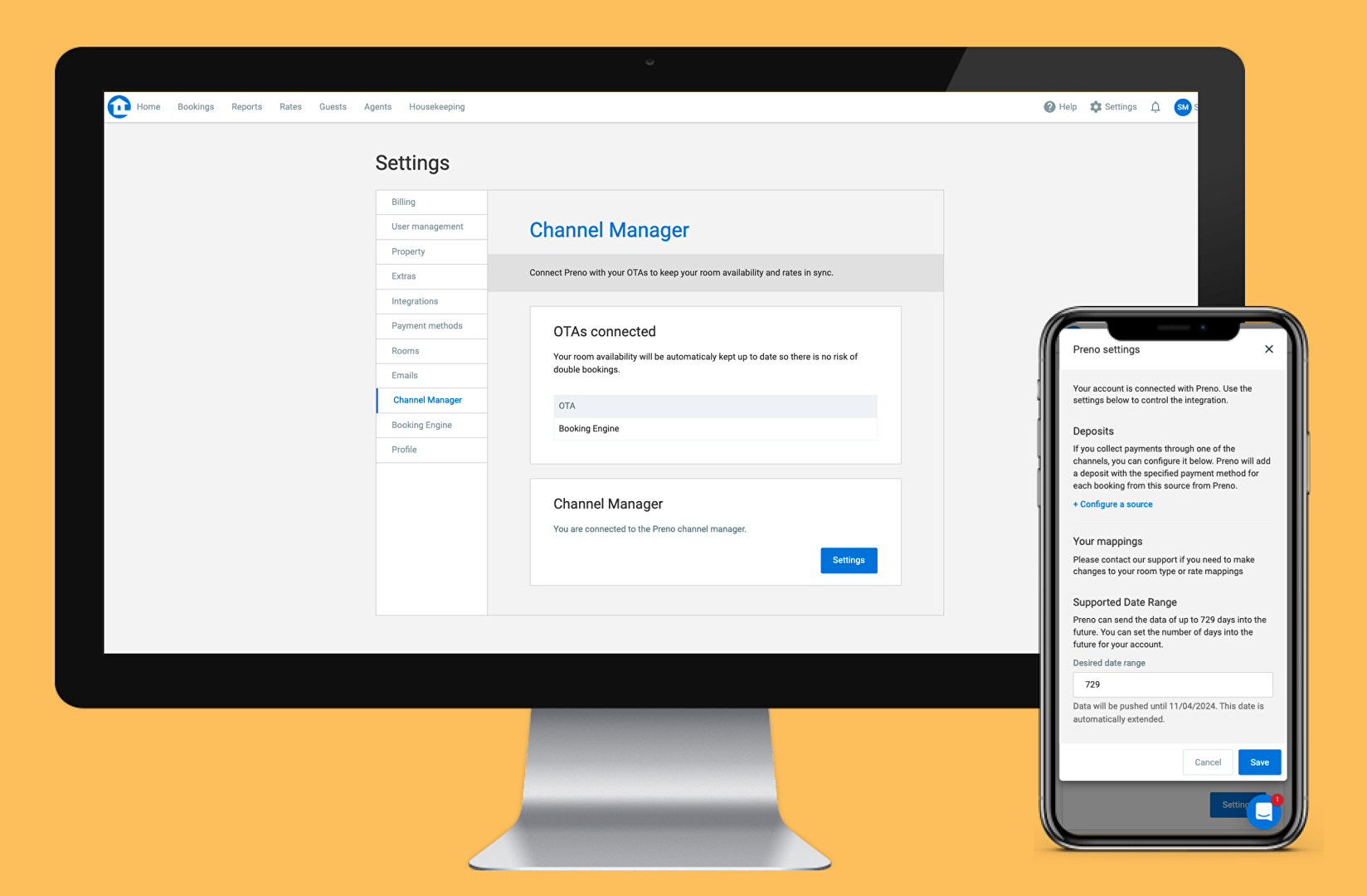
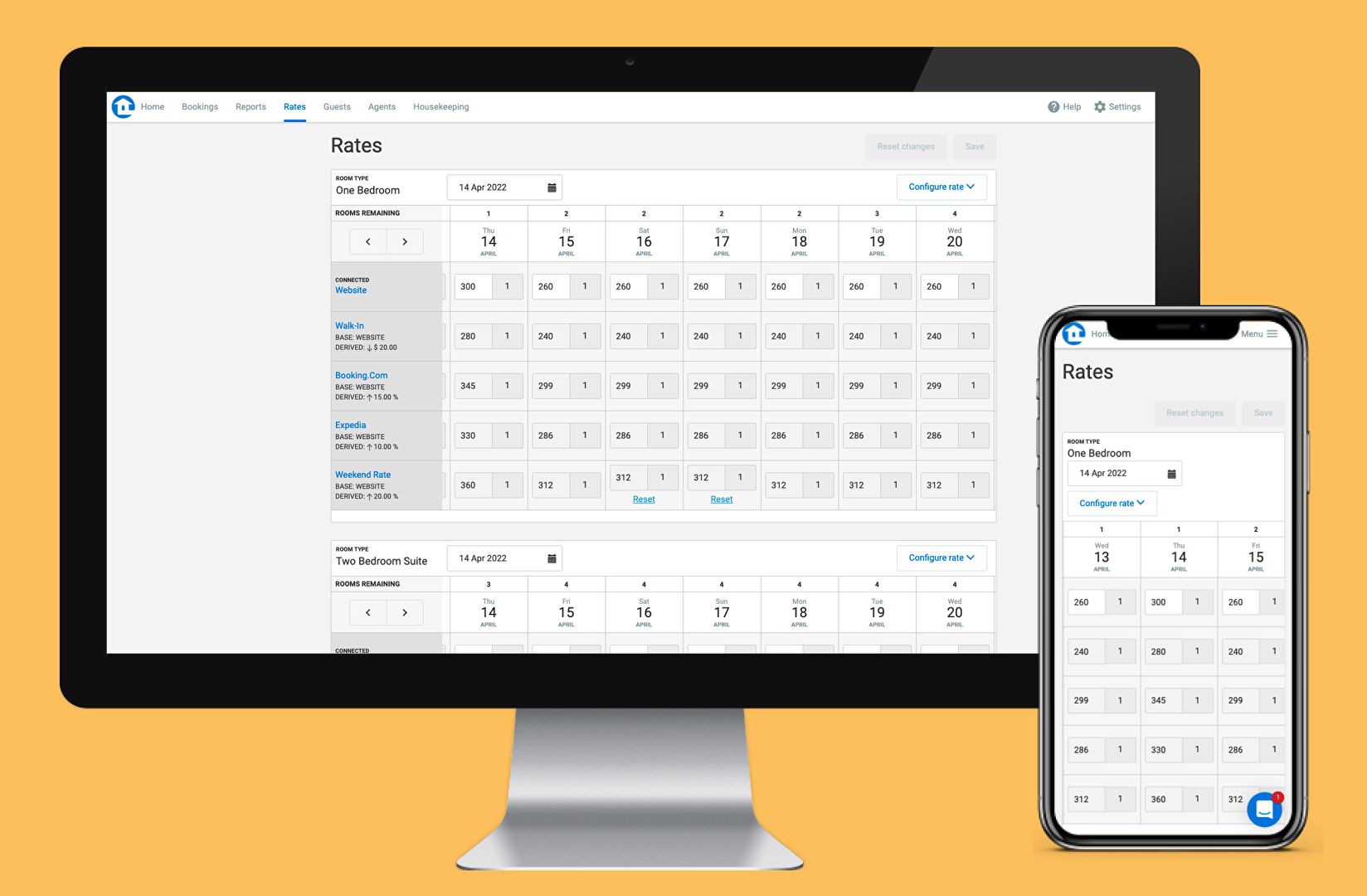
Preno makes your accommodation business more visible online. Since it seamlessly integrates with channel managers STAAH and Siteminder, you can get real-time booking updates and widen your reach by making sure your rooms or listings are integrated into major booking platforms like Expedia and Booking.com. In this way, you’ll be able to reach a greater number of potential guests, increase your occupancy rates, maximize your revenues and say goodbye to double bookings.
Moreover, you get to promote your business across multiple online channels. Plus, all of your inventory and accounting data are automatically synchronized between Preno and the online channels connected to the software, including bookings, room rates, and room availability.
For example, when certain rooms are already occupied, Preno will instantly update the room availability posted across all your online channels. Likewise, if you change room rates in Preno, your online channels will be immediately updated with the most recent rate changes you made.
Real-time business reporting
Preno generates simple, easy-to-read visual reports that you can access from any location at any time. These custom reports provide real-time data and metrics about your accommodation business, such as the number of bookings made and rooms closed, your occupancy rate, housekeeping status reports, and revenues you earned for a given period.
You can also get insights into agents’ performances and your back-office processes, like invoicing, billing, and bank reconciliation. If you want to compare the past performance of your business against that of your competitors and identify and analyze seasonal differences, you can do that as well. With this solution at your disposal, managing agent commissions can be simplified and accelerated.
Show MoreOverview of Preno Features
- User logs and activity tracking
- Connected room support
- Guest experience management
- Quick check-ins
- POS integration
- Bill to Room
- Multiple payment methods
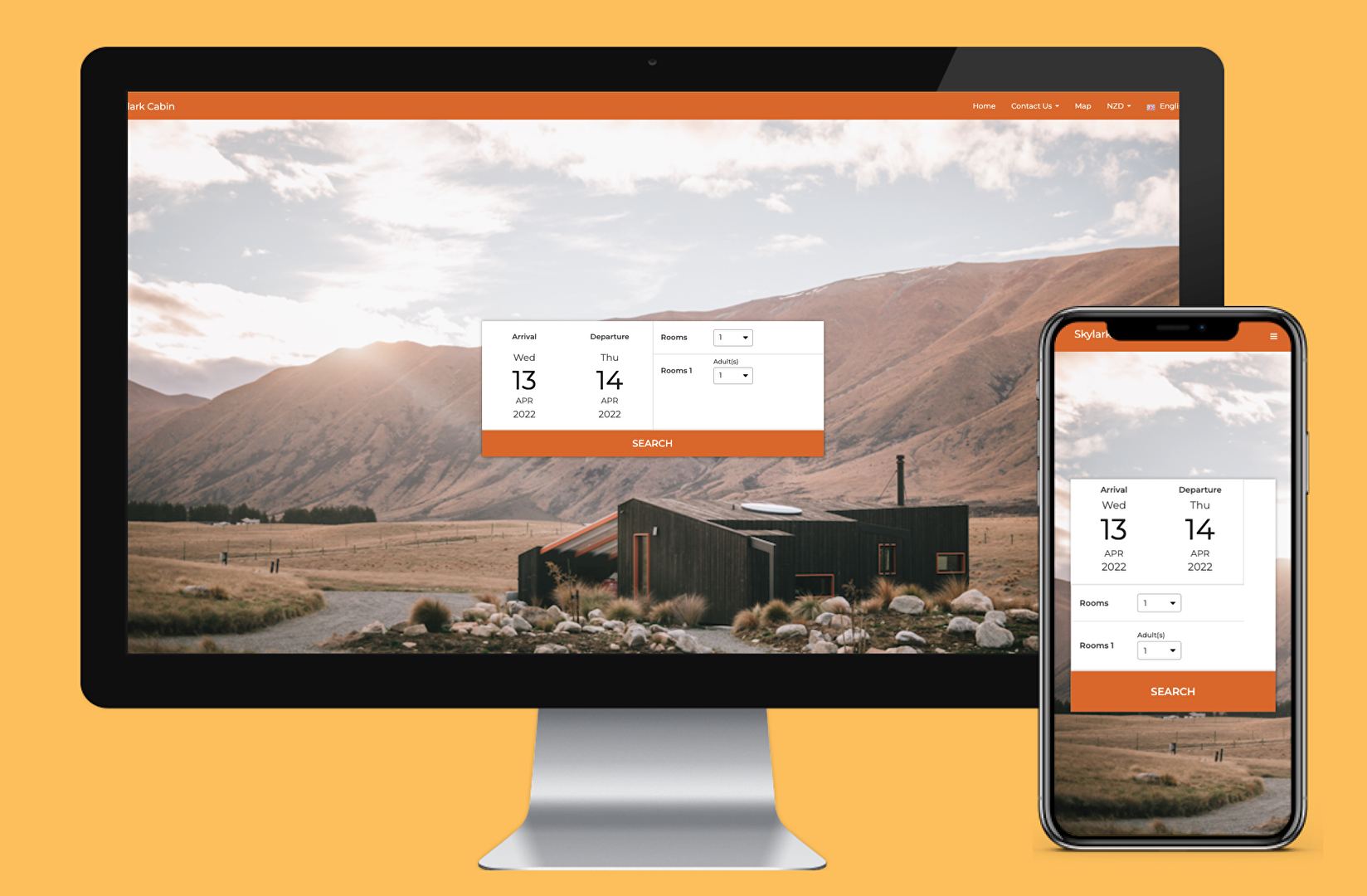
- Online booking
- Dashboard
- Consolidate booking information
- Group booking management
- Accounting software integration
- Invoicing
- Agent commission management
- Deposit management
- Bank reconciliation
- Online channels
- Inventory synchronization
- Custom reporting
- Flexible contract subscription
- 24/7 in-app chat support
What Problems Will Preno Solve?
Problem#1: Steep learning curve for employees when using new software
Preno is a modern property management tool that’s easy to use and fast to get up and running with. The company offers 24/7 support to help customers at any time. There is a dedicated team that understands the industry that will help you when you need it at no extra cost.
Problem #2: Limited access to data
Managing a hotel and rental accommodation business relies heavily on retrieving information and records, which used to be done on desktop-only software. With Preno, you get cloud-based software that allows you to have a view over your property anywhere on any device safely. All your hotel staff or employees need is a working internet connection to access the data they need on the platform. They are not limited to a single desktop assigned to them. They can use other devices and only need their log-in credentials in order to use Preno.
Problem #3: Human errors and mishandling of data
Disconnected teams not only increase the risk of errors and mishandling of data but also greatly slow down your operations. With Preno, you can merge your front and back office, so there is less disconnection between your reservations, teams, and accounts. You can avoid double-handling of data, minimize errors, and save a huge amount of time.
Awards & Quality Certificates



Preno Position In Our Categories
Since businesses have their own business requirements, it is only logical they avoid buying an all-encompassing, ”best” solution. Regardless, it is almost impossible to come across such an app even among popular software products. The right step to undertake can be to shortlist the various essential functions that need examination including key features, pricing, skill levels of staff, company size, etc. Thereafter, you must double down on the research thoroughly. Go over these Preno analyses and explore the other software products in your list more closely. Such well-rounded research can make sure you steer clear of ill-fitting apps and subscribe to the system which includes all the features your company requires.
Position of Preno in our main categories:
TOP
5
Preno is one of the top 5 Hotel Management Software products
TOP
20
Preno is one of the 20 Property Management Software products
TOP
20
Preno is one of the top 20 Real Estate Management Software products
If you are considering Preno it might also be a good idea to investigate other subcategories of Hotel Management Software collected in our base of B2B software reviews.
There are trendy and widely used systems in each software group. But are they automatically the best fit for your company’s special wants? A trendy software solution may have thousands of customers, but does it present what you require? For this reason, do not blindly spend on popular systems. Read at least a few Preno Hotel Management Software reviews and mull over the factors that you want in the software such as the cost, main features, available integrations etc. Then, select a few solutions that fit your wants. Check out the free trials of these platforms, read online opinions, get explanations from the seller, and do your homework thoroughly. This profound research is sure to assist you choose the best software application for your organization’s unique wants.
How Much Does Preno Cost?
Preno Pricing Plans:
Free Trial
All-in-one Flexi Plan
$27/month
All-in-one Plan
$118/month
All-in-one Autopilot Plan
$136/month
PMS Only Plan
$91/month
What are Preno pricing details?
Preno Pricing Plans:
Free Trial
All-in-one Flexi Plan
$27/month
All-in-one Plan
$118/month
All-in-one Autopilot Plan
$136/month
PMS Only Plan
$91/month
Preno’s standard pricing plans are suitable only for small- to mid-sized accommodation businesses. However, you can contact the software company if you need an enterprise pricing package tailored to the needs of your business.
Here are the details:
All-in-one Flexi Plan
AIO designed for hoteliers wanting flexible pricing aligned with their revenue.
- Starting from $27 AUD per month
All-in-one Plan
AIO designed for hoteliers who want a core hotel software package.
- Starting from $118 AUD per month
All-in-one Autopilot Plan
Powerful AIO designed for hoteliers who want to put their hotel on Autopilot.
- Starting from $136 AUD per month
PMS Only Plan
Powerful cloud PMS designed for hoteliers using Siteminder or Staah
- Starting from $91AUD per month
Preno Features & Benefits:
- Cloud-based – access Preno from anywhere at anytime
- Website Booking Engine
- Channel Manager
- PMS dashboard
- Xero & Stripe integrations
- Auto-payments
- Auto-deposits
- Easy-to-use platform
- Merging of front and back-office – eliminate double bookings and handlings
- Integration with Xero accounting software
- Integration with payment gateways
- Access comprehensive, real-time reports
- 24/7 customer support
User Satisfaction
Positive Social Media Mentions
16
Negative Social Media Mentions
0
We are aware that when you make a decision to purchase a Hotel Management Software it’s important not only to see how experts rank it in their reviews, but also to check if the actual people and businesses that bought this software are actually happy with the product. That’s why we’ve devised our behavior-based Customer Satisfaction Algorithm™ that collects customer reviews, comments and Preno reviews across a wide range of social media sites. The information is then displayed in a simple to digest format showing how many people had positive and negative experience with Preno. With that information available you should be prepared to make an informed purchasing decision that you won’t regret.
Video
Screenshots
Technical details
Devices Supported
- Windows
- Linux
- Android
- iPhone/iPad
- Mac
- Web-based
Deployment
- Cloud Hosted
Language Support
- English
Pricing Model
- Monthly payment
- Quote-based
Customer Types
- Small Business
- Large Enterprises
- Medium Business
What Support Does This Vendor Offer?
- phone
- live support
- training
- tickets
What integrations are available for Preno?
Preno integrates with the following third-party apps:
Accounting Software
- Xero
- MYOB
- Goki
Channel Managers
- SiteMinder
- STAAH
Payment Gateways
- Stripe
- Braintree
- Windcave
Point of Sale
- Lightspeed Kounta POS
Guest Experience
- Wishbox
Preno User Reviews
Preno average rating:
5/5
Overall impression
5/5
Customer Support
5/5
Value for Money
5/5
Ease of Use
Write your own review of this product
ADD A REVIEWMore reviews from 1 actual users:
Sort by:
Latest
- Latest
- Most useful
- Most positive
- Most negative
Great software and AMAZING service!!
Read full review >
5/5
Overall impression
5/5
Customer Support
5/5
Value for Money
5/5
Ease of Use
Published on: 17.03.2021
Company Size: N/A
Industry: N/A
PROS: Simple interface, fast, powerful and superb customer service - the fastest I have ever seen!
CONS: We have requested a few tweaks to the interface, mainly drop-downs so we know why type of customer booked.


Join a community of 7,369 SaaS experts
Thank you for the time you take to leave a quick review of this software. Our community and review base is constantly developing because of experts like you, who are willing to share their experience and knowledge with others to help them make more informed buying decisions.
Sign in with LinkedIn
Why we require LinkedIn?
- Show the community that you're an actual user.
- We will only show your name and profile image in your review.
- You can still post your review anonymously.
OR
Sign in with company emailSign in with company email
Useful Preno Resources
Popular Preno Alternatives




Top Competitors To Preno By Price
Product name:
Price:





Trending Hotel Management Software Reviews




8.0
N/A

Preno Comparisons
Product name:




Preno user reviews
Great software and AMAZING service!!
Read full review >
5/5
Overall impression
5/5
Customer Support
5/5
Value for Money
5/5
Ease of Use
Published on: 17.03.2021
Company Size: N/A
Industry: N/A

Page last modified
Award Winner


Did you find this review useful?
Yes
No
Thank you for your feedback
How can we make this page better?
Unsure about this software?
FIND ALTERNATIVES
 Why is FinancesOnline free?