
- Home
- Time Tracking Software
- StafftimerApp

StafftimerApp Review


What is StafftimerApp?
StafftimerApp is an effective time tracking tool that enables businesses and remote teams to record employees’ working hours and monitor their productivity through real-time screen monitoring. It combines automation, Artificial Intelligence, and cutting-edge technologies into one smart, secure, and innovative software solution. The tool aims to help users become more competitive in the global and digital work landscape.
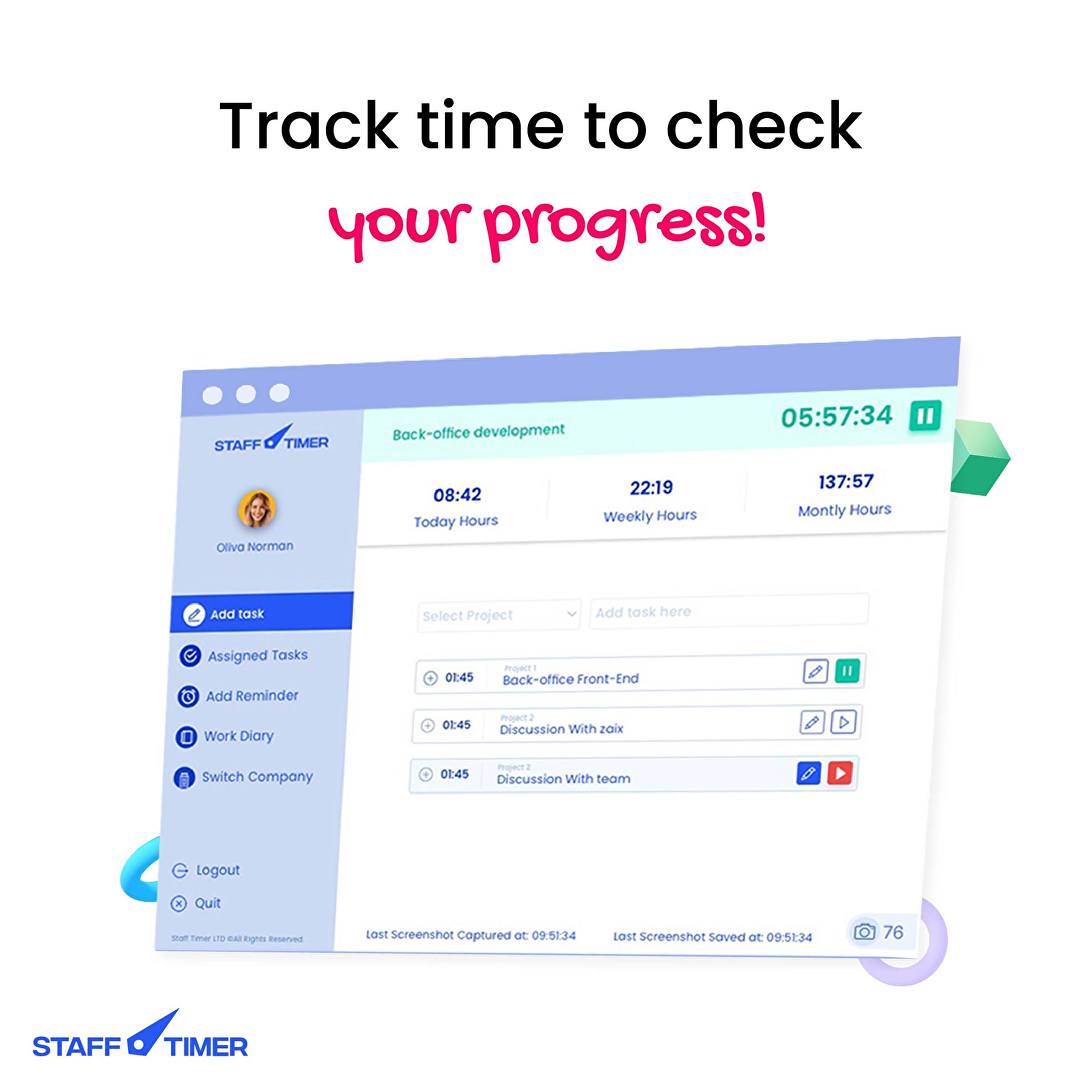
StafftimerApp takes screenshots of employees’ screens in real-time while they are working on their projects or carrying out their tasks. With this, employers will have a clearer picture of what employees are working on and how much time they’re spending on it. Through screen sharing, they can even track employees’ working hours, gain insights into employee performance and productivity, and give feedback in real-time.
The time tracking tool permits users to organize and merge employees’ screenshots into video clips so they can get an overview of the activities and tasks performed by each employee during the entire day. StafftimerApp also includes other innovative features, including the ability to assign tasks or send feedback using audio recordings and generate downloadable employee task reports.
Show MoreOverview of StafftimerApp Benefits
Visually Manage Employee Productivity
StafftimerApp innovates how businesses, companies, and remote teams monitor, measure, and evaluate employee productivity. This time tracking tool doesn’t only give users the capability to capture their employees’ working hours but also enables them to track employee productivity visually. Through capturing and monitoring employees’ screens in real-time, the tool makes it easy for them to find out what exactly employees are working on, how fast they are in completing their tasks, and if they are making better use of their time.
StafftimerApp allows real-time employee screen monitoring. With this, users will be able to view everything employees can see on their screens as they are working on their tasks. They can do this from anywhere no matter what type of operating system they are using. If they want to automatically record employees’ screens at a specified time intervals, they can enable the tool’s instant screen capturing feature. Amazingly, StafftimerApp will continue to take screenshots even if the device doesn’t have an Internet connection.
Improve Employee Productivity and Performance
StafftimerApp helps employers improve the productivity and performance of their employees by streamlining and revolutionizing the employee evaluation process. For instance, the tool lets them produce daily work video clips where all of the employees’ screenshots taken during the entire workday are consolidated. So, instead of reviewing each screenshot, managers or supervisors simply have to watch these videos. In just a matter of minutes, they can get a clear picture of employees’ daily work activities.
In fact, employees themselves can watch their own daily work video clips for them to identify their areas of opportunities, check if they are delivering the desired results, and discover ways of how they can improve their performance. Moreover, StafftimerApp has another feature that managers, supervisors, and team leaders can take advantage of. This feature is the ability to give feedback through audio clips. Using these audio clips, they can explain to employees how they can accomplish their jobs or tasks more efficiently as well as highlight their strengths and positive contributions.
Leverage Intelligent Reporting
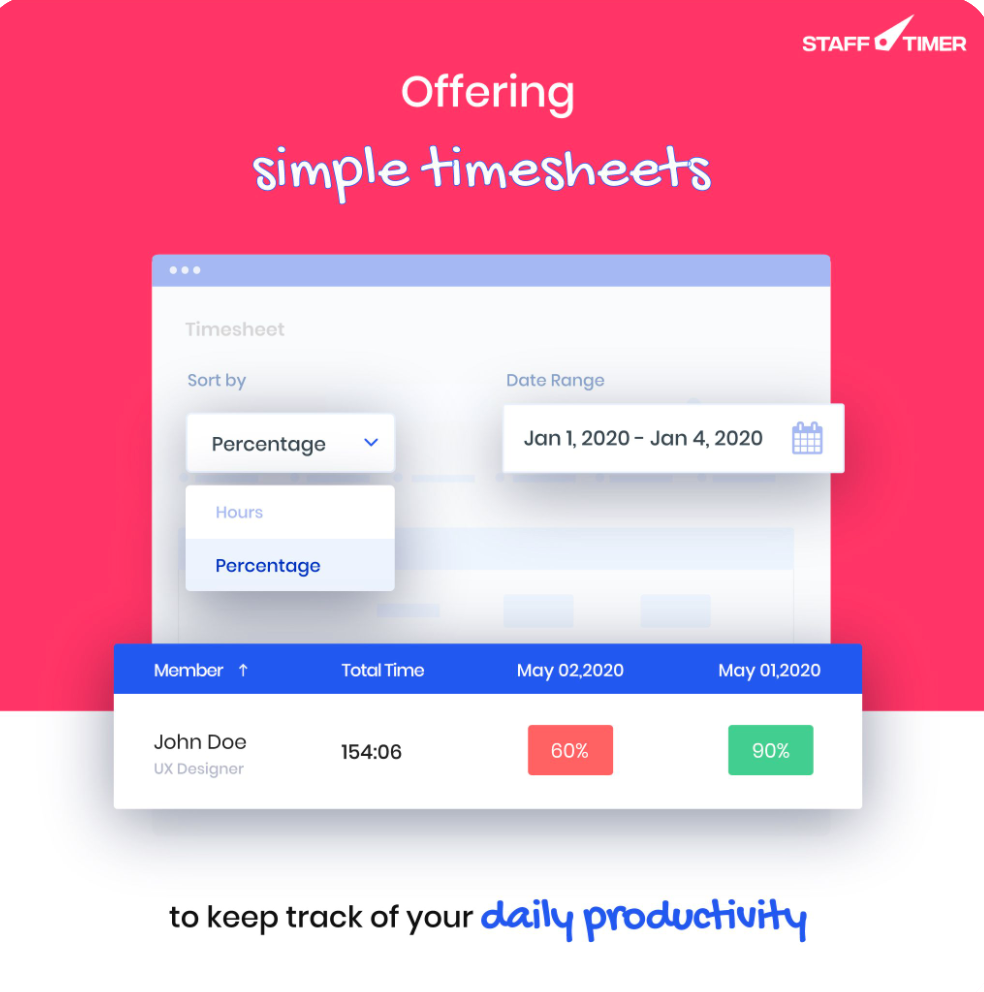
The time tracking tool also provides intelligent reporting features that can be leveraged to remove biases when it comes to measuring and assessing employee productivity and performance. Users can generate task reports that show the actual amount of time employees have spent on projects, activities, and tasks, essential metrics related to employee productivity, and data about each employee’s URL usage.
Show MoreOverview of StafftimerApp Features
- Real-Time Screen Monitoring
- Instant Screen Capture
- Daily Work Videos
- Task Assignment with Audio Clips
- Employee Evaluation & Feedback
- Reporting
- Keystroke and mouse activity
What Problems Will StafftimerApp Solve?
Problem #1: Micromanagement
An employee is surfing social media for his personal activities during working hours and hoping to delete screen captures later on. Even though he is assigned an important task to complete within an hour, but he pays no heed. Therefore, with real-time monitoring, an employer can make a quick check without moving from his place.
Feature: Real-time monitoring
Problem #2: Miscalculation
An architect is busy in fieldwork but his time tracking software doesn’t offer to opt-out option thus taking idle screenshots for hours. His productivity is shown lesser than his colleague. However, with Stafftimer, he just needs to enter a task and asks his employer to take advantage of the opt-out feature to stay trouble-free.
Feature: Instant screen capture.
Problem #3: Unclear task assignment
A remote employee is assigned a task with a detailed description given in an email. But he misunderstood and executed the task incorrectly. When he asked for his invoice, he was denied payment. The client or employer thinks he explained well, but that wasn’t the case. An email lacked clear expression at certain points and it was a hassle to read it multiple times for remote workers, with so many tasks at hand. With task assignment via audio clips, clarity is maintained and makes execution smoother.
Feature: Task assignment via voice clips
Awards & Quality Certificates


StafftimerApp Position In Our Categories
Because companies have particular business requirements, it is only rational that they abstain from selecting an all-encompassing, “perfect” business application. Nevertheless, it is futile to try to stumble on such a software system even among sought-after software products. The correct thing to do should be to list the various key factors which demand scrutiny such as major features, packages, technical skill aptitude of staff, company size, etc. Then, you must follow through the research exhaustively. Go over some StafftimerApp evaluations and scrutinize each of the software solutions in your list in detail. Such well-rounded research can make sure you weed out poorly fit applications and subscribe to the system that provides all the benefits your company requires to achieve growth.
Position of StafftimerApp in our main categories:
TOP
100
StafftimerApp is one of the top 100 Remote Work Software products
It's crucial to keep in mind that almost no service in the Time Tracking Software category is going to be a perfect solution able to match all the goals of all business types, sizes and industries. It may be a good idea to read a few StafftimerApp Time Tracking Software reviews first as specific software may perform well exclusively in a very narrow group of applications or be designed with a very specific type of industry in mind. Others can work with an intention of being simple and intuitive and as a result lack advanced elements welcomed by more experienced users. You can also come across apps that cater to a broad group of users and offer a complex feature toolbox, however that frequently comes at a more expensive cost of such a solution. Make sure you're aware of your requirements so that you buy a service that offers specifically the features you search for.
How Much Does StafftimerApp Cost?
StafftimerApp Pricing Plans:
Free Trial
Standard
$3.99/user/month
Premium
Contact vendor
What are StafftimerApp pricing details?
StafftimerApp Pricing Plans:
Free Trial
Standard
$3.99/user/month
Premium
Contact vendor
StafftimerApp offers two SMB and enterprise pricing plans for you to choose from. Here are the details of each plan:
Standard – $3.99/user/Month (billed monthly).
- For teams who want to try StafftimerApp and access all its features
- Unlimited companies
- Unlimited employees
- Unlimited projects
- Time tracking
- Instant screen capturing
- Screenshots every minute
- Daily work video clips
- Remove idle/unwanted screenshots
- Work diary
- Offline activity tracking
- Intelligence reports
Premium – By quote (Contact the vendor at [email protected])
- Real-time screen monitoring via live screen sharing
- Idle time calculation through keystroke & mouse activity
- Host StafftimerApp on your own servers
User Satisfaction
Positive Social Media Mentions
0
Negative Social Media Mentions
0
We realize that when you choose to buy a Time Tracking Software it’s important not only to find out how experts rank it in their reviews, but also to find out whether the actual users and businesses that bought these solutions are genuinely happy with the product. That’s why we’ve created our behavior-based Customer Satisfaction Algorithm™ that gathers customer reviews, comments and StafftimerApp reviews across a wide array of social media sites. The information is then presented in a simple to understand format showing how many customers had positive and negative experience with StafftimerApp. With that information at hand you will be prepared to make an informed buying choice that you won’t regret.
Video
Screenshots
Technical details
Devices Supported
- Windows
- Mac
- Web-based
Deployment
- Cloud Hosted
- On Premise
Language Support
- English
Pricing Model
- Monthly payment
- Quote-based
Customer Types
- Small Business
- Large Enterprises
- Medium Business
- Freelancers
What Support Does This Vendor Offer?
- phone
- live support
- training
- tickets
What integrations are available for StafftimerApp?
StafftimerApp provides an on-demand, personalized user setup based on the integration requirements.

StafftimerApp
is waiting for
your first review.

Write your own review of this product
ADD A REVIEWMore reviews from 0 actual users:


Join a community of 7,369 SaaS experts
Thank you for the time you take to leave a quick review of this software. Our community and review base is constantly developing because of experts like you, who are willing to share their experience and knowledge with others to help them make more informed buying decisions.
Sign in with LinkedIn
Why we require LinkedIn?
- Show the community that you're an actual user.
- We will only show your name and profile image in your review.
- You can still post your review anonymously.
OR
Sign in with company emailSign in with company email
Popular StafftimerApp Alternatives




Top Competitors To StafftimerApp By Price
Product name:
Price:



Trending Time Tracking Software Reviews



StafftimerApp Comparisons
Product name:


Page last modified



Did you find this review useful?
Yes
No
Thank you for your feedback
How can we make this page better?
Unsure about this software?
FIND ALTERNATIVES
 Why is FinancesOnline free?