

SubItUp Review



What is SubItUp?
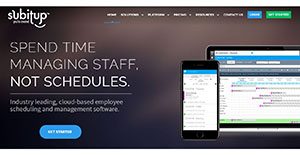
SubItUp is a web-based employee scheduling software designed for different types of industries. It is a flexible and intuitive scheduling tool which can be customized to meet the scheduling needs and resolve the scheduling challenges of offices. It is used by retail outlets, call centers, police and fire departments, educational facilities, transportation companies The software aims to improve efficiency and accountability.
SubItUp is used to track time and availability. It monitors the number of hours scheduled for an employee and makes rearrangement of scheduled time and employee availability shifts easier to apply. It is also equipped with payroll reporting capabilities and human resources functionalities, such as providing historical data on scheduled hours and employee working habits.
Show MoreOverview of SubItUp Benefits
The schedule management capabilities of SubItUp are among the best features it offers to its users. SubItUp automatically schedules shifts and removes any scheduling conflicts and complexities. After schedules and shifts are created, they are automatically assigned to all the available employees. Users can customize how schedules are assigned, which can be based on seniority, priority, employee qualifications, shift requirements, and other factors .
Since industries have their own specific scheduling challenges, SubitUp is built to respond to such challenges. As an example, call centers have to make schedules around peak hours or when there is an increase in the volume of calls during a shift. Hence, the software can be customized to simplify the scheduling process when some situations demand a need of unique scheduling.
Adjusting and changing schedules are also done effortlessly. SubitUp allows the automatic validation and confirmation of changes in schedules before they are published. It can also sort through a variety of parameters to eliminate scheduling complications, such as hard to fill shifts. SubItUp prioritizes hard to fill shifts in creating and assigning schedules.
In addition, SubItUp has the capability to generate viable reports. It enables users to evaluate their labor costs to ensure that they are aligned to the available budget of the company. One method that it is using in evaluating labor costs is predictive analysis. Through this kind of analysis, users will be able to make a forecast of their future labor costs.
SubItUp also generates payroll reports. Through these reports, users will be able to review the labor costs by department, employee, shift type, or by range of dates. Payroll reports include employee-specific information, such as the total hours of worked and even information on swapped shifts.
The employee scheduling software, furthermore, promotes collaboration. Managers can communicate with their employees through group messaging. Staff are also automatically notified when there are changes and updates made to a current schedule.
Show MoreOverview of SubItUp Features
- Automatic Scheduling
- Flexible Scheduling Options
- Labor Cost Reports and Analysis
- Payroll Reporting
- Collaboration
- Streamlined Communication
- Time and Availability Tracking
- Human Resources Features
- Budget Management
SubItUp Position In Our Categories
Since companies have their own business-related needs, it is only practical that they abstain from settling on an all-in-one, ideal software. Be that as it may, it would be almost impossible to stumble on such a software system even among popular software solutions. The best step to undertake would be to spell out the several significant factors which necessitate consideration including key features, plans, skill capability of staff members, organizational size, etc. Next, you should double down on the product research through and through. Go over these SubItUp analyses and check out each of the software systems in your shortlist in detail. Such all-encompassing research ensures you take out unsuitable applications and pay for the one that provides all the features your business requires in sustaining growth.
Position of SubItUp in our main categories:
TOP
5
SubItUp is one of the top 5 Employee Scheduling Software products
If you are interested in SubItUp it might also be a good idea to examine other subcategories of Employee Scheduling Software gathered in our base of B2B software reviews.
Enterprises have different needs and requirements and no software application can be ideal in such a scenario. It is pointless to try to find an ideal off-the-shelf software product that fulfills all your business wants. The smart thing to do would be to modify the system for your unique needs, staff member skill levels, budget, and other aspects. For these reasons, do not hasten and pay for well-publicized leading systems. Though these may be widely used, they may not be the perfect fit for your specific requirements. Do your homework, check out each short-listed platform in detail, read a few SubItUp Employee Scheduling Software reviews, contact the vendor for explanations, and finally choose the application that provides what you want.
How Much Does SubItUp Cost?
SubItUp Pricing Plans:
Free Trial
SubItUp Lite Plan
$1/user/mo.
SubItUp Standard Plan
$2/user/mo.
SubItUp Basic Plan
$10/mo.
What are SubItUp pricing details?
SubItUp Pricing Plans:
Free Trial
SubItUp Lite Plan
$1/user/mo.
SubItUp Standard Plan
$2/user/mo.
SubItUp Basic Plan
$10/mo.
SubItUp offers three enterprise pricing packages, including custom plans for large teams and companies. Here are the details:
SubItUp Lite Plan
- $1/user/mo.
- Create Users
- Manual Scheduling
- Manage Shift Changes
- Free Mobile App
- Request for Time Off
- Email & Phone Support
- Request Availability
- Create Calendar Templates
- Email & Text Users
SubItUp Standard Plan
- $2/user/mo.
- Create Users
- Manual Scheduling
- Manage Shift Changes
- Free Mobile App
- Request for Time Off
- Email & Phone Support
- Request Availability
- Create Calendar Templates
- Email & Text Users
- Automated Scheduling
- Event Scheduling
- HR Tools
- Web-based Time Clock
- Payroll Reporting
- API Access
- Seasonal Billing
SubItUp Basic Plan
- $10/mo.
- limit 25 users
- Create Users
- Manual Scheduling
- Manage Shift Changes
- Free Mobile App
- Request for Time Off
- Email Support
User Satisfaction
Positive Social Media Mentions
10
Negative Social Media Mentions
0
We realize that when you decide to purchase a Employee Scheduling Software it’s important not only to see how professionals rank it in their reviews, but also to find out whether the real people and enterprises that bought this software are indeed content with the service. That’s why we’ve designer our behavior-based Customer Satisfaction Algorithm™ that collects customer reviews, comments and SubItUp reviews across a wide range of social media sites. The data is then displayed in an easy to digest format revealing how many customers had positive and negative experience with SubItUp. With that information at your disposal you should be prepared to make an informed business choice that you won’t regret.
Video
Technical details
Devices Supported
- Windows
- Linux
- iPhone/iPad
- Mac
- Web-based
Deployment
- Cloud Hosted
- Open API
Language Support
- English
Pricing Model
- Monthly payment
- Quote-based
Customer Types
- Small Business
- Large Enterprises
- Medium Business
- Freelancers
What Support Does This Vendor Offer?
- phone
- live support
- training
- tickets
What integrations are available for SubItUp?
SubItUp supports the following integrations:
- Quickbooks
- banyondata
- ADP
- WELLS FARGO
- ellucian
- Paychex
- Oracle
- Microsoft Dynamics
- IMLeagues
- Sportifik
- AssetWORKS
SubItUp User Reviews
SubItUp average rating:
5/5
Overall impression
5/5
Customer Support
4/5
Value for Money
4/5
Ease of Use
Write your own review of this product
ADD A REVIEWThe most favorable review

PROS: I like the ease of picking up and switching shifts. No need to send SMS and emails to a number of co-workers just to find someone who can cover my shift.
CONS: There are glitches and sometimes it takes forever to load the system.
The least favorable review
PROS: I can manage the schedule of multiple employees. I can also communicate with them through the app when there are announcements or shift changes. Payroll also became easier for us as everything is done digitally. There is no need to do manual timekeeping. It is a great application that we highly recommend.
CONS: Learning it can take some time. They should provide easier tutorials to follow.
More reviews from 7 actual users:
Sort by:
Latest
- Latest
- Most useful
- Most positive
- Most negative
It made my life easier
Read full review >
4/5
Overall impression
3/5
Customer Support
3/5
Value for Money
4/5
Ease of Use
Published on: 09.11.2021
Company Size: 11-50 Employees
Industry: N/A
PROS: I can manage the schedule of multiple employees. I can also communicate with them through the app when there are announcements or shift changes. Payroll also became easier for us as everything is done digitally. There is no need to do manual timekeeping. It is a great application that we highly recommend.
CONS: Learning it can take some time. They should provide easier tutorials to follow.
It is an awesome scheduler
Read full review >
5/5
Overall impression
4/5
Customer Support
5/5
Value for Money
4/5
Ease of Use
Published on: 09.07.2021
Company Size: More than 100 Employees
Industry: N/A
PROS: It helps to customize my schedule. There's a tab where I can see my schedule. It is very organized to look at as everything is in one place. It also allows you to change yours with your co-workers, submit leaves, and add more schedule to your calendar. The switch shift option is also very convenient as everyone can see when you are requesting a shift change and they can offer their schedules to you. From there, I can choose the best one. Email notifications are also sent an hour before the shift.
CONS: I hope they'd show our previous shifts, so we can calculate the time spent working. As a result, I have to take note of my previous shift schedules myself. The email notification also can't be customized. I'd love it if we can adjust the time it notifies.
Our whole process has now been simplified
Read full review >
4/5
Overall impression
4/5
Customer Support
4/5
Value for Money
4/5
Ease of Use
Published on: 14.04.2021
Company Size: 11-50 Employees
Industry: Other
PROS: I really appreciate how this software has just pretty much simplified our whole process when it comes to managing our employees. Not only can shifts be automatically created with this and the schedule of multiple employees managed, but I can also use it to reach out to our employees in case there is any change in schedule. This has been really helpful in minimizing any misunderstandings. It has simplified the management of payroll and even lets our employees log in using their mobile devices and even track their shifts and the time they've spent working. All of this streamlining has just really made everything at the office flow much more smoothly.
CONS: Ironically, this software could really be improved by being easier and simpler to learn, especially for newbies like me. It took me quite some time to get the hang of it even with the tutorials provided.
Schedule management has never been so easy
Read full review >
5/5
Overall impression
5/5
Customer Support
4/5
Value for Money
5/5
Ease of Use
Published on: 15.03.2021
Company Size: More than 100 Employees
Industry: Other
PROS: The best thing about this software for me, an employee, is that I really feel like I have control when it comes to coming up with my schedule. I can use it to look not just at my own schedule but also at what shifts my co-workers are taking. I can use it to pick up shifts, drop shifts, or swap them with other people. It really is a convenient system that makes me feel free to fix my schedule the way I want.
CONS: I think their app on mobile could use some improvement, specifically when it comes to notifications on things like shift swaps or shift drops. Maybe something else other than emails? Because what happens is I get buried in emails whenever this happens. I want a method where I get notified but don't get barraged by emails.
Effective Schedule Management Tool
Read full review >
5/5
Overall impression
5/5
Customer Support
5/5
Value for Money
4/5
Ease of Use
Published on: 05.10.2019
Company Size: 11-50 Employees
Industry: N/A
PROS: I like the ease of picking up and switching shifts. No need to send SMS and emails to a number of co-workers just to find someone who can cover my shift.
CONS: There are glitches and sometimes it takes forever to load the system.
Feedback on SubItUp
Read full review >
5/5
Overall impression
5/5
Customer Support
4/5
Value for Money
4/5
Ease of Use
Published on: 26.09.2019
Company Size: More than 100 Employees
Industry: Higher Education
PROS: I can easily tell my superior when I am free to work or accommodate other shifts.
CONS: There can be challenges in trading shifts. The software reaches out to many employees at once so there’s competition for open shifts.
User-friendly software that helps me find a sub quickly
Read full review >
4/5
Overall impression
4/5
Customer Support
4/5
Value for Money
3/5
Ease of Use
Published on: 14.09.2019
Company Size:
Industry: Health, Wellness and Fitness
PROS: The best perk I’ve experienced using this software is the ease of reaching out to colleagues when I can’t make it to work and needs a substitute. The software has the contact information of all my co-workers and allows everyone to access and view real time schedules.
CONS: It would be great if there is an option to reserve a specific fitness class I couldn’t take for a particular colleague so no one else could have it.


Join a community of 7,369 SaaS experts
Thank you for the time you take to leave a quick review of this software. Our community and review base is constantly developing because of experts like you, who are willing to share their experience and knowledge with others to help them make more informed buying decisions.
Sign in with LinkedIn
Why we require LinkedIn?
- Show the community that you're an actual user.
- We will only show your name and profile image in your review.
- You can still post your review anonymously.
OR
Sign in with company emailSign in with company email
Popular SubItUp Alternatives





Top Competitors To SubItUp By Price
Product name:
Price:




Trending Employee Scheduling Software Reviews




SubItUp Comparisons
Product name:








SubItUp user reviews
It made my life easier
Read full review >
4/5
Overall impression
3/5
Customer Support
3/5
Value for Money
4/5
Ease of Use
Published on: 09.11.2021
Company Size: 11-50 Employees
Industry: N/A
It is an awesome scheduler
Read full review >
5/5
Overall impression
4/5
Customer Support
5/5
Value for Money
4/5
Ease of Use
Published on: 09.07.2021
Company Size: More than 100 Employees
Industry: N/A
Our whole process has now been simplified
Read full review >
4/5
Overall impression
4/5
Customer Support
4/5
Value for Money
4/5
Ease of Use
Published on: 14.04.2021
Company Size: 11-50 Employees
Industry: Other
Schedule management has never been so easy
Read full review >
5/5
Overall impression
5/5
Customer Support
4/5
Value for Money
5/5
Ease of Use
Published on: 15.03.2021
Company Size: More than 100 Employees
Industry: Other
Effective Schedule Management Tool
Read full review >
5/5
Overall impression
5/5
Customer Support
5/5
Value for Money
4/5
Ease of Use
Published on: 05.10.2019
Company Size: 11-50 Employees
Industry: N/A

Page last modified



Did you find this review useful?
Yes
No
Thank you for your feedback
How can we make this page better?
Unsure about this software?
FIND ALTERNATIVES
 Why is FinancesOnline free?