

TableAir Review


What is TableAir?
TableAir simplifies hybrid office management with integrated solutions for desks, meeting rooms, and parking reservations. This platform also offers occupancy sensors and smart buttons to optimize workspace usage, and analytics to provide insights into space utilization for cost savings.
TableAir integrates seamlessly with Microsoft 365, Outlook, Teams, and Google Calendar. This allows you to automate office operations and enhance workspace productivity. It also effortlessly manages meetings with intuitive booking tools and real-time availability displays.
TableAir supports agile work environments with user-friendly, secure, and analytics-driven solutions. Overall, TableAir is ideal for businesses seeking efficiency and flexibility in workplace management.
Show MoreOverview of TableAir Benefits
TableAir is a powerful tool for modern businesses looking to optimize their office space, enhance productivity, and streamline operations through smart workplace management solutions. Here are the TableAir benefits users can leverage:
All-In-One System
TableAir integrates desks, meeting rooms (with displays), parking reservations, and visitor management into a single, cohesive system. This eliminates the need for multiple, disjointed solutions which simplifies space reservation, utilization, and visitor coordination.
Software and Hardware Integration
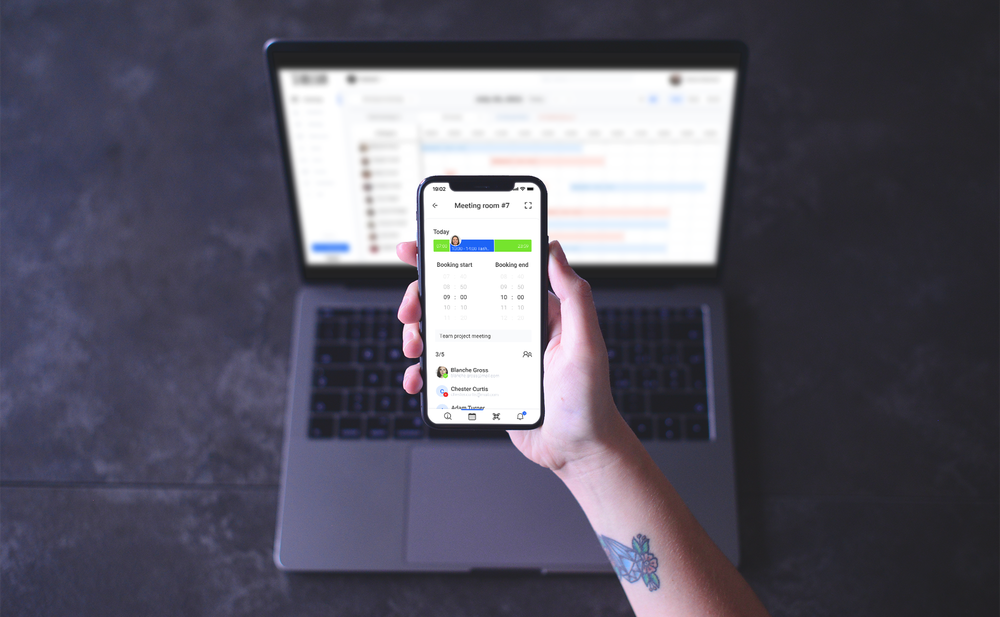
TableAir includes both software for office space reservations and visitor management and hardware. This includes meeting room and visitor management displays, kiosks, and occupancy sensors. These tools facilitate automatic booking and occupancy tracking to enhance overall efficiency.
Enhanced User Experience
TableAir enhances the user experience with a variety of check-in options, including QR codes, NFC/RFID cards, and real-time occupancy sensors. This ensures seamless and adaptable space utilization tailored to diverse preferences.
Analytics for Insights
TableAir’s dashboard provides detailed workplace analytics, including team attendance reports and space utilization metrics. This data allows companies to make informed decisions about office space management and optimization.
For instance, you can use it to pinpoint underutilized areas. This guides office space rearrangements or the rental of excess space so businesses can yield substantial cost savings.
Automation and Efficiency
TableAir’s automated office space booking and visitor management streamline operations and eliminate the need for additional staff and time to locate available spaces. Doing so cuts overhead costs and enhances overall efficiency.
Scalability and Flexibility
TableAir is designed with scalability and flexibility in mind, making it well-suited to grow alongside any organization. Whether expanding to new locations, accommodating a larger workforce, or adjusting to changing office dynamics, TableAir offers adaptable solutions.
Reduced Administrative Workload
TableAir empowers employees to concentrate more on their primary responsibilities by reducing the administrative workload associated with managing office spaces and visitors. This significantly boosts overall productivity.
Show MoreOverview of TableAir Features
- API
- Access Controls/Permissions
- Availability Indicator
- Booking Management
- Calendar Management
- Calendar Sync
- Contact Tracing
- Desk Availability Schedule
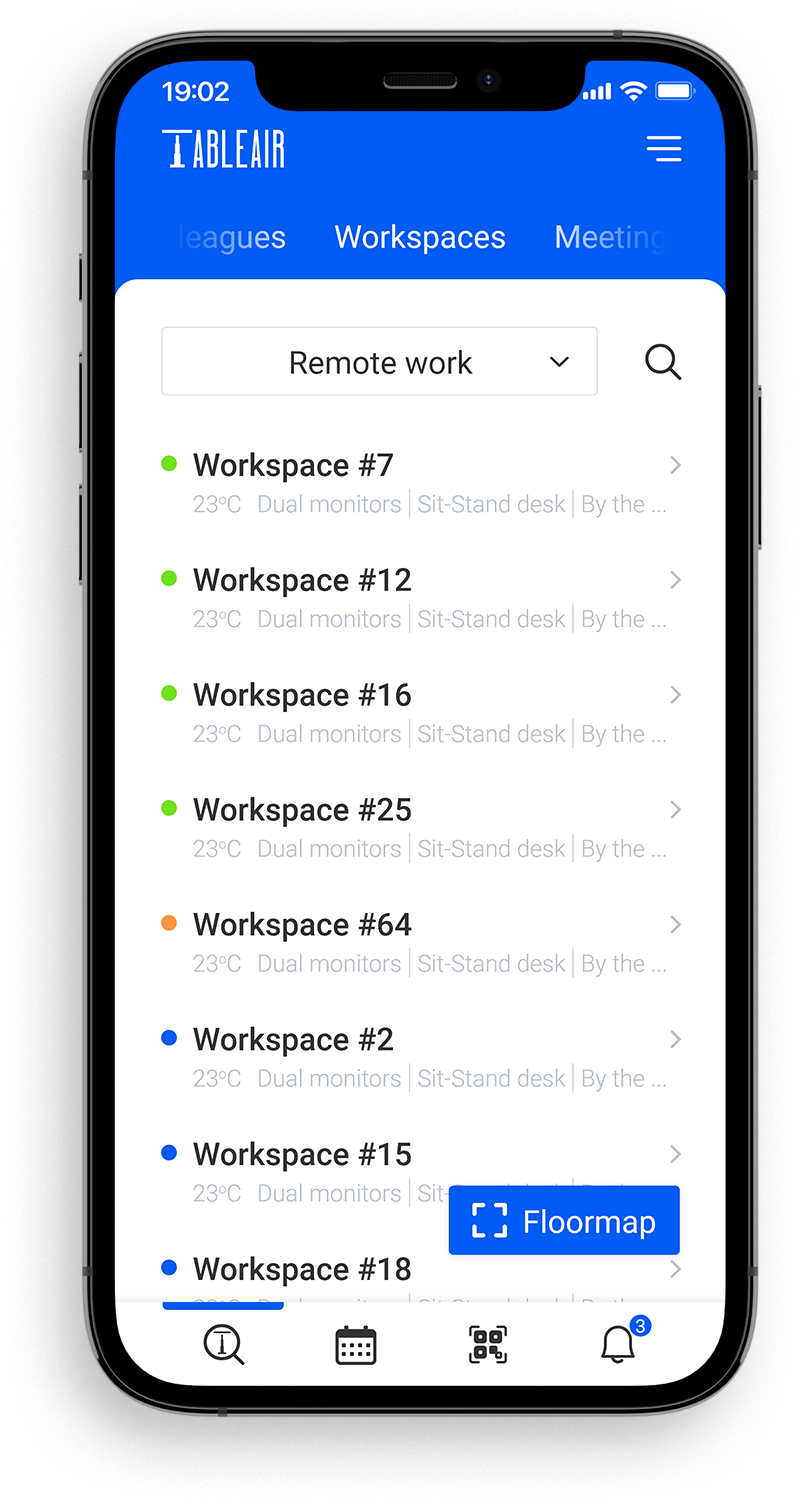
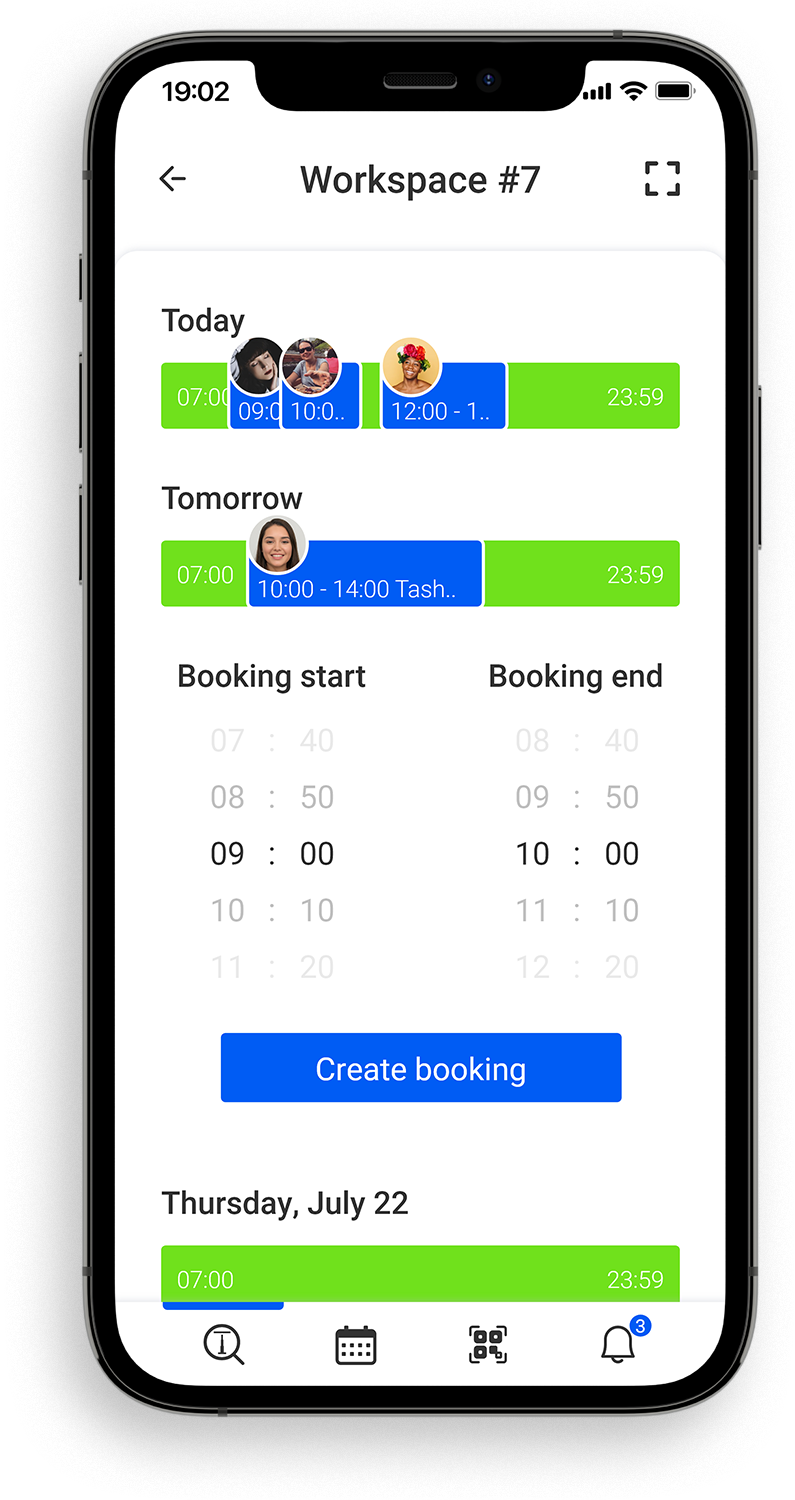
- Desk Reservation
- Drag & Drop
- Email Reminders
- Employee Directory
- Employee Self Service
- Floor Plans & Maps
- Hot Desking
- Meeting Room Booking
- Mobile App
- Occupancy Management
- Online Booking
- QR Codes
- Reporting/Analytics
- Scheduling
- Search/Filter
- Single Sign-On
- Space Reservation
- Third-Party Integrations
- User Management
- Utilization Reporting
- Visitor Management
- Wayfinding
What Problems Will TableAir Solve?
Problem #1: Inefficient Space Utilization
Solution: TableAir integrates advanced space booking features, occupancy sensors, and comprehensive analytics to enable real-time tracking of space usage and generate detailed utilization reports. By analyzing these metrics, companies can identify underutilized areas and optimize office layouts. This data-driven approach helps reduce costs by ensuring every space is utilized effectively.
Problem #2: Difficulty Finding Available Workspaces
Solution: TableAir’s unified platform integrates desk, meeting room, and parking reservations. This platform also supports multiple check-in methods like QR codes, NFC/RFID cards, and occupancy sensors. Real-time availability updates and interactive floor plans make it easy for employees to locate and book available workspaces swiftly. This streamlined process reduces administrative burdens, improves efficiency, and allows employees to focus more on their tasks.
Problem #3: Manual Visitor Management
Solution: TableAir automates visitor management through visitor management displays. Visitors can enter a PIN code or search for hosts’ names directly on the display, which notifies hosts automatically. This automation reduces the need for front desk personnel, streamlines visitor check-in, enhances security, and improves overall efficiency in managing visitor access within the office environment.
Awards & Quality Certificates

TableAir Position In Our Categories
Bearing in mind companies have specific business-related demands, it is prudent that they avoid getting a one-size-fits-all, ”best” solution. Nonetheless, it would be hard to try to find such an app even among widely used software solutions. The rational thing to undertake would be to set down the different important functions that entail inspection like major features, plans, skill aptitude of staff members, business size, etc. After which, you must double down on your product research to a full extent. Browse through some of these TableAir analyses and check out each of the applications in your list in detail. Such detailed product investigation ascertain you circumvent poorly fit software solutions and subscribe to the system that delivers all the features your company requires in growing the business.
Position of TableAir in our main categories:
TOP
50
TableAir is one of the top 50 Online Booking Systems products
If you are considering TableAir it might also be beneficial to investigate other subcategories of Online Booking Systems gathered in our base of SaaS software reviews.
It's essential to note that virtually no app in the Online Booking Systems category will be a perfect solution able to fulfill all the needs of all company types, sizes and industries. It may be a good idea to read a few TableAir Online Booking Systems reviews first as certain software may dominate exclusively in a very small group of applications or be designed with a really specific industry in mind. Others may operate with an intention of being simple and intuitive and as a result lack complicated elements desired by more experienced users. There are also services that focus on a wide group of users and provide a complex feature toolbox, however that frequently comes at a more expensive cost of such a software. Ensure you're aware of your requirements so that you pick a service that has exactly the features you search for.
How Much Does TableAir Cost?
TableAir Pricing Plans:
Free Trial
TableAir
$3/month/resource
What are TableAir pricing details?
TableAir Pricing Plans:
Free Trial
TableAir
$3/month/resource
TableAirs pricing is per resource, not per user, starting from $3/month/resource. TableAir also offers a 30-day free trial with unlimited users and full access to all features.
User Satisfaction
Positive Social Media Mentions
159
Negative Social Media Mentions
3
We realize that when you decide to purchase a Online Booking Systems it’s crucial not only to see how experts score it in their reviews, but also to discover whether the real users and companies that purchased it are genuinely satisfied with the service. That’s why we’ve devised our behavior-based Customer Satisfaction Algorithm™ that gathers customer reviews, comments and TableAir reviews across a broad array of social media sites. The data is then presented in a simple to understand format revealing how many people had positive and negative experience with TableAir. With that information at hand you should be prepared to make an informed buying decision that you won’t regret.
Video
Screenshots




Technical details
Devices Supported
- Android
- iPhone/iPad
- Web-based
Deployment
- Cloud Hosted
Language Support
- English
- German
- French
- Dutch
Pricing Model
- Monthly payment
- Annual Subscription
- Quote-based
Customer Types
- Small Business
- Large Enterprises
- Medium Business
What Support Does This Vendor Offer?
- phone
- live support
- training
- tickets
What integrations are available for TableAir?
TableAir integrates with the following platforms and tools:
- Azure Active Directory
- Microsoft 365
- Microsoft Teams
- Microsoft Outlook
- Microsoft Power BI
- BambooHR
- Google Calendar
- Google Workspace
- Integration Mix
- Okta

TableAir
is waiting for
your first review.

Write your own review of this product
ADD A REVIEWMore reviews from 0 actual users:


Join a community of 7,369 SaaS experts
Thank you for the time you take to leave a quick review of this software. Our community and review base is constantly developing because of experts like you, who are willing to share their experience and knowledge with others to help them make more informed buying decisions.
Sign in with LinkedIn
Why we require LinkedIn?
- Show the community that you're an actual user.
- We will only show your name and profile image in your review.
- You can still post your review anonymously.
OR
Sign in with company emailSign in with company email
Popular TableAir Alternatives


Top Competitors To TableAir By Price
Product name:
Price:

By quote

by quote


Trending Online Booking Systems Reviews
8.0
100%


8.0
100%


TableAir Comparisons
Product name:


Page last modified
Award Winner




Did you find this review useful?
Yes
No
Thank you for your feedback
How can we make this page better?
Unsure about this software?
FIND ALTERNATIVES
 Why is FinancesOnline free?