

Tableo Review


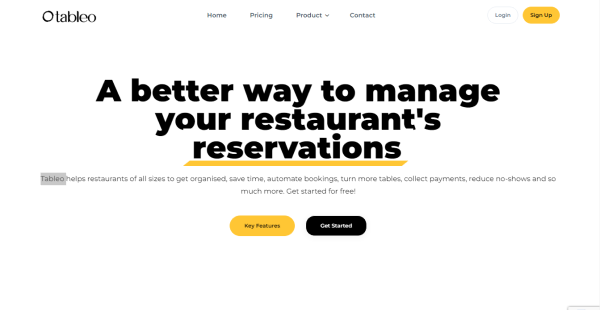

What is Tableo?
Tableo is a restaurant management platform equipped with the tools to automate and centralize the booking process, increase online presence, increase table turn-around, decrease no-shows, and more. Every booking made through any channel —including phone, email, websites, social media, etc.—is stored on a single platform and is available at any time, from anywhere.
The platform lets you keep track of your restaurant’s performance on the go. You can see how many reservations you have and which tables are booked for specific days or services. Before a customer even steps foot inside the restaurant, restaurant managers will instantly know if they are a repeat customer, a VIP, have food allergies or intolerances, or have any other requirements.
Tableo provides excellent onboarding support as well. Regardless of whether you have ever used a reservation management system, a professional account manager will teach you and your team, and the training will only take a few hours.
Show MoreOverview of Tableo Benefits
All-in-one Booking Platform
Tableo is primarily a platform created to assist restaurant managers in efficiently managing all reservations under one platform. It is designed to take online reservations, modify, add, or cancel bookings, and automatically send guests email notifications and reminders. Additionally, it can be used to manage service hours, set up special service hours for specific occasions and feasts, and instantly close any dining area or service hour. You can also automatically accept reservations through websites, Whatsapp, Instagram, Facebook, Google/Google Maps, and more with Tableo.
No-shows Reduction
Tableo automatically sends an email message to every customer who has a table reservation for the day at 9 a.m. It may also send an SMS notice if a restaurant so wishes to make sure the message is received. Each message has complete information on the booking including the time, a Google Map link for directions to the place, the opportunity to cancel (while asking for a reason), and Your Terms & Conditions. The platform also supports accepting pre-payments or deposits to help your customers commit to the reservation.
Event Management
You can create events with Tableo’s tools in just a few easy clicks. Specify multiple service hours for your restaurant when creating events, and guests can view the event’s description when they reserve a table. You can accept payments for each reservation made for that event if you have online payments enabled. Additionally, you have two options for payment collection; you can either charge a price per cover or a price per table.
Consolidation & Organization through Digitalization
Enables restaurants to streamline and consolidate their bookings from every booking channel (phone, email, website, Google, social media), etc. into one centralized platform & manage their restaurant tables, bookings, and guest data from any location and any device.
Automation
Receive bookings 24/7 from any channel (website, Facebook, Messenger, Google etc.) without worrying about overbooking the restaurant as the system handles this automatically and efficiently. Moreover, booking confirmations and reminders to guests to reduce no-shows are sent automatically. Tableo.com is an official Reserve with Google partner.
Guest Data
Helps restaurateurs enhance customer experience by knowing their preferences, dietary requirements, and intolerances.
Online Payments
Allows restaurants to request credit card verification to protect their bottom line from No Shows or Late Cancellations or request a Deposit or 100% of funds upfront for special events and set menus such as Christmas, and Valentine’s Day. Tableo.com is integrated with Stripe and Trust Payments.
Show MoreOverview of Tableo Features
- Integrated Online Booking
- Reservation Management
- Automatic On-the-Day Reminders
- Pre-payments / Deposits
- Service Hours Management
- Event Management
- Instant Confirmation for Guests
- Dedicated Support and Onboarding
What Problems Will Tableo Solve?
Problem 1: Overwhelmed with bookings coming from all everywhere
Nowadays, restaurants get requests for reservations from multiple channels. If you are like most of the restaurants, the main channels would be reservations on the phone, personal mobiles of staff, Facebook, Instagram, Instant Messenger, and other chat tools, Reserve with Google, & Google Maps, and so on. Reservations come at all times of the day, even when you are in service and everyone wants immediate confirmation.
If you are still taking reservations the old way, on a paper-diary/reservation book, you are at a disadvantage and might not even realize it.
This is very time-consuming for you and your staff, and with Tableo you will simplify everyone’s life. The owner’s, the manager’s, the staff, and even the guests.
At the core, Tableo is a platform designed to help restaurant managers effectively have all reservations on one platform.
- All bookings in one platform
- Easily add, modify or cancel any bookings
- Take Online Bookings
- Auto Email Notifications & Reminders to guests
- Manage your Service Hours
- Create custom Service Hours for feasts, events and special days
- Close-off any dining area or service hour on the fly
Problem 2: Managers and owners are inundated with phone calls, messages, and emails (requiring manual input)
Tableo allows you to automate and increase the number of bookings you receive daily, increasing your revenue while saving you time. With Tableo you can start taking bookings automatically from:
- Website
- Google Maps
- Automatic Reminders
- Instant Confirmation for Guests
If you’re concerned about double bookings, over bookings, or getting bookings when the restaurant is closed, this tool got you covered. Tableo is smart and helps you save time and money.
Since Tableo will know your service hours, your dining areas, your table configuration, and your available tables, it will only show what’s available to your guests. Once a booking is made, covers can automatically be placed on available tables in their selected dining area. The guest would not know which table number they are placed in and you can move guests around as you see fit.
You will still have complete control of how and when your guests can book online, Tableo will just assist you in taking bookings more efficiently.
Problem 3: Loss of business (revenue) due to late cancellations & no shows
No-Shows hurt the bottom line of every restaurant and while it’s part of the nature of the business a lot of no-shows can be reduced, drastically.
Here is how Tableo helps out.
Automatic On-the Day Reminders
Every day at 9am, Tableo automatically sends out an email notification to every guest who has a table booking on the day. If a restaurant chooses to, Tableo can also send out an SMS notification to ensure that the message gets through.
On these notifications the guest will have:
Full details of the booking, including time
A Google Map link on how to get there
An option to cancel and give a reason why they are cancelling
Your Terms & Conditions
There are many reasons why people don’t cancel their bookings, there could be genuine instances like someone is ill or stuck at work but there could also be others who book perhaps 2 or 3 restaurants in order for them to choose on the day which one to go to. Others do not cancel because they don’t like to cancel over the phone. Since Tableo makes this process easier, we will help you free up tables in the morning so you will have enough time to book them by the evening.
Pre-payments / Deposits
Tableo has 2 other solutions to ensure the restaurant’s interests are safeguarded when making a booking and this is by asking for a commitment with a credit card.
Deposits
You can also opt to ask guests to pre-pay a certain amount at the booking stage. The solution is very flexible and you can make your own rules of when and how to take a deposit.
You can decide on which days ex. (only Friday & Saturday) or you can choose a minimum guest amount, such as any booking with a party of 5 or more. You decide, it’s your restaurant, your rules.
Pre-Authorization
Through Tableo, you can ask your guests to enter their credit card details and show them a fee that they would have to pay if they do not comply to your cancellation policy or do not show up.
The funds will not be taken at the booking stage, but you can choose to charge their card if they don’t show up or cancel last minute.
Awards & Quality Certificates

Tableo Position In Our Categories
Since companies have their own business demands, it is prudent they abstain from deciding on an all-encompassing, ideal software. Just the same, it would be hard to try to stumble on such application even among well-known software products. The logical step to undertake can be to narrow down the different key aspects which necessitate consideration such as critical features, price plans, skill aptitude of the employees, business size, etc. The second step is, you must do your research fully. Read these Tableo review articles and explore each of the software programs in your list in detail. Such all-encompassing product research ascertains you weed out mismatched apps and subscribe to the system which includes all the features your business requires.
Position of Tableo in our main categories:
TOP
100
Tableo is one of the top 100 Restaurant Management Software products
If you are considering Tableo it might also be sensible to analyze other subcategories of Restaurant Management Software collected in our base of B2B software reviews.
Companies have diverse needs and requirements and no software platform can be just right in such a scenario. It is useless to try to find a perfect out-of-the-box software product that fulfills all your business requirements. The wise thing to do would be to customize the solution for your unique needs, staff member skill levels, finances, and other elements. For these reasons, do not hurry and subscribe to well-publicized trendy applications. Though these may be widely used, they may not be the ideal fit for your particular wants. Do your homework, look into each short-listed application in detail, read a few Tableo Restaurant Management Software reviews, call the maker for explanations, and finally settle for the app that provides what you require.
How Much Does Tableo Cost?
Tableo Pricing Plans:
Free Trial
Bronze
€89/month
Silver
€109/month
Gold
€139/month
What are Tableo pricing details?
Tableo Pricing Plans:
Free Trial
Bronze
€89/month
Silver
€109/month
Gold
€139/month
Tableo offers enterprise pricing plans for restaurants of all sizes. A 30-day free trial is also available and restaurants with multiple venues get a discount.
Bronze – €89 per month
- Free Setup
- Free Training
- Online Reservations
- Guest database
- Website integration
- Facebook integration
- 300 bookings limit
- Unlimited Users
- Unlimited Devices
- Premium Support
Silver – €109 per month
- All from Bronze +
- 500 bookings limit
- Reserve with Google Integration
- Payments & Deposits
Gold – €139 per month
- All from Silver +
- Unlimited Bookings
- Dedicated Support
User Satisfaction
Positive Social Media Mentions
0
Negative Social Media Mentions
0
We know that when you decide to buy a Restaurant Management Software it’s important not only to find out how experts score it in their reviews, but also to discover whether the actual people and enterprises that purchased these solutions are genuinely satisfied with the service. Because of that need we’ve devised our behavior-based Customer Satisfaction Algorithm™ that collects customer reviews, comments and Tableo reviews across a vast range of social media sites. The information is then presented in an easy to digest form showing how many clients had positive and negative experience with Tableo. With that information at hand you will be prepared to make an informed purchasing choice that you won’t regret.
Technical details
Devices Supported
- Windows
- Android
- iPhone/iPad
- Mac
- Web-based
Deployment
- Cloud Hosted
Language Support
- English
- Spanish
Pricing Model
- Monthly payment
Customer Types
- Small Business
What Support Does This Vendor Offer?
- phone
- live support
- training
- tickets
What integrations are available for Tableo?
Tableo integrates with a variety of web apps to help streamline the booking process including the following:
- Stripe
- Trust Payments
- Reserve with Google

Tableo
is waiting for
your first review.

Write your own review of this product
ADD A REVIEWMore reviews from 0 actual users:


Join a community of 7,369 SaaS experts
Thank you for the time you take to leave a quick review of this software. Our community and review base is constantly developing because of experts like you, who are willing to share their experience and knowledge with others to help them make more informed buying decisions.
Sign in with LinkedIn
Why we require LinkedIn?
- Show the community that you're an actual user.
- We will only show your name and profile image in your review.
- You can still post your review anonymously.
OR
Sign in with company emailSign in with company email
Popular Tableo Alternatives


Top Competitors To Tableo By Price
Product name:
Price:


Trending Restaurant Management Software Reviews


Tableo Comparisons
Product name:


Page last modified

Did you find this review useful?
Yes
No
Thank you for your feedback
How can we make this page better?
Unsure about this software?
FIND ALTERNATIVES
 Why is FinancesOnline free?