

Telescope Review



What is Telescope?
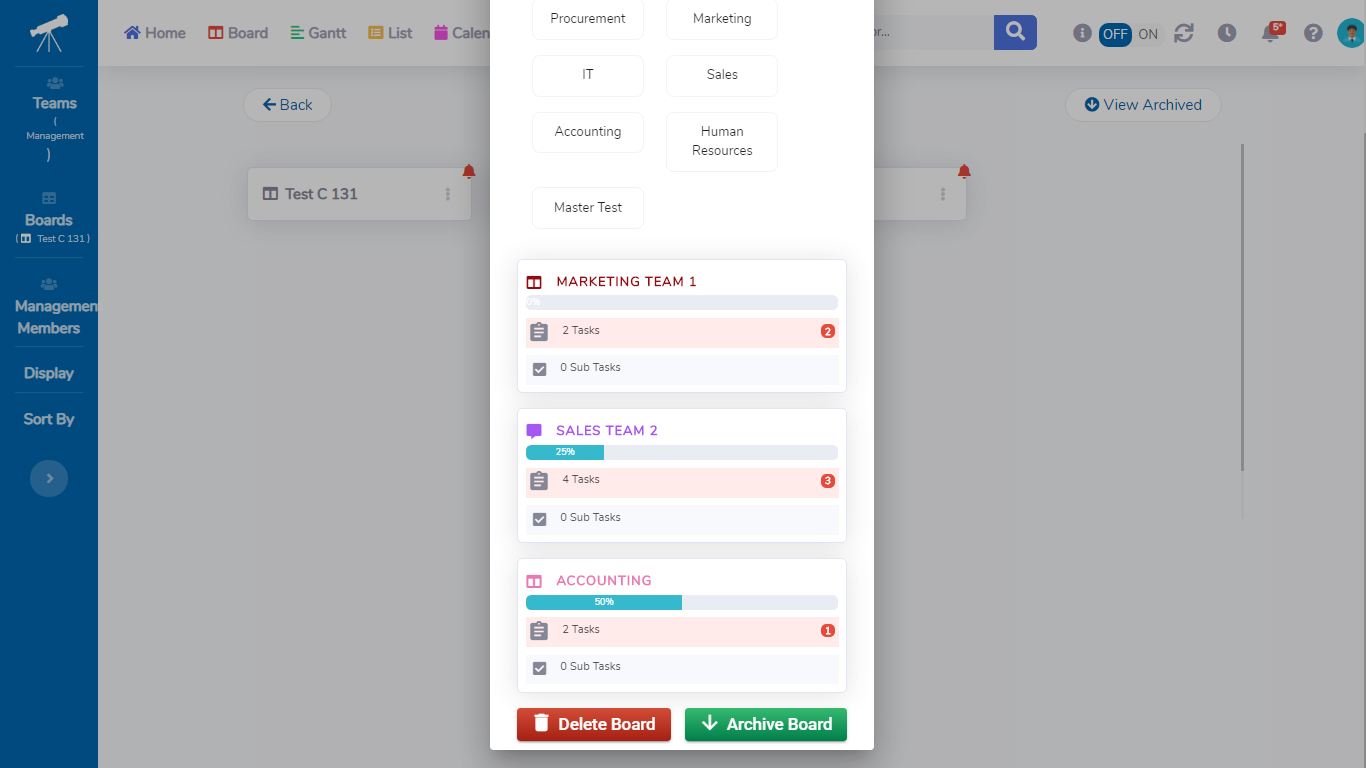
Telescope is a simple, scalable task management software for teams of small businesses. The platform features unlimited boards where you can put tasks for your team. The platform’s standard board, also called AutoBoard, automatically moves tasks between four status column – upcoming, in progress, done, and overdue. Hence, monitoring tasks is a lot easier. There are also customizable boards so you can alter them according to your team’s requirements.
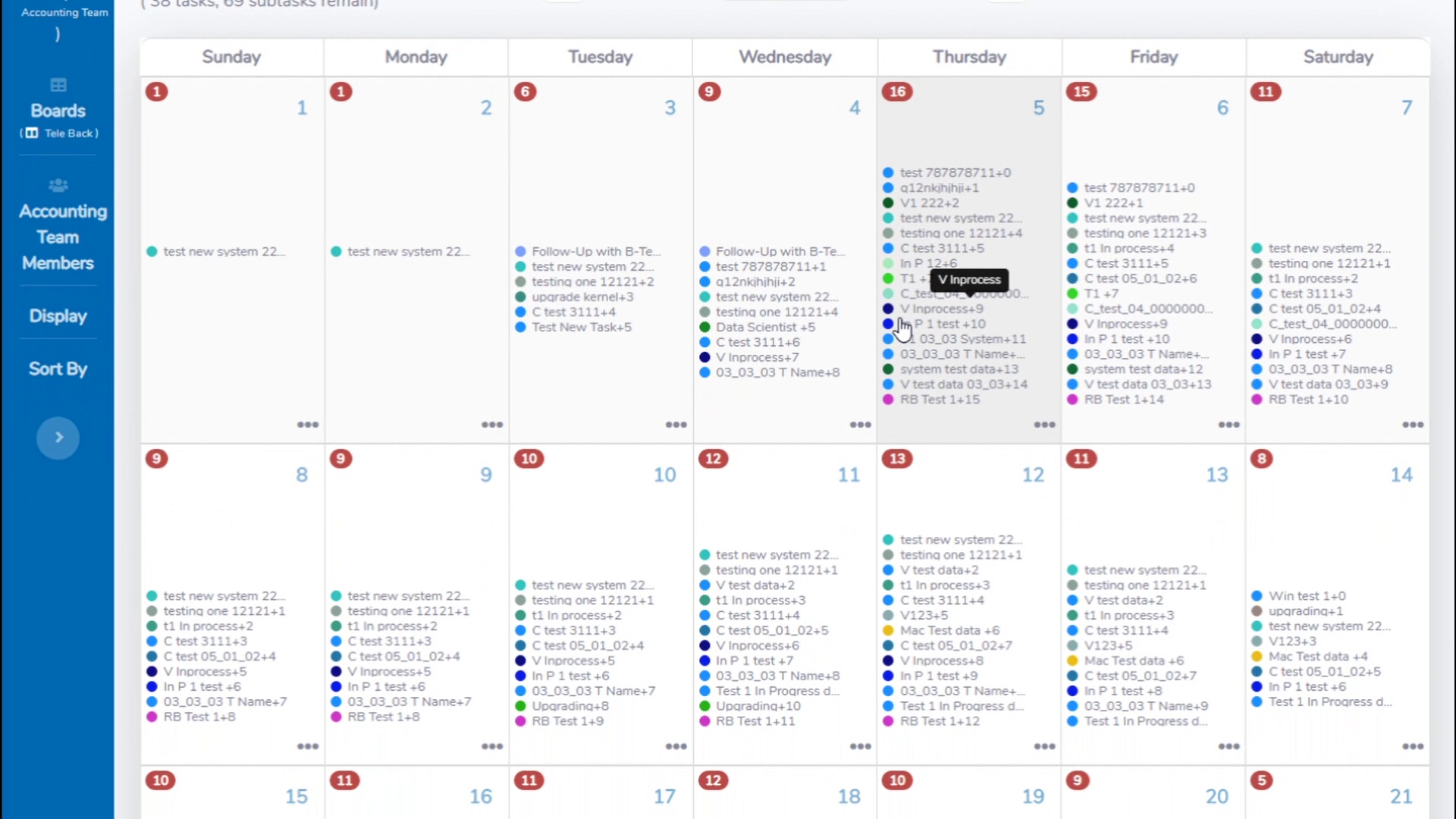
Other features include expandable task lists, customizable board columns, customizable tags, recurring tasks capability, exportable Gantt charts, fast access calendar, exportable task history and timeclock, and built-in file storage.
Generally, the platform’s features are all essentials for task management. Everything is designed to be easy to learn and use. The software’s user-friendly interface is coupled with free one-on-one training and several resources to help your team get started quickly.
Show MoreOverview of Telescope Benefits
Intuitive Task Creation
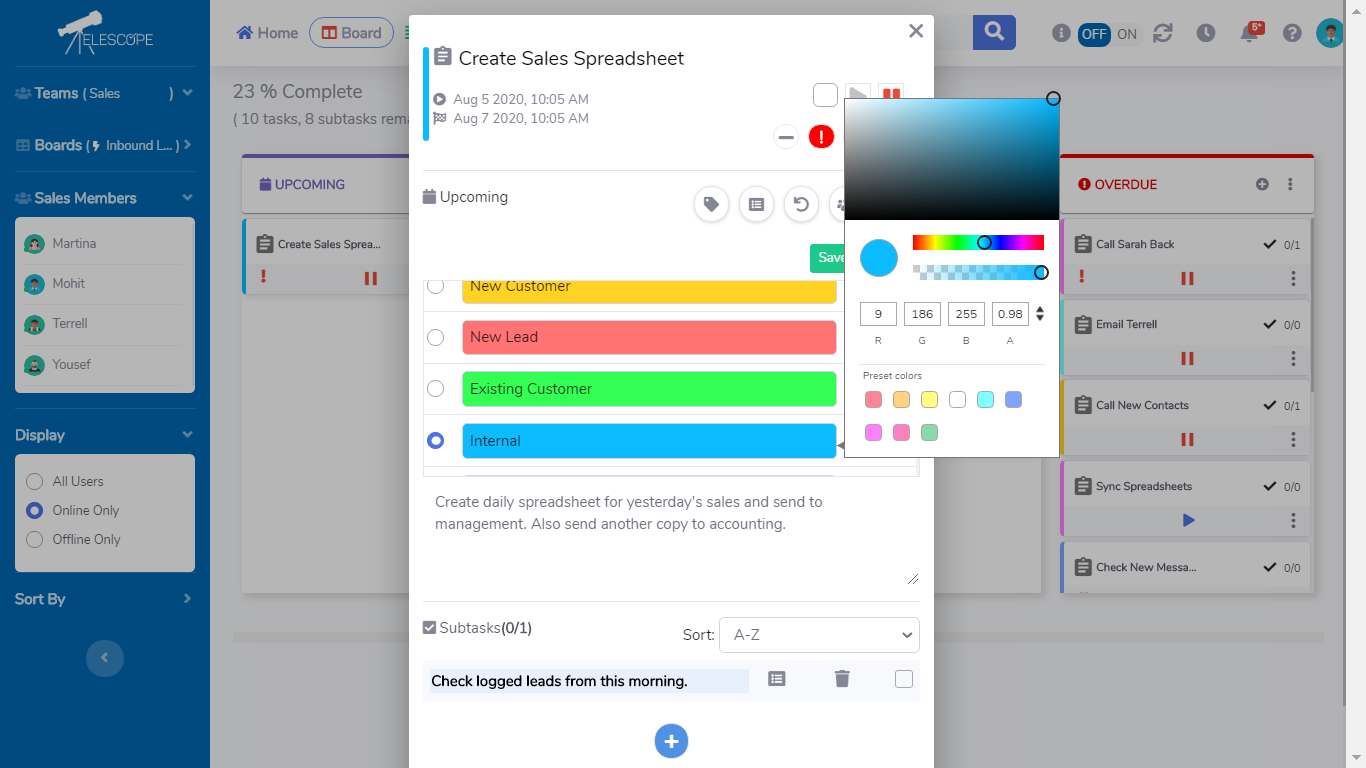
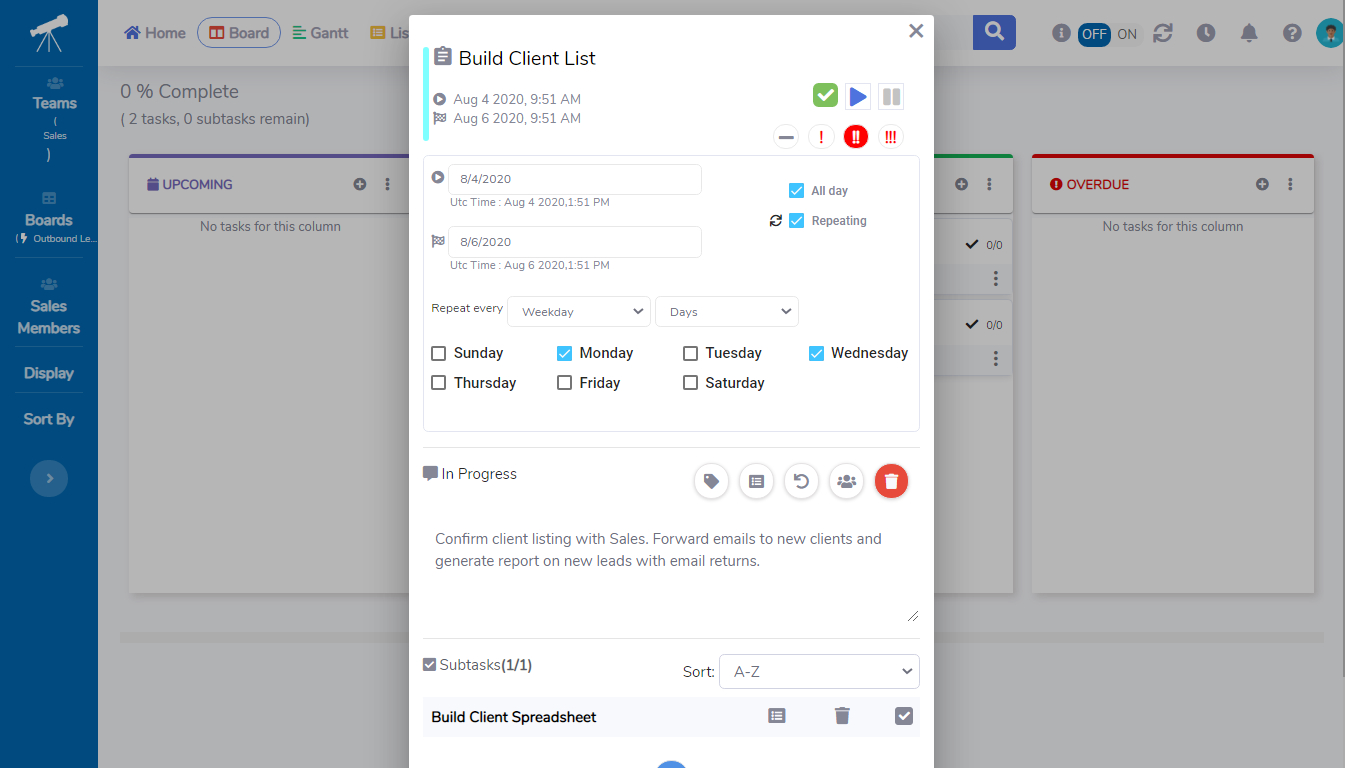
Task recurring options, descriptions, subtasks, files, assignees, priorities, tags and so much more are consolidated to one window, available from every page. All task history can also be exported to .csv, making it easy and convenient to create, edit, and complete work. You can automatically move your work into four categorized columns for easy organization and overviewing on the platform’s AutoBoard. No more revisiting work to check its status or completion.
Various Boards
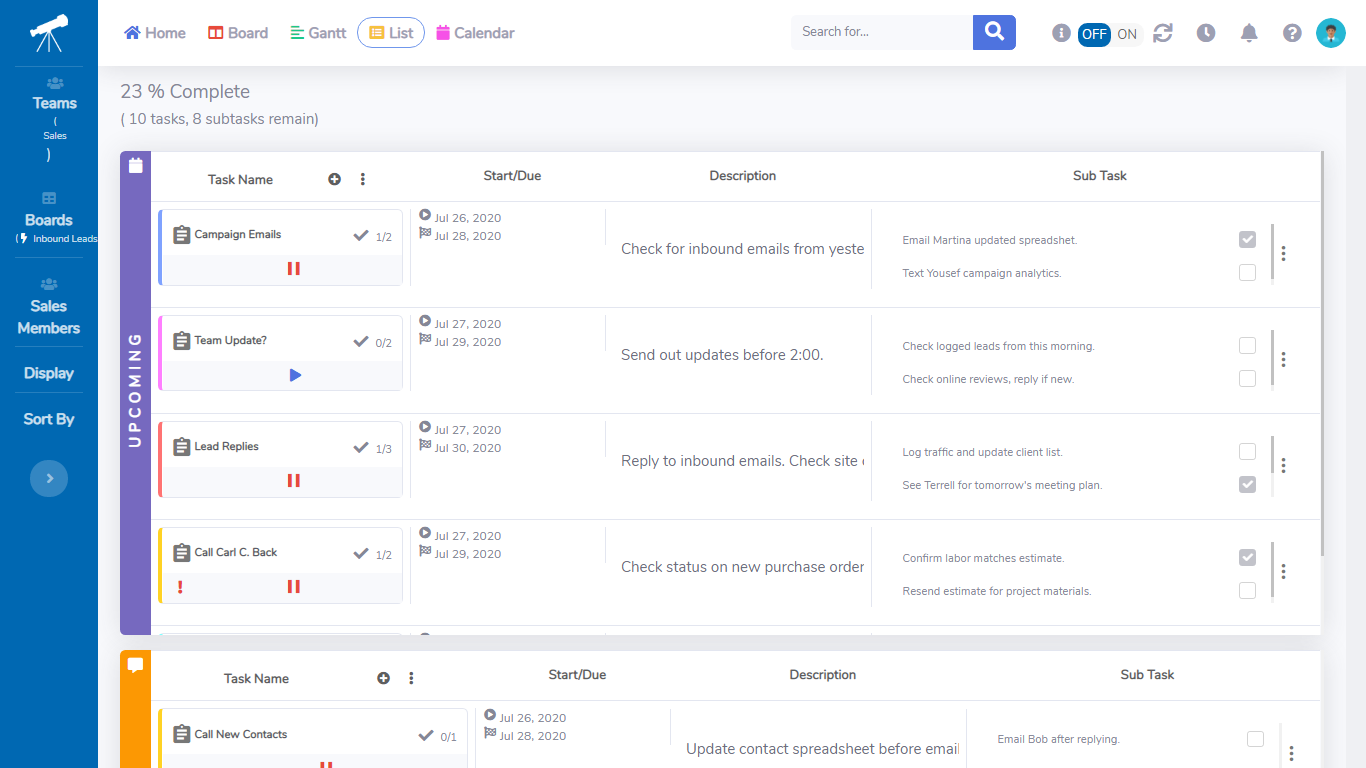
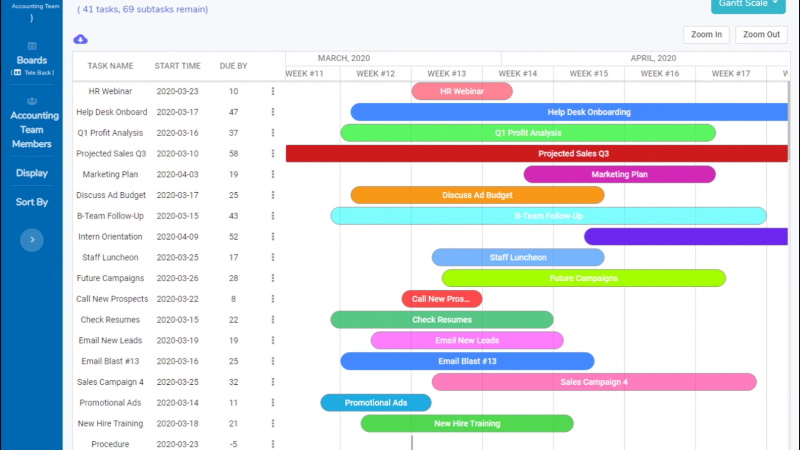
Board Gantt automatically charts your tasks from any board type when they’re created and allows fast editing from anywhere in the system. It means bigger projects are already loaded for you. Meanwhile, CustomBoard is ideal for making custom categories and manually moving workaround in your own way. Larger projects are even easier with endless columns available in one click. It ListView feature helps in viewing expanded details on the fly. Tasks are cascaded with descriptions and subtasks expanded for visualizing busy boards, quickly.
Simple User Access and Team Management
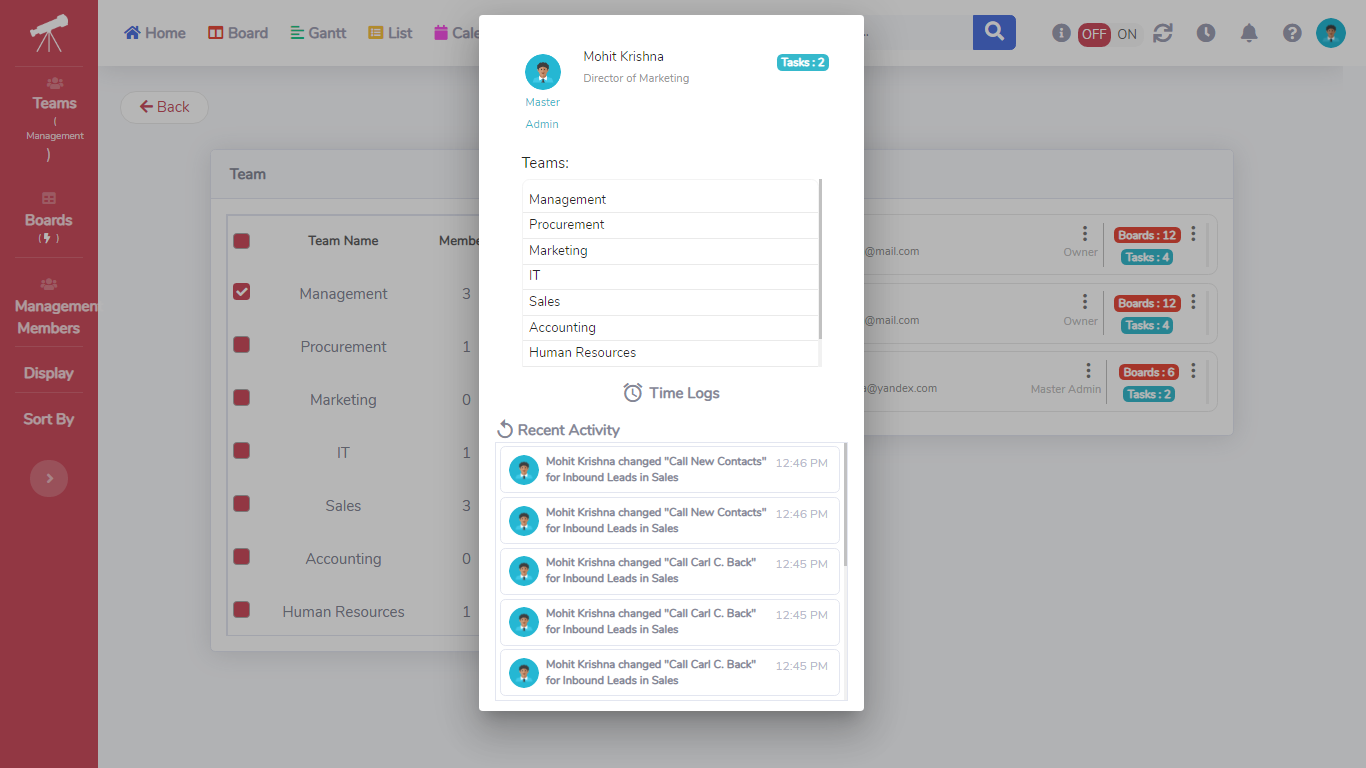
Managing a team is tough. Structuring multiple command chains is tougher. With Telescope’s five distinct user credential types conveniently accessible, work delegation and account security are effortless. It also has a TimeClock tool if you need to track individual user work. The built-in TimeClock provides an easy ‘Clock-In/Clock-Out’ from anywhere in the system and stores activity for fast exporting.
User-friendly Platform
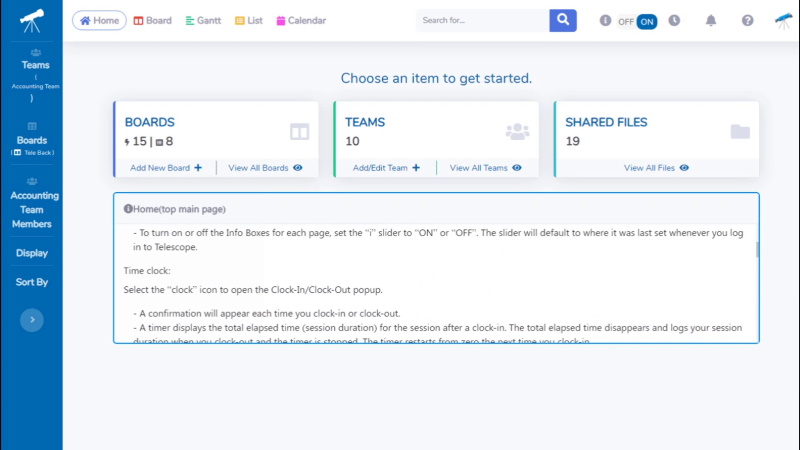
With many years of Human-Computer Interaction research under its belt, Telescope’s interface provides easy, uncluttered navigation with simple components for the everyday user. This includes multiple color themes and a ‘Dark Mode’ for enhancing each user’s screen experience. There’s even an integral Info Boxes for each page, designed to help new users become familiar with the system. In case there is a need for guidance, the team provides one-on-one training for free and video tutorials. Also, the platform’s features available are practical and simple. There are boards for creating tasks, status columns for easy progress tracking, Gantt charts, and even timeclock and calendar.
Scalable Solution
Telescope allows users to create as many boards, tasks, and teams as they want. Meaning to say, the platform can adapt to the needs of a growing team. What’s more, the solution offers customization options. You can customize board functions, system logic and feature set, UI structure, and components, and more to meet your team’s changing needs.
Comprehensive Knowledge Base
Despite being simple and user-friendly, Telescope still does not fall short in its knowledge base. They provide answers to frequently asked questions, instructions on how to get started, a step-by-step guide on how to use the system, as well as tips. In addition, they provide personalized training for all clients.
Budget-Friendly Product
Telescope allows businesses to try its features for 14 days free of charge. After the free trial, businesses can subscribe to any of its four plans. The platform’s price starts at $4 per user per month, which is relatively affordable.
Show MoreOverview of Telescope Features
- Unlimited Boards, Teams, & Tasks
- Tags
- Gantt Function
- Task Lists
- Customizable User Themes
- Task Scheduling Calendar
- Task Progress Tracking
- User Timeclock
- Built-in File Storage
What Problems Will Telescope Solve?
- Plug-In Scaling
Anne is a top-performing Senior Sales Rep at her internet marketing firm. Her manager recently scaled her department to 40 people from just 25. Anne sees that her boss is having a hard time facilitating team assignments for each person on the latest SEO requirements and social media practices, as each task assignment is granular with details and emails soon become cluttered and untraceable. Anne is tasked with distributing and simplifying these techniques, although she starts to feel burned-out and is struggling to keep track of internal references to specific threads.
Anne learns about Telescope and decides to try it out. She starts by listing her team’s tasks in the AutoBoard, then having her team visualize their work in greater detail without confusion using the ListView. She finds the team can now work faster with twice the requirements in half the time, after studying the Board Gantt over a week. Anne can now focus more on her own work while everyone works more independently around her. She’s realized a 30% increase in efficiency around the office and has more energy throughout the day to get more done.
Features: AutoBoard, Gantt, ListView
- Organized Delegation
As the VP of HR, Keenan is faced with overwhelming challenges distributing individual compliance training initiatives to his managers for his staff. Over several departments, his managers’ emails are congested and texts to different employees are becoming nearly impossible to stay on top of. Keenan needs to be able to delegate different levels of work to his staff with a more-dynamic approach that stays organized.
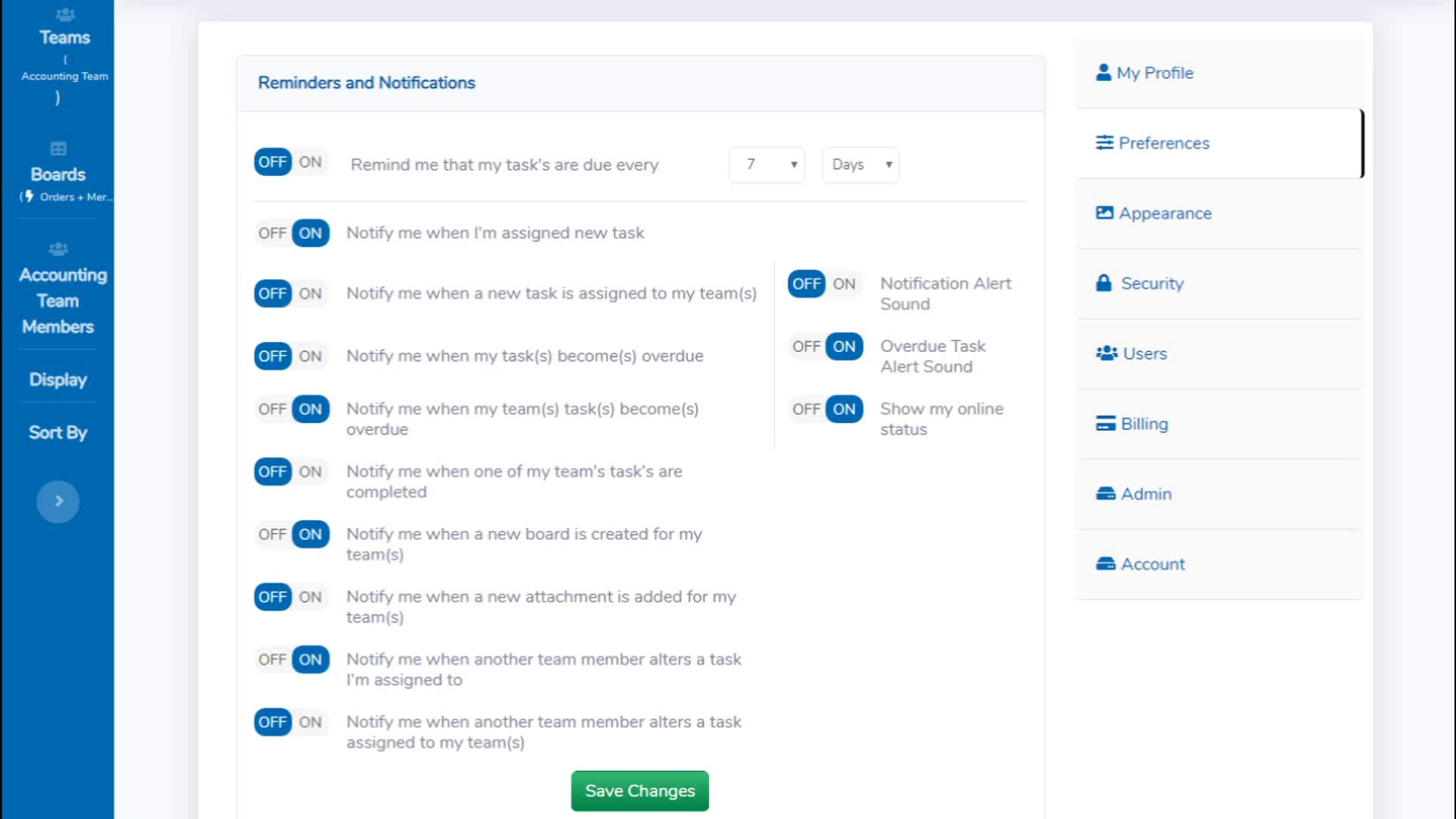
Using Telescope, Keenan assigns a CustomBoard to his managers where they can build columns for each department. They create and assign a task for each employee with an attached compliance PDF for review. Staff receive notifications in Telescope of their assigned tasks and get moving. They access the ‘My Tasks’ area to display only what’s assigned to them. Work is quickly discovered and knocked-out. When the board reports 100% completion to the managers, Keenan is notified and marks his own task of ‘Distribute Compliance Docs and Complete Staff Training” as Done.
Features: CustomBoard, File Sharing, User Credential Levels
- Transparent Ticketing
Derrick is a Senior Network Engineer for a new IT company. His existing ticketing system is outdated and offers little in the way of categorizing open tickets for his staff. One of the networks just dropped and will require the collaboration of 27 people to get back online. The clock is ticking, and this usually requires endless scrolling through statuses and logs to gather info on the issue at hand.
With Telescope, Derrick quickly creates a task on his team’s AutoBoard and assigns it to the appropriate personnel. He creates subtasks and additional notes with details on the issue before prioritizing it and tagging the color category of urgency. The team receives the notification and all required information in the single task window. With everyone looking at the same screen, they can get to work faster and with less turnaround than with their old system.
Features: AutoBoard, Task Window, Subtasks, Color Tags, Priority Levels, Task Notes
Awards & Quality Certificates


Telescope Position In Our Categories
Since companies have specific business-related demands, it is only reasonable they avoid selecting a one-size-fits-all, ideal software system. At any rate, it would be futile to try to find such a software system even among branded software systems. The sensible thing to undertake would be to make a list of the numerous critical aspects that entail consideration like critical features, price terms, technical skill aptitude of staff, organizational size, etc. Then, you should conduct your product research fully. Go over some of these Telescope analyses and check out the other software products in your shortlist in detail. Such all-encompassing research guarantees you avoid ill-fitting apps and select the one that offers all the aspects your company requires.
Position of Telescope in our main categories:
Companies have diverse wants and requirements and no software platform can be perfect in such a scenario. It is useless to try to find a perfect off-the-shelf software product that meets all your business wants. The intelligent thing to do would be to adapt the application for your unique requirements, employee skill levels, finances, and other aspects. For these reasons, do not hurry and pay for well-publicized trendy systems. Though these may be widely used, they may not be the ideal fit for your unique needs. Do your research, look into each short-listed platform in detail, read a few Telescope Task Management Software reviews, call the seller for clarifications, and finally select the application that offers what you need.
How Much Does Telescope Cost?
Telescope Pricing Plans:
Free Trial
Essentials Plan
$4/user/month
Pro Plan
$7/user/month
Business Plan
$11/user/month
Enterprise Plan
Contact vendor
What are Telescope pricing details?
Telescope Pricing Plans:
Free Trial
Essentials Plan
$4/user/month
Pro Plan
$7/user/month
Business Plan
$11/user/month
Enterprise Plan
Contact vendor
Telescope offers four small business and enterprise pricing packages for users to choose from.
Essentials Plan – $4/user/month
- Ideal for: Up to 20 Users
- 1 Individual User Theme
- 1GB File Storage
- Work-At-Home Certified
- Unlimited AutoBoards, Teams, and Tasks
- Task Scheduling Calendar
- Task Progress Tracking
- Dark Mode Enabled
- 5 User Hierarchy Levels w/ Managerial
- Online and Live Support (Free)
Pro Plan – $7/user/month
- Ideal for: Up to 50 Users
- 10 Individual User Theme
- 5 GB File Storage
- Includes All Features of Essentials Plan
- Gantt Function Plus Exportable Tasks
- User TimeClock And Exportable Logs
Business Plan – $11/user/month
- Ideal for: Up to 100 Users
- 10 Individual User Theme
- 15 GB File Storage
- Includes All Features of Pro Plan
- Stackable ListView Plus Expanded Tasks
- Unlimited CustomBoards And Progress Tracking
Enterprise Plan – Contact vendor
- No User Maximum
- Work-At-Home Certified
- Unlimited Teams Plus Custom Workspaces
- Unlimited Tasks Plus Custom Logging & Reporting
- Customizable Task Calendar Plus Integrations
- Customizable Board Functions
- Customizable Storage Limits
- Customizable User Themes
- Gantt Function Plus Exporting w/ Interchangeable Project Charting
- Customizable ListView Task Ordering Plus Task Categorizing Automation
- Task Progress Tracking Plus User Reporting
- Custom Company TimeClock Plus Logs And Time Sheet Reporting
- Fully Customizable Board Logic With Tracking, Reporting, and Analysis
- Customizable System Logic & Feature Set
- Customizable UI Structure and Components
- Dark Mode Enabled
- White-Labeling And Company Branding
- Customizable User Hierarchy Plus Various Managerial Levels
- Local Installation or Dedicated Cloud
- On-Site Training and Support And Evaluations
- Dedicated Support Team
User Satisfaction
Positive Social Media Mentions
1
Negative Social Media Mentions
0
We realize that when you make a decision to get a Task Management Software it’s important not only to see how professionals score it in their reviews, but also to find out if the actual users and companies that use it are actually content with the service. Because of that need we’ve devised our behavior-based Customer Satisfaction Algorithm™ that aggregates customer reviews, comments and Telescope reviews across a vast range of social media sites. The information is then featured in an easy to understand form showing how many customers had positive and negative experience with Telescope. With that information at your disposal you will be prepared to make an informed purchasing decision that you won’t regret.
Video
Screenshots

Technical details
Devices Supported
- Web-based
Deployment
- Cloud Hosted
Language Support
- English
Pricing Model
- Monthly payment
- Quote-based
Customer Types
- Small Business
- Freelancers
What Support Does This Vendor Offer?
- phone
- live support
- training
- tickets
What integrations are available for Telescope?
No information available.

Telescope
is waiting for
your first review.

Write your own review of this product
ADD A REVIEWMore reviews from 0 actual users:


Join a community of 7,369 SaaS experts
Thank you for the time you take to leave a quick review of this software. Our community and review base is constantly developing because of experts like you, who are willing to share their experience and knowledge with others to help them make more informed buying decisions.
Sign in with LinkedIn
Why we require LinkedIn?
- Show the community that you're an actual user.
- We will only show your name and profile image in your review.
- You can still post your review anonymously.
OR
Sign in with company emailSign in with company email
Popular Telescope Alternatives



Top Competitors To Telescope By Price
Product name:
Price:



Trending Task Management Software Reviews

8.0
98%

Telescope Comparisons
Product name:




Page last modified



Did you find this review useful?
Yes
No
Thank you for your feedback
How can we make this page better?
Unsure about this software?
FIND ALTERNATIVES
 Why is FinancesOnline free?