

Zabbix Review



What is Zabbix?
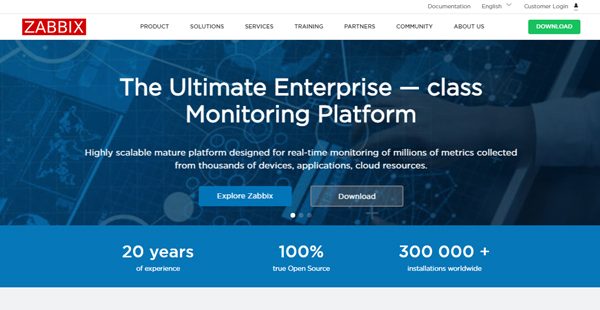
Zabbix is an enterprise-grade network monitoring software for any IT infrastructure, applications, services, and resources. It’s an open-source solution crafted for real-time monitoring of millions of metrics gathered from multiple network devices, servers, and virtual machines. The platform enables users to collect and analyze performance metrics & statistics, visualize it, and get notifications regarding the current and impending issues promptly.
It offers time-tested, expert development platform to businesses in the banking & finance, education, government, energy & chemical, marketing, healthcare & medicine, and IT & telecommunication industries. Zabbix scales from a small business setting with limited devices to large environments with innumerous monitored devices. Some of its key features include advanced problem detection, automated metric collections, intelligent alerting & remediation, auto-discovery, and distributed monitoring.
Show MoreOverview of Zabbix Benefits
Zabbix is an affordable yet powerful, open-source network management solution for businesses of all sizes. The solution accords users the freedom to use an open-source platform with freely accessible source code and no vendor lock-in. The setup and configuration of this software is a breeze guaranteeing a low learning curve, hence a low cost of ownership. It comes with out-of-the-box templates for the popular platforms making its installation a snap.
The solution provides reliable tools and features that monitor everything in the network from CPUs, & servers to IT applications, network devices, and databases. One of its notable modules is the Zabbix Agent which is the solution’s dynamo featuring infrastructure management capabilities. The module offers reliable network monitoring tools that enable users to strategize capacity expansion with in-depth network utilization metrics.
The notification and remediation module supports automatic actions and proactive notifications. It provides an all-inclusive communication flow that includes sending notifications, escalation of information to responsible personnel, permits acknowledgment of the received information’s, and ability to take the necessary actions. The functionality allows users to script and customize notifications content based on the context and deliver them via SMS, email, Ez texting, Jabber, and use of custom alert scripts.
The Zabbix Web front-end is a unique feature that sets it apart from other applications. This is a robust yet easy-to-use GUI that comes with the default platform. It supports clear visualization with large-scale configuration features and non-intimidating access for beginners. The functionality presents a visual overview of the entire IT environment in a number of ways including Graphs, slideshows, widget-based dashboards, and drill-down reports.
Show MoreOverview of Zabbix Features
- Metric collection
- Problem detection
- Visualization
- Notification and remediation
- Effortless deployments
- Security and authentication
- Auto-discovery
- Distributed monitoring
- Zabbix API
Zabbix Position In Our Categories
Keeping in mind businesses have unique business wants, it is rational they steer clear of purchasing an all-encompassing, “perfect” software system. Be that as it may, it is nearly futile to find such an app even among well-known software systems. The practical step to undertake should be to set down the different essential factors which necessitate investigation like critical features, budget, skill aptitude of staff members, business size, etc. The second step is, you should perform the research through and through. Have a look at some of these Zabbix evaluations and explore each of the solutions in your list in detail. Such detailed product research ensure you avoid unfit applications and select the system which meets all the benefits your company requires.
Position of Zabbix in our main categories:
TOP
3
Zabbix is one of the top 3 Network Management Software products
If you are interested in Zabbix it may also be sensible to examine other subcategories of Network Management Software listed in our database of SaaS software reviews.
Every organization has different requirements and needs a software that can be customized for their size, kind of workers and buyers, and the specific industry they are in. For these reasons, no platform can offer perfect functionality out-of-the-box. When you search a software product, first be sure what you want it for. Read some Zabbix Network Management Software reviews and ask yourself do you want basic functionality or do you want advanced tools? Are there any industry-specific tools that you are looking for? Get the answers to these queries to help your search. There are multiple factors that you need to mull over and these include your budget, particular business requirements, your company size, integration requirements etc. Take your time, use a few free trials, and finally choose the app that offers all that you want to improve your organization competence and productivity.
How Much Does Zabbix Cost?
Zabbix Pricing Plans:
Free Trial
Zabbix
Free
What are Zabbix pricing details?
Zabbix Pricing Plans:
Free Trial
Zabbix
Free
Zabbix is 100% free, there are no enterprise pricing plans.
User Satisfaction
Positive Social Media Mentions
101
Negative Social Media Mentions
2
We are aware that when you choose to buy a Network Management Software it’s vital not only to see how professionals rank it in their reviews, but also to discover whether the real people and businesses that purchased it are genuinely satisfied with the service. That’s why we’ve created our behavior-based Customer Satisfaction Algorithm™ that aggregates customer reviews, comments and Zabbix reviews across a vast range of social media sites. The data is then displayed in an easy to understand way showing how many people had positive and negative experience with Zabbix. With that information at your disposal you will be equipped to make an informed business choice that you won’t regret.
Video
Technical details
Devices Supported
- Web-based
Deployment
- Open API
Language Support
- English
- Japanese
Pricing Model
- Free
Customer Types
- Small Business
- Large Enterprises
- Medium Business
What Support Does This Vendor Offer?
- phone
- live support
- training
- tickets
What integrations are available for Zabbix?
Zabbix integrates with the following business systems and applications:
- PagerDuty
- OpsGenie
- Ez Texting
- Flowdock
- CloudMonix
- OverOps
- CoreStack
- ManageEngine AlarmsOne
- BigPanda
Zabbix User Reviews
Zabbix average rating:
4/5
Overall impression
5/5
Customer Support
4/5
Value for Money
4/5
Ease of Use
Write your own review of this product
ADD A REVIEWThe most favorable review

PROS: Fix problems faster with real-time email notifications when servers are experiencing problems.
CONS: The interface needs improvement.
The least favorable review
PROS: Solving problems as soon faster than ever with Zabbix.
CONS: There are some delays in the alerts.
More reviews from 14 actual users:
Sort by:
Latest
- Latest
- Most useful
- Most positive
- Most negative
Efficient monitoring tool
Read full review >
4/5
Overall impression
4/5
Customer Support
4/5
Value for Money
3/5
Ease of Use
Published on: 14.09.2021
Company Size: More than 100 Employees
Industry: N/A
PROS: Can be easily configured to however you want to use the system. I especially love configuring the alerting function for file systems CPU usage, memory monitoring, monitoring servers, web monitoring, etc.
CONS: Reporting can be improved, not tuned properly with the SNMP firewall.
EXCELLENT
Read full review >
4/5
Overall impression
4/5
Customer Support
4/5
Value for Money
3/5
Ease of Use
Published on: 09.08.2021
Company Size: 11-50 Employees
Industry: N/A
PROS: Easy interface, intuitive system that provides easy management of the software especially for alerts, highly configurable, reports, screens, and graphs are customizable, pleasing on the eyes.
CONS: I was a bit confused the first time I used Zabbix. With training and getting used to the system though, it gets easier to handle. Although there are some cases where external scripts are not compatible with some of the servers for monitoring. I am yet to figure out how to do fix that problem.
Amazing tool
Read full review >
5/5
Overall impression
5/5
Customer Support
5/5
Value for Money
4/5
Ease of Use
Published on: 05.08.2021
Company Size: More than 100 Employees
Industry: N/A
PROS: Has great network tracking functions, free, and open-source!
CONS: Users can customize it however they want, but there are only a few templates
Customizable
Read full review >
4/5
Overall impression
3/5
Customer Support
3/5
Value for Money
3/5
Ease of Use
Published on: 25.07.2021
Company Size: 11-50 Employees
Industry: N/A
PROS: Customizable monitoring and alerting system. Easily monitor the system with a color-coded reporting system. Provides great disk space, network, and host availability monitoring.
CONS: Complicated maps feature and complicated dashboard configuration.
Great open-source tool
Read full review >
4/5
Overall impression
4/5
Customer Support
4/5
Value for Money
3/5
Ease of Use
Published on: 14.07.2021
Company Size: More than 100 Employees
Industry: N/A
PROS: Easy installation process—detailed on their website. I also love that Zabbix can be used in Linux.
CONS: Templates are out of date, and manually inputting a template is tedious.
Great monitoring tool
Read full review >
5/5
Overall impression
5/5
Customer Support
5/5
Value for Money
5/5
Ease of Use
Published on: 26.06.2021
Company Size: More than 100 Employees
Industry: N/A
PROS: Easy interface, efficient reporting system, accurate data with detailed reporting, intricate inventory, intuitive approach. FREE.
CONS: Complicated to set up.
I can never ask for anything else
Read full review >
4/5
Overall impression
3/5
Customer Support
4/5
Value for Money
3/5
Ease of Use
Published on: 27.04.2021
Company Size: More than 100 Employees
Industry: N/A
PROS: Solving problems as soon faster than ever with Zabbix.
CONS: There are some delays in the alerts.
Ideal monitoring system
Read full review >
4/5
Overall impression
4/5
Customer Support
4/5
Value for Money
3/5
Ease of Use
Published on: 26.02.2021
Company Size: More than 100 Employees
Industry: N/A
PROS: Perfect for monitoring internal systems. Always alerts us when problems arise.
CONS: Delay in alerts sometimes.
Robust, flexible
Read full review >
4/5
Overall impression
3/5
Customer Support
4/5
Value for Money
4/5
Ease of Use
Published on: 06.02.2021
Company Size: More than 100 Employees
Industry: N/A
PROS: I love how out of the box Zabbix is. It provides us multi-tenancy support, ad-hoc graphs, API integration, a clear and open roadmap, and a configurable system!
CONS: First-time users may have trouble customizing the system.
The best monitoring tool I have used
Read full review >
5/5
Overall impression
5/5
Customer Support
4/5
Value for Money
4/5
Ease of Use
Published on: 13.01.2021
Company Size: More than 100 Employees
Industry: N/A
PROS: Fix problems faster with real-time email notifications when servers are experiencing problems.
CONS: The interface needs improvement.
Monitoring with Zabbix
Read full review >
4/5
Overall impression
4/5
Customer Support
4/5
Value for Money
3/5
Ease of Use
Published on: 03.11.2020
Company Size: More than 100 Employees
Industry: N/A
PROS: Zabbix allows me to easily monitor OS, routers, switches, and access points. It has customizable templates, is open source, and is easy to set up for different threshold limits.
CONS: I had problems with how much time it takes to identify which OS operates in the host system when I was using SNMP, but after using Zabbix, it became much more straightforward.
Functional, intuitive, easy to use
Read full review >
5/5
Overall impression
4/5
Customer Support
4/5
Value for Money
5/5
Ease of Use
Published on: 03.11.2020
Company Size: More than 100 Employees
Industry: N/A
PROS: Great for monitoring, mapping, and capacity utilization. The alerting function is also great.
CONS: Native templates are sometimes challenging to use.
Zabbix is a monitoring tool
Read full review >
4/5
Overall impression
4/5
Customer Support
3/5
Value for Money
3/5
Ease of Use
Published on: 24.10.2020
Company Size: More than 100 Employees
Industry: N/A
PROS: Email notifications as alarm signals when problems arise have numerous network parameters for monitoring, fast reaction/problem solving when problems arise, and an overall excellent application for modeling and scaling.
CONS: Reports, statistics, etc., are available online. Fine-tuning the system for efficient monitoring.
An excellent tool
Read full review >
5/5
Overall impression
5/5
Customer Support
4/5
Value for Money
5/5
Ease of Use
Published on: 16.10.2020
Company Size: More than 100 Employees
Industry: Retail
PROS: Beginners can use it without difficulty
CONS: Installation is quite tricky, especially if it’s your first time using a Linux OS


Join a community of 7,369 SaaS experts
Thank you for the time you take to leave a quick review of this software. Our community and review base is constantly developing because of experts like you, who are willing to share their experience and knowledge with others to help them make more informed buying decisions.
Sign in with LinkedIn
Why we require LinkedIn?
- Show the community that you're an actual user.
- We will only show your name and profile image in your review.
- You can still post your review anonymously.
OR
Sign in with company emailSign in with company email
Popular Zabbix Alternatives


Top Competitors To Zabbix By Price
Product name:
Price:

By quote


$14.17


Trending Network Management Software Reviews


Zabbix Comparisons
Product name:





Zabbix user reviews
Efficient monitoring tool
Read full review >
4/5
Overall impression
4/5
Customer Support
4/5
Value for Money
3/5
Ease of Use
Published on: 14.09.2021
Company Size: More than 100 Employees
Industry: N/A
EXCELLENT
Read full review >
4/5
Overall impression
4/5
Customer Support
4/5
Value for Money
3/5
Ease of Use
Published on: 09.08.2021
Company Size: 11-50 Employees
Industry: N/A
Amazing tool
Read full review >
5/5
Overall impression
5/5
Customer Support
5/5
Value for Money
4/5
Ease of Use
Published on: 05.08.2021
Company Size: More than 100 Employees
Industry: N/A
Customizable
Read full review >
4/5
Overall impression
3/5
Customer Support
3/5
Value for Money
3/5
Ease of Use
Published on: 25.07.2021
Company Size: 11-50 Employees
Industry: N/A
Great open-source tool
Read full review >
4/5
Overall impression
4/5
Customer Support
4/5
Value for Money
3/5
Ease of Use
Published on: 14.07.2021
Company Size: More than 100 Employees
Industry: N/A

Page last modified



Did you find this review useful?
Yes
No
Thank you for your feedback
How can we make this page better?
Unsure about this software?
FIND ALTERNATIVES
 Why is FinancesOnline free?