

Clockify Review


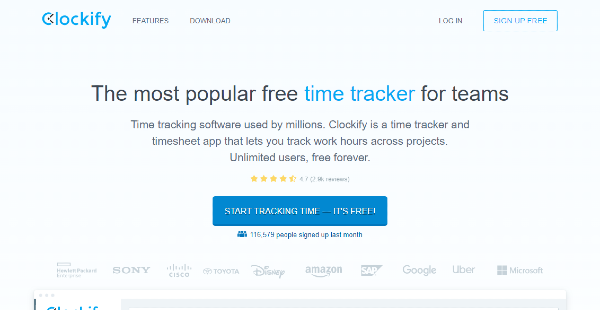

What is Clockify?
Clockify is a time tracker and timesheet software that enables you to enter time worked, manage team schedules, and track billable hours and expenses. It allows you to start and stop the timer or manually enter the time worked. It also tracks apps and websites. It detects idle time, offers an offline mode and a Pomodoro timer, and tracks activities per project.
Clockify helps you schedule work and shifts and handle time-off, leaves, and holidays. It provides a calendar where you can visualize tasks and schedules, and it connects with calendar systems, like Outlook and Google Calendar, to add events.
Clockify integrates with major project management and productivity systems. It also supports Zapier and features API, enabling you to connect to other applications. Clockify is available on Android, iOS, Windows, Mac, and Linux devices. It also provides a Chrome, Edge, and Firefox extension. Additionally, it can be deployed on private and local servers.
Show MoreOverview of Clockify Benefits
Automated or Manual Time Tracker
Clockify offers a time tracker where you can automatically or manually add time worked. It provides a timer that you can use to log time per task. It also allows you to edit the hours and mark each entry as billable. It detects idle time, app usage, and website activities. Additionally, Clockify can also track locations and routes through GPS for field employees.
Timesheet Management
Clockify creates informative timesheets. It allows you to copy recurring activities and load timesheet templates. It also enables you to submit and approve timesheets as well as send alerts and reminders for deadlines. Clockify provides time off management tools so that you can handle and approve requests for leave as well as plan work schedules for holidays.
Calendar and Scheduling
Clockify visualizes your schedule through the calendar. You can block and add hours as well as resize existing blocks for changes in the schedule. Additionally, Clockify visualizes projects, timelines, and workload for better team management. It allows you to add tasks, define rate levels, and determine budget and time estimates. It also supports additional users, manager permissions, and group access management.
Expenses and Invoicing
Clockify tracks expenses and generates invoices. It allows you to define expense types and upload receipts. It also creates invoices based on time worked and fixed fees. The invoices can be customized according to your branding and can be exported in PDF format.
Actionable Analytics
Clockify generates actionable analytics to provide insight into your team’s productivity and performance as well as into your finances. It also provides a dashboard where you can visualize activities in charts, see breakdowns, and monitor task status. You can generate summarized, detailed, and weekly reports. Reports can be shared through a link or by exporting them into PDF, CSV, and Excel files.
Show MoreOverview of Clockify Features
- Time Tracker
- Timesheets
- Calendar
- Dashboard
- Reports
- Team Scheduling
- Time Off
- Projects
- Expenses
- Invoicing
- Activity
- Apps
- Integrations
Awards & Quality Certificates

Clockify Position In Our Categories
Keeping in mind companies have distinctive business demands, it is sensible they avoid picking a one-size-fits-all, ”best” software solution. Having said that, it would be hard to try to find such a software product even among well-known software products. The logical thing to undertake should be to make a list of the various key functions that need examination like crucial features, pricing, skill competence of staff members, business size, etc. The second step is, you should double down on the research comprehensively. Browse over some Clockify reviews and look into the other applications in your list in detail. Such well-rounded research ascertain you stay away from unfit apps and pay for the one that provides all the benefits your company requires to be successful.
Position of Clockify in our main categories:
Each enterprise is different, and might call for a particular type of Time Tracking Software solution that will be fit for their company size, type of customers and employees and even specific niche they deal with. We advise you don't count on finding a perfect app that is going to be suitable for every business regardless of their history is. It may be a good idea to read a few Clockify Time Tracking Software reviews first and even then you should pay attention to what the service is intended to do for your company and your workers. Do you require a simple and straightforward service with just essential features? Will you actually use the complex tools needed by pros and big enterprises? Are there any specific tools that are especially practical for the industry you operate in? If you ask yourself these questions it is going to be much easier to get a solid service that will fit your budget.
How Much Does Clockify Cost?
Clockify Pricing Plans:
Free Trial
Free
Free
Basic
$4.99/user/month
Standard
$6.99/user/month
Pro
$9.99/user/month
Enterprise
$14.99/user/month
What are Clockify pricing details?
Clockify Pricing Plans:
Free Trial
Free
Free
Basic
$4.99/user/month
Standard
$6.99/user/month
Pro
$9.99/user/month
Enterprise
$14.99/user/month
Clockify offers five enterprise pricing packages that you can choose from.
Free – $0
- Unlimited tracking
- Unlimited users
- Unlimited projects
- Unlimited reports
- Apps and integrations
- Team chat
- Support
- API
Basic – $4.99/user/month
- All Free plan features
- Add time for others
- Hide time and pages
- Required fields
- Bulk edit
- Decimal format
- Time audit
- Customize export
- Project templates
- Historic rates
- Edit profiles
- Import timesheets
Standard – $6.99/user/month
- All Basic plan features
- Lock timesheets
- Time approval
- Time off
- Manager role
- Targets and reminders
- Task rates
- Time rounding
- Invoicing
- QuickBooks integration
- Force 2FA
Pro – $9.99/user/month
- All Standard plan features
- Scheduling
- Expenses
- Labor cost and profit
- Scheduled reports
- Budget and estimates
- Alerts
- Custom fields
- Force timer
- GPS tracking
- Screenshots
Enterprise – $14.99/user/month
- All Pro plan features
- SSO
- Custom subdomain
- Control accounts
- Audit log
In addition, Clockify offers a quote-based Server plan for private server deployment. Contact the vendor for more information on the pricing and demo.
User Satisfaction
Positive Social Media Mentions
149
Negative Social Media Mentions
0
We realize that when you make a decision to buy a Time Tracking Software it’s important not only to learn how professionals score it in their reviews, but also to discover whether the actual users and enterprises that purchased these solutions are genuinely content with the product. Because of that need we’ve created our behavior-based Customer Satisfaction Algorithm™ that gathers customer reviews, comments and Clockify reviews across a broad array of social media sites. The data is then displayed in an easy to understand way revealing how many clients had positive and negative experience with Clockify. With that information at your disposal you will be ready to make an informed business decision that you won’t regret.
Video
Technical details
Devices Supported
- Windows
- Linux
- Android
- iPhone/iPad
- Mac
- Web-based
Deployment
- Cloud Hosted
- On Premise
- Open API
Language Support
- English
Pricing Model
- Free
- Monthly payment
- Annual Subscription
- Quote-based
Customer Types
- Small Business
- Large Enterprises
- Medium Business
- Freelancers
What Support Does This Vendor Offer?
- phone
- live support
- training
- tickets
What integrations are available for Clockify?
Clockify integrates with the following:
- Airtable
- Ambra
- Asana
- Axosoft
- Azure
- Basecamp
- BasecampHQ
- Bitbucket
- Breeze
- CapsuleCRM
- Cerb
- ClickUp
- Shortct (Clubhouse)
- Coda
- Evernote
- Figma
- FreedCamp
- Freshdesk
- Freshrelease
- Freshservice
- Getflow
- Gitea
- Github
- Gitlab
- Google Calendar
- Google Docs
- Google Keep
- Google Mail
- Group&Work
- Helprace
- Helpscout
- Hillia
- Hubspot
- Husky Marketing Planner
- Infinity
- Jira
- Liquidplanner
- LiveAgent
- ManageEngine
- Mantishub
- Manuscript
- Meistertask
- Microsoft Planner
- Microsoft To-Do
- Monday
- MyFocusSpace
- Myjetbrains
- Nela
- Notion
- Nozbe
- Openproject
- osTicket
- Outlook Mail
- Outlook Calendar
- Phabricator
- Pipedrive
- Pipefy
- PivotalTracker
- Pixie
- Podio
- Produck
- QuickBooks
- Rally
- Redbooth
- Redmine
- Salesforce Lightning
- Scoro
- Shortcut
- Sprint
- Taiga
- Teamwork
- TickTick
- Todoist
- Toodledo
- Trello
- Unfuddle
- VisualStudio
- Wekan
- Wrike
- Wunderlist
- Zammad
- Zendesk
- Zenkit
- Zoho Desk
- API

Clockify
is waiting for
your first review.

Write your own review of this product
ADD A REVIEWMore reviews from 0 actual users:


Join a community of 7,369 SaaS experts
Thank you for the time you take to leave a quick review of this software. Our community and review base is constantly developing because of experts like you, who are willing to share their experience and knowledge with others to help them make more informed buying decisions.
Sign in with LinkedIn
Why we require LinkedIn?
- Show the community that you're an actual user.
- We will only show your name and profile image in your review.
- You can still post your review anonymously.
OR
Sign in with company emailSign in with company email
Popular Clockify Alternatives





Top Competitors To Clockify By Price
Product name:
Price:


By quote


Trending Time Tracking Software Reviews



Clockify Comparisons
Product name:


Page last modified



Did you find this review useful?
Yes
No
Thank you for your feedback
How can we make this page better?
Unsure about this software?
FIND ALTERNATIVES
 Why is FinancesOnline free?