

Greenbox Review


What is Greenbox?
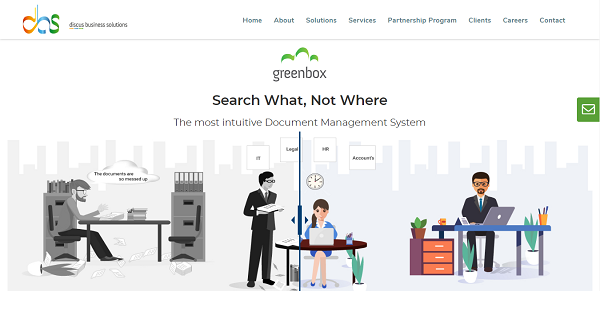
Greenbox is a document management system that provides organizations and businesses an intuitive, powerful, and highly secure digital venue where they can collaborate, share and work on documents securely and efficiently. It helps users transition from a paper-based workplace to a green and paperless environment that simplifies and speeds the storage, tracking, sharing, and management of documents.
With Greenbox, documents are isolated across different departments, which means information is safe and secure and only accessible to those with the right permissions. Those with authorization with be able to search the documents they are looking for easily using metadata. Also Editing, sharing, and organizing content is a breeze.
Show MoreOverview of Greenbox Benefits
Comprehensive DMS With No Coding Required
Greenbox is a robust DMS that provides you with a rich set of enterprise-grade features that you can’t find in other similar systems and platforms. On top of that, it boasts zero-code rapid application development capabilities. That means you can build your own workflows, no matter how advanced or complicated, without having to rely on the technical expertise of IT professionals. Simply put, you can create your workflows without dealing with codes.
Two Simultaneous Solutions
Greenbox is the only document management system platform in the market that is capable of delivering 2 simultaneous solution approaches, as required by use case – document-first (for use cases such as SoP management, contract management, etc) & application-first (for use cases such as PLM, Artwork Management, etc). If such functionality is something you want in your DMS, you won’t find it on other platforms.
Proofreading Feature You Can Rely on
When you work with business documents, accuracy and correctness are vital. Some companies opt to use an external proofreading solution to ensure that their documents are free from typos and errors. On the other hand, Greenbox integrates seamlessly with a powerful web-based proofreader and allows for smooth editing with Google Docs and Microsoft Office.
Show MoreOverview of Greenbox Features
- Cloud Storage
- System Admin Authority
- Metadata
- Versioning
- Sharing and Collaboration
- Powerful Search Engine
- Enterprise-Grade Security
- Expiry and Notifications
- 256-bit AES Encryption
What Problems Will Greenbox Solve?
1) Electronic Vault
Pharma companies due to their nature of compliance required were looking for an eDMS which could let them control what is shared and how. Greenbox provided the solution for this with its roles and permission-based approach what can be done with the document once shared.
2) Processes on the document
A well-known company wanted to save their all the physical records scanned and sorted in a DMS which can also help them collaborate on the files and run processes on documents to help make business decisions. With Greenbox, they were able to create zero-code applications to address this problem and store their data in the cloud.
3) Sharing documents with External Vendors
A Greenbox user in the construction business was working with external designers and consultants. They had problems with getting the approved design to go for printing. A wrong design sent for printing and mocks up leads to a delay in the project by few days to few months depending on the situation. Using Greenbox, they configured process on the design documents and once it was finalized, only approved version was being shared with the external consultant. This also helped them collaborate with their consultants in different geographic locations very easily.
Awards & Quality Certificates


Greenbox Position In Our Categories
Keeping in mind businesses have specific business-related needs, it is rational that they abstain from getting an all-in-one, ”best” software. Nonetheless, it is nearly futile to try to discover such application even among sought-after software solutions. The efficient step to undertake would be to spell out the varied major functions that demand inspection like important features, budget, skill ability of the users, business size, etc. Thereafter, you should do the research fully. Read these Greenbox review articles and look over each of the solutions in your list more closely. Such all-encompassing research ascertains you stay away from ill-fitting software products and pay for the system that has all the aspects your company requires.
Position of Greenbox in our main categories:
TOP
500
Greenbox is one of the top 500 Collaboration Software products
Each business is different, and may require a special Document Management Systems solution that will be designed for their business size, type of clients and staff and even individual niche they cater to. We advise you don't count on finding an ideal app that will work for each company regardless of their background is. It may be a good idea to read a few Greenbox Document Management Systems reviews first and even then you should pay attention to what the software is supposed to do for your business and your employees. Do you need an easy and intuitive app with only elementary features? Will you really make use of the complex functionalities required by pros and big enterprises? Are there any specific tools that are especially beneficial for the industry you operate in? If you ask yourself these questions it will be much easier to get a reliable software that will match your budget.
How Much Does Greenbox Cost?
Greenbox Pricing Plans:
Free Trial
Quote-Based Plan
Contact Vendor
What are Greenbox pricing details?
Greenbox Pricing Plans:
Free Trial
Quote-Based Plan
Contact Vendor
Contact Discus Business Solutions for basic and enterprise pricing information on their Greenbox product. A free trial version is also available.
User Satisfaction
Positive Social Media Mentions
93
Negative Social Media Mentions
3
We know that when you make a decision to get a Document Management Systems it’s vital not only to find out how professionals rank it in their reviews, but also to check whether the real clients and enterprises that purchased this software are genuinely satisfied with the service. Because of that need we’ve designer our behavior-based Customer Satisfaction Algorithm™ that gathers customer reviews, comments and Greenbox reviews across a vast array of social media sites. The information is then displayed in an easy to understand form revealing how many users had positive and negative experience with Greenbox. With that information available you should be equipped to make an informed purchasing choice that you won’t regret.
Video
Technical details
Devices Supported
- Windows
- Android
- iPhone/iPad
- Mac
- Web-based
Deployment
- Cloud Hosted
- On Premise
Language Support
- English
Pricing Model
- Quote-based
Customer Types
- Small Business
- Large Enterprises
- Medium Business
What Support Does This Vendor Offer?
- phone
- live support
- training
- tickets
What integrations are available for Greenbox?
Greenbox can be integrated with any software which can use restful API for integration. It can be integrated with any cloud ERP, SAP, HRMS, google, etc. Greenbox is a java based cloud solution and its architecture is flexible enough to customized integration as required by any Enterprise.
Greenbox User Reviews
Greenbox average rating:
5/5
Overall impression
5/5
Customer Support
5/5
Value for Money
5/5
Ease of Use
Write your own review of this product
ADD A REVIEWThe most favorable review

PROS: green box is an awesome software with all the features that I need for my team. It is loaded with security features and does the job perfectly. it also speeds up my team's work Highly recommended!
CONS: greenbox is an awesome product. as such, it has no problem.
The least favorable review

PROS: Well, there are too many of them. However, to name a few, Greenbox accepts every file type, with Greenbox you can selectively allow or deny access to a document, set frequency-based reminders for yourself and your team, capture, retrieve and approve documents from mobile and store your data on the cloud, private cloud or on-premise.
CONS: There aren\\\'t too many of them, to be honest. However, organizations not familiar with modern enterprise products can find it challenging since they\\\'re used to the traditional methods of storing, tracking and managing documents. Adapting to such a technology-driven solution could be a tad bit difficult. However, with proper training, they can master the software to the best of its ability.
More reviews from 3 actual users:
Sort by:
Latest
- Latest
- Most useful
- Most positive
- Most negative
The best digital cabinet you can have for your documents.
Read full review >
4/5
Overall impression
5/5
Customer Support
5/5
Value for Money
5/5
Ease of Use
Published on: 07.07.2021
Company Size: 51-100 Employees
Industry: Food & Beverages
PROS: Well, there are too many of them. However, to name a few, Greenbox accepts every file type, with Greenbox you can selectively allow or deny access to a document, set frequency-based reminders for yourself and your team, capture, retrieve and approve documents from mobile and store your data on the cloud, private cloud or on-premise.
CONS: There aren\\\'t too many of them, to be honest. However, organizations not familiar with modern enterprise products can find it challenging since they\\\'re used to the traditional methods of storing, tracking and managing documents. Adapting to such a technology-driven solution could be a tad bit difficult. However, with proper training, they can master the software to the best of its ability.
greenbox is an awesome software
Read full review >
5/5
Overall impression
5/5
Customer Support
5/5
Value for Money
5/5
Ease of Use
Published on: 14.05.2021
Company Size: N/A
Industry: N/A
PROS: green box is an awesome software with all the features that I need for my team. It is loaded with security features and does the job perfectly. it also speeds up my team's work Highly recommended!
CONS: greenbox is an awesome product. as such, it has no problem.
Powerful, Secure, and Easy to use DMS
Read full review >
5/5
Overall impression
5/5
Customer Support
4/5
Value for Money
5/5
Ease of Use
Published on: 29.01.2021
Company Size: More than 100 Employees
Industry: Computer Software
PROS: Other DMS offers limited Storage space, while Greenbox offers 50GB storage space. Which is unbeatable.
CONS: Not every employee in the organization will be welcoming enough of the new move. Most of them will be reluctant to radically mending their ways and might find it difficult to adapt to the new software as they’re accustomed to the ones they’re already using.


Join a community of 7,369 SaaS experts
Thank you for the time you take to leave a quick review of this software. Our community and review base is constantly developing because of experts like you, who are willing to share their experience and knowledge with others to help them make more informed buying decisions.
Sign in with LinkedIn
Why we require LinkedIn?
- Show the community that you're an actual user.
- We will only show your name and profile image in your review.
- You can still post your review anonymously.
OR
Sign in with company emailSign in with company email
Popular Greenbox Alternatives



Top Competitors To Greenbox By Price
Product name:
Price:





Trending Document Management Systems Reviews




Greenbox Comparisons
Product name:




Greenbox user reviews
The best digital cabinet you can have for your documents.
Read full review >
4/5
Overall impression
5/5
Customer Support
5/5
Value for Money
5/5
Ease of Use
Published on: 07.07.2021
Company Size: 51-100 Employees
Industry: Food & Beverages
greenbox is an awesome software
Read full review >
5/5
Overall impression
5/5
Customer Support
5/5
Value for Money
5/5
Ease of Use
Published on: 14.05.2021
Company Size: N/A
Industry: N/A
Powerful, Secure, and Easy to use DMS
Read full review >
5/5
Overall impression
5/5
Customer Support
4/5
Value for Money
5/5
Ease of Use
Published on: 29.01.2021
Company Size: More than 100 Employees
Industry: Computer Software

Page last modified



Did you find this review useful?
Yes
No
Thank you for your feedback
How can we make this page better?
Unsure about this software?
FIND ALTERNATIVES
 Why is FinancesOnline free?