

Senomix Review



What is Senomix?
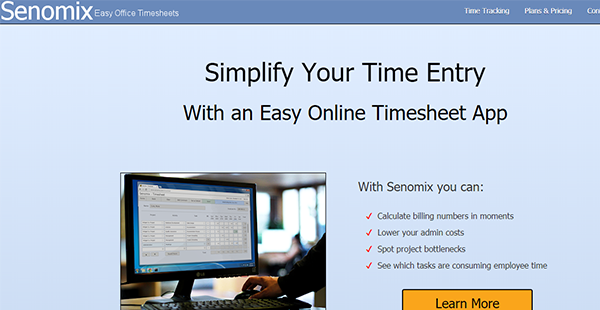
Senomix is a time tracking software designed for small and medium businesses’ expense and time tracking. It has a central database for time entry that works well with Windows, Linux, Mac OS X, Android, and iOS devices.
The software is flexible and can be adjusted to any desired work environment, whether it is an office-inclusive network or online. Businesses can operate from various offices, home offices, or different sites all over the world.
Senomix is powered by the latest WebSocket and HTML5 networking technology that is capable of providing web-based applications. These web-based applications are capable of working with conventional desktop computer applications and programs. Users can access Senomix from any computer system from any desired location across the world through the internet.
Show MoreOverview of Senomix Benefits
Employee Tracking and Monitoring
Senomix provides time and expense tracking that is accessible from all devices available. It is capable of recording expenses and covers features for automatic stopwatch and web-time entry. This is a convenient way to monitor the expense data and time tracking of the business. Additionally, Senomix comes with Employee Effort Reports that provide an overall view of office activities by presenting project work and current task snapshots.
Project Tracking
Senomix is capable of transforming raw data into insights and information that can be used to improve business operations. The software can generate summaries for billing and payroll which allows businesses to turn recorded work effort into useful information. Additionally, Senomix is equipped with estimate tracking that allows users to validate estimated calculations that level individual functions. This way, bottlenecks within a project can be spotted immediately before it affects the profits.
Efficient Timesheets
Users can create individual data reports for vacations, project status checking and management, and tracking down personal progress in timesheets. Senomix also allows hourly comment entry on these timesheets with up to 1,000 characters.
Show MoreOverview of Senomix Features
- Effort Reports
- Time Estimates
- Report Creation
- Meeting Status
- Timesheet Records
- Analysis Reports
- Spreadsheet Reports
- Project Billing Reports
- Expense Clain
- Admin Activity
- Quickbooks Integrated
- Timesheet Templates
What Problems Will Senomix Solve?
Problem #1: Time consolidation
Offices collect employee time with Excel Spreadsheets sent through emails. This requires a staff member to input, sum, confirm and categorize all the recorded work hours. Senomix is capable of consolidating time collection through timesheets issued weekly. These data are directly delivered to the admin office. The collected information can be instantly summed for project status and billing calculations.
Problem #2: Project updates
Project managers need status updates for project meetings conducted weekly. Senomix is capable of recording project status comments and employee hours with weekly timesheets and automatic stopwatch. This can be done daily. Collected data are available to both managers and staff before every project meeting. This is to ensure that all information is correct.
Problem #3: Falling behind schedule
If a project falls behind a schedule, project managers can track and monitor where the allotted time for the project has been spent. Senomix has features for Work in Progress, Employee Effort, and Estimate Vs. Actuals. These functions are capable of identifying schedule slips. Additionally, issues can be presented in a graphic analytical data.
Awards & Quality Certificates


Senomix Position In Our Categories
Because businesses have their own business wants, it is only wise they steer clear of deciding on an all-in-one, “perfect” business program. Just the same, it would be futile to try to chance on such an app even among widely used software systems. The best thing to do can be to set down the numerous main functions which necessitate investigation like major features, pricing, technical skill levels of staff members, business size, etc. After which, you should perform the product research systematically. Read some Senomix evaluations and look over the other software systems in your shortlist in detail. Such all-encompassing product research ascertain you circumvent poorly fit applications and buy the one which delivers all the tools your business requires to achieve growth.
Position of Senomix in our main categories:
There are popular and widely used applications in each software category. But are they essentially the best fit for your enterprise’s specific requirements? A market-leading software solution may have thousands of customers, but does it offer what you require? For this reason, do not blindly shell out for popular systems. Read at least a few Senomix Time Tracking Software reviews and mull over the aspects that you desire in the software such as the cost, main features, available integrations etc. Then, shortlist a few solutions that fit your wants. Try out the free trials of these products, read online opinions, get information from the seller, and do your investigation meticulously. This exhaustive groundwork is sure to aid you choose the most excellent software platform for your firm’s specific requirements.
How Much Does Senomix Cost?
Senomix Pricing Plans:
Free Trial
Freelancer
$12/month
Small Business
$50/month
Corporate
$190/month
Self-Installed
Contact vendor
What are Senomix pricing details?
Senomix Pricing Plans:
Free Trial
Freelancer
$12/month
Small Business
$50/month
Corporate
$190/month
Self-Installed
Contact vendor
Senomix offers SMB and enterprise pricing plans based on the number of users that are as follows:
Freelancer – $12/month
- 1 user
Small Business – $50/month
- 6 users
- For small teams
Corporate – starts at $190/month
- Over 20 users
- For offices
Self-Installed – By quote
- 5-500 users
Annual payments offer one month for free.
User Satisfaction
Positive Social Media Mentions
0
Negative Social Media Mentions
0
We are aware that when you make a decision to buy a Time Tracking Software it’s important not only to find out how experts evaluate it in their reviews, but also to discover if the real people and businesses that use this software are indeed happy with the product. Because of that need we’ve created our behavior-based Customer Satisfaction Algorithm™ that gathers customer reviews, comments and Senomix reviews across a wide range of social media sites. The data is then presented in a simple to understand format revealing how many clients had positive and negative experience with Senomix. With that information at your disposal you should be prepared to make an informed business decision that you won’t regret.
Technical details
Devices Supported
- Windows
- Android
- iPhone/iPad
- Mac
- Web-based
Deployment
- Cloud Hosted
Language Support
- English
Pricing Model
- Free
- Monthly payment
- Annual Subscription
- Quote-based
Customer Types
- Small Business
- Large Enterprises
- Medium Business
- Freelancers
What Support Does This Vendor Offer?
- phone
- live support
- training
- tickets
What integrations are available for Senomix?
Senomix Timesheets integrates with the following:
- Microsoft Excel
- QuickBooks

Senomix
is waiting for
your first review.

Write your own review of this product
ADD A REVIEWMore reviews from 0 actual users:


Join a community of 7,369 SaaS experts
Thank you for the time you take to leave a quick review of this software. Our community and review base is constantly developing because of experts like you, who are willing to share their experience and knowledge with others to help them make more informed buying decisions.
Sign in with LinkedIn
Why we require LinkedIn?
- Show the community that you're an actual user.
- We will only show your name and profile image in your review.
- You can still post your review anonymously.
OR
Sign in with company emailSign in with company email
Popular Senomix Alternatives


Top Competitors To Senomix By Price
Product name:
Price:


Trending Time Tracking Software Reviews





Senomix Comparisons
Product name:


Page last modified



Did you find this review useful?
Yes
No
Thank you for your feedback
How can we make this page better?
Unsure about this software?
FIND ALTERNATIVES
 Why is FinancesOnline free?