

ServiceWorks Review



What is ServiceWorks?
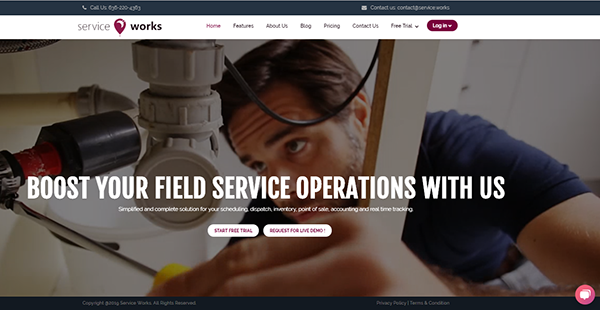
ServiceWorks is a robust field management software that offers a comprehensive set of tools for dispatch, scheduling, point of sale, inventory, real-time tracking, and accounting to service, retail, and delivery businesses. It has an end-to-end solution for businesses that wish to boost productivity. It also offers reports and analytics tools.
ServiceWorks unifies all core business functions by providing real-time customer engagement, mobility, and automated customer feedback. It allows for multi-location inventory and offers a centralized purchasing order system. It even has a route optimization feature and a tracking tool that allow users to monitor their drivers. It also provides an automated ETA calculator. ServiceWorks also provides custom notifications via SMS, email, and Robocall. It integrates with QuickBooks and can seamlessly work with third-party e-commerce apps.
ServiceWorks has particular modules for personal chef services, home care services, pet care services, beauty services, home delivery, flower/cake delivery, furniture delivery, handyman services, computer services, and party services. It also offers enterprise packages for appliance and HVAC maintenance, food service, cleaning services, pest control services, auto repair, aviation maintenance, fleet service, plumbing, and electrical services, repair and installation, lawn and landscape services, pool and spa services, and health and fitness. Pricing is dependent on a user’s industry. It’s available for as low as $19.99/user.
Show MoreOverview of ServiceWorks Benefits
ServiceWorks makes field service management simple and easy with its comprehensive tools that provide end to end solutions. It offers a portal that can handle main concerns when it comes to service, retail, and delivery. Here are some of the benefits that ServiceWorks has to offer:
Accessible Customer Data
ServiceWorks allow its users to have access to customer data from any device regardless of location. Competent and complete service can be provided anytime and anywhere. Users can manage everything on-the-go.
Ease of Use
Users can easily use all ServiceWorks features and tools through its simple, direct, and intuitive dashboard. All tools can be utilized, regardless if the user is on mobile or desktop. Users will not have a hard time trying to understand the interface. Work can be done without the need for prior training. Communication can easily be automated where timely notifications and even late payment reminders are sent to interested parties. In addition, users can easily schedule jobs via a built-in calendar or the job order itself. The two-way option makes looking for available slots and schedules easier and faster.
Easy Online Payment
End-to-end tools are available for users and customers for the speedy, competent, and reliable processing of online payment. Users can even save cards for future billing via Auth.Net. The drafting, creation, and sending of estimates can all be done through ServiceWorks. It even has automation tools for estimate reminders. It also has an invoice tool that allows users to email or print bulk invoices. They can also keep track of pending payments in real-time.
Accurate Device Tracking
ServiceWorks allows its users to scan, update, and track devices in the field. Through this, a faithful inventory of all essential devices can be always at hand. It’s GPS tracking tool allows users to see their team’s location in real-time. This way, customers can be duly updated when it comes to the ETA of field men. Users can even save actual routes for reference and future use. This works hand in hand with the software’s nifty route optimization tool that allows users to assign new work near jobs that were already scheduled. Productivity and convenience are easily boosted.
Streamlined Data Management
Users can access any files outside of ServiceWorks. They can also attach it to their accounts. ServiceWorks makes it a point that an organized record of all necessary files and data are kept in one place. ServiceWorks also offers data back-up. Hence, its users can rest assured that all their data are protected and completely secure. In addition, ServiceWorks offers a robust and easy-to-use calendar. Users can schedule and assign jobs in a click. Drag-and-Drop options make it significantly faster and easy to work with. ServiceWorks has a tool that allows for eSignatures. Users can instantly fill any document, agreement or contract.
Show MoreOverview of ServiceWorks Features
- Customer Management
- Work Order Management
- Field Service Management
- Built-In Point of Sale
- Order management
- Inventory management
- Dispatch and delivery management
- Invoicing
- Payment Processing
- Analytics and Reports
What Problems Will ServiceWorks Solve?
Problem #1: Complicated Management
Things can get confusing and overwhelming when it comes to daily field service management. ServiceWorks solved this through the provision of a dashboard that allows users to manage concerns through simple clicks. Tasks can be automated together with the instant creation of invoice, route planning, schedules, and estimates. Users will get to save hours of having to do manual work.
Problem #2: Weak Customer Relationship
Delays and scheduling error keep customers from coming back. ServiceWorks solved this by providing tools to cater to customer satisfaction. It has notification features that allow two-way communication where customers can give feedback.
Problem #3: Revenue Increase
Keeping track of revenue can be daunting given the huge amount of data that requires analysis and insight. ServiceWorks solved this concern by providing business intelligence and analytics. Users can transparently see data and monitor business performance. Critical decisions can be made anytime and anywhere as this tool is accessible in any device.
Awards & Quality Certificates


ServiceWorks Position In Our Categories
Keeping in mind businesses have specific business-related needs, it is reasonable they abstain from deciding on a one-size-fits-all, “perfect” software product. Nevertheless, it would be hard to come across such an app even among sought-after software products. The reasonable thing to undertake can be to spell out the several chief aspects which demand analysis like crucial features, costing, technical skill ability of staff members, organizational size, etc. Then, you should conduct the product research thoroughly. Have a look at some ServiceWorks reviews and look into each of the software programs in your list more closely. Such comprehensive product investigation can make sure you keep away from poorly fit software products and buy the one which offers all the tools your business requires.
Position of ServiceWorks in our main categories:
It's essential to realize that almost no software in the Field Service Management Software - FSM category is an ideal solution that can meet all the needs of different company types, sizes and industries. It may be a good idea to read a few ServiceWorks Field Service Management Software - FSM reviews first as specific services might excel exclusively in a really narrow group of applications or be designed with a really specific type of industry in mind. Others may function with an intention of being simple and intuitive and consequently lack advanced features welcomed by more experienced users. You can also find software that cater to a large group of users and give you a rich feature base, but this usually comes at a more expensive price of such a service. Be certain that you're aware of your needs so that you pick a software that offers exactly the elements you search for.
How Much Does ServiceWorks Cost?
ServiceWorks Pricing Plans:
Free Trial
Basic
$15/month
Standard
$35/month
Professional
$95/month
Premium
$195/month
Basic
$29.99/tech
Standard
$24.99/tech
Professional
$19.99/tech
Premium
$15.99/tech
What are ServiceWorks pricing details?
ServiceWorks Pricing Plans:
Free Trial
Basic
$15/month
Standard
$35/month
Professional
$95/month
Premium
$195/month
Basic
$29.99/tech
Standard
$24.99/tech
Professional
$19.99/tech
Premium
$15.99/tech
ServiceWorks offers four plans for two variations. Enterprise pricing is also available. All plans include all features.
For cleaning service, pool service, pest control, and lawn care.
Basic – $15/month
- Up to 2 users
- $0.20 per job
Standard – $35/month
- Up to 5 users
- $0.15 per job
Professional – $95/month
- Up to 10 users
- $0.10 per job
Premium – $195/month
- Unlimited users
- $0.05 per job
For electrical and plumbing. Also, for appliance installation, maintenance, and repair.
Basic – $29.99/tech
- 1 user
Standard – $24.99/tech
- 2 to 5 users
Professional – $19.99/tech
- 6 to 10 users
Premium – $15.99/tech
- Over 10 users
User Satisfaction
Positive Social Media Mentions
0
Negative Social Media Mentions
0
We realize that when you choose to get a Field Service Management Software - FSM it’s crucial not only to see how experts score it in their reviews, but also to discover whether the real users and enterprises that purchased these solutions are actually satisfied with the product. That’s why we’ve designer our behavior-based Customer Satisfaction Algorithm™ that aggregates customer reviews, comments and ServiceWorks reviews across a vast range of social media sites. The data is then displayed in a simple to digest format revealing how many users had positive and negative experience with ServiceWorks. With that information at your disposal you should be equipped to make an informed buying decision that you won’t regret.
Video
Technical details
Devices Supported
- Windows
- Android
- iPhone/iPad
- Mac
- Web-based
Deployment
- Cloud Hosted
Language Support
- English
Pricing Model
Customer Types
- Small Business
- Large Enterprises
- Medium Business
- Freelancers
What Support Does This Vendor Offer?
- phone
- live support
- training
- tickets
What integrations are available for ServiceWorks?
ServiceWorks integrates with the following third-party apps:
- Authorize.Net
- Shopify
- QuickBooks Online
- QuickBooks Desktop
- Square
- Service Power
- Service Bench
- Google Maps
- Hubspot
ServiceWorks User Reviews
ServiceWorks average rating:
3/5
Overall impression
4/5
Customer Support
3/5
Value for Money
3/5
Ease of Use
Write your own review of this product
ADD A REVIEWThe most favorable review

PROS: Its a comprehensive tool and helped me track my team members efficiently. I could add custom form checklist to supervise the quality of my team members work. It easily syncs with Quickbook desktop which I couldn't find any many other software. And the best part is that the Mobile App works even when there is no internet connectivity. It can sync my team's work as soon as there are signal.
CONS: Nothing was a problem. Plus the ServiceWorks team delivers what I ask for. They even created many customized reports just for me.
The least favorable review

PROS: Has quite a bit of potential and cheap but really not worth the trouble. It creates more work for you which defeats the purpose.
CONS: Reporting is not accurate. The inventory process by design is flawed causing unnecessary adjustment and overall very buggy.
More reviews from 2 actual users:
Sort by:
Latest
- Latest
- Most useful
- Most positive
- Most negative
Stay Away unless you enjoy being frustrated on a daily basis
Read full review >
1/5
Overall impression
1/5
Customer Support
1/5
Value for Money
1/5
Ease of Use
Published on: 15.10.2021
Company Size: 1-10 Employees
Industry: N/A
PROS: Has quite a bit of potential and cheap but really not worth the trouble. It creates more work for you which defeats the purpose.
CONS: Reporting is not accurate. The inventory process by design is flawed causing unnecessary adjustment and overall very buggy.
Best Software Ever
Read full review >
5/5
Overall impression
5/5
Customer Support
5/5
Value for Money
5/5
Ease of Use
Published on: 10.04.2021
Company Size: 1-10 Employees
Industry: Consumer Services
PROS: Its a comprehensive tool and helped me track my team members efficiently. I could add custom form checklist to supervise the quality of my team members work. It easily syncs with Quickbook desktop which I couldn't find any many other software. And the best part is that the Mobile App works even when there is no internet connectivity. It can sync my team's work as soon as there are signal.
CONS: Nothing was a problem. Plus the ServiceWorks team delivers what I ask for. They even created many customized reports just for me.


Join a community of 7,369 SaaS experts
Thank you for the time you take to leave a quick review of this software. Our community and review base is constantly developing because of experts like you, who are willing to share their experience and knowledge with others to help them make more informed buying decisions.
Sign in with LinkedIn
Why we require LinkedIn?
- Show the community that you're an actual user.
- We will only show your name and profile image in your review.
- You can still post your review anonymously.
OR
Sign in with company emailSign in with company email
Popular ServiceWorks Alternatives





Top Competitors To ServiceWorks By Price
Product name:
Price:





Trending Field Service Management Software - FSM Reviews

8.0
100%


8.0
95%

8.5
95%
ServiceWorks Comparisons
Product name:







ServiceWorks user reviews
Stay Away unless you enjoy being frustrated on a daily basis
Read full review >
1/5
Overall impression
1/5
Customer Support
1/5
Value for Money
1/5
Ease of Use
Published on: 15.10.2021
Company Size: 1-10 Employees
Industry: N/A
Best Software Ever
Read full review >
5/5
Overall impression
5/5
Customer Support
5/5
Value for Money
5/5
Ease of Use
Published on: 10.04.2021
Company Size: 1-10 Employees
Industry: Consumer Services

Page last modified



Did you find this review useful?
Yes
No
Thank you for your feedback
How can we make this page better?
Unsure about this software?
FIND ALTERNATIVES
 Why is FinancesOnline free?