
- Home
- Facility Management Software
- FMS:Workplace

FMS:Workplace Review


What is FMS:Workplace?
FMS:Workplace is a solution that helps organizations manage and optimize their workplace spaces and assets. The solution is composed of eight modules that can be combined or used individually for optimizing and maintaining workspaces, assets, or real estate properties.
FMS:Workplace can be used in various industries and sectors be it corporate, government, higher education, healthcare, pharmaceutical, or retail. As to user types, it can be used by executive or C-suite leaders, operations and facilities personnel, and human resources personnel.
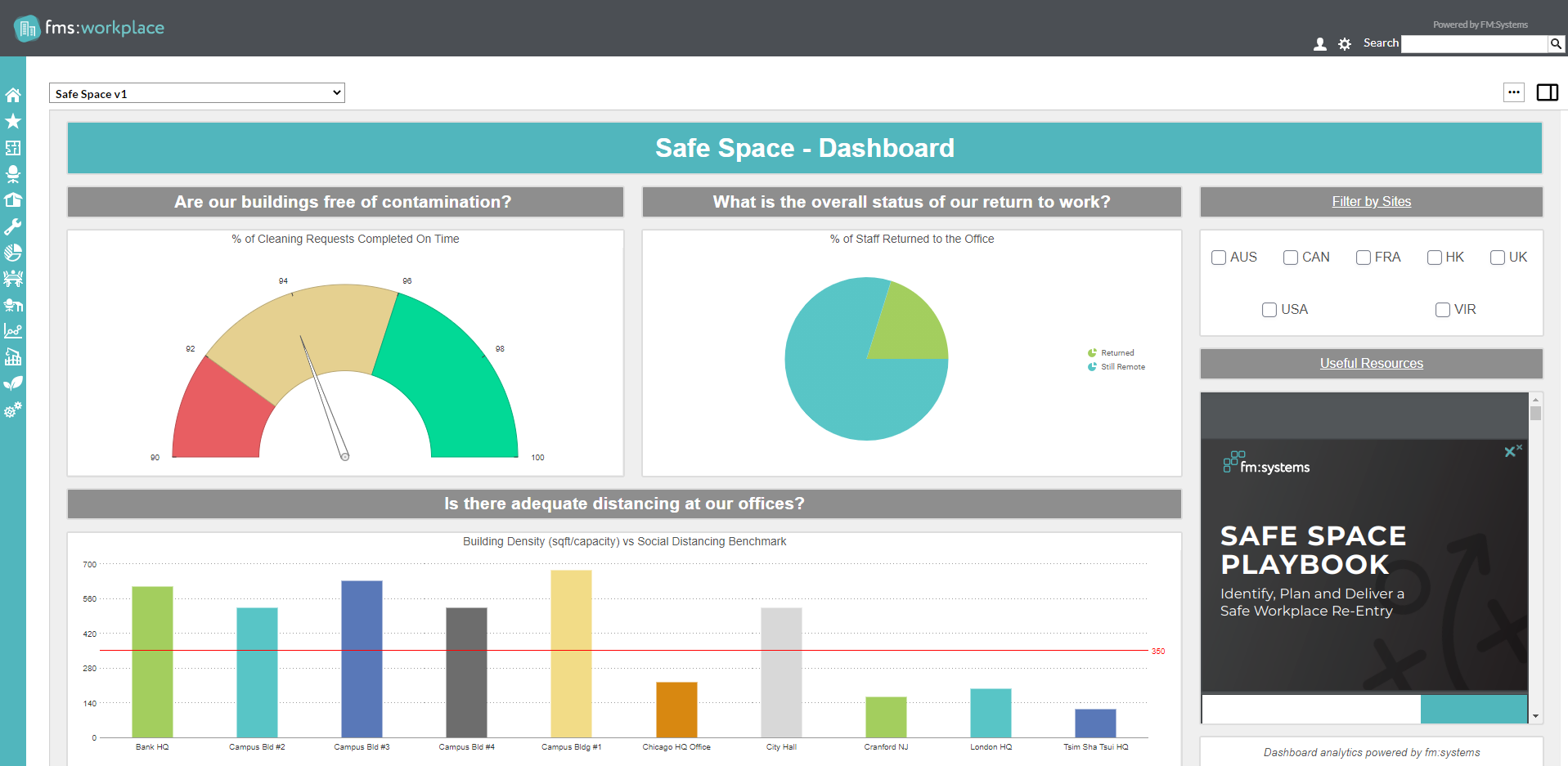
By using FMS:Workplace, organizations can gain visibility into their workplace and facilities’ performance so they could make data-driven improvements to their spaces. By taking into account furniture layout, workplace assignments, and lifecycle planning, companies can create employee-centered workplaces that help employees become productive and boost their morale. The solution also makes it easier to automate workflows so that you and your team are on the same page on critical business updates about your assets and properties across your entire portfolio. With real-time reporting and visibility into your assets and real estate properties, companies can lessen occupancy and move costs and realize productivity savings.
The key features of the software include configurable workflows, which allow you to set up the solution in a way that makes sense for your business. Its drag-and-drop features make it easy for any user to create real-life scenario models and configure office spaces in a way that would maximize employee efficiency. Other useful tools include those for asset management, scenario planning, inventory management, and lifecycle planning which helps organizations make data-driven decisions on how to maximize their assets.
One component of the solution is fixME, a mobile app for maintenance technicians, which allows them to create service requests online or offline. On another note, the solution has bi-directional integration with AutoCAD and Revit, which means that you can use your existing maps to create workspace plans.
Pricing for the FMS:Workplace solution is available upon request from the vendor.
Show MoreOverview of FMS:Workplace Benefits
Plan efficient workspaces
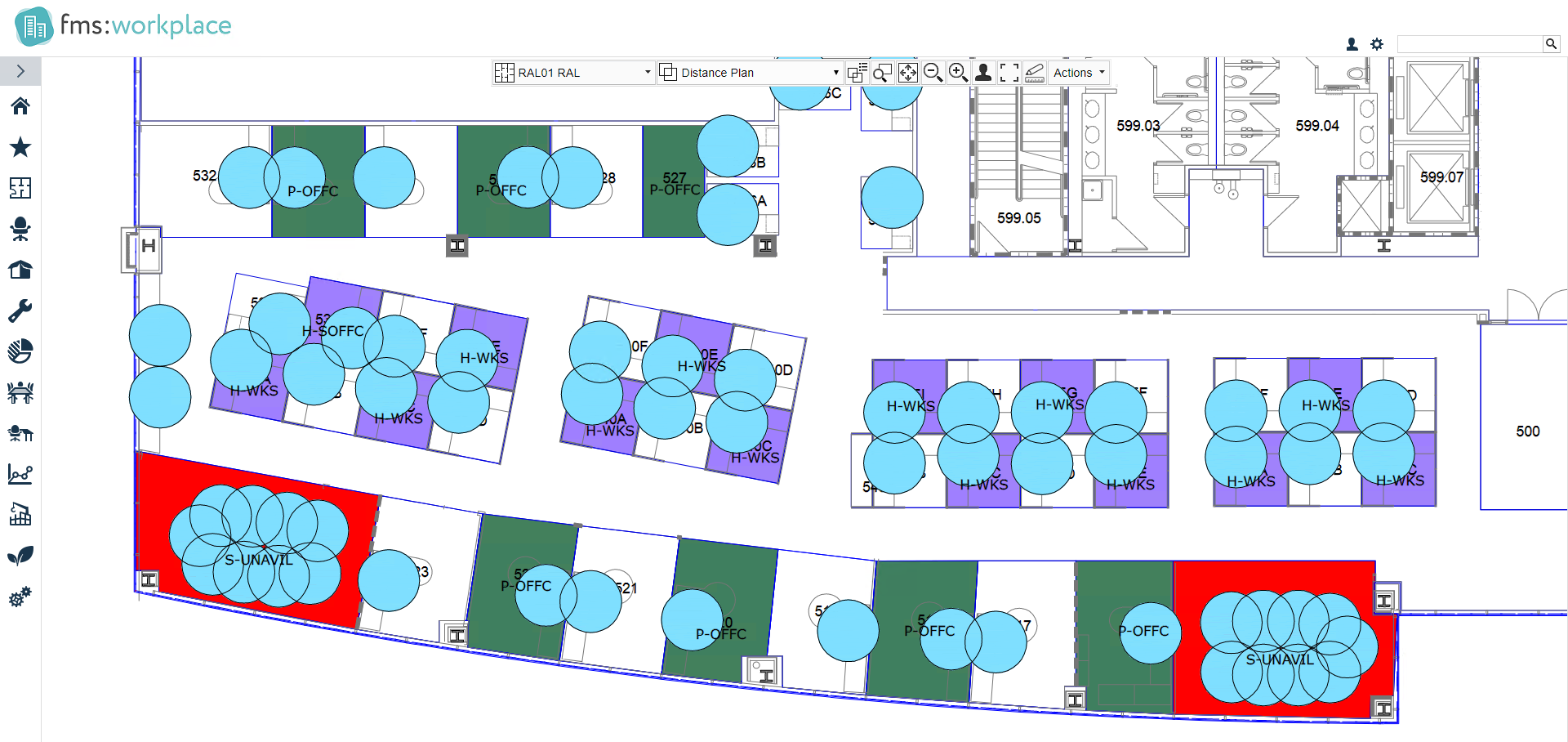
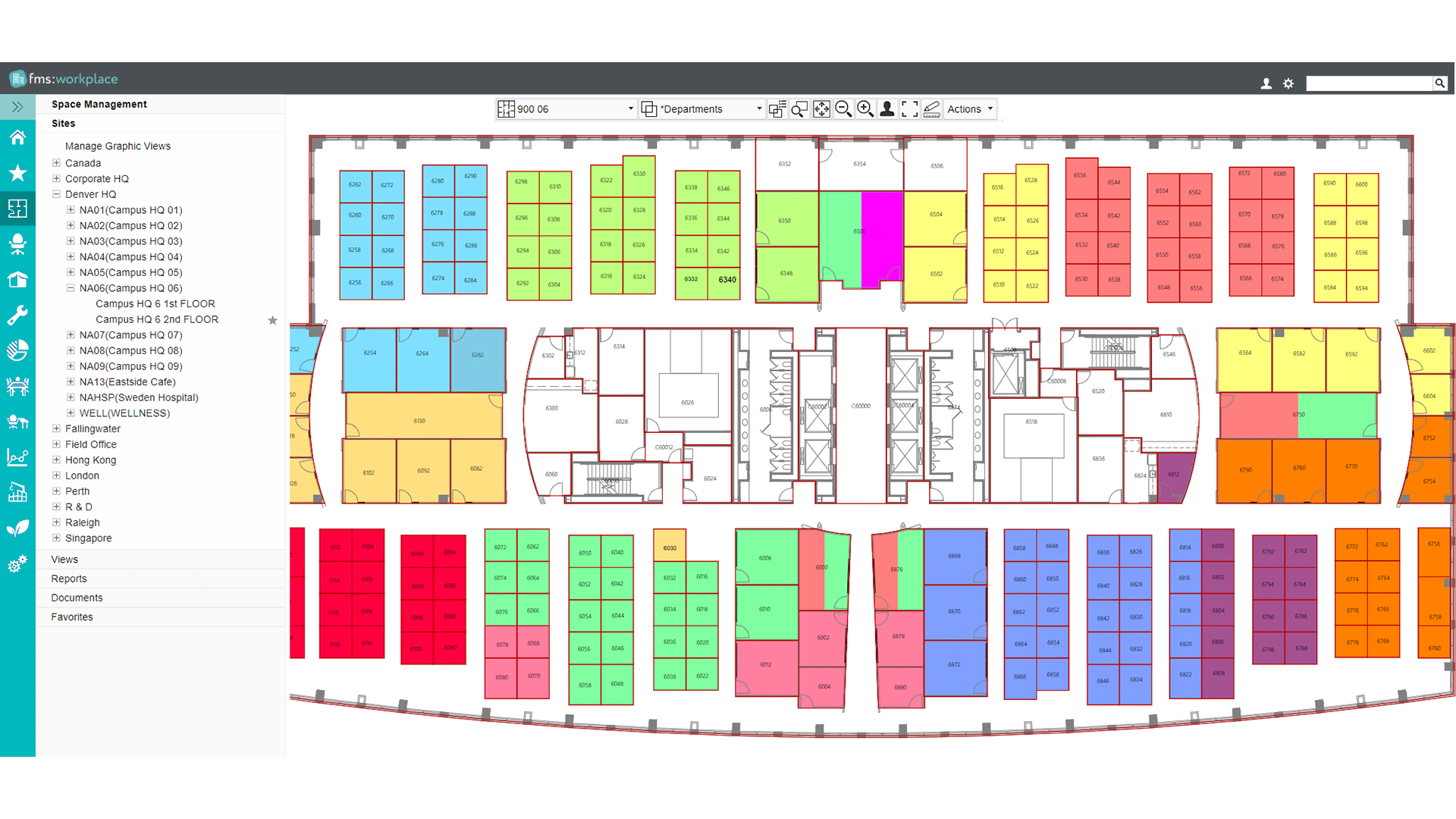
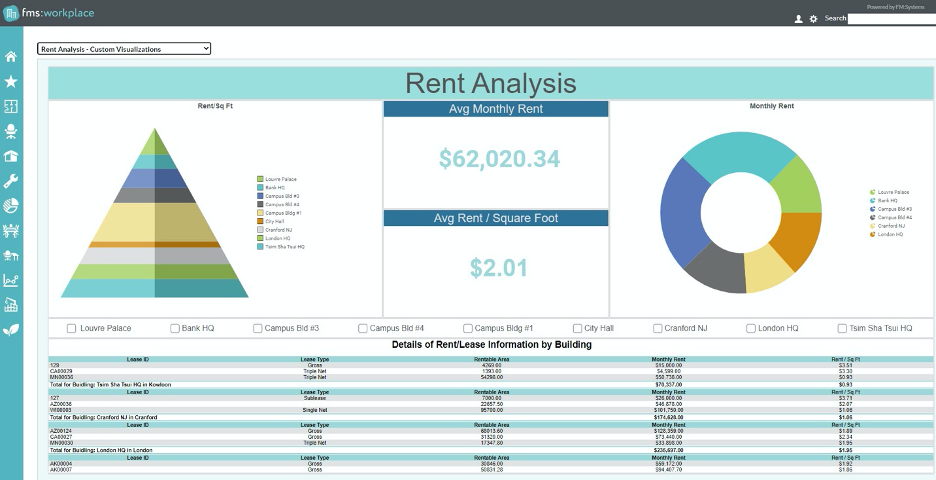
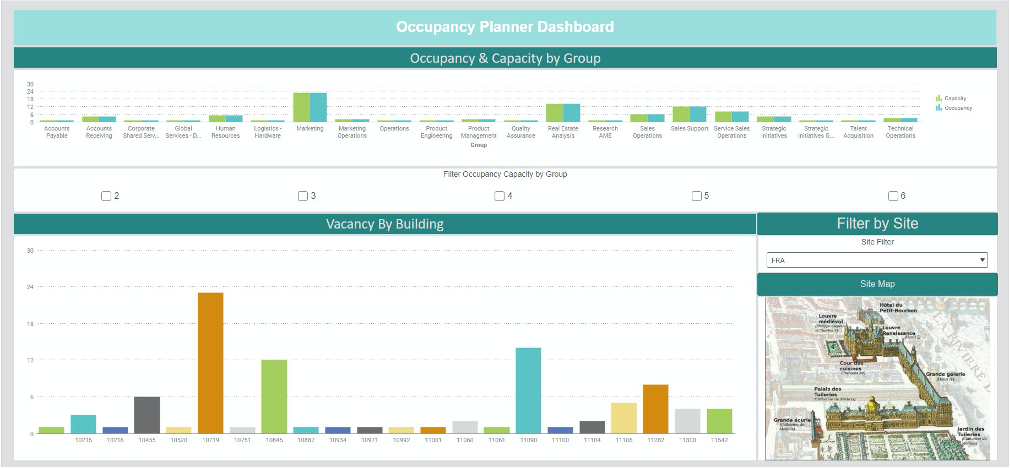
FMS:Workplace allows you to manage your workspace by letting you track workstation seating arrangements, office floor space, floor space usage, and more. Users can see current real estate usage in dashboards and visualizations that can easily be accessed securely on the cloud. With this data, you can make an estimate of how much real estate you need in the future through the scenario planning module. Moreover, you can visualize reorganizations, expansions, and other changes in your space. The software also helps you identify unused space and reduce costs by having them leased or sold.
Manage facility maintenance tasks
With FMS:Workplace, you can manage all maintenance-related activities in one portal, eliminating the need to switch to other systems to keep track of service requests, which can be time-consuming and inefficient. Employees can create service requests as well as track their status online or from their mobile devices. With its floor plan integration feature, users can easily map out the systems and areas that need repairs. The facilities management component of the solution allows you to measure performance technicians based on service level agreements (SLAs) and proactively manage service maintenance requests to avoid costly downtime.
Make the most out of your assets
FMS:Workplace lets you store asset-related information like its location, asset number, and conditions. Having an inventory of your assets allows you to track them across your entire portfolio and manage their warranties, helping you avoid data silos that occur when data is managed in different systems. Visibility into your assets from a single shared source of information means that assets can be tied to groups or cost centers for accurate financial reporting. Real-time reporting helps you conduct data analysis for all assets in your inventory. The ability to track assets is also useful in identifying assets nearing their service end dates for purposes of lifecycle planning.
Customizable workflows
The FMS:Workplace solution includes configurable workflows that you can easily adapt to how your business functions. Such workflows allow you to collaborate with multiple stakeholders, streamline and standardize operations, and ensure compliance with business processes. Its intuitive drag-and-drop feature lets you create real-life scenario models. You can also set up notifications and forms for facility maintenance work orders according to your organizational needs. In this way, teams and employees stay up-to-date on all critical dates related to your assets or real estate properties.
A flexible, all-in-one solution
The FMS:Workplace solution has eight components: space management, move management, maintenance management, real estate management, project management, sustainability management, asset management, and strategic planning. Each of the modules can be used together with the others to comprise an integrated workplace management system that provides you with one solution that addresses all your workplace management needs. With this, you have all workplace requirements, approvals, and budgets in one place. The FMS Workplace solution can also be integrated bi-directionally with AutoCAD or Revit, so you can use the drawings from these systems to generate workplace models.
Overview of FMS:Workplace Features
- Asset inventory management
- Real-time reporting
- Scenario modeling
- Scenario planning
- Data visualizations
- Intuitive dashboards
- Create service requests
- Track service requests
- Configurable work order processes
- Secure, cloud-based access
- AutoCAD integration
- Revit integration
- Sustainability projects cost analysis
- Environmental impact analysis
- Sustainability financial forecasting
- Building assessment and certification tracking
- Lifecycle planning
Awards & Quality Certificates

FMS:Workplace Position In Our Categories
Because businesses have their own business-related requirements, it is only logical that they steer clear of going for a one-size-fits-all, ideal software product. However, it is troublesome to find such application even among popular software products. The better step to undertake can be to spell out the several significant functions that call for a careful thought including major features, plans, skill ability of the employees, business size, etc. After which, you must follow through the research to a full extent. Have a look at these FMS:Workplace review articles and explore the other software solutions in your list in detail. Such detailed research makes sure you steer clear of mismatched applications and choose the system that offers all the features your company requires to realize efficiency.
Position of FMS:Workplace in our main categories:
TOP
20
FMS:Workplace is one of the top 20 Facility Management Software products
If you are considering FMS:Workplace it could also be sensible to check out other subcategories of Facility Management Software gathered in our base of SaaS software reviews.
Since each organization has unique business needs, it is prudent for them to abstain from searching for a one-size-fits-all perfect software system. Needless to say, it would be futile to try to find such a platform even among market-leading software solutions. The smart thing to do would be to jot down the various essential elements that need consideration such as required features, budget, skill levels of workers, company size etc. Then, you should do your groundwork thoroughly. Read some FMS:Workplace Facility Management Software reviews and check out each of the other systems in your shortlist in detail. Such exhaustive homework can make certain you reject ill-fitting applications and choose the app that presents all the elements you require for business success.
How Much Does FMS:Workplace Cost?
FMS:Workplace Pricing Plans:
Free Trial
What are FMS:Workplace pricing details?
FMS:Workplace Pricing Plans:
Free Trial
Contact vendor for more information.
User Satisfaction
Positive Social Media Mentions
49
Negative Social Media Mentions
2
We realize that when you make a decision to purchase a Facility Management Software it’s important not only to learn how professionals score it in their reviews, but also to find out whether the actual clients and companies that purchased it are indeed happy with the product. Because of that need we’ve designer our behavior-based Customer Satisfaction Algorithm™ that gathers customer reviews, comments and FMS:Workplace reviews across a vast array of social media sites. The data is then featured in a simple to understand form revealing how many users had positive and negative experience with FMS:Workplace. With that information at your disposal you will be ready to make an informed business decision that you won’t regret.
Video
Screenshots
Technical details
Devices Supported
- Web-based
Deployment
- Cloud Hosted
Language Support
- English
- Chinese
- German
- Japanese
- Spanish
- French
- Dutch
- Swedish
Pricing Model
- Quote-based
Customer Types
- Small Business
- Large Enterprises
- Medium Business
What Support Does This Vendor Offer?
- phone
- live support
- training
- tickets
What integrations are available for FMS:Workplace?
Microsoft Outlook
Oracle PeopleSoft
Salesforce.org
ServiceNow
Workday HCM

FMS:Workplace
is waiting for
your first review.

Write your own review of this product
ADD A REVIEWMore reviews from 0 actual users:


Join a community of 7,369 SaaS experts
Thank you for the time you take to leave a quick review of this software. Our community and review base is constantly developing because of experts like you, who are willing to share their experience and knowledge with others to help them make more informed buying decisions.
Sign in with LinkedIn
Why we require LinkedIn?
- Show the community that you're an actual user.
- We will only show your name and profile image in your review.
- You can still post your review anonymously.
OR
Sign in with company emailSign in with company email
Useful FMS:Workplace Resources
Popular FMS:Workplace Alternatives




Top Competitors To FMS:Workplace By Price
Product name:
Price:



Trending Facility Management Software Reviews


8.5
100%

FMS:Workplace Comparisons
Product name:


Page last modified
Award Winner


Did you find this review useful?
Yes
No
Thank you for your feedback
How can we make this page better?
Unsure about this software?
FIND ALTERNATIVES
 Why is FinancesOnline free?