

faciliCAD Review


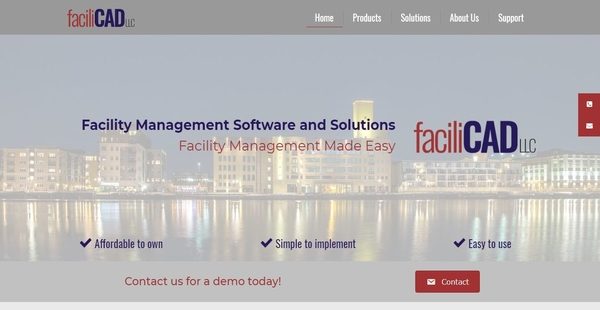

What is faciliCAD?
faciliCAD is an affordable, straightforward, and easy to implement CAFM or Computer-Aided Facility Management solution which empowers businesses and organizations that are managing small or large facilities to come up with decisions intelligently, maximize the value of their assets and spaces, and rapidly produce reports that are accurate.
faciliCAD is simple and easy-to-use, and it is comprised of features such as the capability to generate space plans and visualize space assignments, allocate employees to spaces, assign assets to employees, and link assets to each other.
Moreover, the CAFM solution can import data from other systems as well as provide tools which make it easy for users to analyze and distribute data across their organization. Last but not least, faciliCAD enables users to create reports, whether standard or custom reports, so they can gain insights into the operations of their facilities much better.
Show MoreOverview of faciliCAD Benefits
Data Import And Migration Made Simple
faciliCAD is CAFM solution which can be easily implemented, and one aspect of implementing the solution is data migration. This means facility owners and operators must import all the raw data they need into the solution before they start to operate the software and take advantage of its features and functionalities. With faciliCAD, data migration is made simple. Users will be able to import data into the software and set up an initial database quickly.
Manage Spaces From From A Graphical Or Non-Graphical App
Space management is another key feature of faciliCAD. The solution offers two applications to streamline the management of spaces, namely CAD Manager and Data Manager. CAD Manager is a graphical CAD application which utilizes the capabilities of AutoCAD, a popular CAD software. CAD Manager can be used for creating colorful space plans and drawings of spaces. What’s great about this is that whatever plans and drawings users have created within the CAD application can be directly associated with database records. Thus, they will be able to define space categories and assign employees to spaces right straight from the CAD drawings.
Meanwhile, Data Manager is a database management tool which permits users to enter and manage background data which includes spatial locations, room types, organizational hierarchies, employees, and assets. In addition, this application directly integrates with CAD Manager. Thus, if users want to modify the space assignments shown in the CAD drawings and plans they created within CAD Manager, they can do that from Data Manager. Likewise, if they need to make changes to their data in Data Manager, they can apply the updates automatically by editing background data directly from the CAD drawings in CAD Manager. In other words, they no longer need to always switch between applications when it comes to managing space assignments and other data related to their facility.
Employee Management
faciliCAD is equipped with an interesting feature that simplifies the process of assigning spaces to employees as well as linking assets to employees. This feature is called Move Manager, an employee management tool built within faciliCAD which can be used for relocating employees to different spaces. With this tool, users can identify which employees they plan to relocate and easily coordinate employee relocations.
Easily Access, Track, And Link Asset Information
The CAFM solution makes asset management a breeze. This is because it permits users to quickly access and track any information related to their assets. If they want to visualize asset information they can do that using CAD Manager. They can also access asset information from Data Manager where they can view the information in text format. In addition, faciliCAD allows users to link their assets to each other. They can do that by establishing relationships using a parent/child structure. Assets can be linked to employees as well.
Enhance Data Analysis Through A Browser-Based Tool
Data analysis is a powerful feature included in faciliCAD. With this feature, users can search, extract, display, and share information related to their facility. There is actually an application created for such purpose, and this application is named Web Manager. Web Manager is a browser-based application from faciliCAD which has the ability to collect tabular and graphical information from CAD Manager and Data Manager. Any information it gathers can be accessed and viewed from any browser-enabled device such as PCs, smartphones, tablets, and netbooks. This application is ideal for report generation and real-time collaboration.
Show MoreOverview of faciliCAD Features
- Input Data
- Manage Spaces
- Set Up Space Assignments and Categories
- Generate Space Plans Using a Graphical CAD Application
- Manage Background Data from a Non-Graphical Application
- Manage Employees
- Assign Employees to Spaces
- Relocate Employees
- Asset Management
- Visualize Asset Information
- Access Asset Information in Text Format
- Link Assets to Each Other
- Assign Assets to Employees
- Data Analysis
- Query, Extract, Display, and Analyze Data
- Generate Tabular and Graphical Information
- Custom Reports
faciliCAD Position In Our Categories
Because businesses have unique business-related demands, it is rational they abstain from going for an all-in-one, ideal solution. Still, it is hard to try to stumble on such application even among well-known software solutions. The clever step to undertake should be to set down the several critical functions which entail inspection including important features, budget, skill levels of staff, company size, etc. Next, you should do the product research exhaustively. Browse through some of these faciliCAD review articles and explore each of the software options in your list in detail. Such detailed research ascertain you circumvent poorly fit software products and choose the system that delivers all the function your company requires for optimal results.
Position of faciliCAD in our main categories:
TOP
100
faciliCAD is one of the top 100 Facility Management Software products
If you are interested in faciliCAD it may also be a good idea to examine other subcategories of Facility Management Software collected in our base of B2B software reviews.
Enterprises have diverse wants and requirements and no software solution can be ideal in such a condition. It is futile to try to find an ideal off-the-shelf software product that meets all your business wants. The intelligent thing to do would be to adapt the application for your unique needs, worker skill levels, budget, and other factors. For these reasons, do not hasten and subscribe to well-publicized leading solutions. Though these may be widely used, they may not be the ideal fit for your specific wants. Do your groundwork, investigate each short-listed application in detail, read a few faciliCAD Facility Management Software reviews, speak to the seller for explanations, and finally select the app that offers what you need.
How Much Does faciliCAD Cost?
faciliCAD Pricing Plans:
Free Trial
Quote-based Plan
Contact vendor
What are faciliCAD pricing details?
faciliCAD Pricing Plans:
Free Trial
Quote-based Plan
Contact vendor
faciliCAD’s SMB and enterprise pricing plan information is available only upon request. Please contact the vendor, and get your quote.
User Satisfaction
Positive Social Media Mentions
0
Negative Social Media Mentions
0
We know that when you decide to get a Facility Management Software it’s vital not only to see how experts rank it in their reviews, but also to find out whether the real users and companies that use these solutions are actually content with the service. Because of that need we’ve devised our behavior-based Customer Satisfaction Algorithm™ that aggregates customer reviews, comments and faciliCAD reviews across a broad array of social media sites. The data is then presented in a simple to understand way indicating how many users had positive and negative experience with faciliCAD. With that information at hand you should be ready to make an informed purchasing choice that you won’t regret.
Video
Technical details
Devices Supported
- Windows
- Mac
- Web-based
Deployment
- Cloud Hosted
- On Premise
- Open API
Language Support
- English
Pricing Model
- Quote-based
Customer Types
- Small Business
- Large Enterprises
- Medium Business
What Support Does This Vendor Offer?
- phone
- live support
- training
- tickets
What integrations are available for faciliCAD?
faciliCAD supports integration with AutoCAD and MySQL.

faciliCAD
is waiting for
your first review.

Write your own review of this product
ADD A REVIEWMore reviews from 0 actual users:


Join a community of 7,369 SaaS experts
Thank you for the time you take to leave a quick review of this software. Our community and review base is constantly developing because of experts like you, who are willing to share their experience and knowledge with others to help them make more informed buying decisions.
Sign in with LinkedIn
Why we require LinkedIn?
- Show the community that you're an actual user.
- We will only show your name and profile image in your review.
- You can still post your review anonymously.
OR
Sign in with company emailSign in with company email
Popular faciliCAD Alternatives




Top Competitors To faciliCAD By Price
Product name:
Price:

By quote

By quote

By quote

By quote

Trending Facility Management Software Reviews



faciliCAD Comparisons
Product name:


Page last modified


Did you find this review useful?
Yes
No
Thank you for your feedback
How can we make this page better?
Unsure about this software?
FIND ALTERNATIVES
 Why is FinancesOnline free?