

HelpWire Review



What is HelpWire?
HelpWire is a remote desktop service that provides user-friendly remote control tools for on-demand support of PCs, laptops, and workstations. It streamlines IT support, boosting productivity for customer support teams regardless of size. Technicians can instantly access clients’ computers, ensuring swift issue resolution and eliminating the need for costly, time-consuming on-site visits.
HelpWire offers functionality tailored to the unique needs of SMBs, IT support teams, MSPs, and help desks, ensuring effective resolution of remote client issues.
The software speeds up the diagnostics and repair process by eliminating the need to have the technician or specialist come to the site or have the equipment or device sent to the service center for diagnostics and repairs. HelpWire saves businesses time and money while greatly enhancing efficiency and productivity of their support teams and meeting customer needs and demands.
Show MoreOverview of HelpWire Benefits
HelpWire gives you a user-friendly, easy-to-install support platform that gets you connected to your or your clients’ devices and equipment for efficient remote support and repair. Once set up, HelpWire allows you to deliver rapid response to your customers’ needs, running remote diagnostics of various devices including phones, printers, vehicle ECUs, CNC machines, and more.
You can tailor HelpWire to suit specific requirements or request developers to add a new feature to ensure that your needs are met. This functionality ensures that HelpWire can be molded to your exact specifications so that you are able to deliver high-quality support to your clients every single time.
Another benefit HelpWire brings to the table is its ease of use. Regardless of your client’s location, HelpWire will get you connected to your client’s device or equipment in just a few clicks and get down to business. There is no need for extra hardware or software to perform remote diagnostics and repair, which translates to more savings for you.
HelpWire can connect to any platform or operating system with ease. Whether your clients are using devices that run on Windows, Mac, Linux, or Android, HelpWire gets you connected in no time and get the job done.
Show MoreOverview of HelpWire Features
- Easy session initiation
- Support for multiple workstations
- Cross-platform connections
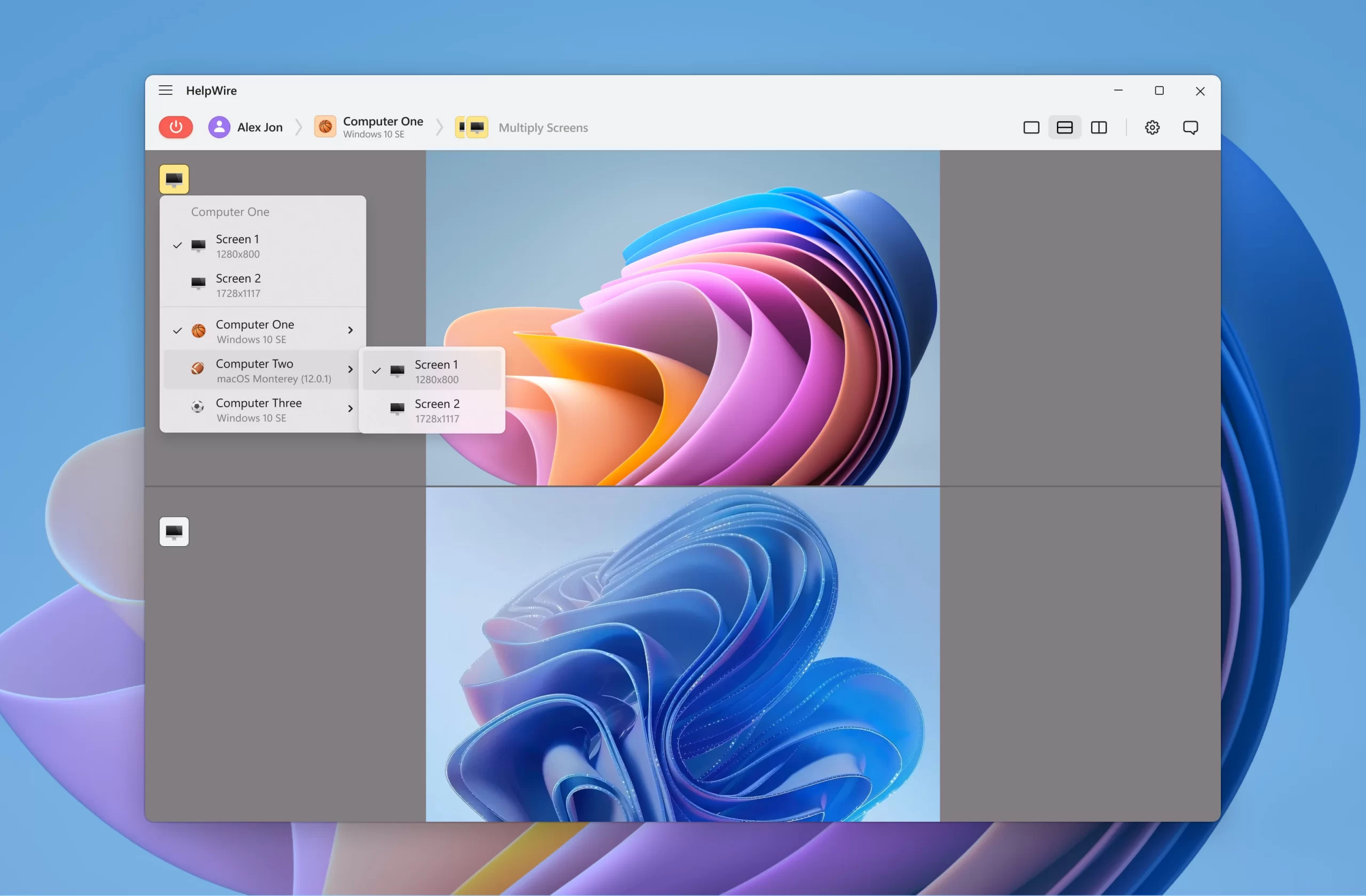
- Multi-monitor viewing
- Drag-and-drop file transfer
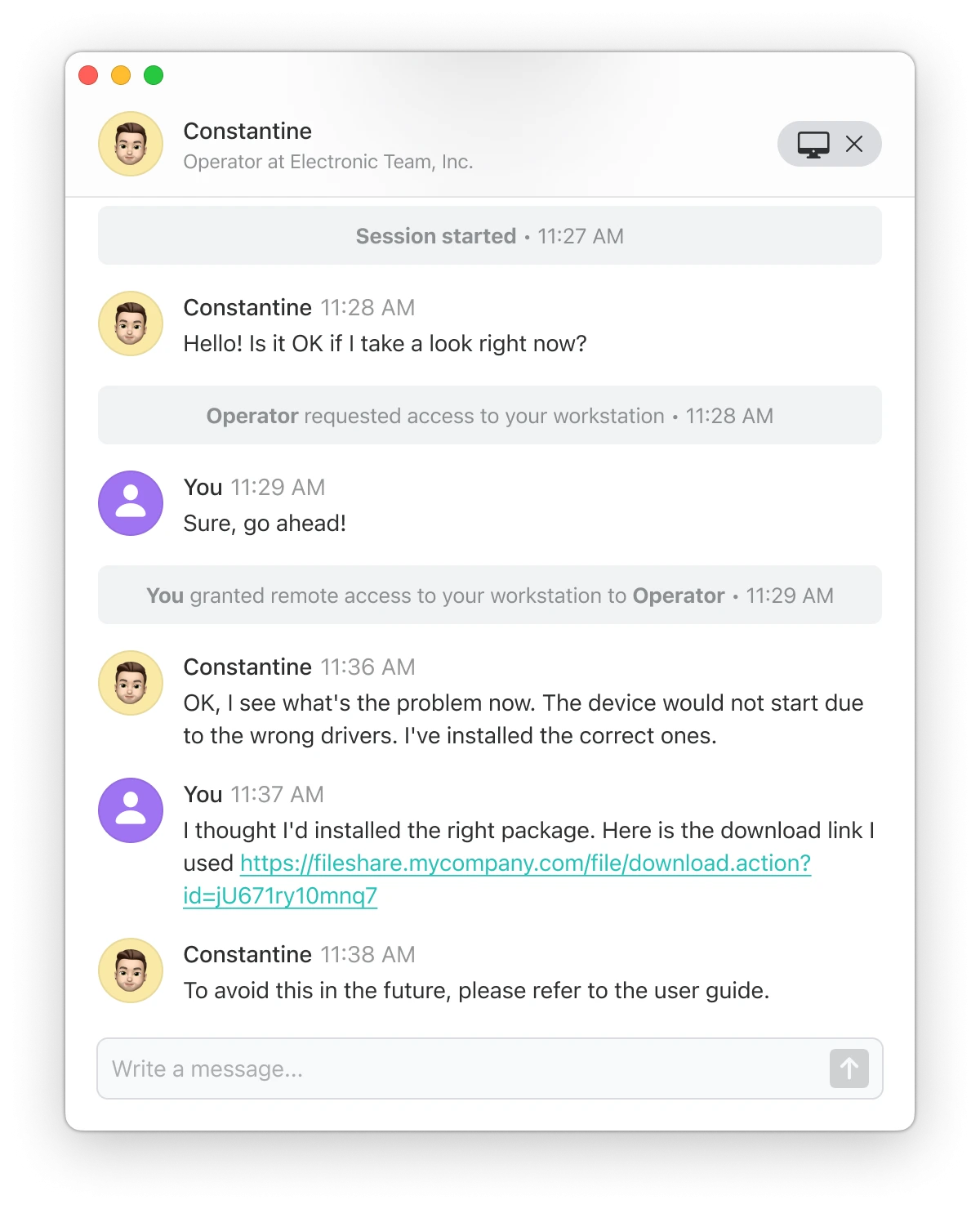
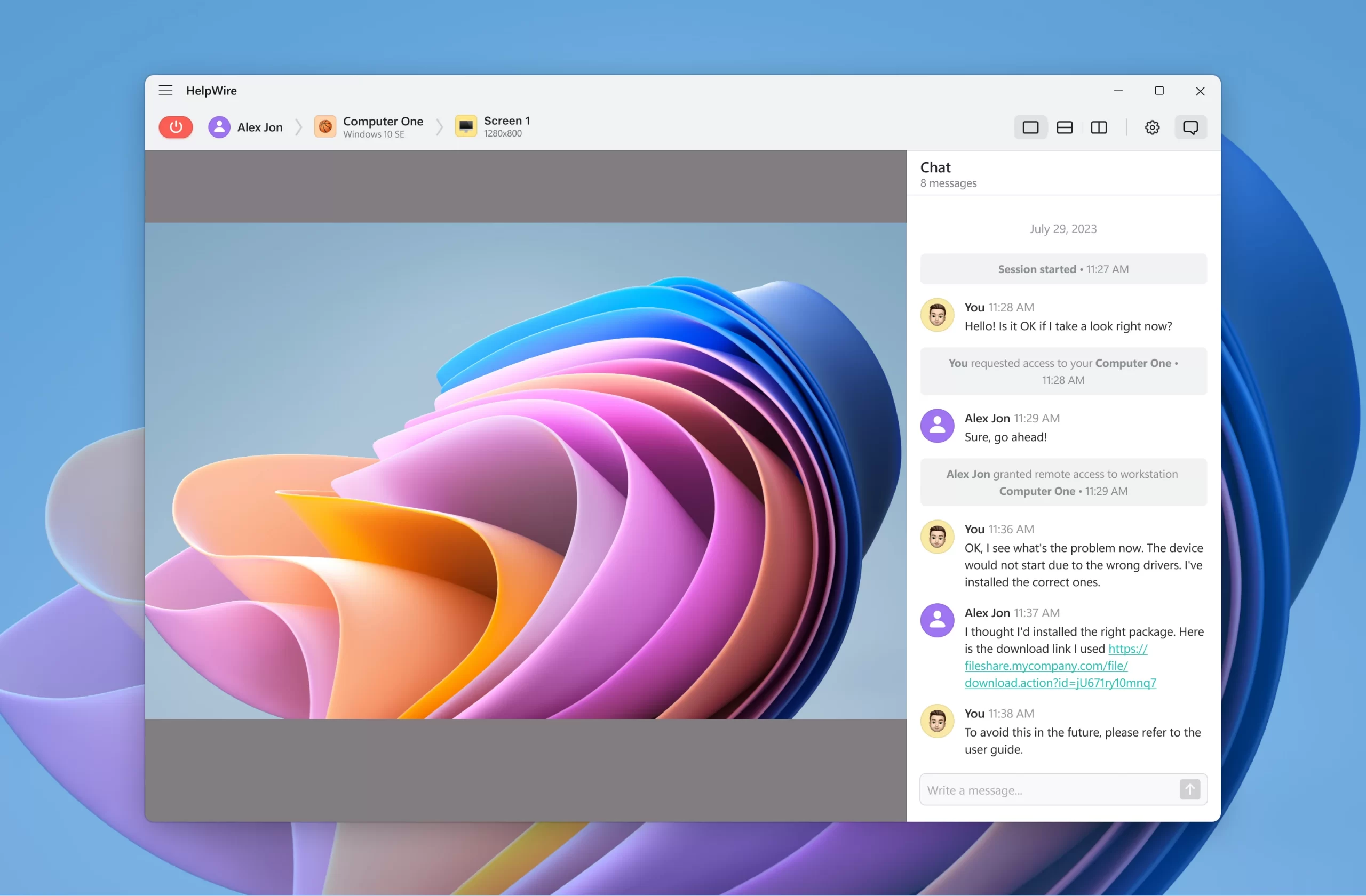
- Integrated chat
- Client directory
What Problems Will HelpWire Solve?
Use cases for HelpWire range from diagnosing remote equipment (phones, computers, printers, CNC machines, vehicle ECU, etc.) to providing prompt online support and repair service.
HelpWire Position In Our Categories
Keeping in mind businesses have distinctive business-related requirements, it is only practical they avoid picking a one-size-fits-all, ideal business application. Be that as it may, it would be difficult to try to discover such an app even among sought-after software systems. The practical thing to do is to note down the different important functions that require deliberation such as major features, pricing, skill levels of staff members, company size, etc. The second step is, you should conduct the product research exhaustively. Have a look at some of these HelpWire evaluations and look into each of the applications in your list in detail. Such all-encompassing research ensure you avoid mismatched software solutions and subscribe to the one which provides all the benefits your company requires.
Position of HelpWire in our main categories:
TOP
100
HelpWire is one of the top 100 Customer Support Software products
Every organization has different wants and requires a software that can be personalized for their size, kind of staff members and clients, and the specific industry they are in. For these reasons, no platform can proffer perfect tools out-of-the-box. When you search a software system, first be sure what you require it for. Read some HelpWire Remote Support Software reviews and ask yourself do you need basic functionality or do you want advanced tools? Are there any industry-specific tools that you are searching for? Get the answers to these questions to assist your search. There are lots of elements that you need to reflect on and these include your budget, particular business requirements, your company size, integration needs etc. Take your time, use a few free trials, and finally zero in on the system that provides all that you require to enhance your organization effectiveness and productivity.
How Much Does HelpWire Cost?
HelpWire Pricing Plans:
Free Trial
Quote-based Plan
Contact vendor
What are HelpWire pricing details?
HelpWire Pricing Plans:
Free Trial
Quote-based Plan
Contact vendor
Contact Eltima for enterprise pricing information and other product details. You may also submit a request for a demo to see if the software is a perfect fit for your business.
User Satisfaction
Positive Social Media Mentions
4
Negative Social Media Mentions
0
We are aware that when you decide to get a Remote Support Software it’s important not only to see how experts score it in their reviews, but also to discover whether the actual users and businesses that bought it are indeed content with the product. Because of that need we’ve designer our behavior-based Customer Satisfaction Algorithm™ that collects customer reviews, comments and HelpWire reviews across a wide array of social media sites. The data is then featured in an easy to digest format indicating how many clients had positive and negative experience with HelpWire. With that information at your disposal you should be prepared to make an informed business choice that you won’t regret.
Video
Screenshots

Technical details
Devices Supported
- Windows
- Linux
- Web-based
Deployment
- Cloud Hosted
- On Premise
Language Support
- English
Pricing Model
- Free
- Quote-based
Customer Types
- Small Business
- Large Enterprises
- Medium Business
- Freelancers
What Support Does This Vendor Offer?
- phone
- live support
- training
- tickets
What integrations are available for HelpWire?
No information available.
HelpWire User Reviews
HelpWire average rating:
5/5
Overall impression
5/5
Customer Support
4/5
Value for Money
4/5
Ease of Use
Write your own review of this product
ADD A REVIEWThe most favorable review

PROS: This service delivers a fundamental and straightforward approach to remote support, and it stands out by being completely free. It cuts through the complexity often introduced by competitors, offering a streamlined remote control experience that facilitates intuitive task execution without any cost.
CONS: The "business" side of the service could have been more advanced. It lacks some basic access control functionality, reports and team management.
The least favorable review

PROS: It is free, the remote connection is stable and fast, no stuttering or connection drops. The number of basic features suits any small support-team that occasionally does remote assistance.
CONS: The interface is a bit complicated for a simple and fast remote support solution, as the service claims itself to be. But after dealing with registration, first set up and unskipable onboarding , it works good.
More reviews from 4 actual users:
Sort by:
Latest
- Latest
- Most useful
- Most positive
- Most negative
Free for business use, what else would you need?!
Read full review >
5/5
Overall impression
4/5
Customer Support
5/5
Value for Money
5/5
Ease of Use
Published on: 28.03.2024
Company Size: 1-10 Employees
Industry: Computer Software
PROS: This service offers stability, no cost, and includes all the essential features typically found in this sector. It's absolutely a viable option for small business like ours.
CONS: Its more lack of certain features, rather than problems in the current ones.
Simple and free remote desktop control tool
Read full review >
4/5
Overall impression
4/5
Customer Support
4/5
Value for Money
4/5
Ease of Use
Published on: 19.02.2024
Company Size: 11-50 Employees
Industry: Computer Software
PROS: As the review title says, its basically a solid, simple and decently packed remote desktop control tool, which is literally free of charge. Without any annoying ads or anything like that. Certainly some paid plans will be introduced latter down the road, but so far it is a very recommendable solution.
CONS: More advanced team-based functionality would be a great addition, as current set of features is rather limited. There is no way to share the screen with other team members, or transfer the client to them.
Business-oriented free solution
Read full review >
5/5
Overall impression
4/5
Customer Support
5/5
Value for Money
4/5
Ease of Use
Published on: 14.02.2024
Company Size: 11-50 Employees
Industry: Computer Software
PROS: This service delivers a fundamental and straightforward approach to remote support, and it stands out by being completely free. It cuts through the complexity often introduced by competitors, offering a streamlined remote control experience that facilitates intuitive task execution without any cost.
CONS: The "business" side of the service could have been more advanced. It lacks some basic access control functionality, reports and team management.
New on the market but already a banger
Read full review >
4/5
Overall impression
4/5
Customer Support
5/5
Value for Money
3/5
Ease of Use
Published on: 01.02.2024
Company Size: 11-50 Employees
Industry: Program Development
PROS: It is free, the remote connection is stable and fast, no stuttering or connection drops. The number of basic features suits any small support-team that occasionally does remote assistance.
CONS: The interface is a bit complicated for a simple and fast remote support solution, as the service claims itself to be. But after dealing with registration, first set up and unskipable onboarding , it works good.


Join a community of 7,369 SaaS experts
Thank you for the time you take to leave a quick review of this software. Our community and review base is constantly developing because of experts like you, who are willing to share their experience and knowledge with others to help them make more informed buying decisions.
Sign in with LinkedIn
Why we require LinkedIn?
- Show the community that you're an actual user.
- We will only show your name and profile image in your review.
- You can still post your review anonymously.
OR
Sign in with company emailSign in with company email
Popular HelpWire Alternatives



Top Competitors To HelpWire By Price
Product name:
Price:

Trending Remote Support Software Reviews


HelpWire Comparisons
Product name:





HelpWire user reviews
Free for business use, what else would you need?!
Read full review >
5/5
Overall impression
4/5
Customer Support
5/5
Value for Money
5/5
Ease of Use
Published on: 28.03.2024
Company Size: 1-10 Employees
Industry: Computer Software
Simple and free remote desktop control tool
Read full review >
4/5
Overall impression
4/5
Customer Support
4/5
Value for Money
4/5
Ease of Use
Published on: 19.02.2024
Company Size: 11-50 Employees
Industry: Computer Software
Business-oriented free solution
Read full review >
5/5
Overall impression
4/5
Customer Support
5/5
Value for Money
4/5
Ease of Use
Published on: 14.02.2024
Company Size: 11-50 Employees
Industry: Computer Software
New on the market but already a banger
Read full review >
4/5
Overall impression
4/5
Customer Support
5/5
Value for Money
3/5
Ease of Use
Published on: 01.02.2024
Company Size: 11-50 Employees
Industry: Program Development

Page last modified


Did you find this review useful?
Yes
No
Thank you for your feedback
How can we make this page better?
Unsure about this software?
FIND ALTERNATIVES
 Why is FinancesOnline free?